Project 1: Digital Gate Library
Build a library of AND/OR/NOT/XOR/NAND/NOR gates with an exhaustive testbench.
Quick Reference
| Attribute | Value |
|---|---|
| Difficulty | Beginner |
| Time Estimate | 2-3 hours |
| Main Programming Language | Verilog (Alternatives: VHDL, SystemVerilog) |
| Alternative Programming Languages | VHDL, SystemVerilog |
| Coolness Level | Low |
| Business Potential | Low |
| Prerequisites | Boolean algebra, Basic Verilog syntax, Using a simulator |
| Key Topics | Truth tables, Continuous assignments, Testbenches |
1. Learning Objectives
- Translate truth tables into Verilog logic
- Write exhaustive testbenches for small modules
- Interpret waveforms to confirm correct behavior
2. All Theory Needed (Per-Concept Breakdown)
Boolean Algebra and Truth Tables
Description/Expanded Explanation of the concept
Boolean algebra is the math of digital logic. A truth table is the exact, exhaustive mapping from inputs to outputs. In hardware, there is no “default” or “implicit” behavior: every input combination must map to a defined output. This is the foundation of reliable combinational circuits.
Definitions & Key Terms
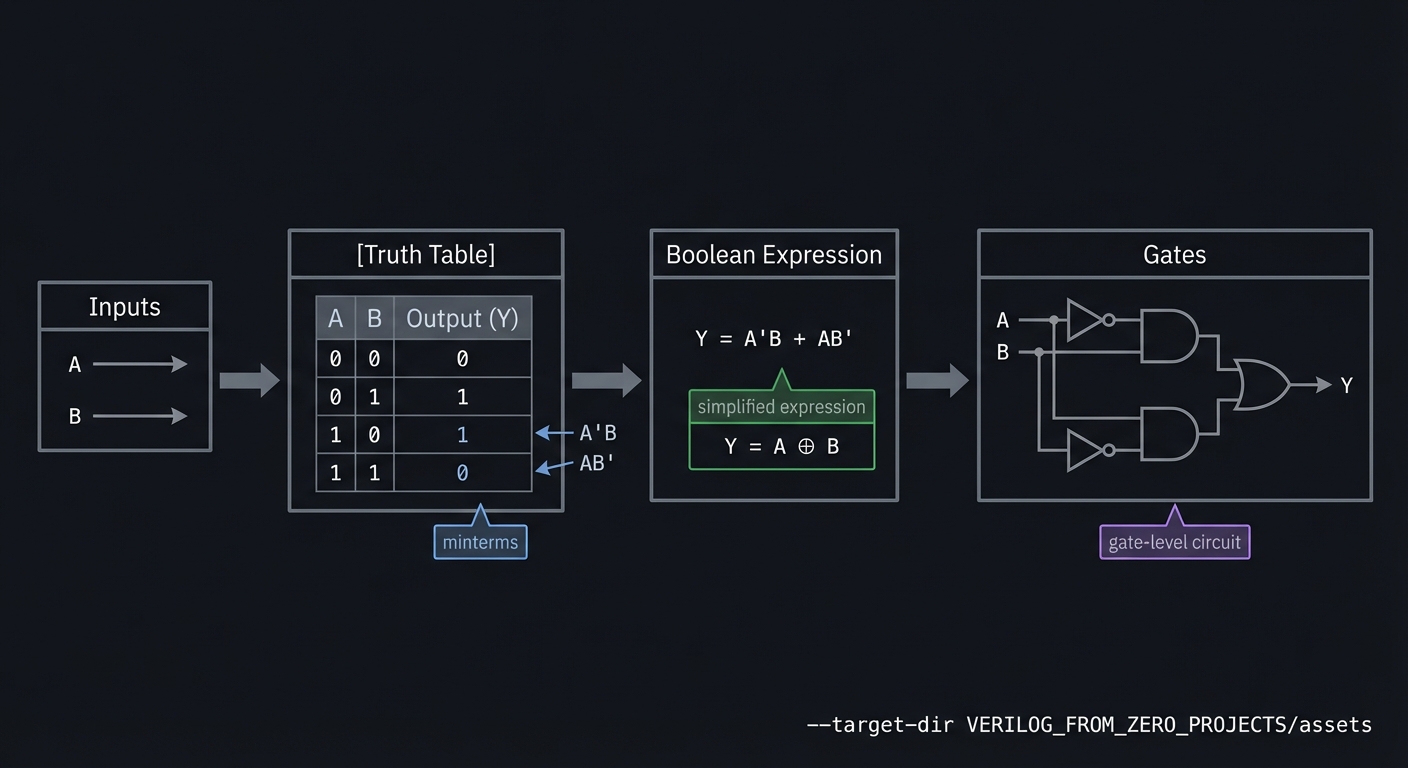
- Boolean algebra -> algebra of 0/1 variables with AND/OR/NOT operators
- Truth table -> exhaustive input/output mapping
- Minterm -> AND of variables producing 1 for one input combination
- Maxterm -> OR of variables producing 0 for one input combination
Mental Model Diagram (ASCII)
Inputs -> [Truth Table] -> Boolean Expression -> Gates
How It Works (Step-by-Step)
- List all input combinations.
- Mark which combinations should produce 1.
- Translate the table into an expression or directly into gates.
- Verify with exhaustive simulation.
Minimal Concrete Example
// AND gate truth table: y = a & b
assign y = a & b;
Common Misconceptions
- “If it works for some cases, it’s fine.” -> All cases must be correct.
- “Truth tables are only for beginners.” -> They remain the most reliable spec.
Check-Your-Understanding Questions
- What output should an XOR produce for inputs 01 and 10?
- How many rows does a truth table have for 4 inputs?
- Explain why a missing row is a bug in hardware.
Where You’ll Apply It
- This project: used in Section 3.2 (functional requirements) and Section 6 (testing)
- Also used in: P02-4-to-1-multiplexer.md, P03-7-segment-display-decoder.md
Combinational Logic Modeling
Description/Expanded Explanation of the concept
Combinational logic produces outputs that depend only on current inputs. In Verilog, this is modeled using assign or always @(*) blocks. The key rule is that every output must be assigned for every input condition, otherwise you create unintended storage (latches).
Definitions & Key Terms
- Combinational logic -> outputs depend only on current inputs
- Continuous assignment ->
assignfor wire-driven logic - Latch -> unintended storage inferred by incomplete assignments
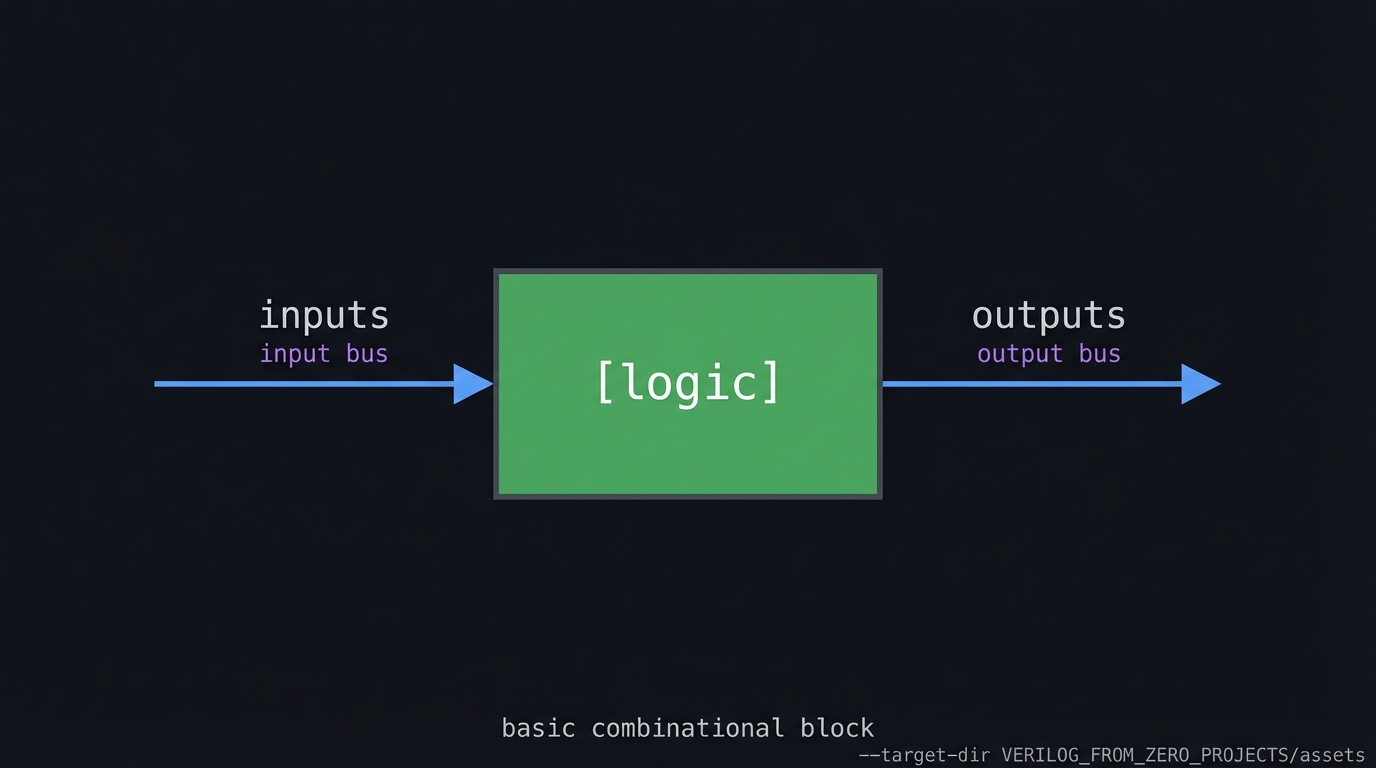
Mental Model Diagram (ASCII)
inputs --> [logic] --> outputs
How It Works (Step-by-Step)
- Choose
assignfor simple logic oralways @(*)for complex logic. - Ensure outputs are assigned in all branches.
- Verify with exhaustive or directed tests.
Minimal Concrete Example
always @(*) begin
  if (sel) y = b; else y = a;
end
Common Misconceptions
- “Missing default just means don’t care.” -> It creates a latch.
- “Blocking assignments are always wrong.” -> They are correct in combinational blocks.
Check-Your-Understanding Questions
- What hardware does an if/else create?
- Why does a missing default create storage?
- When should you use
assignvsalways @(*)?
Where You’ll Apply It
- This project: used in Section 3.2 and Section 5.3
- Also used in: P01-digital-gate-library.md, P03-7-segment-display-decoder.md, P04-4-bit-ripple-carry-adder.md
Verification with Testbenches and Waveforms
Description/Expanded Explanation of the concept
Testbenches are simulation-only modules that apply stimulus and check outputs. Waveforms (VCD) are the hardware engineer’s microscope; they reveal timing, glitches, and ordering problems. A good testbench is deterministic and covers edge cases.
Definitions & Key Terms
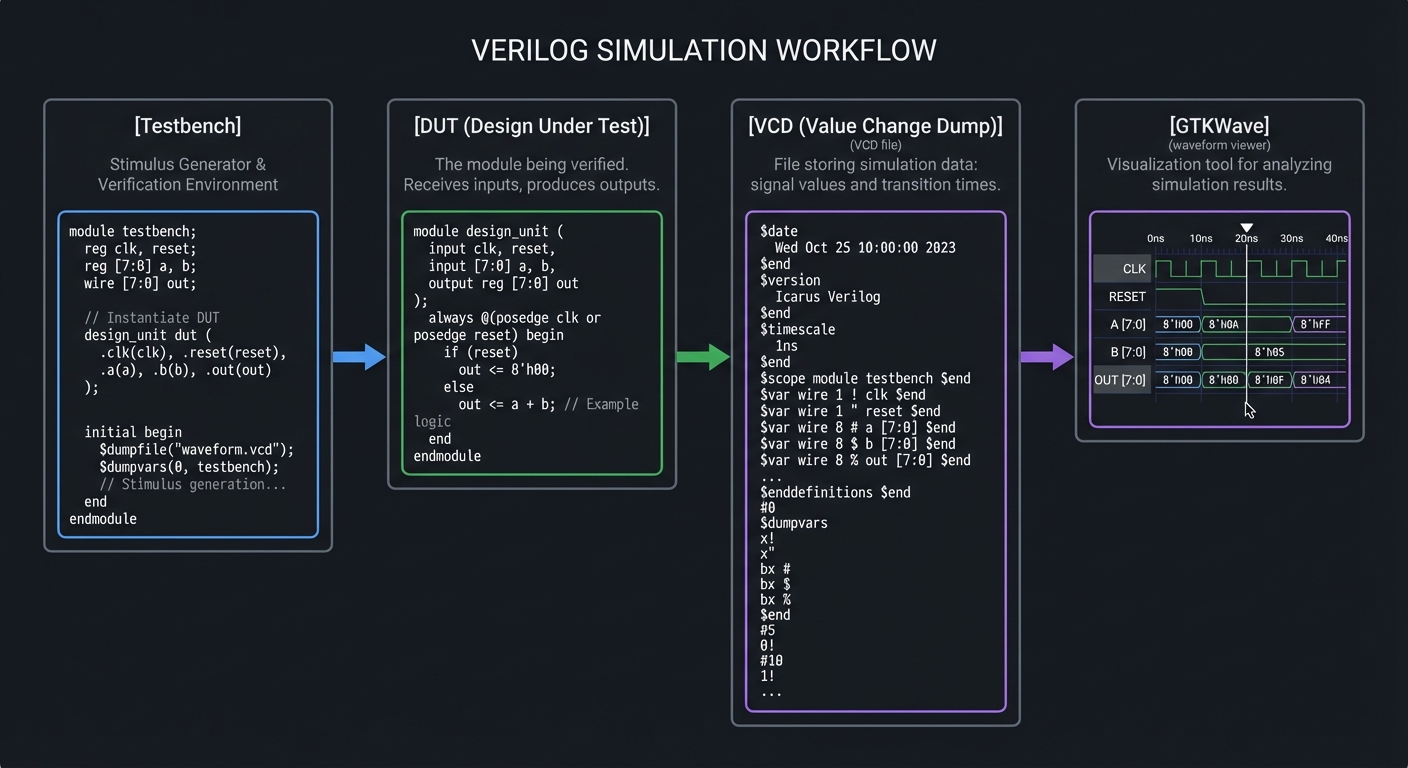
- Testbench -> a non-synthesizable module that drives a DUT
- VCD -> Value Change Dump waveform file
- Deterministic test -> same inputs produce same outputs every run
Mental Model Diagram (ASCII)
[Testbench] -> [DUT] -> [VCD] -> [GTKWave]
How It Works (Step-by-Step)
- Initialize inputs to known values.
- Apply stimulus over time.
- Dump waveforms and check outputs.
- Add assertions or PASS/FAIL messages.
Minimal Concrete Example
initial begin
  $dumpfile("wave.vcd");
  $dumpvars(0, tb);
  a = 0; b = 1; #10;
  $finish;
end
Common Misconceptions
- “If it simulates once, it’s correct.” -> Cover all relevant cases.
- “Waveforms are optional.” -> They are often the only way to debug timing.
Check-Your-Understanding Questions
- Why keep testbench and DUT separate?
- What is the purpose of
$dumpvars? - How do you make a testbench deterministic?
Where You’ll Apply It
- This project: used throughout Section 6 (testing)
- Also used in: all other projects in this folder
3. Project Specification
3.1 What You Will Build
A reusable set of gate modules plus a testbench that exhaustively tests all input pairs.
3.2 Functional Requirements
- Requirement 1: Implement AND, OR, NOT, XOR, NAND, NOR as separate modules
- Requirement 2: Create a single testbench that verifies all gate truth tables
- Requirement 3: Generate a VCD waveform file for inspection
3.3 Non-Functional Requirements
- Performance: Stable operation at the target clock and interfaces.
- Reliability: Deterministic outputs on all defined inputs.
- Usability: Clear ports and documented behavior.
3.4 Example Usage / Output
{p['example_usage']}
3.5 Data Formats / Schemas / Protocols
{p[‘data_format’]}
3.6 Edge Cases
- Uninitialized inputs
- X/Z propagation
3.7 Real World Outcome
3.7.1 How to Run (Copy/Paste)
iverilog -o gates_tb gates.v gates_tb.v && vvp gates_tb
3.7.2 Golden Path Demo (Deterministic)
Run the demo command above with the provided testbench and confirm the outputs match the golden transcript.
3.7.3 CLI Transcript
PASS: AND
PASS: OR
PASS: XOR
PASS: NAND
PASS: NOR
PASS: NOT
3.7.4 Failure Demo (Expected)
# Example failure case
ERROR: Output mismatch at vector 3
Expected: 0x0A, Got: 0x0B
EXIT CODE: 1
Notes:
- Exit code 0 indicates all tests passed
- Exit code 1 indicates a test failure
4. Solution Architecture
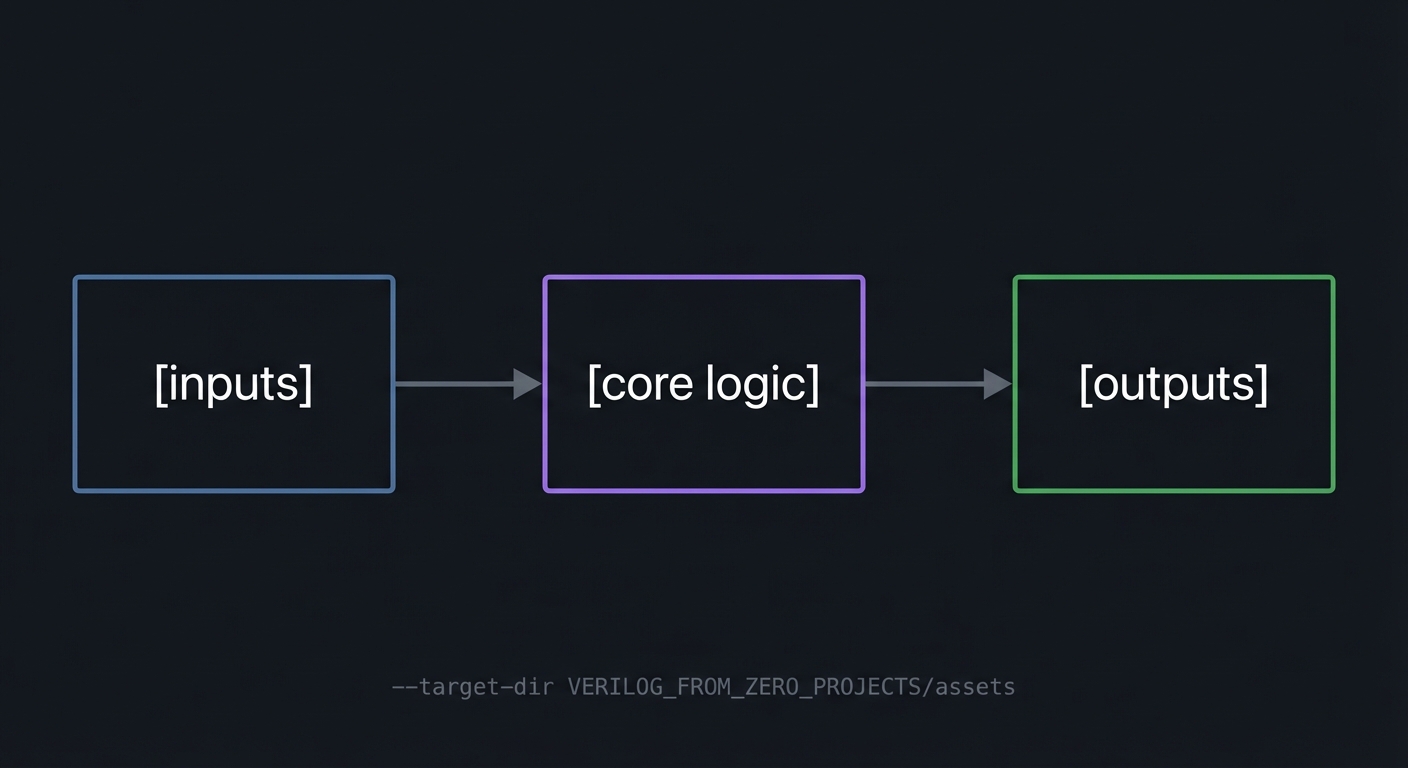
4.1 High-Level Design
[inputs] -> [core logic] -> [outputs]
4.2 Key Components
| Component | Responsibility |
|---|---|
| gate_and | Implements AND logic |
| gate_or | Implements OR logic |
| gate_xor | Implements XOR logic |
| gates_tb | Exhaustive testbench and waveform dump |
4.3 Data Structures (No Full Code)
// Example signals (adapt to your design)
reg [7:0] state_reg;
reg [7:0] data_reg;
4.4 Algorithm Overview
Key Algorithm: Core control flow
- Initialize state/reset conditions.
- Apply inputs and compute outputs.
- Update state on clock edges (if sequential).
Complexity Analysis:
- Time: O(1) per cycle
- Space: O(N) for registers and logic
5. Implementation Guide
5.1 Development Environment Setup
iverilog -v
# Ensure GTKWave is installed for waveform viewing
5.2 Project Structure
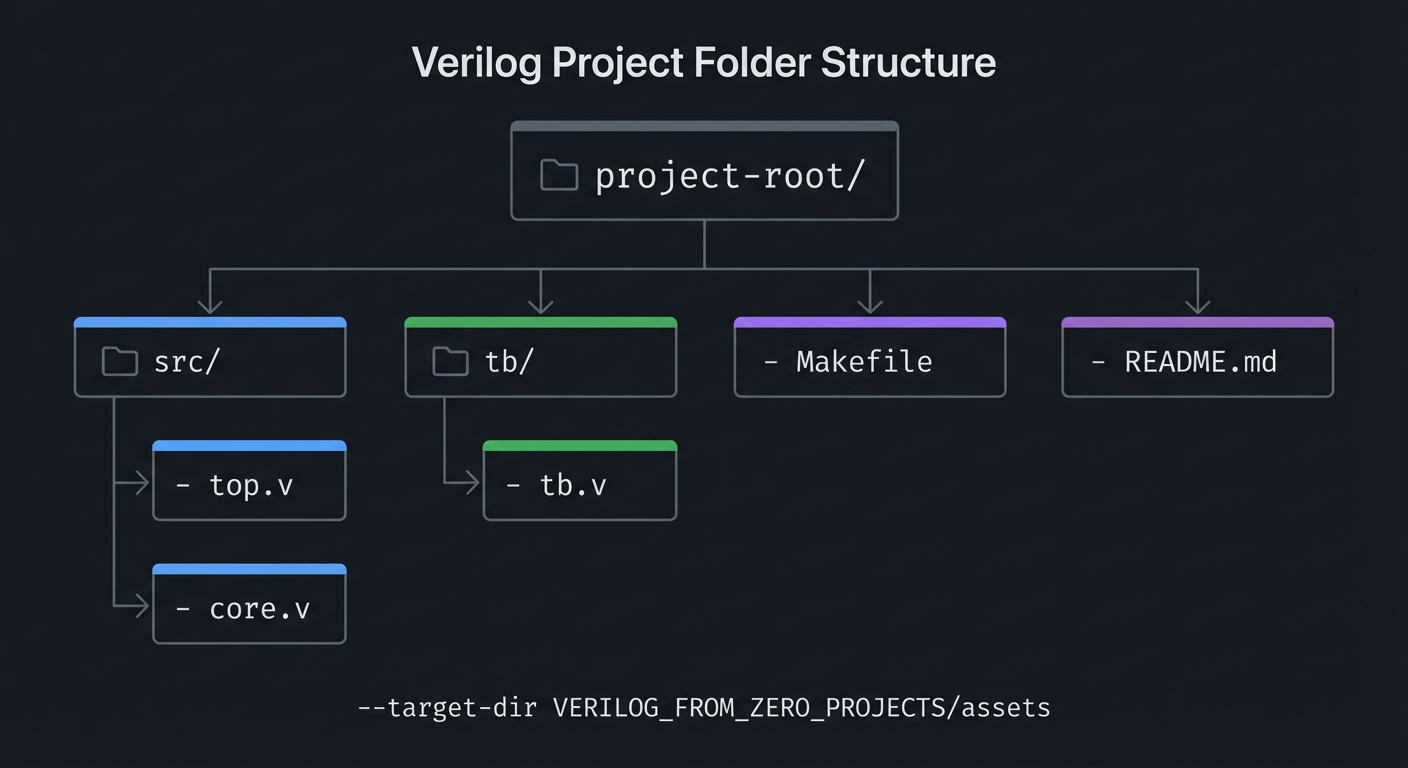
project-root/
|-- src/
|   |-- top.v
|   |-- core.v
|-- tb/
|   |-- tb.v
|-- Makefile
|-- README.md
5.3 The Core Question You’re Answering
“How do I translate a truth table into hardware that always behaves correctly?”
5.4 Concepts You Must Understand First
- Boolean algebra
- Basic Verilog syntax
- Using a simulator
5.5 Questions to Guide Your Design
- How will you exhaustively cover all input combinations?
- How will you ensure deterministic, repeatable simulation?
5.6 Thinking Exercise
Write the XOR truth table and prove that exactly two rows output 1.
5.7 The Interview Questions They’ll Ask
- What hardware does
assigninfer? - What is the difference between wire and reg?
- Why separate DUT and testbench?
5.8 Hints in Layers
- Start with AND/OR/NOT using
assign. - Build XOR from
^or from AND/OR/NOT. - Use a for-loop to iterate all input pairs in the testbench.
5.9 Books That Will Help
| Topic | Book | Chapter |
|---|---|---|
| Boolean logic | Digital Design and Computer Architecture | Ch. 2 |
| Verilog basics | Digital Design and Computer Architecture | Ch. 4 |
5.10 Implementation Phases
Phase 1: Foundation
Goals:
- Establish core module structure
- Implement minimal behavior
Tasks:
- Scaffold module ports and internal signals
- Write a minimal testbench that compiles
Checkpoint: Simulation runs without errors
Phase 2: Core Functionality
Goals:
- Implement full logic
- Verify edge cases
Tasks:
- Complete core logic
- Add directed tests for edge cases
Checkpoint: All tests pass and waveforms match expectations
Phase 3: Polish & Edge Cases
Goals:
- Improve readability
- Document behavior
Tasks:
- Add comments and README notes
- Expand tests for unusual inputs
Checkpoint: Design is deterministic and documented
5.11 Key Implementation Decisions
| Decision | Options | Recommendation | Rationale |
|---|---|---|---|
| Reset strategy | Sync / Async | Sync | Simpler timing closure |
| Test coverage | Directed / Exhaustive | Exhaustive for small logic | Prevents missed cases |
6. Testing Strategy
6.1 Test Categories
| Category | Purpose | Examples |
|---|---|---|
| Unit Tests | Test core logic | Small vectors |
| Integration Tests | Test modules together | Full system |
| Edge Case Tests | Boundary conditions | Max/min values |
6.2 Critical Test Cases
- Test 1: All 4 input combinations for each 2-input gate
- Test 2: Check output is never X after initialization
- Test 3: Testbench exits cleanly
6.3 Test Data
Use deterministic vectors and document expected outputs.
7. Common Pitfalls & Debugging
7.1 Frequent Mistakes
| Pitfall | Symptom | Solution |
|---|---|---|
| Missing test vectors | Some rows in truth table not exercised | Loop all combinations |
| X outputs | Waveform shows X after init | Drive inputs and outputs in all cases |
7.2 Debugging Strategies
- Inspect waveforms at key internal signals
- Add temporary debug outputs to verify state
- Reduce testcases to the smallest failing case
7.3 Performance Traps
- Overly wide counters or combinational paths can reduce max clock
8. Extensions & Challenges
8.1 Beginner Extensions
- Add parameterization for widths
- Add optional features (enable, reset)
8.2 Intermediate Extensions
- Add configuration registers
- Build a simple driver or demo program
8.3 Advanced Extensions
- Integrate with another project in this series
- Implement a hardware demo on FPGA
9. Real-World Connections
9.1 Industry Applications
- Digital control systems and embedded peripherals
- FPGA prototyping and validation
9.2 Related Open Source Projects
- Yosys / nextpnr toolchain for open-source FPGA flow
- Example HDL projects in the FPGA community
9.3 Interview Relevance
- Demonstrates RTL thinking and verification skills
10. Resources
10.1 Essential Reading
- Digital Design and Computer Architecture - Focus on Ch. 2
- Digital Design and Computer Architecture - Focus on Ch. 4
10.2 Video Resources
- Search for project-specific HDL walkthroughs and waveforms
10.3 Tools & Documentation
- Icarus Verilog
- GTKWave
10.4 Related Projects in This Series
- See adjacent projects in
VERILOG_FROM_ZERO_PROJECTS/
11. Self-Assessment Checklist
11.1 Understanding
- I can explain the core concept without notes
- I can predict waveform behavior for basic inputs
11.2 Implementation
- All functional requirements are met
- All tests pass
- Edge cases are documented
11.3 Growth
- I can explain this project in an interview
- I documented at least one lesson learned
12. Submission / Completion Criteria
Minimum Viable Completion:
- Functional requirements implemented
- Testbench passes
- Waveforms inspected
Full Completion:
- All minimum criteria plus
- Edge cases covered and documented
Excellence (Going Above & Beyond):
- Hardware demo on FPGA
- Clear write-up of lessons learned
Appendix A: Deep Dive Walkthrough
A.1 Signal Map and Invariants
- and2/or2/xor2/nand2/nor2:
a,b->y - not1:
a->y
Invariants (must hold for every input combination):
nand2is the bitwise inverse ofand2nor2is the bitwise inverse ofor2xor2is high only when inputs differnot1always outputs the inverse ofa
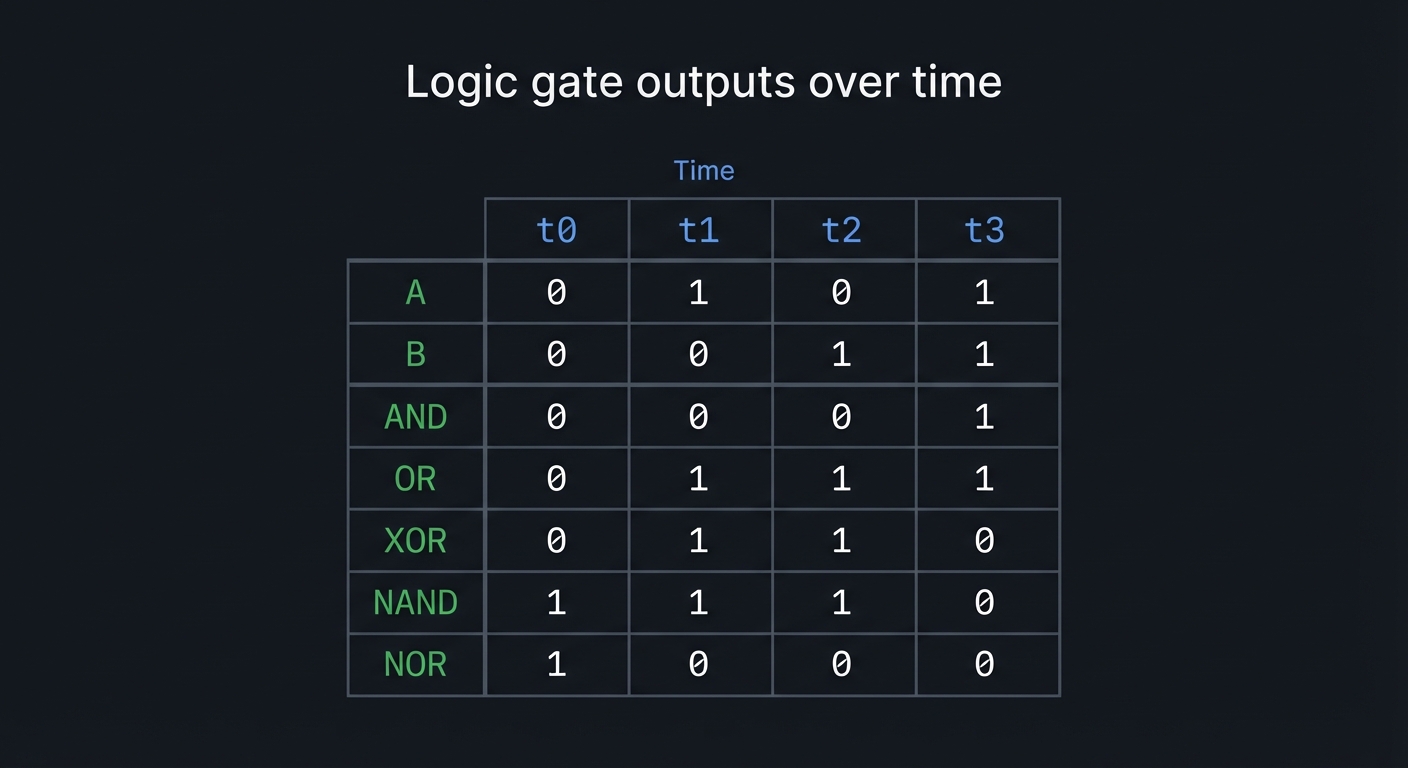
A.2 Timing Sketch (Combinational, No State)
Time:    t0 t1 t2 t3
A:       0  1  0  1
B:       0  0  1  1
AND:     0  0  0  1
OR:      0  1  1  1
XOR:     0  1  1  0
NAND:    1  1  1  0
NOR:     1  0  0  0
A.3 Reference Vector Table (Exhaustive)
| a | b | and | or | xor | nand | nor | |—|—|—–|—-|—–|——|—–| | 0 | 0 | 0 | 0 | 0 | 1 | 1 | | 0 | 1 | 0 | 1 | 1 | 1 | 0 | | 1 | 0 | 0 | 1 | 1 | 1 | 0 | | 1 | 1 | 1 | 1 | 0 | 0 | 0 |
A.4 Testbench Design Pattern (Deterministic)
- Use nested loops to sweep inputs for 2-input gates.
- For each gate, compute the expected output in the testbench and assert equality.
- Stop immediately on mismatch to keep debug time short.
for (a = 0; a < 2; a = a + 1) begin
  for (b = 0; b < 2; b = b + 1) begin
    #1;
    if (and_y !== (a & b)) $fatal("AND mismatch");
  end
end
A.5 Debugging Checklist (Waveforms)
- Inputs are initialized before checks (no X propagation).
- Outputs stabilize within the same time step (combinational).
- No output remains X when inputs are known.
A.6 Optional Extension: Vectorized Gates
- Add
andN,orN,xorNmodules with a parameterized width. - Verify that bitwise operators behave per-bit (not a single reduction).
13. Deep Dive Appendix
13.1 Timing and Resource Budget
- Combinational only: No clocks are involved. In synthesis, each gate maps to one or more LUTs and the critical path is just the LUT chain.
- Delay intuition: A 2-input gate is effectively one LUT level. A two-level implementation (like XOR built from AND/OR/NOT) adds extra delay.
- Goal: Keep the gate library flat and fully combinational so tools can merge logic and reduce LUT depth.
13.2 Waveform Interpretation Guide
- a, b should change exactly when driven by the testbench loop.
- y should update in the same simulation time step as the input change (no extra clock edges).
- X/Z should disappear after initialization. If they linger, the output is undriven or there are conflicting drivers.
Example timing sketch:
t=0: a=0 b=0 -> y=0
t=1: a=0 b=1 -> y=0
t=2: a=1 b=0 -> y=0
t=3: a=1 b=1 -> y=1
13.3 Hardware Bring-Up Notes
- Map a/b to two switches and y to one LED.
- Use the board’s built-in pull-ups/pull-downs (or explicit resistors) so inputs never float.
- If you use buttons instead of switches, add debouncers or expect flicker.
13.4 Alternate Implementations and Trade-offs
- Structural: Build XOR out of AND/OR/NOT gates for learning.
- Behavioral: Use
assign y = a ^ b;for clarity and fewer LUTs. - Parameterized: Create a generic
n_input_gatemodule to practice vectors and reduction operators.
13.5 Additional Exercises
- Implement XNOR, NOR, NAND, and 3-input variants, then prove with exhaustive tests.
- Implement all gates using only NAND (or only NOR) to practice logic equivalence.
- Create a tiny gate-level “logic analyzer” module that prints input/output pairs to the console.