Project 15: Lock-Free SPSC Queue
Implement a lock-free SPSC queue with shared memory.
Quick Reference
| Attribute | Value |
|---|---|
| Difficulty | Level 5 (Master) |
| Time Estimate | 3 Weeks |
| Main Programming Language | C (Alternatives: Rust, C++) |
| Alternative Programming Languages | Rust, C++ |
| Coolness Level | Level 5 (Pure Magic) |
| Business Potential | Level 4 (Open Core) |
| Prerequisites | C programming, basic IPC familiarity, Linux tools (strace/ipcs) |
| Key Topics | atomics, memory ordering, cache lines |
1. Learning Objectives
By completing this project, you will:
- Build a working IPC-based system aligned with Stevens Vol. 2 concepts.
- Implement robust lifecycle management for IPC objects.
- Handle errors and edge cases deterministically.
- Document and justify design trade-offs.
- Benchmark or validate correctness under load.
2. All Theory Needed (Per-Concept Breakdown)
Atomics, Memory Ordering, and Lock-Free SPSC Queues
Fundamentals
Lock-free programming uses atomic operations to coordinate without mutexes. In a single-producer/single-consumer (SPSC) queue, one thread or process writes data and advances the tail, while another reads data and advances the head. Because there is only one writer for each index, the design can be simple and fast. The key is memory ordering: the consumer must see the data written before it sees the updated index.
Deep Dive into the Concept
Atomics provide operations that are indivisible at the hardware level. In C11, stdatomic.h defines atomic types and memory orderings: relaxed, acquire, release, and sequentially consistent. For an SPSC queue, a common pattern is: the producer writes the data to the buffer, then stores the new tail with release semantics. The consumer loads the tail with acquire semantics, ensuring it sees the data before the tail update. If you use relaxed orderings, you may observe reordering bugs where the consumer sees the tail advance before the data is visible.
Another important aspect is cache behavior. The head and tail indices are updated by different threads. If they share a cache line, false sharing can cause performance collapse. The standard fix is to place head and tail on separate cache lines using padding or alignas(64).
Lock-free does not mean wait-free. In an SPSC queue, each operation is wait-free because there is no contention, but in more complex cases, you might spin waiting for space or data. You must decide what to do when the queue is full: block, spin, drop messages, or backpressure the producer.
How this fits on projects
This concept is the core of the lock-free queue project and complements the shared memory ring buffer project.
Definitions & key terms
- Atomic -> Operation that cannot be torn or interleaved.
- Acquire/Release -> Memory ordering that enforces visibility.
- False sharing -> Performance loss from sharing cache lines.
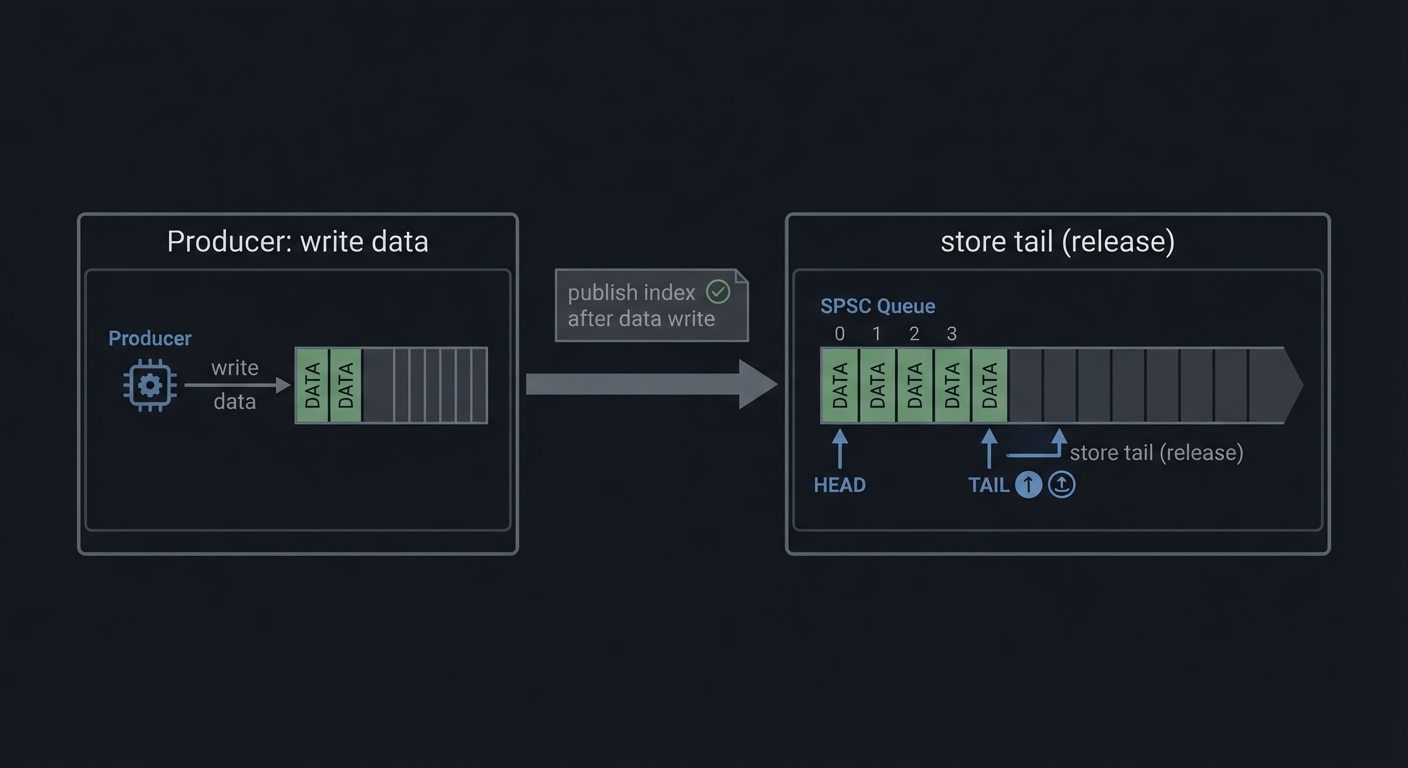
Mental model diagram (ASCII)
Producer: write data -> store tail (release)
Consumer: load tail (acquire) -> read data
How it works (step-by-step, with invariants and failure modes)
- Producer checks if buffer has space.
- Producer writes data to slot.
- Producer updates tail (release).
- Consumer reads tail (acquire).
- Consumer reads data and updates head.
Failure modes: missing release/acquire, false sharing, incorrect full/empty detection.
Minimal concrete example
atomic_size_t head, tail;
// producer
buf[tail % cap] = item;
atomic_store_explicit(&tail, tail+1, memory_order_release);
**Common misconceptions**

- "Lock-free means no waiting." -> It can still spin or block.
- "Relaxed order is fine." -> It can reorder data visibility.
- "SPSC is trivial." -> Full/empty logic still matters.

**Check-your-understanding questions**

1. Why is release-acquire needed in an SPSC queue?
2. What is false sharing and why does it hurt?
3. How do you detect full vs empty?

**Check-your-understanding answers**

1. To ensure the consumer sees written data before the tail update.
2. It causes cache line ping-pong between cores.
3. Track head/tail and reserve one slot or use a count.

**Real-world applications**

- High-frequency trading pipelines.
- Audio processing and real-time systems.

**Where you’ll apply it**

- In this project: §4.4 Data Structures, §5.10 Phase 2.
- Also used in: [P12-shm-ringbuffer.md](P12-shm-ringbuffer.md).

**References**

- Mara Bos, "Rust Atomics and Locks".
- C11 standard on memory ordering.

**Key insights**

- Correct memory ordering is the difference between fast and wrong.

**Summary**

SPSC queues are the simplest lock-free structure, but still require careful memory ordering and cache-aware layout.

**Homework/Exercises to practice the concept**

1. Implement SPSC with relaxed ordering and observe bugs.
2. Add cache line padding and measure throughput.
3. Add a bounded backpressure policy.

**Solutions to the homework/exercises**

1. Use stress tests to trigger reordered reads.
2. Align head and tail to 64 bytes.
3. Return an error when full and count drops.


### Shared Memory and Ring Buffers

**Fundamentals**

Shared memory is the fastest IPC mechanism because it avoids kernel copies. Multiple processes map the same physical pages into their address spaces, allowing them to read and write data directly. However, shared memory provides no synchronization; you must use mutexes, semaphores, or lock-free protocols to coordinate access.

A ring buffer is a circular queue implemented in shared memory. It uses head and tail indices to track where data is written and read. This data structure is ideal for streaming data between processes because it provides constant-time operations and good cache locality.

**Deep Dive into the Concept**

In POSIX shared memory, you create a named object with `shm_open`, size it with `ftruncate`, and map it with `mmap`. System V shared memory uses `shmget` and `shmat`. Both approaches yield a pointer you can use like normal memory. The challenge is establishing a shared layout: both processes must agree on the structure of the shared memory region, including alignment and padding. A typical layout includes a header with metadata (size, head, tail, flags) followed by the data region.

Ring buffers require careful handling of wrap-around and full/empty detection. The simplest approach uses a count field protected by a mutex. More advanced approaches use head and tail indices with one slot left empty to distinguish full from empty. In shared memory across processes, you must also consider cache coherence and false sharing: if head and tail are updated by different processes, place them on separate cache lines to avoid contention.

Synchronization strategies vary. For single-producer/single-consumer, you can use semaphores or lock-free atomic indices. For multi-producer/multi-consumer, you typically need a mutex or more complex lock-free design. The design you choose affects latency, throughput, and complexity. This project will have you implement a correct, well-documented choice rather than chasing micro-optimizations.

**How this fits on projects**

Shared memory is the core of the ring buffer and image processor projects, and it is used as a local cache in the distributed KV store.

**Definitions & key terms**

- **Shared memory** -> Pages mapped into multiple processes.
- **Ring buffer** -> Circular queue with head/tail indices.
- **False sharing** -> Performance penalty from shared cache lines.

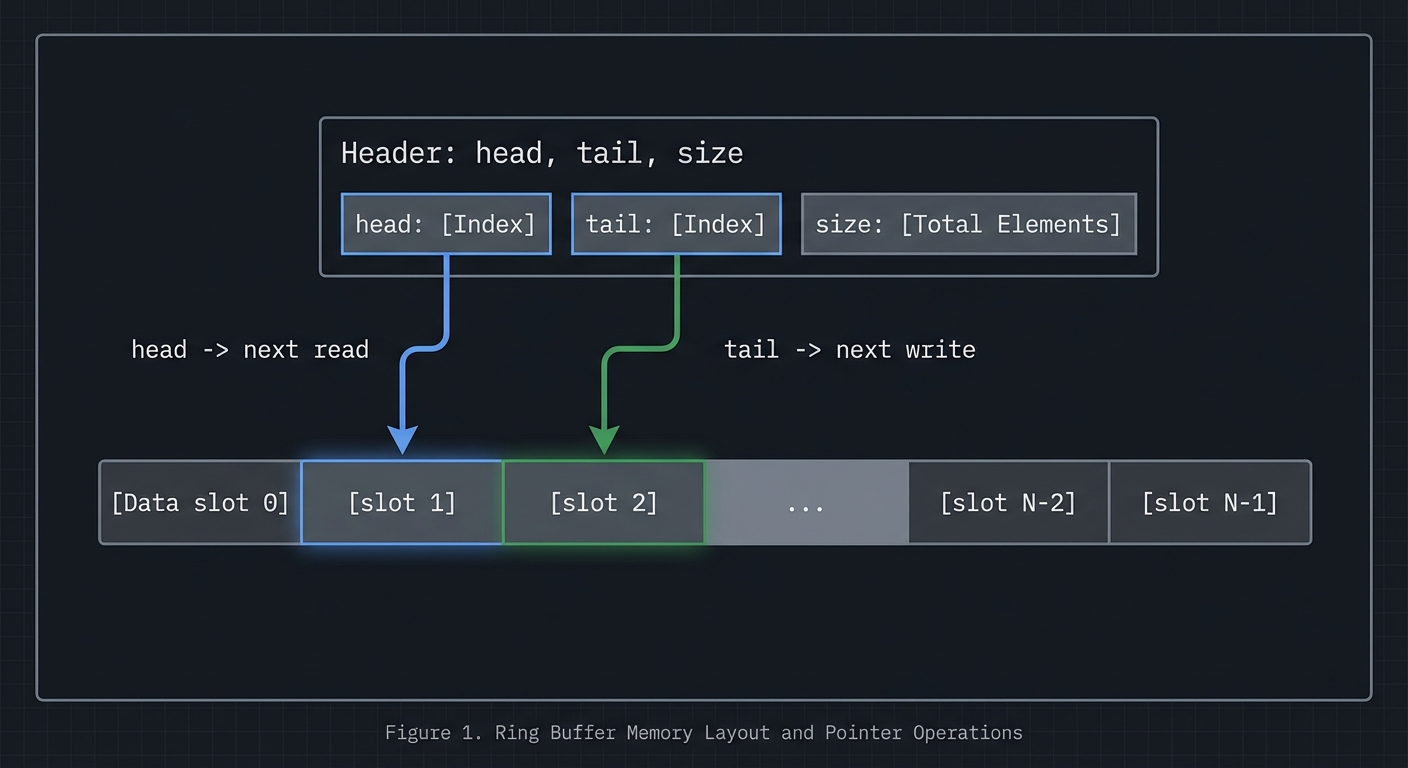
**Mental model diagram (ASCII)**

```text
[Header: head, tail, size]
[Data slot 0][slot 1][slot 2]...[slot N-1]
head -> next read, tail -> next write
How it works (step-by-step, with invariants and failure modes)
- Create shared memory and map into processes.
- Initialize header fields and buffer.
- Producer writes at tail and advances index.
- Consumer reads at head and advances index.
- Synchronize to avoid reading empty or writing full.
Failure modes: inconsistent indices, missing synchronization, cache contention.
Minimal concrete example
struct shm_ring { size_t head, tail, cap; char data[CAP]; };
// producer writes data[tail % cap] then tail++
**Common misconceptions**

- "Shared memory is safe by default." -> It provides no synchronization.
- "Ring buffers are trivial." -> Full/empty detection is subtle.
- "More locking is always safer." -> It can kill performance and cause deadlocks.

**Check-your-understanding questions**

1. Why do you need synchronization with shared memory?
2. How can you distinguish full vs empty in a ring buffer?
3. What is false sharing and how do you avoid it?

**Check-your-understanding answers**

1. Multiple processes can write concurrently, causing races.
2. Reserve one slot or track count explicitly.
3. Place frequently updated fields on separate cache lines.

**Real-world applications**

- High-throughput logging pipelines.
- In-memory caches and queues.

**Where you’ll apply it**

- In this project: §3.2 Functional Requirements, §4.4 Data Structures.
- Also used in: [P13-sysv-shm-images.md](P13-sysv-shm-images.md), [P18-rpc-kvstore.md](P18-rpc-kvstore.md).

**References**

- Stevens, "UNP Vol 2" Ch. 12-13.
- `man 2 shm_open`, `man 2 shmget`, `man 2 mmap`.

**Key insights**

- Shared memory is fast because it removes copies, but it moves correctness into your hands.

**Summary**

Shared memory and ring buffers enable high throughput IPC, provided you design synchronization and layout carefully.

**Homework/Exercises to practice the concept**

1. Implement a ring buffer with a mutex and cond vars.
2. Add padding to reduce false sharing and measure throughput.
3. Test full/empty conditions under load.

**Solutions to the homework/exercises**

1. Use a shared header with head/tail/count and pthread mutex in shared memory.
2. Align head and tail on separate cache lines.
3. Run with a producer and consumer loop; assert invariants.


---

## 3. Project Specification

### 3.1 What You Will Build

Implement a lock-free SPSC queue with shared memory.

### 3.2 Functional Requirements

1. **Requirement 1**: SPSC ring buffer with atomic indices
2. **Requirement 2**: Correct memory ordering (release/acquire)
3. **Requirement 3**: Benchmark against mutex-based queue

### 3.3 Non-Functional Requirements

- **Performance**: Must handle at least 10,000 messages/operations without failure.
- **Reliability**: IPC objects are cleaned up on shutdown or crash detection.
- **Usability**: CLI output is readable with clear error codes.

### 3.4 Example Usage / Output

```text
./spsc_queue --iters 1000000 --mode lockfree
### 3.5 Data Formats / Schemas / Protocols

Shared struct: {atomic head, atomic tail, data[] }.

### 3.6 Edge Cases

- Reordering bugs
- False sharing
- Overflow

### 3.7 Real World Outcome

You will have a working IPC subsystem that can be run, traced, and tested in a reproducible way.

#### 3.7.1 How to Run (Copy/Paste)

```bash
make
./run_demo.sh
#### 3.7.2 Golden Path Demo (Deterministic)

```bash
./run_demo.sh --mode=golden
Expected output includes deterministic counts and a final success line:

```text
OK: golden scenario completed
#### 3.7.3 Failure Demo (Deterministic)

```bash
./run_demo.sh --mode=failure
Expected output:

```text
ERROR: invalid input or unavailable IPC resource
exit=2
---

## 4. Solution Architecture

### 4.1 High-Level Design
Client/Producer -> IPC Layer -> Server/Consumer
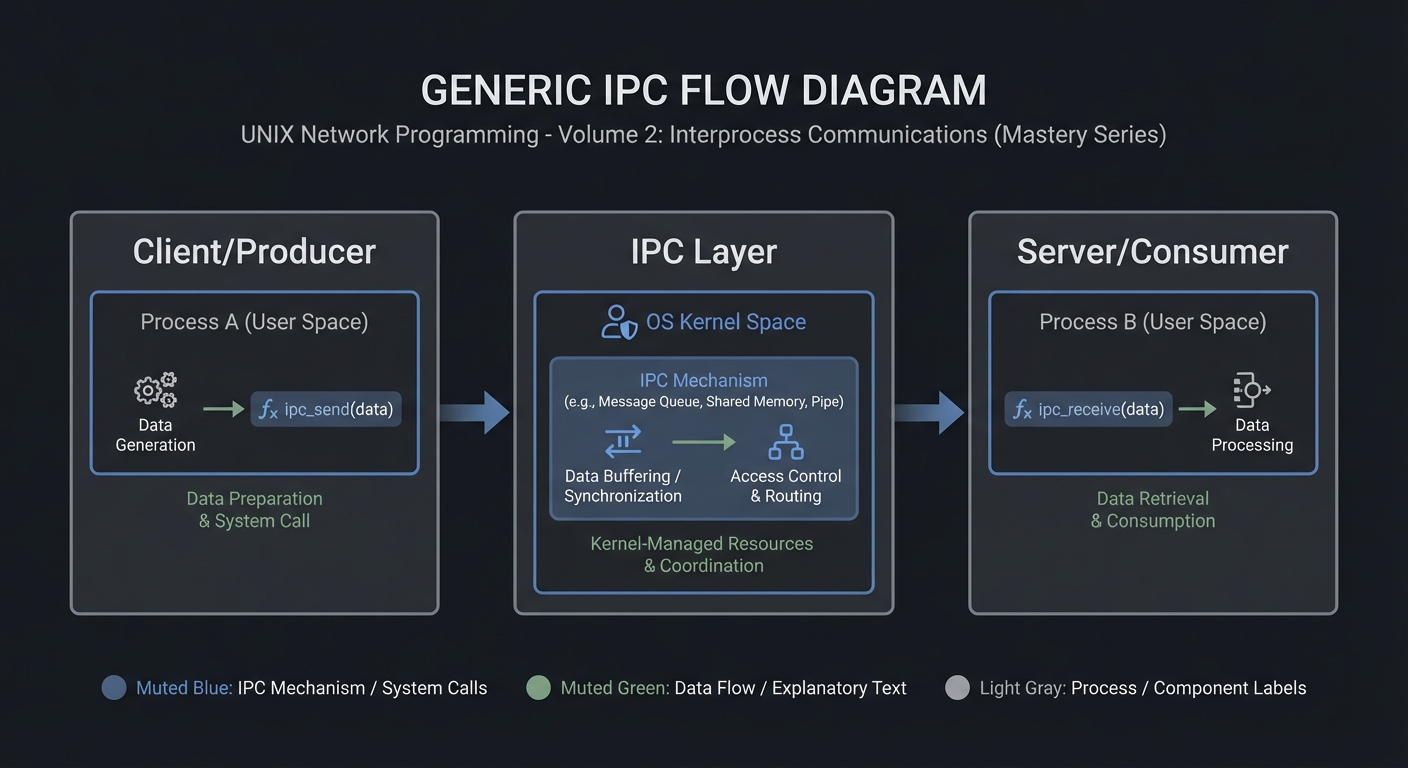
4.2 Key Components
| Component | Responsibility | Key Decisions |
|---|---|---|
| IPC Setup | Create/open IPC objects | POSIX vs System V choices |
| Worker Loop | Send/receive messages | Blocking vs non-blocking |
| Cleanup | Unlink/remove IPC objects | Crash safety |
4.3 Data Structures (No Full Code)
struct message {
  int id;
  int len;
  char payload[256];
};
### 4.4 Algorithm Overview

**Key Algorithm: IPC Request/Response**
1. Initialize IPC resources.
2. Client sends request.
3. Server processes and responds.
4. Cleanup on exit.

**Complexity Analysis:**
- Time: O(n) in number of messages.
- Space: O(1) per message plus IPC buffer.

---

## 5. Implementation Guide

### 5.1 Development Environment Setup

```bash
sudo apt-get install build-essential
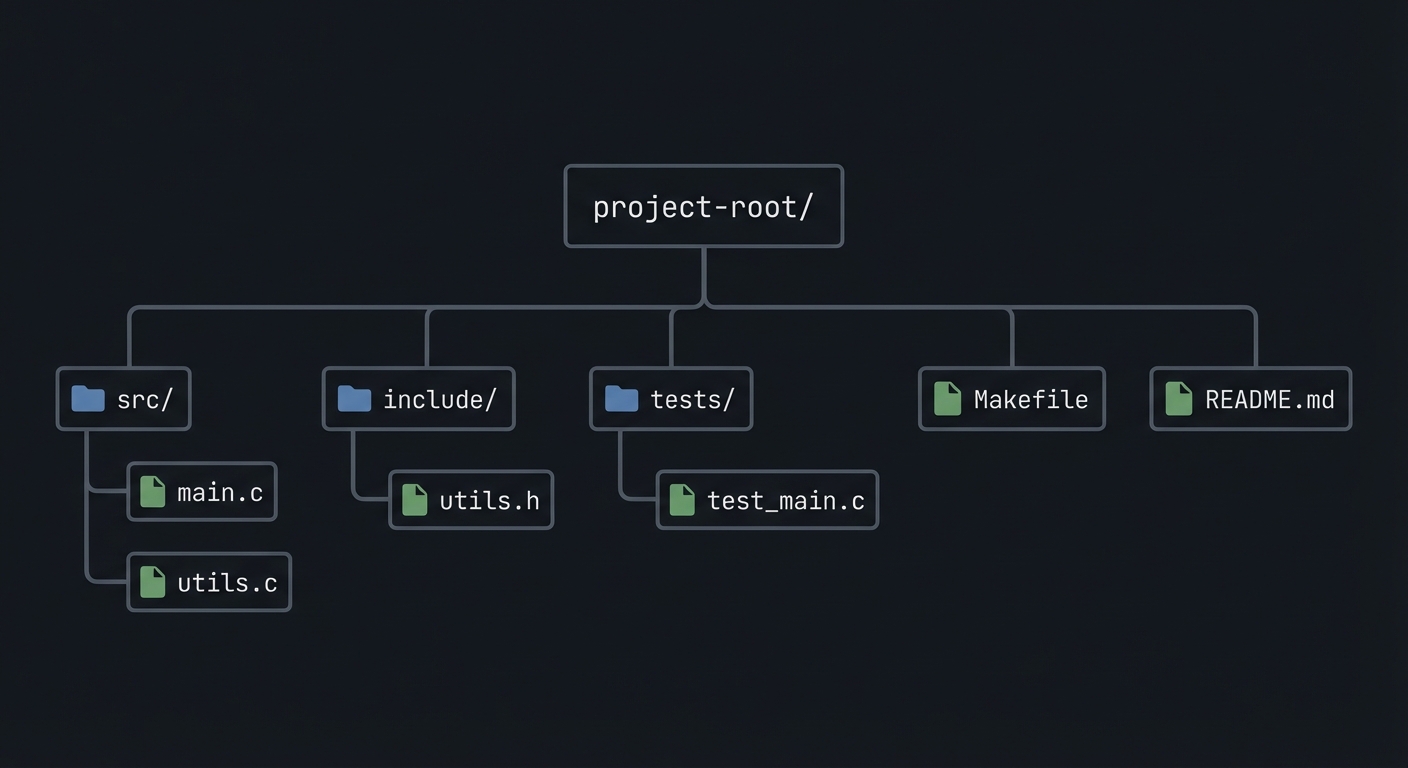
### 5.2 Project Structure
project-root/
├── src/
├── include/
├── tests/
├── Makefile
└── README.md
5.3 The Core Question You’re Answering
“How do you communicate without locks while staying correct?”
5.4 Concepts You Must Understand First
- IPC object lifecycle (create/open/unlink)
- Blocking vs non-blocking operations
- Error handling with errno
5.5 Questions to Guide Your Design
- What invariants guarantee correctness in this IPC flow?
- How will you prevent resource leaks across crashes?
- How will you make the system observable for debugging?
5.6 Thinking Exercise
Before coding, sketch the IPC lifecycle and identify where deadlock could occur.
5.7 The Interview Questions They’ll Ask
- Why choose this IPC mechanism over alternatives?
- What are the lifecycle pitfalls?
- How do you test IPC code reliably?
5.8 Hints in Layers
Hint 1: Start with a single producer and consumer.
Hint 2: Add logging around every IPC call.
Hint 3: Use strace or ipcs to verify resources.
5.9 Books That Will Help
| Topic | Book | Chapter |
|---|---|---|
| IPC fundamentals | Stevens, UNP Vol 2 | Relevant chapters |
| System calls | APUE | Ch. 15 |
5.10 Implementation Phases
Phase 1: Foundation (2-4 hours)
Goals:
- Create IPC objects.
- Implement a minimal send/receive loop.
Tasks:
- Initialize IPC resources.
- Implement basic client and server.
Checkpoint: Single request/response works.
Phase 2: Core Functionality (4-8 hours)
Goals:
- Add error handling and cleanup.
- Support multiple clients or concurrent operations.
Tasks:
- Add structured message format.
- Implement cleanup on shutdown.
Checkpoint: System runs under load without leaks.
Phase 3: Polish & Edge Cases (2-4 hours)
Goals:
- Add deterministic tests.
- Document behaviors.
Tasks:
- Add golden and failure scenarios.
- Document limitations.
Checkpoint: Tests pass, behavior documented.
5.11 Key Implementation Decisions
| Decision | Options | Recommendation | Rationale |
|---|---|---|---|
| Blocking mode | blocking vs non-blocking | blocking | Simpler for first version |
| Cleanup | manual vs automated | explicit cleanup | Avoid stale IPC objects |
6. Testing Strategy
6.1 Test Categories
| Category | Purpose | Examples |
|---|---|---|
| Unit Tests | Validate helpers | message encode/decode |
| Integration Tests | IPC flow | client-server round trip |
| Edge Case Tests | Failure modes | missing queue, full buffer |
6.2 Critical Test Cases
- Single client request/response works.
- Multiple requests do not corrupt state.
- Failure case returns exit code 2.
6.3 Test Data
Input: “hello” Expected: “hello”
7. Common Pitfalls & Debugging
7.1 Frequent Mistakes
| Pitfall | Symptom | Solution |
|---|---|---|
| Not cleaning IPC objects | Next run fails | Add cleanup on exit |
| Blocking forever | Program hangs | Add timeouts or non-blocking mode |
| Incorrect message framing | Corrupted data | Add length prefix and validate |
7.2 Debugging Strategies
- Use
strace -fto see IPC syscalls. - Use
ipcsor/dev/mqueueto inspect objects.
7.3 Performance Traps
- Small queue sizes cause frequent blocking.
8. Extensions & Challenges
8.1 Beginner Extensions
- Add verbose logging.
- Add a CLI flag to toggle non-blocking mode.
8.2 Intermediate Extensions
- Add request timeouts.
- Add a metrics report.
8.3 Advanced Extensions
- Implement load testing with multiple clients.
- Add crash recovery logic.
9. Real-World Connections
9.1 Industry Applications
- IPC services in local daemons.
- Message-based coordination in legacy systems.
9.2 Related Open Source Projects
- nfs-utils - Uses RPC and IPC extensively.
- systemd - Uses multiple IPC mechanisms.
9.3 Interview Relevance
- Demonstrates system call knowledge and concurrency reasoning.
10. Resources
10.1 Essential Reading
- Stevens, “UNP Vol 2”.
- Kerrisk, “The Linux Programming Interface”.
10.2 Video Resources
- Unix IPC lectures from OS courses.
10.3 Tools & Documentation
man 7 ipc,man 2for each syscall.
10.4 Related Projects in This Series
11. Self-Assessment Checklist
11.1 Understanding
- I can describe IPC object lifecycle.
- I can explain blocking vs non-blocking behavior.
- I can reason about failure modes.
11.2 Implementation
- All functional requirements are met.
- Tests pass.
- IPC objects are cleaned up.
11.3 Growth
- I can explain design trade-offs.
- I can explain this project in an interview.
12. Submission / Completion Criteria
Minimum Viable Completion:
- Basic IPC flow works with correct cleanup.
- Error handling returns deterministic exit codes.
Full Completion:
- Includes tests and deterministic demos.
- Documents trade-offs and limitations.
Excellence (Going Above & Beyond):
- Adds performance benchmarking and crash recovery.