Project 9: Record Locking Database
Create a flat-file database using record-level advisory locks.
Quick Reference
| Attribute | Value |
|---|---|
| Difficulty | Level 3 (Advanced) |
| Time Estimate | 1 Week |
| Main Programming Language | C (Alternatives: ) |
| Alternative Programming Languages | N/A |
| Coolness Level | Level 3 (Genuinely Clever) |
| Business Potential | Level 2 (Micro-SaaS) |
| Prerequisites | C programming, basic IPC familiarity, Linux tools (strace/ipcs) |
| Key Topics | fcntl, byte-range locks, record layout |
1. Learning Objectives
By completing this project, you will:
- Build a working IPC-based system aligned with Stevens Vol. 2 concepts.
- Implement robust lifecycle management for IPC objects.
- Handle errors and edge cases deterministically.
- Document and justify design trade-offs.
- Benchmark or validate correctness under load.
2. All Theory Needed (Per-Concept Breakdown)
Advisory Record Locking with fcntl()
Fundamentals
Record locking allows a process to lock a byte range of a file so that other cooperating processes can coordinate access. The locks are advisory, meaning the kernel does not enforce them unless the processes explicitly check and honor them. This makes record locks flexible and lightweight but also easy to misuse if all participants do not follow the protocol.
In Unix, record locks are managed by fcntl() with F_SETLK or F_SETLKW. A lock is defined by its type (read or write), start offset, and length. A write lock is exclusive; a read lock can be shared. Locks are associated with the open file description, which means they are inherited across fork() and released when the file descriptor is closed.
Deep Dive into the Concept
Record locking is the basis of many simple database systems. If you store records in fixed-size slots, you can lock each record by locking the corresponding byte range. This enables concurrent readers and writers without requiring a full database engine. The main complexity is defining a stable record layout and mapping record IDs to byte ranges. Once you have that, the locking protocol becomes straightforward: before reading or writing a record, acquire a read or write lock on its range, perform I/O, then release the lock.
Because locks are advisory, your program must check and enforce them. If one process ignores the locking protocol, the kernel will not stop it from writing. This is why record locking is often used in controlled environments where all processes are trusted. The F_SETLKW call blocks until the lock is available, while F_SETLK returns immediately with EACCES or EAGAIN. You must decide which behavior fits your application.
Another subtlety is that locks are per-process, not per-thread. In a multi-threaded program, fcntl locks are shared across threads. This can cause surprising behavior: one thread can release a lock held by another if they share the same FD. This is a strong argument for using one process per lock domain or careful FD management.
How this fits on projects
Record locking is central to the record-locking database and is also used in mmap-based databases where files are shared by multiple processes.
Definitions & key terms
- Advisory lock -> Enforced by convention, not the kernel.
- Read lock -> Shared lock for readers.
- Write lock -> Exclusive lock for writers.
- Byte range -> Start + length defining lock scope.
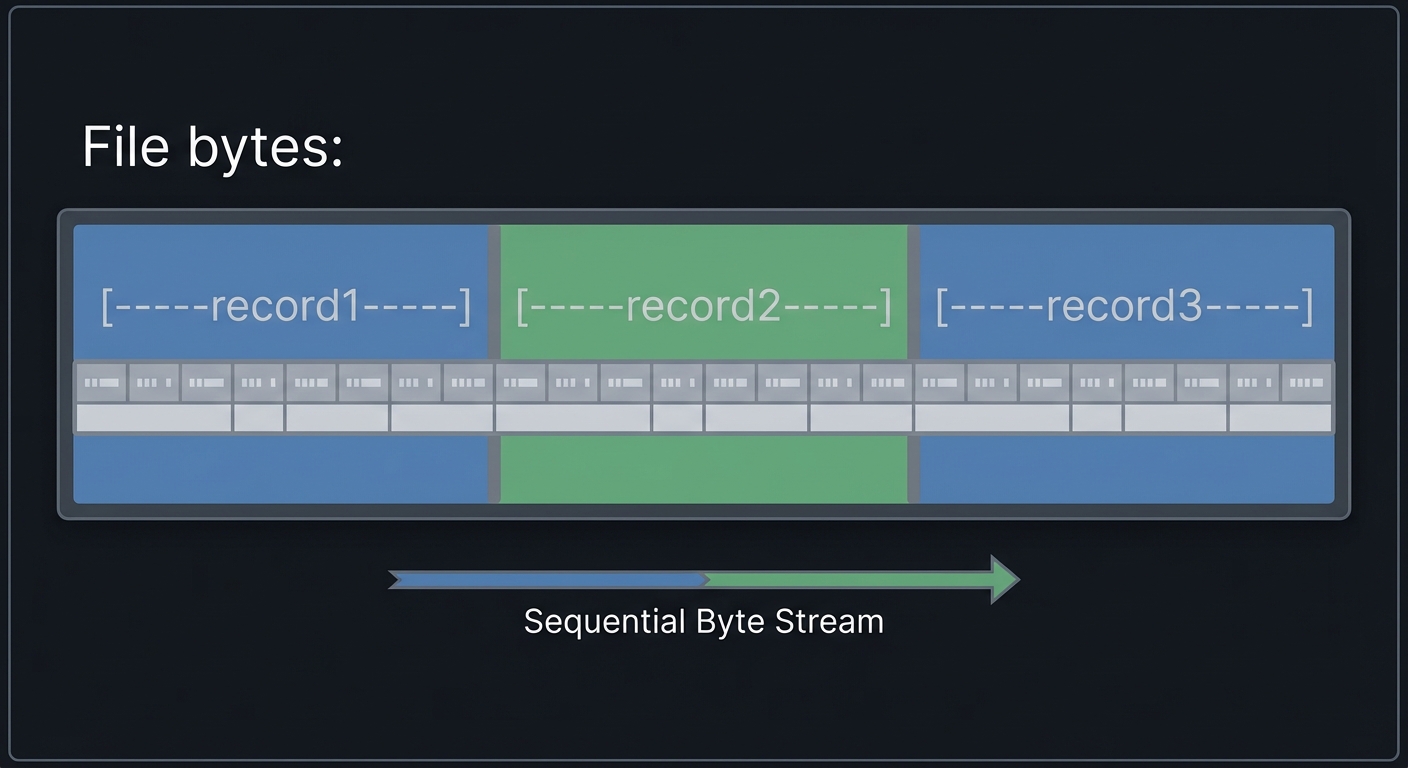
Mental model diagram (ASCII)
File bytes: [----record1----][----record2----][----record3----]
Locks:      [   W lock   ]      [ R lock ]
How it works (step-by-step, with invariants and failure modes)
- Compute byte range for record.
- Use
fcntl(F_SETLKW)to acquire lock. - Read or write record data.
- Release lock by setting type to
F_UNLCK.
Failure modes: forgetting to unlock, lock ranges overlap incorrectly, ignoring advisory semantics.
Minimal concrete example
struct flock lk = { .l_type=F_WRLCK, .l_whence=SEEK_SET,
  .l_start=offset, .l_len=record_size };
fcntl(fd, F_SETLKW, &lk);
// write record
lk.l_type = F_UNLCK; fcntl(fd, F_SETLK, &lk);
**Common misconceptions**

- "Locks are enforced by the kernel." -> They are advisory.
- "Locks are per-thread." -> They are per-process.
- "Locks survive exec." -> They are released on close.

**Check-your-understanding questions**

1. What happens if a process ignores advisory locks?
2. How do read and write locks differ?
3. Why can locks cause surprises in multi-threaded programs?

**Check-your-understanding answers**

1. The kernel allows writes; the protocol is violated.
2. Read locks can be shared; write locks are exclusive.
3. Locks are per-process, so threads share them.

**Real-world applications**

- Flat-file databases.
- Log file coordination.

**Where you’ll apply it**

- In this project: §3.2 Functional Requirements, §5.10 Phase 2.
- Also used in: [P14-mmap-database.md](P14-mmap-database.md).

**References**

- APUE Ch. 14 (Record Locking).
- `man 2 fcntl`.

**Key insights**

- Record locking is simple and powerful, but only if all processes agree to play by the rules.

**Summary**

Advisory record locks let you coordinate access to file regions without a full database system, but correctness depends on disciplined usage.

**Homework/Exercises to practice the concept**

1. Implement a file with 100 fixed-size records and lock per record.
2. Demonstrate a write lock blocking a reader.
3. Show how locks are released on process exit.

**Solutions to the homework/exercises**

1. Map record ID to byte offset and lock that range.
2. Acquire write lock in one process and attempt read lock in another.
3. Kill the lock holder and observe lock release.


---

## 3. Project Specification

### 3.1 What You Will Build

Create a flat-file database using record-level advisory locks.

### 3.2 Functional Requirements

1. **Requirement 1**: Fixed-size records with IDs
2. **Requirement 2**: Concurrent readers and writers
3. **Requirement 3**: Record-level locking with fcntl

### 3.3 Non-Functional Requirements

- **Performance**: Must handle at least 10,000 messages/operations without failure.
- **Reliability**: IPC objects are cleaned up on shutdown or crash detection.
- **Usability**: CLI output is readable with clear error codes.

### 3.4 Example Usage / Output

```text
./record_db put 42 hello
./record_db get 42
### 3.5 Data Formats / Schemas / Protocols

Record layout: [u32 id][u32 len][payload][padding].

### 3.6 Edge Cases

- Lock conflict
- Partial writes
- Crash mid-update

### 3.7 Real World Outcome

You will have a working IPC subsystem that can be run, traced, and tested in a reproducible way.

#### 3.7.1 How to Run (Copy/Paste)

```bash
make
./run_demo.sh
#### 3.7.2 Golden Path Demo (Deterministic)

```bash
./run_demo.sh --mode=golden
Expected output includes deterministic counts and a final success line:

```text
OK: golden scenario completed
#### 3.7.3 Failure Demo (Deterministic)

```bash
./run_demo.sh --mode=failure
Expected output:

```text
ERROR: invalid input or unavailable IPC resource
exit=2
---

## 4. Solution Architecture

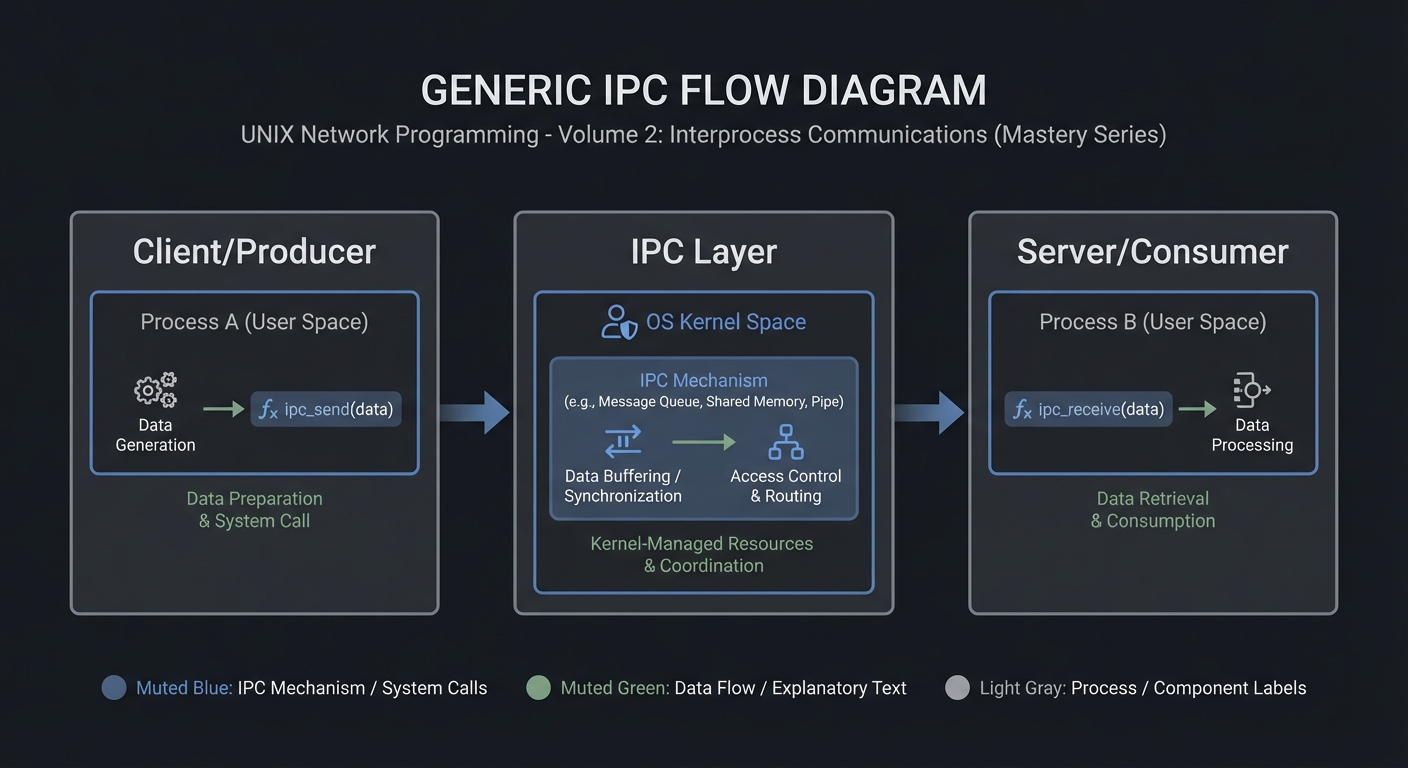
### 4.1 High-Level Design
Client/Producer -> IPC Layer -> Server/Consumer
4.2 Key Components
| Component | Responsibility | Key Decisions |
|---|---|---|
| IPC Setup | Create/open IPC objects | POSIX vs System V choices |
| Worker Loop | Send/receive messages | Blocking vs non-blocking |
| Cleanup | Unlink/remove IPC objects | Crash safety |
4.3 Data Structures (No Full Code)
struct message {
  int id;
  int len;
  char payload[256];
};
### 4.4 Algorithm Overview

**Key Algorithm: IPC Request/Response**
1. Initialize IPC resources.
2. Client sends request.
3. Server processes and responds.
4. Cleanup on exit.

**Complexity Analysis:**
- Time: O(n) in number of messages.
- Space: O(1) per message plus IPC buffer.

---

## 5. Implementation Guide

### 5.1 Development Environment Setup

```bash
sudo apt-get install build-essential
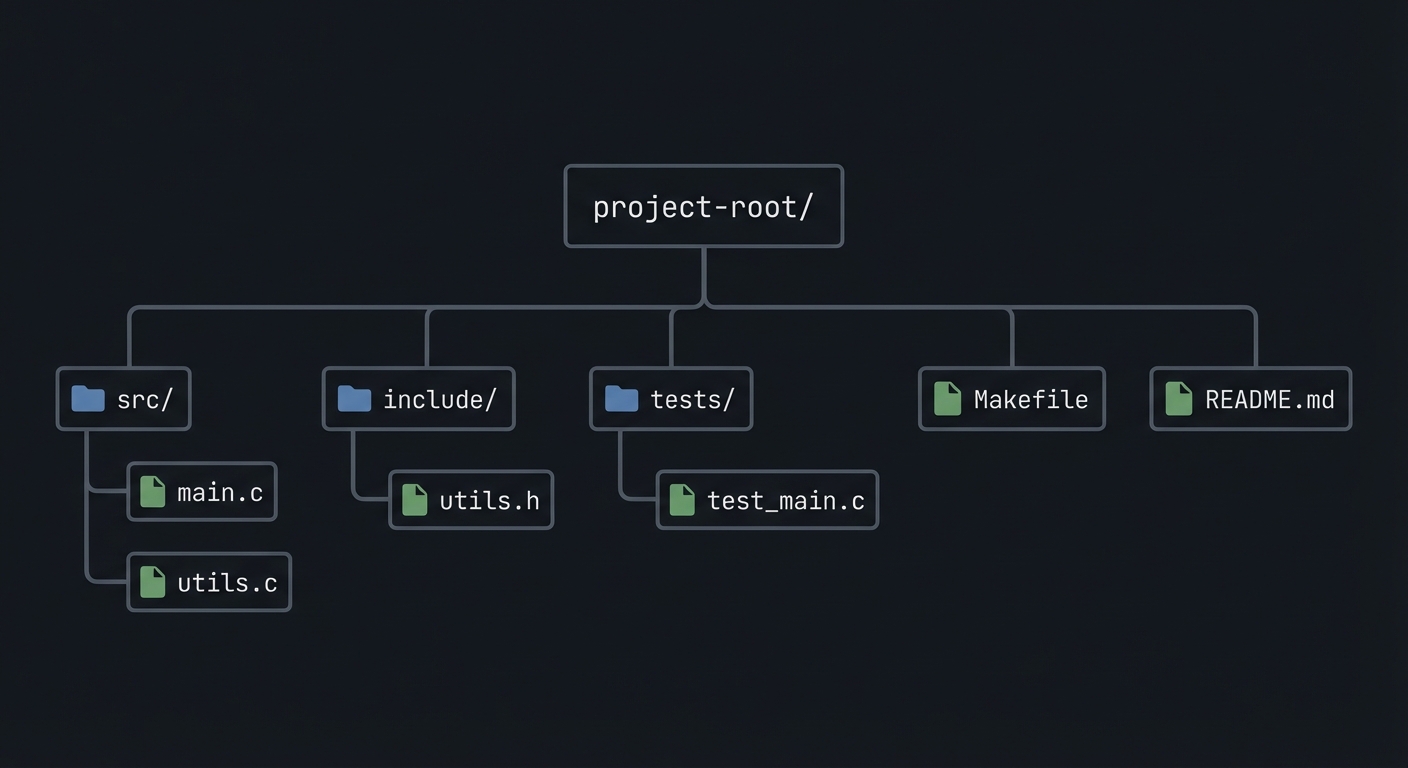
### 5.2 Project Structure
project-root/
├── src/
├── include/
├── tests/
├── Makefile
└── README.md
5.3 The Core Question You’re Answering
“How can a simple file become a safe multi-process database?”
5.4 Concepts You Must Understand First
- IPC object lifecycle (create/open/unlink)
- Blocking vs non-blocking operations
- Error handling with errno
5.5 Questions to Guide Your Design
- What invariants guarantee correctness in this IPC flow?
- How will you prevent resource leaks across crashes?
- How will you make the system observable for debugging?
5.6 Thinking Exercise
Before coding, sketch the IPC lifecycle and identify where deadlock could occur.
5.7 The Interview Questions They’ll Ask
- Why choose this IPC mechanism over alternatives?
- What are the lifecycle pitfalls?
- How do you test IPC code reliably?
5.8 Hints in Layers
Hint 1: Start with a single producer and consumer.
Hint 2: Add logging around every IPC call.
Hint 3: Use strace or ipcs to verify resources.
5.9 Books That Will Help
| Topic | Book | Chapter |
|---|---|---|
| IPC fundamentals | Stevens, UNP Vol 2 | Relevant chapters |
| System calls | APUE | Ch. 15 |
5.10 Implementation Phases
Phase 1: Foundation (2-4 hours)
Goals:
- Create IPC objects.
- Implement a minimal send/receive loop.
Tasks:
- Initialize IPC resources.
- Implement basic client and server.
Checkpoint: Single request/response works.
Phase 2: Core Functionality (4-8 hours)
Goals:
- Add error handling and cleanup.
- Support multiple clients or concurrent operations.
Tasks:
- Add structured message format.
- Implement cleanup on shutdown.
Checkpoint: System runs under load without leaks.
Phase 3: Polish & Edge Cases (2-4 hours)
Goals:
- Add deterministic tests.
- Document behaviors.
Tasks:
- Add golden and failure scenarios.
- Document limitations.
Checkpoint: Tests pass, behavior documented.
5.11 Key Implementation Decisions
| Decision | Options | Recommendation | Rationale |
|---|---|---|---|
| Blocking mode | blocking vs non-blocking | blocking | Simpler for first version |
| Cleanup | manual vs automated | explicit cleanup | Avoid stale IPC objects |
6. Testing Strategy
6.1 Test Categories
| Category | Purpose | Examples |
|---|---|---|
| Unit Tests | Validate helpers | message encode/decode |
| Integration Tests | IPC flow | client-server round trip |
| Edge Case Tests | Failure modes | missing queue, full buffer |
6.2 Critical Test Cases
- Single client request/response works.
- Multiple requests do not corrupt state.
- Failure case returns exit code 2.
6.3 Test Data
Input: “hello” Expected: “hello”
7. Common Pitfalls & Debugging
7.1 Frequent Mistakes
| Pitfall | Symptom | Solution |
|---|---|---|
| Not cleaning IPC objects | Next run fails | Add cleanup on exit |
| Blocking forever | Program hangs | Add timeouts or non-blocking mode |
| Incorrect message framing | Corrupted data | Add length prefix and validate |
7.2 Debugging Strategies
- Use
strace -fto see IPC syscalls. - Use
ipcsor/dev/mqueueto inspect objects.
7.3 Performance Traps
- Small queue sizes cause frequent blocking.
8. Extensions & Challenges
8.1 Beginner Extensions
- Add verbose logging.
- Add a CLI flag to toggle non-blocking mode.
8.2 Intermediate Extensions
- Add request timeouts.
- Add a metrics report.
8.3 Advanced Extensions
- Implement load testing with multiple clients.
- Add crash recovery logic.
9. Real-World Connections
9.1 Industry Applications
- IPC services in local daemons.
- Message-based coordination in legacy systems.
9.2 Related Open Source Projects
- nfs-utils - Uses RPC and IPC extensively.
- systemd - Uses multiple IPC mechanisms.
9.3 Interview Relevance
- Demonstrates system call knowledge and concurrency reasoning.
10. Resources
10.1 Essential Reading
- Stevens, “UNP Vol 2”.
- Kerrisk, “The Linux Programming Interface”.
10.2 Video Resources
- Unix IPC lectures from OS courses.
10.3 Tools & Documentation
man 7 ipc,man 2for each syscall.
10.4 Related Projects in This Series
11. Self-Assessment Checklist
11.1 Understanding
- I can describe IPC object lifecycle.
- I can explain blocking vs non-blocking behavior.
- I can reason about failure modes.
11.2 Implementation
- All functional requirements are met.
- Tests pass.
- IPC objects are cleaned up.
11.3 Growth
- I can explain design trade-offs.
- I can explain this project in an interview.
12. Submission / Completion Criteria
Minimum Viable Completion:
- Basic IPC flow works with correct cleanup.
- Error handling returns deterministic exit codes.
Full Completion:
- Includes tests and deterministic demos.
- Documents trade-offs and limitations.
Excellence (Going Above & Beyond):
- Adds performance benchmarking and crash recovery.