Project 3: Build a Neovim GUI Client
Build a standalone GUI application that embeds Neovim headlessly and renders its screen grid via the official UI protocol.
Quick Reference
| Attribute | Value |
|---|---|
| Difficulty | Expert |
| Time Estimate | 1-2 weeks |
| Main Programming Language | Rust (recommended) |
| Alternative Programming Languages | Python, C++, Go |
| Coolness Level | Level 10 - You built your own Neovim UI |
| Business Potential | High (custom editor frontends) |
| Prerequisites | Async IO, GUI basics, RPC concepts |
| Key Topics | MessagePack-RPC, UI linegrid, event loop, rendering |
1. Learning Objectives
By completing this project, you will:
- Spawn Neovim in embedded mode and speak MessagePack-RPC.
- Parse redraw events and maintain a screen grid model.
- Render cells with highlight attributes in a GUI window.
- Translate keyboard and mouse input into Neovim RPC calls.
- Implement resize handling and keep the UI consistent.
- Build a minimal event loop that multiplexes IO and UI events.
2. All Theory Needed (Per-Concept Breakdown)
2.1 MessagePack-RPC and Stream Framing
Description
Neovim uses MessagePack-RPC over stdio for embedded clients. You must parse a continuous binary stream into messages.
Definitions & Key Terms
- MessagePack: Binary serialization format.
- RPC request/response: Call/return pattern with IDs.
- Notification: Fire-and-forget message.
- Stream framing: How messages are delineated in a byte stream.
Mental Model Diagram (ASCII)
[stdin bytes] -> [MessagePack decoder] -> [RPC message]
How It Works (Step-by-Step)
- Spawn
nvim --embedand connect to its stdin/stdout. - Read bytes from stdout into a buffer.
- Feed bytes into a MessagePack decoder.
- Handle messages based on type: request, response, notification.
Minimal Concrete Example
RPC Notification (decoded):
[2, "redraw", [ ["grid_line", ...], ["flush"] ] ]
Common Misconceptions
- “MessagePack is line-based” -> It is binary with no line breaks.
- “Notifications are optional” -> Many UI updates are notifications.
Check-Your-Understanding Questions
- Explain why you need a streaming decoder.
- Predict what happens if you parse partial messages.
- Explain the difference between request and notification.
Where You’ll Apply It
- See §3.2 requirements and §5.10 Phase 1.
- Also used in P05-lsp-server for JSON-RPC contrasts.
2.2 UI Attach and Redraw Events
Description
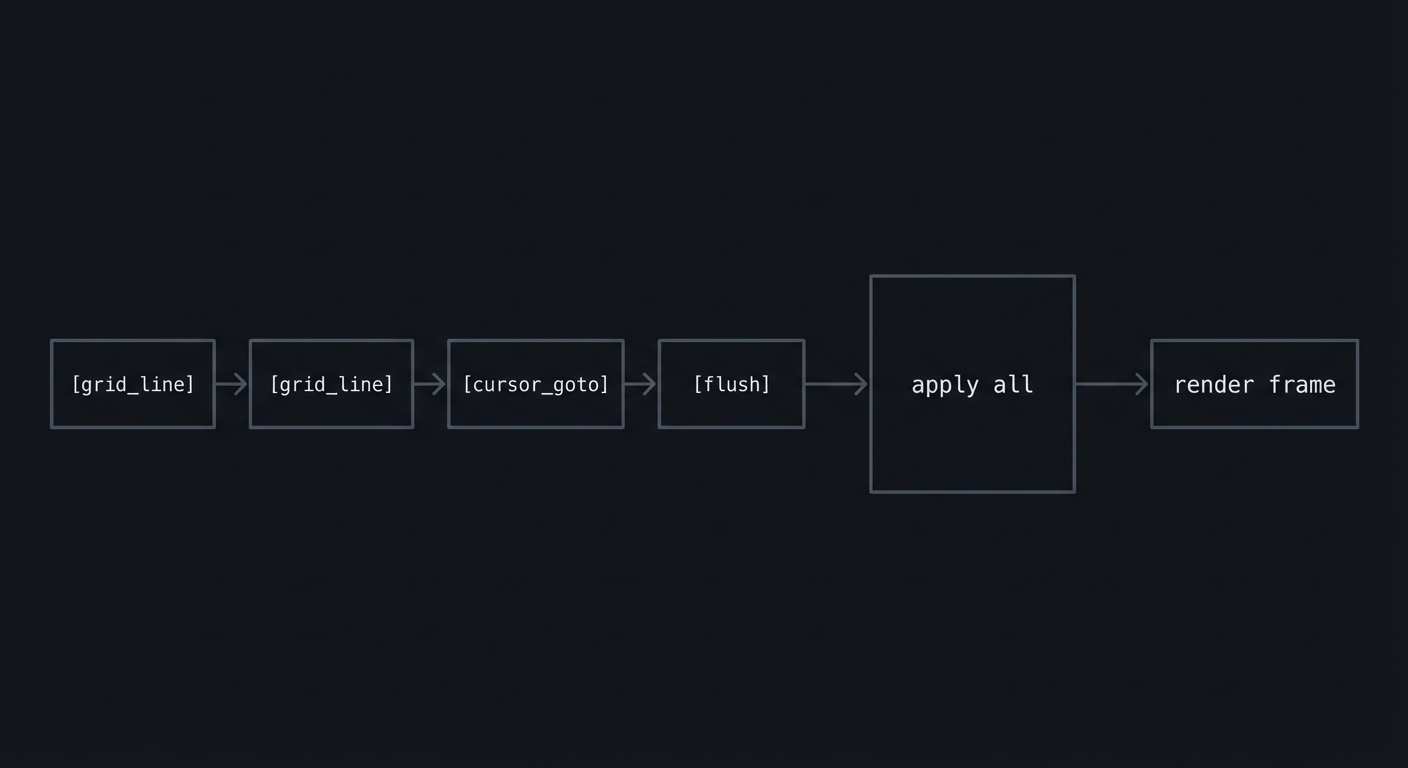
Neovim sends redraw batches that describe how to update a grid. The batch ends with flush.
Definitions & Key Terms
nvim_ui_attach: RPC call to enable UI events.grid_line: Event describing text and highlight spans.flush: End of a redraw batch.
Mental Model Diagram (ASCII)
[grid_line][grid_line][cursor_goto][flush]
-> apply all -> render frame
How It Works (Step-by-Step)
- Send
nvim_ui_attach(width, height, {ext_linegrid=true}). - Receive redraw notifications with grid updates.
- Apply updates to your in-memory grid model.
- Render only after receiving
flush.
Minimal Concrete Example
[2, "redraw", [
  ["grid_resize", 1, 120, 40],
  ["grid_line", 1, 0, 0, [ ["Hello", 0] ] ],
  ["flush"]
]]
Common Misconceptions
- “Render each event” -> Render only after
flush. - “Single grid only” -> Neovim can use multiple grids.
Check-Your-Understanding Questions
- Explain why redraw events are batched.
- Predict what happens if you ignore
grid_resize. - Explain the difference between grid coordinates and window coordinates.
Where You’ll Apply It
- See §4.1 architecture and §5.10 Phase 2.
- Also used in P06-neovim-lite-capstone.
2.3 Grid Model and Cell Attributes
Description
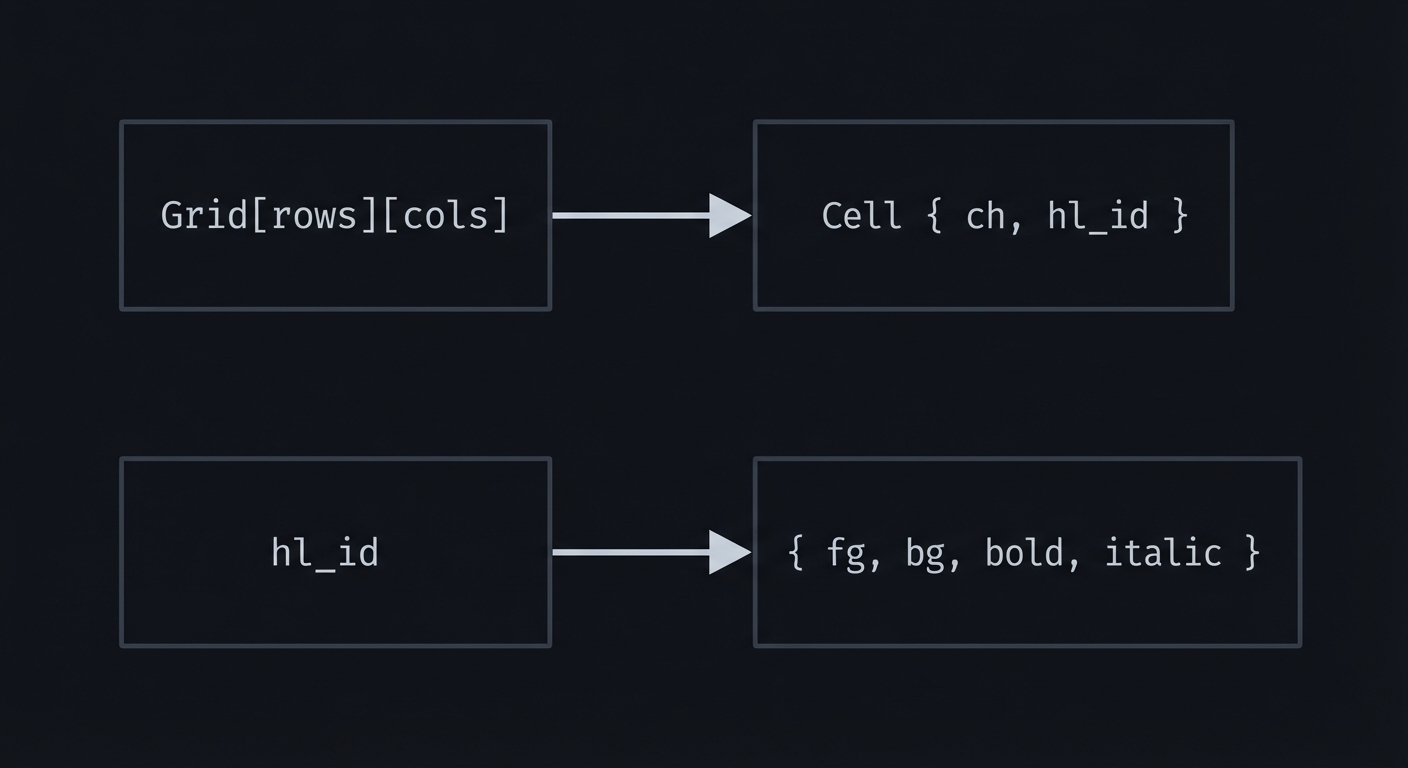
The UI is a grid of cells; each cell has text and highlight attributes.
Definitions & Key Terms
- Cell: Struct containing text + style ID.
- Highlight ID: Numeric ID mapped to colors and styles.
hl_attr_define: Event mapping IDs to styles.
Mental Model Diagram (ASCII)
Grid[rows][cols] -> Cell { ch, hl_id }
hl_id -> { fg, bg, bold, italic }
How It Works (Step-by-Step)
- Initialize a grid with width/height.
- On
grid_line, update cells for each span. - On
hl_attr_define, store style mapping. - Render cells using stored styles.
Minimal Concrete Example
Cell { ch='a', hl=12 }
hl[12] = { fg="#ff0000", bg="#000000", bold=true }
Common Misconceptions
- “Each cell is one byte” -> Neovim can send multibyte text.
- “Highlight IDs are stable” -> They can change during session.
Check-Your-Understanding Questions
- Explain why
hl_attr_defineis needed. - Predict what happens if you ignore attribute changes.
- Explain how wide characters affect column counts.
Where You’ll Apply It
- See §4.3 data structures and §5.10 Phase 2.
- Also used in P04-tree-sitter-grammar for highlighting concepts.
2.4 Event Loop and IO Multiplexing
Description
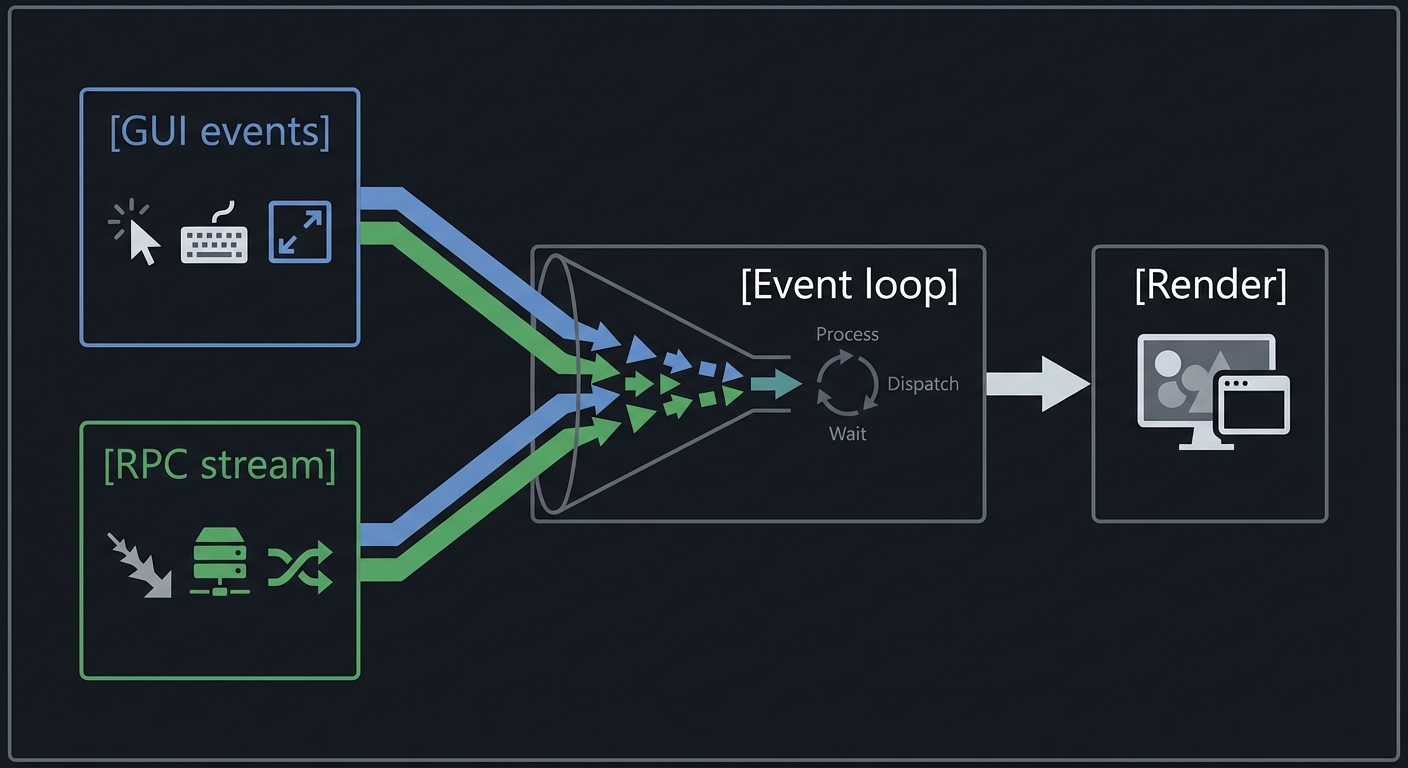
A GUI client must process both UI events and RPC data without blocking.
Definitions & Key Terms
- Event loop: Central loop that handles IO and UI events.
- Select/poll/epoll: System calls for multiplexed IO.
- Main thread: GUI frameworks usually require rendering on main thread.
Mental Model Diagram (ASCII)
[GUI events]----\
                 -> [Event loop] -> [Render]
[RPC stream]----/
How It Works (Step-by-Step)
- Read RPC messages on a background thread or async task.
- Post updates to the main thread.
- On
flush, schedule a render. - Handle input events by sending RPC calls.
Minimal Concrete Example
IO thread: decode msgpack -> enqueue UI updates
Main thread: apply updates -> render on flush
Common Misconceptions
- “I can render from any thread” -> Many GUI toolkits forbid this.
- “Blocking read is fine” -> It can freeze the UI.
Check-Your-Understanding Questions
- Explain why you should not block the UI thread.
- Predict what happens if you render on every grid_line.
- Explain how to safely hand off data between threads.
Where You’ll Apply It
- See §5.10 Phase 1 and §7.3 performance traps.
- Also used in P05-lsp-server for concurrency parallels.
2.5 Input Translation (Keyboard and Mouse)
Description
You must translate GUI input events into Neovim API calls like nvim_input and nvim_input_mouse.
Definitions & Key Terms
nvim_input: Send key sequences to Neovim.nvim_input_mouse: Send mouse events.- Key encoding: Converting GUI key events to Neovim notation.
Mental Model Diagram (ASCII)
[GUI key event] -> [keymap] -> nvim_input("i")
How It Works (Step-by-Step)
- Capture key press in GUI.
- Convert to Neovim input string (e.g., “
"). - Send via RPC
nvim_input. - For mouse, send
nvim_input_mousewith grid coordinates.
Minimal Concrete Example
Ctrl-S -> "<C-s>" -> nvim_input("<C-s>")
Common Misconceptions
- “GUI key codes map 1:1” -> They do not; modifiers must be encoded.
- “Mouse coordinates are pixels” -> Neovim expects grid cells.
Check-Your-Understanding Questions
- Explain how to convert GUI pixel coords to grid coords.
- Predict what happens if you send raw keycodes.
- Explain how to handle IME input (basic approach).
Where You’ll Apply It
- See §3.2 requirements and §5.10 Phase 2.
- Also used in P01-build-modal-text-editor for input handling parallels.
2.6 Resizing and Multi-Grid Considerations
Description
Resizing requires sending nvim_ui_try_resize and handling new grid sizes.
Definitions & Key Terms
nvim_ui_try_resize: Request a new grid size.- Multi-grid: Neovim can render floating UIs on separate grids.
Mental Model Diagram (ASCII)
Window resize -> new cols/rows -> send resize -> redraw events
How It Works (Step-by-Step)
- Detect window resize in the GUI.
- Compute new grid cols/rows based on font size.
- Send
nvim_ui_try_resize. - Reallocate grid on
grid_resizeevent.
Minimal Concrete Example
on_resize(px_w, px_h):
  cols = px_w / cell_w
  rows = px_h / cell_h
  rpc.call("nvim_ui_try_resize", cols, rows)
Common Misconceptions
- “Grid size equals pixel size” -> You must divide by cell size.
- “Resize only affects rendering” -> It affects Neovim layout.
Check-Your-Understanding Questions
- Explain why cell size matters for resize.
- Predict what happens if you ignore
grid_resize. - Explain how to handle fonts with different ascent/descent.
Where You’ll Apply It
- See §3.6 edge cases and §5.10 Phase 3.
- Also used in P06-neovim-lite-capstone.
3. Project Specification
3.1 What You Will Build
A GUI app that:
- Launches Neovim in embedded mode
- Renders the
ext_linegridUI - Handles keyboard input and basic mouse clicks
- Supports resizing and cursor display
Included: single-grid rendering, basic highlights, status cursor. Excluded: plugin UI widgets, advanced multigrid features.
3.2 Functional Requirements
- Embed Neovim with
nvim --embed. - UI attach with
ext_linegridenabled. - Grid model that tracks text and highlights.
- Render on
flushevents only. - Input: send keys via
nvim_input. - Resize: handle window resizing gracefully.
3.3 Non-Functional Requirements
- Performance: 60 FPS target on typical files.
- Reliability: No crashes on malformed RPC.
- Usability: Predictable cursor and scrolling.
3.4 Example Usage / Output
$ ./my-nvim-gui
[info] spawn: nvim --embed
[info] attach: nvim_ui_attach(120, 40, {ext_linegrid=true})
3.5 Data Formats / Schemas / Protocols
- RPC messages: MessagePack arrays
[type, name, params]. - Redraw events:
grid_line,grid_resize,cursor_goto,flush. - Highlight map:
hl_attr_definemaps IDs -> styles.
3.6 Edge Cases
- Neovim process exits unexpectedly.
- Resize to very small window.
- Non-ASCII characters and wide glyphs.
- Very rapid redraw events (e.g., macro playback).
3.7 Real World Outcome
You run ./my-nvim-gui and get a working GUI frontend.
3.7.1 How to Run (Copy/Paste)
cargo run --release
3.7.2 Golden Path Demo (Deterministic)
- Start with
fixtures/demo.luacontaining 10 lines. - Use
GUI_TEST_MODE=1to freeze font size and disable animations.
Expected:
- Grid renders identical layout on each run.
- Cursor starts at row 1, col 1.
3.7.3 If CLI: exact terminal transcript
$ GUI_TEST_MODE=1 ./my-nvim-gui
[info] spawn: nvim --embed
[info] redraw: grid_resize 1 120 40
[info] redraw: grid_line 1 0 0 "function" hl=12
[info] redraw: flush
Failure demo:
$ ./my-nvim-gui
[error] failed to spawn nvim: ENOENT
Exit code: 1
Exit codes:
0clean exit1spawn or RPC init failure2rendering init failure
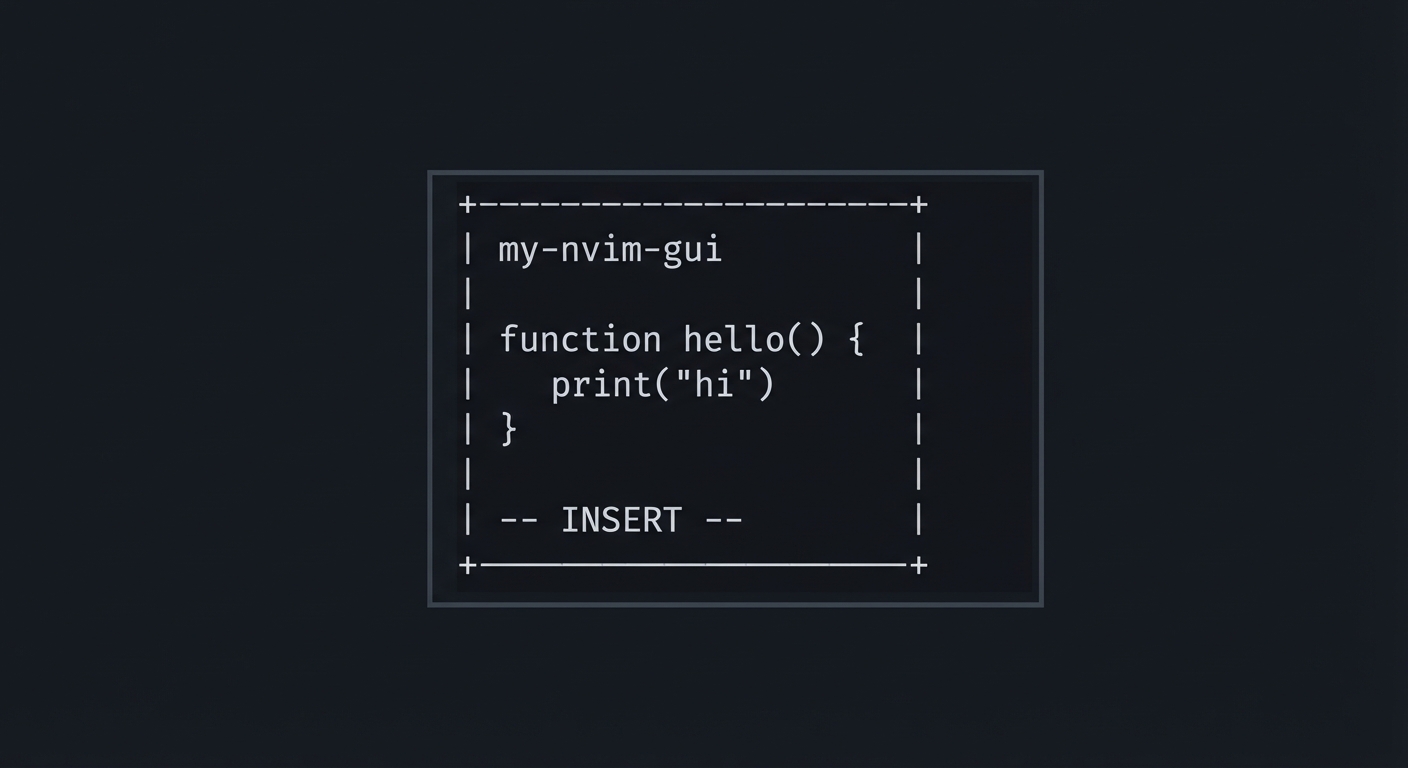
3.7.4 GUI Wireframe
+--------------------------------------------------+
| my-nvim-gui                                      |
|                                                  |
|  function hello() {                              |
|    print("hi")                                   |
|  }                                               |
|                                                  |
| -- INSERT --                                     |
+--------------------------------------------------+
4. Solution Architecture
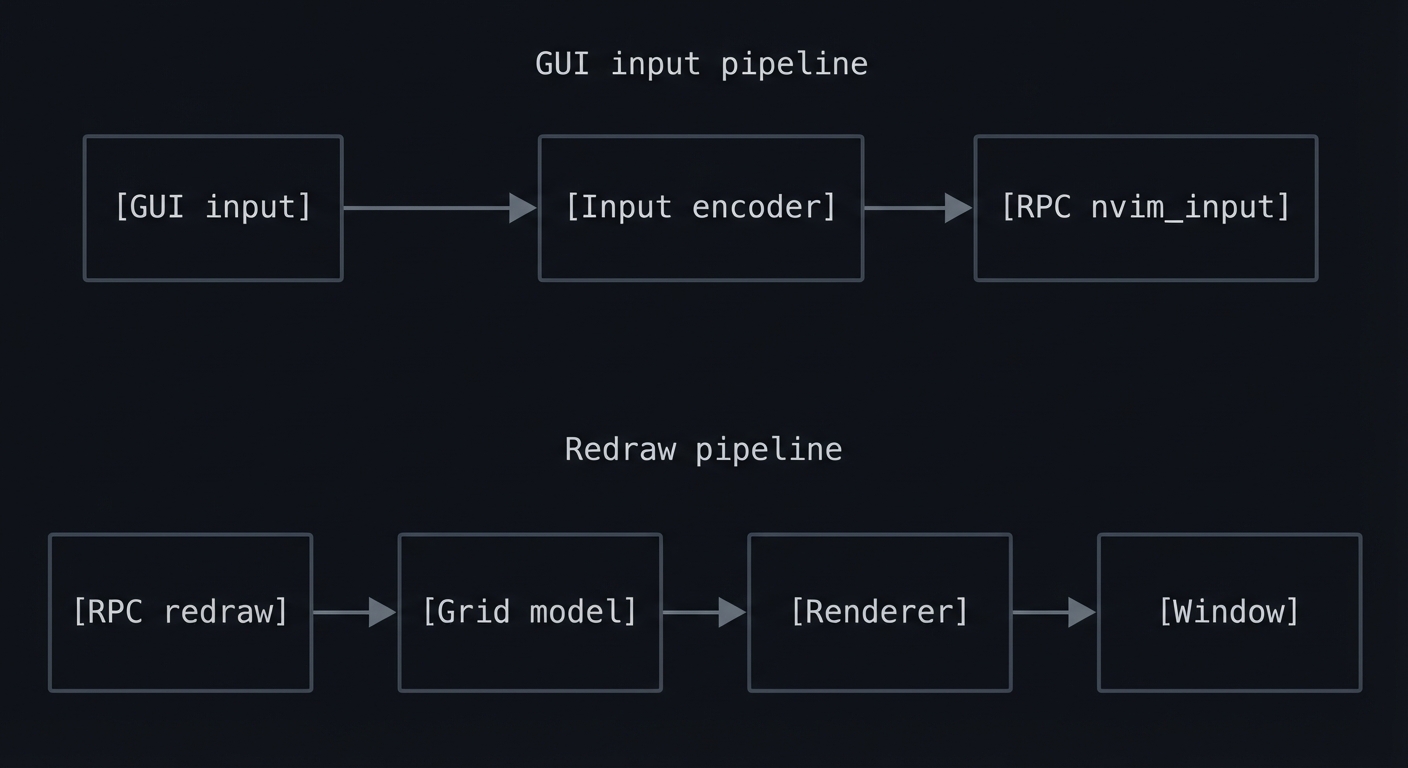
4.1 High-Level Design
[GUI input] -> [Input encoder] -> [RPC nvim_input]
[RPC redraw] -> [Grid model] -> [Renderer] -> [Window]
4.2 Key Components
| Component | Responsibility | Key Decisions |
|---|---|---|
| RPC Client | Encode/decode MessagePack | Stream decoder choice |
| Grid Model | Store cells and highlights | Single grid first |
| Renderer | Draw grid to GUI canvas | Batched render on flush |
| Input Mapper | Translate key events | Neovim key notation |
| Event Loop | Multiplex IO and UI | Threaded or async |
4.3 Data Structures (No Full Code)
struct Cell { ch: String, hl: u32 }
struct Grid { rows: usize, cols: usize, cells: Vec<Cell> }
struct HlAttr { fg: Color, bg: Color, bold: bool, italic: bool }
4.4 Algorithm Overview
Key Algorithm: Apply grid_line
- Locate row and column offset.
- Iterate spans in the event.
- For each span, fill cells with text and hl id.
Complexity Analysis:
- Time: O(S) where S is total chars in spans
- Space: O(R*C) for the grid
5. Implementation Guide
5.1 Development Environment Setup
nvim --version
cargo --version
5.2 Project Structure
my-nvim-gui/
├── src/
│   ├── main.rs
│   ├── rpc.rs
│   ├── grid.rs
│   ├── render.rs
│   ├── input.rs
│   └── ui.rs
├── fixtures/
│   └── demo.lua
└── Cargo.toml
5.3 The Core Question You’re Answering
“How can a separate UI process render Neovim’s internal state using only RPC events?”
5.4 Concepts You Must Understand First
Stop and research these before coding:
- MessagePack-RPC
- Stream parsing and message types
- Neovim UI protocol
grid_line,flush,hl_attr_define
- Event loops
- IO multiplexing, thread safety
5.5 Questions to Guide Your Design
- How will you store grid cells efficiently?
- Where will you map highlight IDs to colors?
- How will you handle partial redraws vs full redraws?
5.6 Thinking Exercise
Take the following redraw events and draw the resulting screen on paper:
["grid_line", 1, 0, 0, [["abc", 1], ["def", 2]]]
["cursor_goto", 1, 0, 3]
["flush"]
5.7 The Interview Questions They’ll Ask
- Why does Neovim batch redraw events?
- What problems does MessagePack solve here?
- How do you avoid tearing or flicker in a GUI client?
5.8 Hints in Layers
Hint 1: Log everything Log all decoded events before rendering anything.
Hint 2: Build a grid model first Render the grid to stdout before using a GUI.
Hint 3: Render on flush only This matches how Neovim expects UI updates.
Hint 4: Ignore advanced features Skip multigrid and popupmenu initially.
5.9 Books That Will Help
| Topic | Book | Chapter |
|---|---|---|
| IO multiplexing | The Linux Programming Interface | Ch. 63 |
| Networking concepts | Computer Networks | Ch. 2 |
| GUI design | Designing Interfaces | Ch. 1-3 |
5.10 Implementation Phases
Phase 1: RPC and Logging (2-3 days)
Goals:
- Spawn Neovim
- Decode MessagePack messages
Tasks:
- Implement MessagePack stream decoder.
- Log all redraw events to stdout.
- Handle init and shutdown.
Checkpoint: You can see valid redraw events in logs.
Phase 2: Grid Model and Rendering (4-5 days)
Goals:
- Maintain a grid model
- Render on flush
Tasks:
- Build cell grid and hl map.
- Apply redraw events to the grid.
- Render grid to GUI window.
Checkpoint: Neovim content appears correctly.
Phase 3: Input and Resize (3-4 days)
Goals:
- Keyboard input works
- Resize is stable
Tasks:
- Map key events to
nvim_input. - Implement resize calculations.
- Handle cursor updates.
Checkpoint: You can edit a file in the GUI.
5.11 Key Implementation Decisions
| Decision | Options | Recommendation | Rationale |
|---|---|---|---|
| Rendering | immediate, on flush | on flush | avoids flicker |
| IO model | blocking, async | async/threaded | keeps UI responsive |
| Grid | single, multigrid | single first | reduce complexity |
6. Testing Strategy
6.1 Test Categories
| Category | Purpose | Examples |
|---|---|---|
| Unit Tests | Decoder and grid updates | decode msgpack, grid_line |
| Integration Tests | Full session | spawn nvim, attach UI |
| Visual Tests | Render output | screenshot comparison |
6.2 Critical Test Cases
- Redraw batch with multiple grid_line spans.
- Resize to very small window (10x5).
- Neovim exits while GUI is running.
6.3 Test Data
fixtures/
  demo.lua
  unicode.txt (wide chars)
7. Common Pitfalls & Debugging
7.1 Frequent Mistakes
| Pitfall | Symptom | Solution |
|---|---|---|
| Rendering on every event | Flicker and slow UI | Render on flush |
| Ignoring hl_attr_define | No colors or wrong colors | Track highlight map |
| Blocking RPC read | Frozen GUI | Use async IO |
7.2 Debugging Strategies
- Add a debug overlay that shows grid size and cursor.
- Dump raw MessagePack bytes when decoding fails.
- Use a fixed font and cell size for reproducibility.
7.3 Performance Traps
- Reallocating the grid on every redraw.
- Converting every cell to a string each frame.
8. Extensions & Challenges
8.1 Beginner Extensions
- Add a simple status bar outside the grid.
- Add basic mouse support for cursor clicks.
8.2 Intermediate Extensions
- Implement multigrid support.
- Add smooth scrolling and animations.
8.3 Advanced Extensions
- GPU-accelerated text rendering.
- Support external UI widgets like popupmenus.
9. Real-World Connections
9.1 Industry Applications
- Custom IDEs: Neovim-based products can embed a custom UI.
- Remote editing: Headless Neovim + UI over RPC.
9.2 Related Open Source Projects
- neovim-qt: Qt-based Neovim GUI.
- neovide: GPU-accelerated Neovim frontend.
9.3 Interview Relevance
- Systems IO: streaming protocols and event loops.
- UI engineering: rendering pipelines and input handling.
10. Resources
10.1 Essential Reading
- Neovim UI protocol documentation
- MessagePack specification overview
10.2 Video Resources
- Neovim UI protocol talks (search: “neovim ui protocol”)
10.3 Tools & Documentation
:help uinvim --embed- MessagePack libraries for your language
10.4 Related Projects in This Series
- P02 - Focus Mode Plugin: API usage
- P04 - Tree-sitter Grammar: syntax highlighting
- P06 - Neovim Lite Capstone: full integration
11. Self-Assessment Checklist
11.1 Understanding
- I can explain MessagePack-RPC and streaming decoding.
- I can describe how
grid_lineupdates the UI. - I can map key events to Neovim input.
11.2 Implementation
- GUI renders Neovim content correctly.
- Resizing and cursor movement are stable.
- Errors are handled gracefully.
11.3 Growth
- I can extend the UI with a new overlay.
- I can explain this project in an interview.
12. Submission / Completion Criteria
Minimum Viable Completion:
- Neovim spawns and
nvim_ui_attachsucceeds. grid_lineandflushrender correctly.- Basic keyboard input works.
Full Completion:
- All minimum criteria plus:
- Highlight attributes applied correctly.
- Resize works without crash.
Excellence (Going Above & Beyond):
- Multigrid support and mouse input.
- GPU rendering or smooth scrolling.
13. Determinism and Reproducibility Notes
- Use
GUI_TEST_MODE=1to freeze font size and disable animations. - Use
fixtures/demo.luafor golden demos. - Failure demo uses missing
nvimbinary to force a stable error.