Project 7: Sight Words Bingo
Build a sight-words bingo game with clear audio prompts and fair randomness.
Quick Reference
| Attribute | Value |
|---|---|
| Difficulty | Level 2 (Intermediate) |
| Time Estimate | 1-2 weeks |
| Main Programming Language | Swift (Alternatives: Objective-C, C# Unity, JavaScript React Native) |
| Alternative Programming Languages | Objective-C, C# Unity, JavaScript React Native |
| Coolness Level | Level 3 (Genuinely Clever) |
| Business Potential | Level 2 (Micro-SaaS / Pro Tool) |
| Prerequisites | Projects 1 and 4 concepts |
| Key Topics | Fair randomness, audio prompting, grid state |
1. Learning Objectives
By completing this project, you will:
- Design a fair randomness system with no premature repeats.
- Build a word-prompt loop with clear audio.
- Track bingo grid state and completion.
- Provide gentle feedback for incorrect taps.
2. All Theory Needed (Per-Concept Breakdown)
Fair Randomness and Prompt Loops
Fundamentals
Randomness in learning games must feel fair. If the same word repeats too soon, the child becomes frustrated and the learning value decreases. A fair system ensures that every word appears before any repeats. The simplest way is to shuffle a list and consume it in order. This gives full coverage before repetition, while still feeling random.
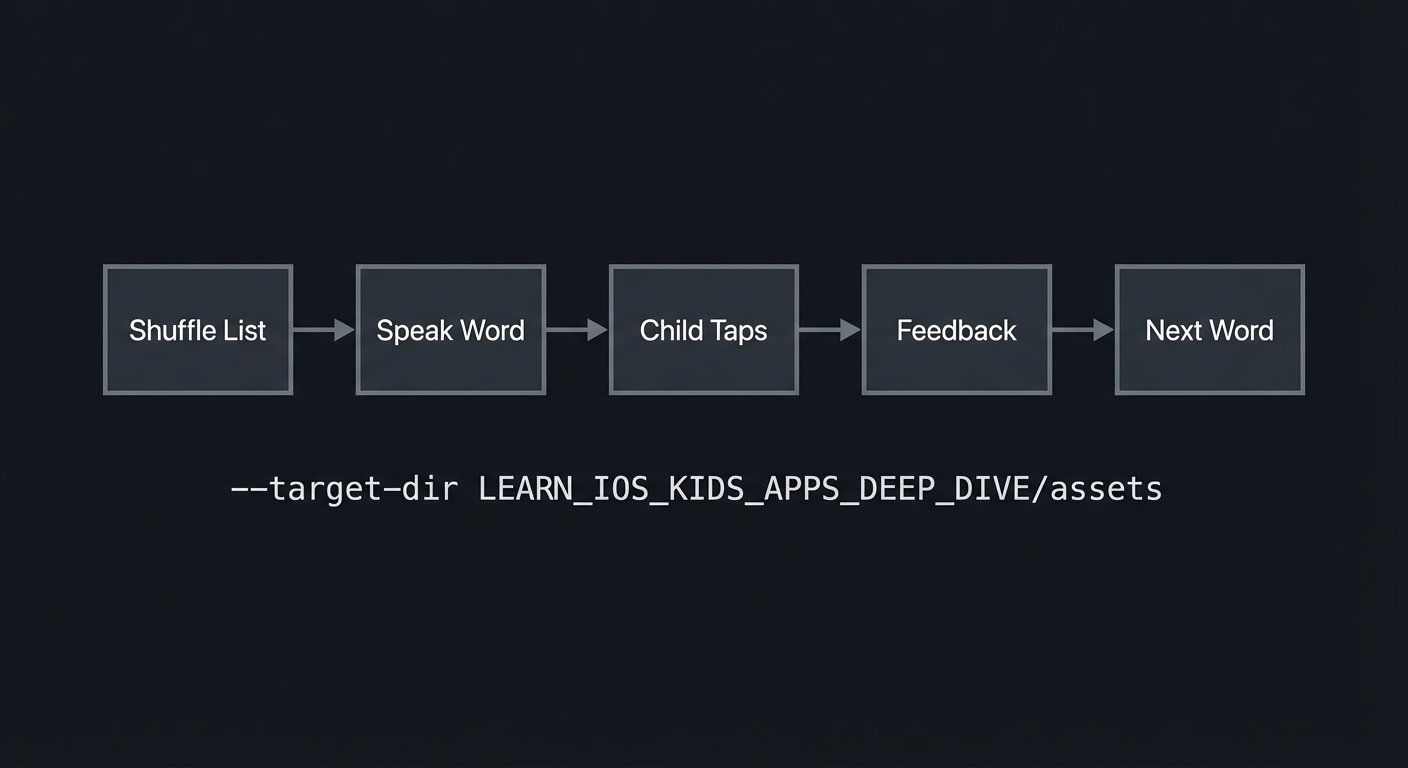
The prompt loop is: speak a word, wait for tap, provide feedback, then speak the next word. This is similar to the flashcard loop but with a grid context. The child must map the audio prompt to the correct word on the grid. This strengthens recognition and reading skills.
Because kids are still learning, incorrect taps are normal. The feedback should be supportive. A simple “try again” voice prompt and a gentle animation are enough. The child should not feel punished.
Sight words are learned through repetition and recognition. The game should emphasize clear text and consistent pronunciation. This means the grid font must be large, simple, and high-contrast. Decorative fonts reduce readability and should be avoided.
Another fundamental is pacing. The child needs time to look at the grid after hearing the prompt. If prompts advance too quickly, the child will guess. A steady, calm pace encourages real reading. This is why you should not auto-advance immediately after an incorrect tap; instead, let the child try again.
The game also benefits from stable word sets. A child should see the same set of words for a full round. This supports memorization and reduces confusion. The stability of the grid is just as important as the randomness of prompts.
Sight words are often taught with a mix of review and new words. You can reflect this by creating a word set that mixes known and new words. This helps maintain confidence while expanding vocabulary.
Another foundational consideration is readability. The grid should use a simple sans-serif font with strong contrast. Avoid decorative fonts or all caps if they reduce readability. For early readers, mixed-case words can be easier to recognize, so consider using standard capitalization rather than all caps.
Many children recognize words by shape and repetition. This means the grid should be stable and the words should be visually consistent. Avoid switching between fonts or styles. Consistency supports recognition and builds confidence.
You should also consider the difference between hearing and reading. Some children will rely more on audio, others on text. Offering both modalities in a balanced way makes the activity more inclusive.
Spacing between tiles matters. If tiles are too close, children can tap the wrong word by accident. A small gap between tiles reduces errors and improves confidence.
Make sure the words are short and age-appropriate. Very long words reduce readability and can turn the game into a spelling test rather than recognition practice.
Consider spacing between lines as well as tiles. Adequate line spacing reduces visual crowding and helps children focus on one word at a time.
Clear spacing also reduces accidental double taps.
Deep Dive into the Concept
Fair randomness is both a technical and psychological problem. Technically, a shuffle and consume approach is easy. Psychologically, it feels fair because the child sees variety and progress. If you simply choose a random word each time, repeats can appear quickly, which feels unfair. This can cause confusion, especially if the child thinks they already completed that word.
The grid introduces a spatial memory component. The child must remember where words are located while listening to prompts. Therefore, the grid should remain stable within a round. If you reshuffle the grid every time, the child cannot build spatial memory. A stable grid makes the game more learnable. You can reshuffle only when starting a new round.
The audio prompt must be clear and consistent. Use a single voice and the same pace for each word. Avoid background noise. You should also allow a “repeat” button so the child can hear the word again without penalty. This supports independent learning.
Feedback design should avoid negative signals. If a child taps the wrong word, a small shake of the tile and a friendly “try again” is enough. Do not remove points or show red X marks. The goal is to reinforce recognition, not to test or judge.
Randomness also affects difficulty. If the word list includes both easy and hard words, random order may give several hard words in a row. A better approach is to group words by difficulty and interleave them. For example, alternate easy and medium words. This keeps the child engaged and reduces frustration. You can implement this by creating small shuffled buckets per difficulty.
Determinism is important for testing. Use a fixed seed in development builds so you can reproduce a session. This helps you verify that your no-repeat rule works. In production, you can allow true randomness. The key is to make behavior testable during development.
You also need to track bingo completion. This is a grid state problem: if a row, column, or diagonal is fully marked, the child wins. You must check these conditions after every correct tap. This logic should be separate from UI so it can be tested independently.
Another design choice is the size of the grid. For younger kids, use a 3x3 grid with fewer words. For older kids, 4x4 or 5x5. Larger grids increase cognitive load. You should allow the parent to choose a grid size in a gated settings area if you want multi-age support.
Finally, consider the reward loop. A bingo win should trigger a short celebration but not a long animation that delays the next round. A quick confetti burst and a cheerful sound are enough. After the celebration, the child should see a clear “Play Again” button.
Prompt queues can be extended with difficulty tiers. For example, you can build three word lists: easy, medium, and hard. Shuffle within each tier and interleave them. This creates a balanced learning sequence without long streaks of difficult words.
Audio prompts should be clear and can optionally include a short pause before the word, such as “Find… THE.” This pause helps the child prepare and makes the prompt more understandable. Keep the pause consistent so the rhythm feels predictable.
Bingo detection logic should be efficient and simple. Because the grid size is small, you can check all rows, columns, and diagonals after every mark. This is easier to reason about than incremental checks and is fast enough for small grids.
Finally, think about completion. A bingo celebration should be short and not overly stimulating. After celebration, provide a clear “Play Again” option and a way to choose a new word set if available.
A practical way to enforce fairness is to track the last N prompts and avoid repeating them until the queue is exhausted. Even with shuffle-and-consume, adding a small “no immediate repeat” rule provides extra safety. It also smooths the experience if the word list is short.
You should also consider audio clarity across devices. Record prompts at a moderate volume and test on both loud and quiet settings. A repeat button is only helpful if the audio is clear.
Prompt pacing is part of fairness. If the app immediately plays the next word after a correct tap, the child may not have time to notice the mark. Add a short, consistent delay after each correct response. This creates a rhythm the child can follow.
If you allow multiple rounds, consider rotating word sets rather than shuffling the same set endlessly. This provides variety while keeping the learning goal focused. You can keep a small library of lists and cycle through them.
A simple fairness check is to log the prompt order and visually inspect it during testing. If you see repeats too early, adjust the queue logic. This practical check is often more valuable than a complex statistical test in a small kids app.
If you introduce difficulty tiers, ensure that the transition between tiers is smooth. For example, after a bingo win, you can ask the parent in a gated screen whether to advance the word set. This avoids surprising the child with a sudden jump in difficulty.
If a child taps the correct word, consider briefly highlighting the word in a different color while the audio repeats it. This reinforces the association between sound and text without adding extra steps.
You can measure fairness by counting how many prompts it takes to reach bingo. If some rounds consistently take too long, consider reducing grid size or adjusting word difficulty. This is a simple tuning method that does not require complex analytics.
If a child repeatedly misses the same word, you can add a gentle hint such as briefly outlining the correct tile. This keeps the loop moving without giving away the answer immediately.
You can also add a short “ready” chime before the first prompt so children know a new round is beginning.
A small “round summary” can say which words were covered. This helps parents see progress without needing detailed logs.
How this Fits in the Project
Fair randomness ensures prompts feel fair and varied, while the prompt loop ties audio and text recognition together.
Definitions & Key Terms
- Fair randomness: A method that avoids premature repeats.
- Shuffle-and-consume: Randomly shuffle once, then iterate.
- Prompt loop: The sequence of speak, respond, feedback, next.
- Grid state: The set of selected tiles in the bingo grid.
Mental Model Diagram (ASCII)
Shuffle List -> Speak Word -> Child Taps -> Feedback -> Next Word
How It Works (Step-by-Step)
- Shuffle the word list and set an index at 0.
- Speak the word at the current index.
- Wait for a tap on a grid tile.
- If correct, mark tile and check bingo.
- If incorrect, give gentle feedback.
- Move to next word and repeat.
Invariants:
- No word repeats before the list is exhausted.
- The grid remains stable within a round.
Failure modes:
- Repeats occur too soon.
- Grid reshuffles mid-round.
Minimal Concrete Example (Pseudocode)
STATE: wordQueue, currentWord, markedTiles

ON startRound:
  SHUFFLE word list
  SET wordQueue = list

ON promptNext:
  POP next word from queue
  SPEAK word

ON tileTap:
  IF tile matches currentWord: mark tile
  ELSE: gentle retry
Common Misconceptions
- “True random is always best.” It can produce unfair repeats.
- “Grid can shuffle anytime.” This breaks spatial memory.
- “Bingo checks are UI-only.” Logic should be separate for testing.
Check-Your-Understanding Questions
- Why is shuffle-and-consume fairer than random choice?
- Why should the grid remain stable during a round?
- How does a repeat button support learning?
Check-Your-Understanding Answers
- It ensures full coverage before repeats.
- It supports spatial memory and reduces confusion.
- It lets the child confirm the prompt without penalty.
Real-World Applications
- Sight-word practice apps
- Spelling games
- Classroom literacy tools
Where You Will Apply It
- In this project: see Section 3.7 Real World Outcome and Section 5.10 Implementation Phases.
- Also used in: Project 4 for controlled randomness.
References
- “Clean Code” by Robert C. Martin - Ch. 2
- “Design It!” by Michael Keeling - Ch. 2
Key Insight
Fair randomness keeps the game trustworthy and reduces frustration.
Summary
Sight-word bingo is a prompt loop anchored by fair randomness and stable grids. The result is a calm, repeatable learning experience.
Homework / Exercises to Practice the Concept
- Design a shuffle rule that guarantees no repeats until all words used.
- Sketch a 3x3 grid and mark how bingo is detected.
- Define a gentle incorrect feedback response.
Solutions to the Homework / Exercises
- Shuffle list and consume in order; reset when empty.
- Check all rows, columns, and diagonals after each mark.
- A soft shake and a “try again” sound.
3. Project Specification
3.1 What You Will Build
A bingo game with a grid of sight words, spoken prompts, and celebration on bingo. The game runs offline and stores no data beyond the session.
3.2 Functional Requirements
- Word grid: Display a stable grid of words.
- Audio prompts: Speak a target word with a repeat button.
- Marking: Correct taps mark tiles.
- Bingo detection: Detect row, column, or diagonal completion.
3.3 Non-Functional Requirements
- Performance: Audio prompts play immediately.
- Reliability: No premature repeats.
- Usability: Large text and tiles.
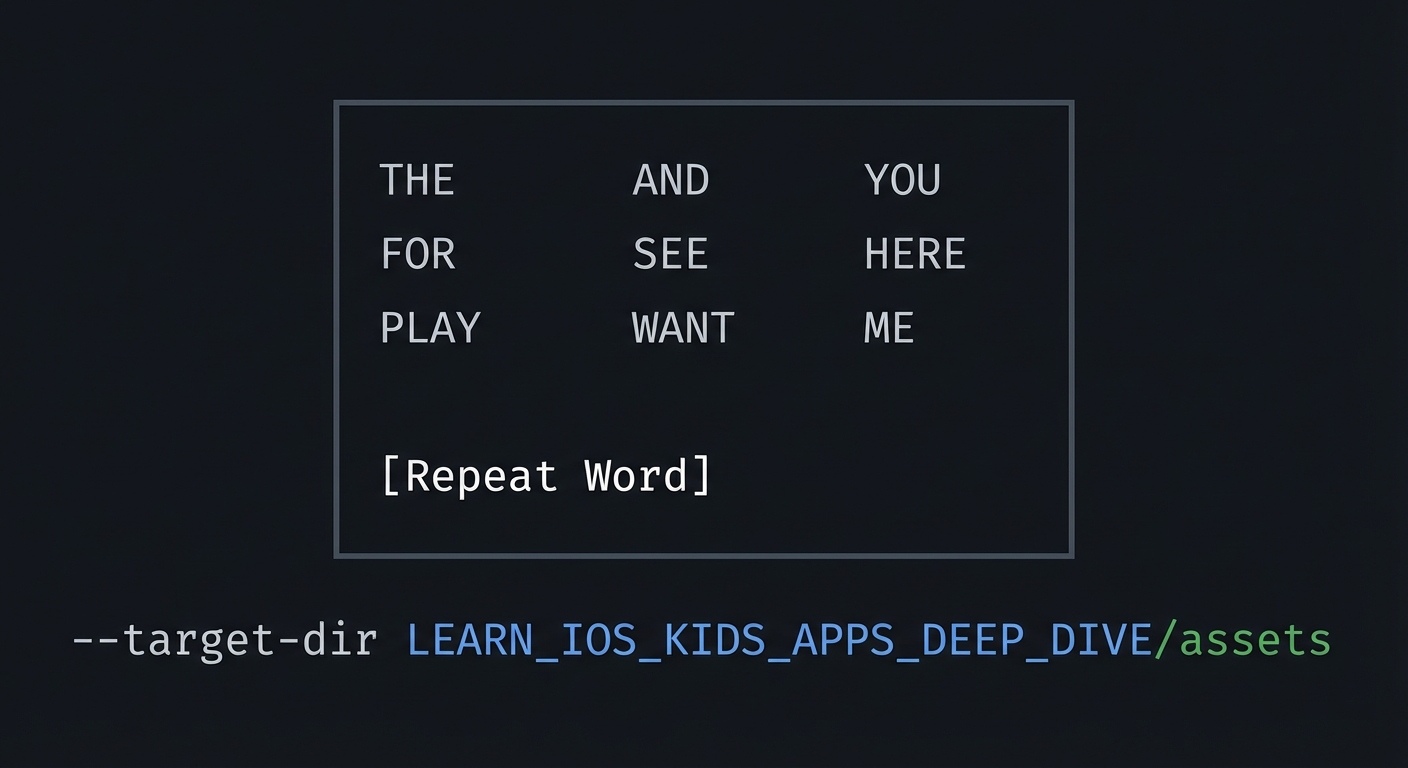
3.4 Example Usage / Output
ASCII wireframe:
+----------------------------------+
|  THE   AND   YOU                 |
|  FOR   SEE   HERE                |
|  PLAY  WANT  ME                  |
|                                  |
| [Repeat Word]                    |
+----------------------------------+
3.5 Data Formats / Schemas / Protocols
- WordList: list of words
- MarkedTiles: set of grid positions
- PromptQueue: shuffled list
3.6 Edge Cases
- Child taps already marked word
- Word queue empty
- Audio prompt missing
3.7 Real World Outcome
3.7.1 How to Run (Copy/Paste)
- Run in iPad simulator for large grid.
3.7.2 Golden Path Demo (Deterministic)
Scenario: Prompt “THE” and child taps “THE”.
Expected behavior:
- Tile marked with a star.
- Next prompt plays.
3.7.3 Failure Demo (Deterministic)
Scenario: Prompt “THE” and child taps “ME”.
Expected behavior:
- Tile shakes gently.
- Prompt can be repeated.
3.7.4 Mobile UI Details
- Grid with large text tiles.
- Repeat button at bottom.
4. Solution Architecture
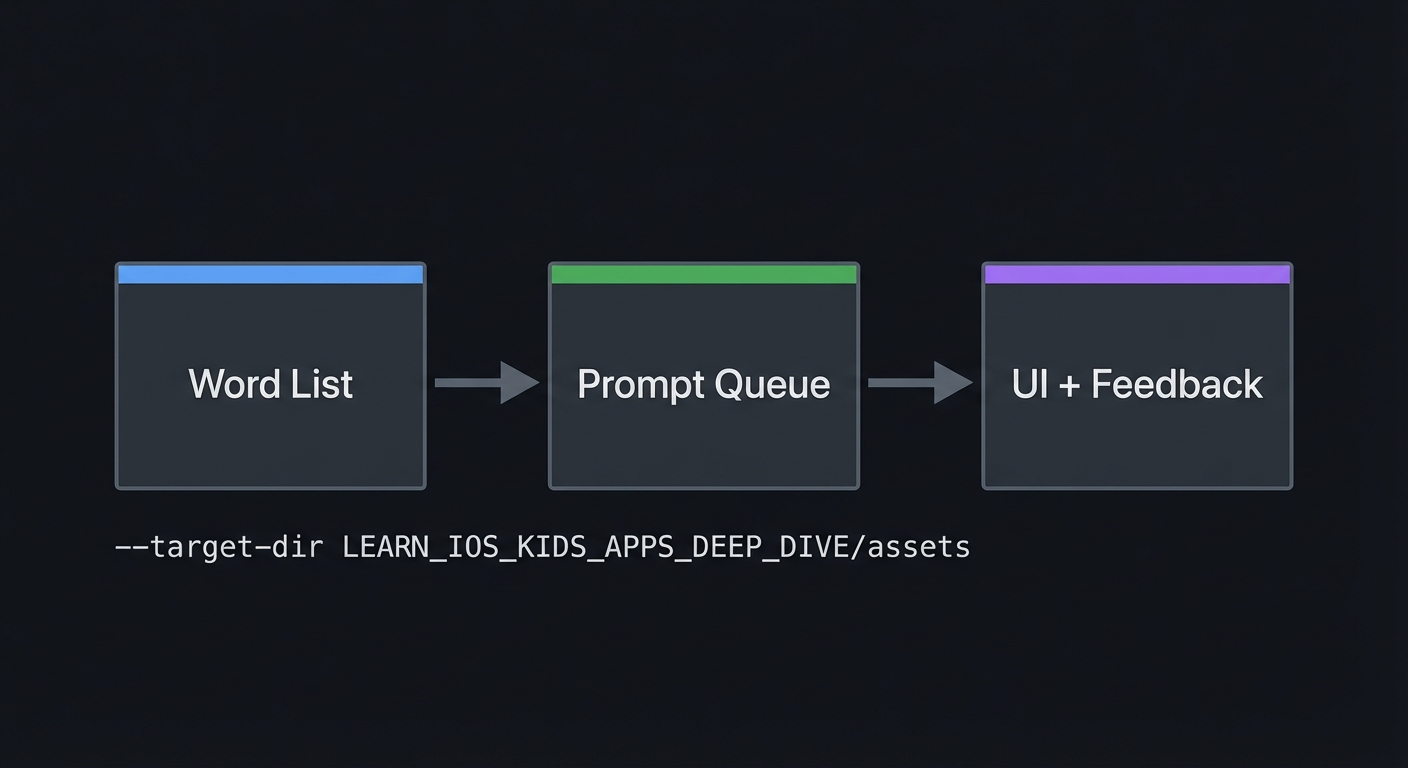
4.1 High-Level Design
+-------------+      +------------------+      +------------------+
| Word List   | ---> | Prompt Queue     | ---> | UI + Feedback    |
+-------------+      +------------------+      +------------------+
4.2 Key Components
| Component | Responsibility | Key Decisions |
|---|---|---|
| Word Grid | Displays words | Stable layout |
| Prompt Engine | Speaks words | Shuffle-and-consume |
| Bingo Checker | Detects wins | Check after mark |
4.3 Data Structures (No Full Code)
- Grid: 2D list of words
- Marked: set of coordinates
4.4 Algorithm Overview
Key Algorithm: Bingo Check
- After each mark, check rows.
- Check columns.
- Check diagonals.
Complexity Analysis:
- Time: O(N) per mark
- Space: O(N) for grid
5. Implementation Guide
5.1 Development Environment Setup
xcodebuild -version
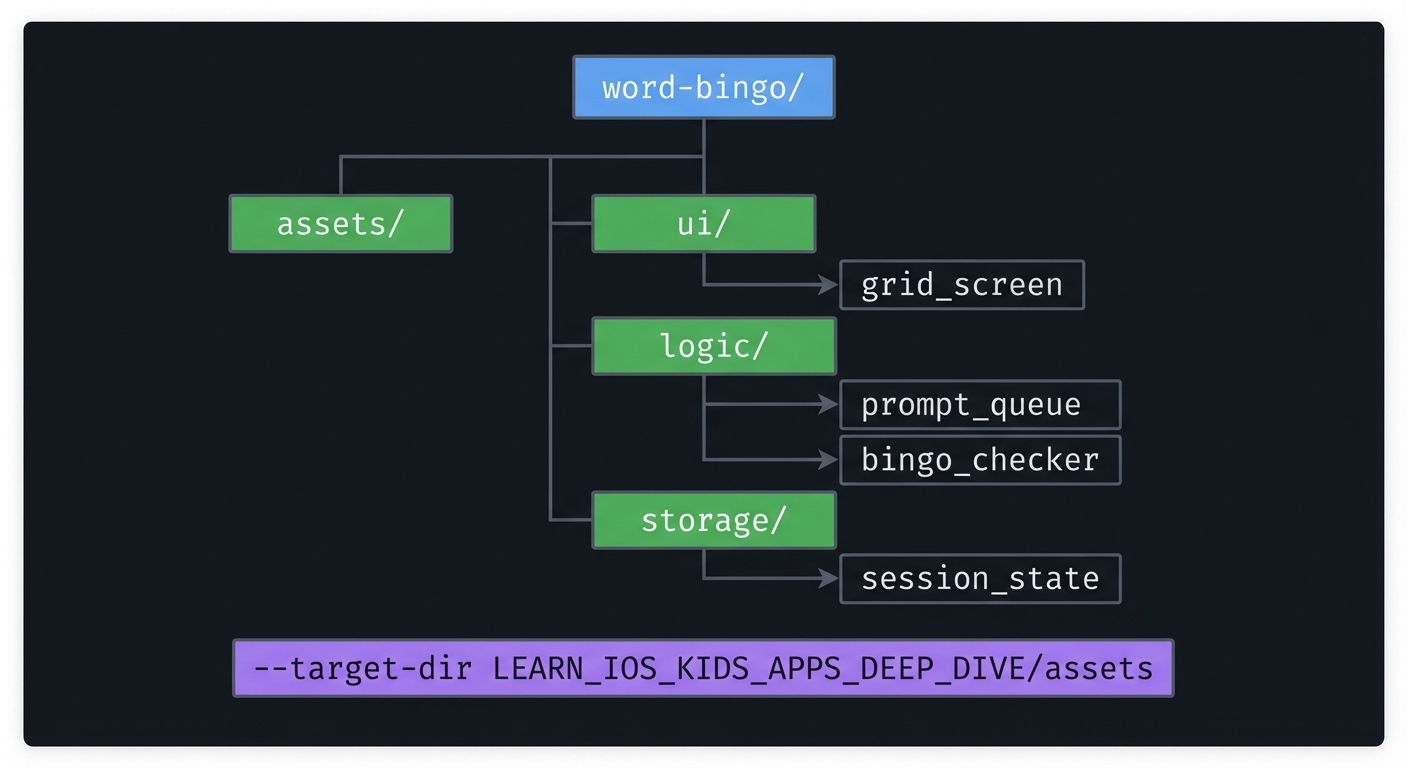
5.2 Project Structure
word-bingo/
+-- assets/
+-- ui/
|   `-- grid_screen
+-- logic/
|   +-- prompt_queue
|   `-- bingo_checker
`-- storage/
    `-- session_state
5.3 The Core Question You’re Answering
“How do I make randomness feel fair for kids?”
5.4 Concepts You Must Understand First
- Shuffle-and-consume
- How does it prevent repeats?
- Book Reference: “Clean Code” - Ch. 2
- Prompt loop
- How do you keep prompts clear?
- Book Reference: “Design It!” - Ch. 2
5.5 Questions to Guide Your Design
- Grid size
- What size is right for each age band?
- Prompt repeat
- How does the child ask for a repeat?
5.6 Thinking Exercise
Prompt Cycle
Write down a full cycle of prompts for 5 words and mark where repeats would happen if using naive random.
5.7 The Interview Questions They’ll Ask
- “Why not choose a random word each time?”
- “How do you detect a bingo?”
- “How do you keep the grid readable?”
- “How do you handle a missing audio prompt?”
- “How do you test fairness?”
5.8 Hints in Layers
Hint 1: Shuffle once Do not re-shuffle after every prompt.
Hint 2: Keep grid stable Only re-layout between rounds.
Hint 3: Add repeat button Let the child replay the word.
Hint 4: Debug with logs Print the prompt order to verify fairness.
5.9 Books That Will Help
| Topic | Book | Chapter |
|---|---|---|
| Clarity | “Clean Code” | Ch. 2 |
5.10 Implementation Phases
Phase 1: Foundation (3-5 hours)
Goals:
- Display grid
- Play prompts
Tasks:
- Render grid of words.
- Play a prompt on start.
Checkpoint: First prompt plays correctly.
Phase 2: Core Functionality (6-8 hours)
Goals:
- Shuffle prompt queue
- Mark tiles
Tasks:
- Implement shuffle-and-consume.
- Mark tiles on correct tap.
Checkpoint: No repeats before full list.
Phase 3: Polish & Edge Cases (4-6 hours)
Goals:
- Bingo detection
- Celebration
Tasks:
- Add bingo checking logic.
- Add celebration and restart.
Checkpoint: Bingo triggers correctly.
5.11 Key Implementation Decisions
| Decision | Options | Recommendation | Rationale |
|---|---|---|---|
| Randomness | Pure random vs shuffle | Shuffle | Fairness |
| Grid size | 3x3 vs 4x4 | 3x3 for young | Readability |
| Prompt control | Auto vs manual | Auto + repeat button | Support |
6. Testing Strategy
6.1 Test Categories
| Category | Purpose | Examples |
|---|---|---|
| Unit | Queue order | No repeats |
| Integration | Prompt -> mark | Correct flow |
| Edge Case | Empty queue | Reset behavior |
6.2 Critical Test Cases
- Ensure each word appears once before repeats.
- Detect bingo on row completion.
- Repeat prompt without changing current word.
6.3 Test Data
Word list: THE, AND, YOU, FOR, SEE
7. Common Pitfalls & Debugging
7.1 Frequent Mistakes
| Pitfall | Symptom | Solution |
|---|---|---|
| Repeats too soon | Child confusion | Shuffle-and-consume |
| Small text | Hard to read | Increase font size |
| No repeat button | Child stuck | Add repeat control |
7.2 Debugging Strategies
- Log prompt order.
- Simulate 20 prompts in a row.
7.3 Performance Traps
- Large word lists can slow layout; keep it manageable.
8. Extensions & Challenges
8.1 Beginner Extensions
- Add themed word packs.
8.2 Intermediate Extensions
- Add difficulty-based word lists.
8.3 Advanced Extensions
- Add parent-custom word lists (local only).
9. Real-World Connections
9.1 Industry Applications
- Reading practice apps
- Literacy classroom games
9.2 Related Open Source Projects
- Look for word game demos for layout ideas.
9.3 Interview Relevance
- Randomness control
- UI state management
10. Resources
10.1 Essential Reading
- “Clean Code” - Ch. 2
10.2 Video Resources
- Talks on game fairness and pacing
10.3 Tools & Documentation
- Apple AVFoundation docs (audio prompts)
10.4 Related Projects in This Series
11. Self-Assessment Checklist
11.1 Understanding
- I can explain fair randomness.
- I can explain why grid stability matters.
- I can explain prompt loops.
11.2 Implementation
- Prompts are clear and repeatable.
- Bingo detection works.
- No premature repeats.
11.3 Growth
- I can describe how to scale to larger word lists.
- I can explain this project in an interview.
12. Submission / Completion Criteria
Minimum Viable Completion:
- 3x3 grid with prompts and correct marking
Full Completion:
- Bingo detection and celebration
Excellence (Going Above & Beyond):
- Multiple word packs and parent customization