Project 4: Counting Adventure
Build a counting game where kids tap objects and choose the correct number with adaptive difficulty.
Quick Reference
| Attribute | Value |
|---|---|
| Difficulty | Level 2 (Intermediate) |
| Time Estimate | 1-2 weeks |
| Main Programming Language | Swift (Alternatives: Objective-C, C# Unity, JavaScript React Native) |
| Alternative Programming Languages | Objective-C, C# Unity, JavaScript React Native |
| Coolness Level | Level 3 (Genuinely Clever) |
| Business Potential | Level 2 (Micro-SaaS / Pro Tool) |
| Prerequisites | Projects 1-2 concepts |
| Key Topics | Adaptive difficulty, feedback loops, pacing |
1. Learning Objectives
By completing this project, you will:
- Build a short game loop with clear start and end states.
- Add adaptive difficulty without discouraging the child.
- Provide immediate feedback and gentle hints.
- Design a reward system that reinforces learning.
2. All Theory Needed (Per-Concept Breakdown)
Adaptive Difficulty for Early Learners
Fundamentals
Adaptive difficulty means adjusting challenge based on performance. For kids, this must be done gently. The child should feel supported, not judged. The simplest form is to increase difficulty after several correct answers and decrease after several incorrect answers. You should not adjust after every single answer because that creates instability. A short streak-based rule works well: for example, increase difficulty after three correct answers, decrease after two incorrect answers.
The goal is to keep the child in a “learning zone” where tasks are neither too easy nor too hard. If tasks are too easy, they disengage. If too hard, they become frustrated. Adaptive difficulty is a way to maintain balance without requiring parents to configure settings manually.
In a counting game, difficulty can be adjusted by changing the number of objects, the range of answer choices, or the complexity of visual clutter. For younger kids, you might show 3-5 objects with large spacing. For older kids, you might show 8-12 objects with less spacing. You can also adjust the number of answer options. Fewer options make the task easier.
Counting is a foundational skill that depends on attention and clear visual grouping. If objects are clustered or overlap, children may miscount. This means object placement is not just a cosmetic choice; it is part of the learning design. A good counting layout spaces objects evenly and avoids accidental grouping.
Another fundamental is the difference between counting and recognizing patterns. Some children will try to memorize the pattern rather than count. You can reduce this by varying object positions slightly between rounds while keeping spacing consistent. This encourages real counting rather than pattern recognition.
Feedback design must reinforce counting behavior. A simple way is to highlight each object briefly after the child answers, as if the app is counting along. This shows the child the correct count without saying “wrong.” It is supportive and educational.
Another key fundamental is number representation. Children at early stages can recognize small quantities by sight (subitizing) without counting. Your game should support this by keeping small counts very clear. For larger counts, you can encourage counting by highlighting objects or grouping them in lines.
A good counting activity also teaches one-to-one correspondence: each object gets one count. You can support this by allowing the child to tap each object as they count, changing its appearance. This reinforces the concept without adding complexity. Even if you do not fully implement this, the idea should influence your design.
Counting games should also respect visual grouping. If objects are arranged in a line or small clusters, children can count more easily. Random scatter can make counting harder than necessary. A simple layout rule, such as placing objects in rows of three, can make the task clearer without reducing challenge.
You should also consider number symbol clarity. Large, simple numerals help children distinguish 6 from 9 and 2 from 5. Avoid decorative fonts. This is a small visual choice with a large effect on accuracy.
Deep Dive into the Concept
Adaptive difficulty is often misunderstood as “automatic scaling,” but in kids learning apps it is more like “gentle guidance.” The system should respond to trends, not single events. A child might make a mistake due to distraction, not because the task is too hard. If you immediately lower difficulty, the child loses momentum. This is why you should use small streak thresholds.
The key design decision is which difficulty parameters to adjust. In a counting game, you have at least four: number of objects, visual complexity, time pressure, and answer choices. For kids apps, you should avoid time pressure. Time pressure introduces anxiety and is not aligned with learning goals. Visual complexity should also be controlled carefully; too many objects or overlapping elements can overwhelm. That leaves number of objects and number of choices as your safest levers.
Define difficulty levels as discrete steps. For example, Level 1 might have 1-3 objects with 2 answer choices. Level 2 might have 1-5 objects with 3 answer choices. Level 3 might have 1-8 objects with 3 answer choices. This stepwise approach allows you to reason about the experience and test it. Avoid continuous scaling because it is harder to predict.
You also need to decide how to handle hints. If a child makes a mistake, you should provide a supportive hint rather than a punishment. A hint can be as simple as counting the objects aloud or briefly highlighting them one by one. This not only helps the child succeed but also reinforces counting behavior. Hints are part of the difficulty system: they reduce difficulty without changing the task.
State modeling is essential. The game loop includes: present objects, wait for taps, show choices, evaluate answer, provide feedback, then proceed. Each of these is a state. Adaptive difficulty changes the parameters used when generating the next set of objects and choices. This should happen only after the feedback state completes. If you adjust while the child is still in the middle of a round, the experience feels inconsistent.
Another subtle issue is randomness. Object count and placement should feel playful, but randomness must be controlled. If you generate object positions randomly, you should avoid overlapping objects or clustering too tightly. This is not just visual design; it affects difficulty. A cluster of objects can be harder to count. Therefore, the random generator should enforce spacing rules.
Adaptation should be visible to parents, not necessarily to children. A simple progress indicator in the parent zone can show “level” or “difficulty band” so parents understand why the game feels easier or harder. But you should avoid showing level numbers to the child, because that can create pressure. For kids, progression should feel like a series of playful challenges, not a test.
The feedback loop is also central. When the child selects the correct number, celebrate briefly. When incorrect, use a gentle “try again” and optionally show a hint. The feedback should be consistent with the adaptation logic. For example, if the child misses twice, show a hint and reduce difficulty next round. This creates a supportive rhythm.
Finally, measure success in terms of engagement and accuracy over time, not immediate perfection. The system should gently nudge the child toward higher accuracy by keeping the task in the right difficulty band. The ideal outcome is that the child experiences frequent small wins while gradually improving counting ability.
Difficulty bands should be designed around developmental stages. For example, ages 4-5 might focus on counting to 5, ages 6-7 to 10, and ages 8-9 to 20. Even if you do not include all bands, designing with this structure helps you keep the progression logical.
You also need to consider the answer choices. If you always include the correct answer plus two random numbers, the game can feel unfair if the wrong choices are far away. A better approach is to choose distractors that are close to the correct answer. This keeps the challenge appropriate and teaches discrimination.
A subtle but important concept is response timing. After the child selects an answer, do not immediately jump to the next round. Give a brief celebration and then a short pause. This pause allows the child to register success and reinforces confidence. The pause should be the same length every time to maintain rhythm.
For testing, you can create deterministic rounds with fixed object positions and counts. This helps you verify that difficulty changes behave as expected and that hints appear at the right times.
Difficulty transitions should feel invisible. If a child answers correctly and the next round suddenly has double the objects, it feels jarring. Increase difficulty in small steps and keep the visual style consistent. This creates a smooth learning curve.
You can also track a simple local “confidence” score that influences hints. For example, if the child struggles multiple times in a row, the system can automatically show a counting cue. This is still adaptive difficulty, but focused on support rather than challenge.
When you generate answer choices, avoid extreme distractors. For example, if the correct count is 5, do not offer 12 and 20. This makes the challenge trivial and does not teach discrimination. A better approach is to choose near numbers, such as 4 and 6, which encourages careful counting. This is a learning design decision, not just random selection.
You should also decide how to handle skipping. Some children will tap an answer without counting. That is okay. The game should still respond gently, perhaps with a hint after repeated quick mistakes. This keeps the experience supportive rather than punitive.
If you want to extend the game later, consider adding a “count along” mode where the app briefly highlights each object in order after the child responds. This reinforces one-to-one correspondence and provides a gentle correction without saying “wrong.” Designing the state machine with an optional post-response phase makes this extension easier.
The adaptation logic should never skip levels. If the child is at level 1, the next increase should be level 2, not level 3. This keeps the experience smooth and predictable.
How this Fits in the Project
Adaptive difficulty controls how many objects appear and how many answer choices exist in each round. It is the engine that keeps the game in the learning zone.
Definitions & Key Terms
- Adaptive difficulty: Adjusting challenge based on performance trends.
- Learning zone: The balance between too easy and too hard.
- Streak rule: A rule that changes difficulty after a series of outcomes.
- Hint: A supportive cue that reduces difficulty temporarily.
- Difficulty band: A discrete level of challenge.
Mental Model Diagram (ASCII)
Round Start -> Present Objects -> Choose Answer -> Feedback -> Adjust Difficulty -> Next Round
How It Works (Step-by-Step)
- Select difficulty band based on recent streak.
- Generate object count and answer choices.
- Display objects and wait for selection.
- Evaluate answer and provide feedback.
- Update streak and adjust difficulty for next round.
Invariants:
- Difficulty changes only between rounds.
- Feedback always occurs before the next round begins.
Failure modes:
- Difficulty swings too quickly.
- Hints appear too late or not at all.
- Object placement makes counting ambiguous.
Minimal Concrete Example (Pseudocode)
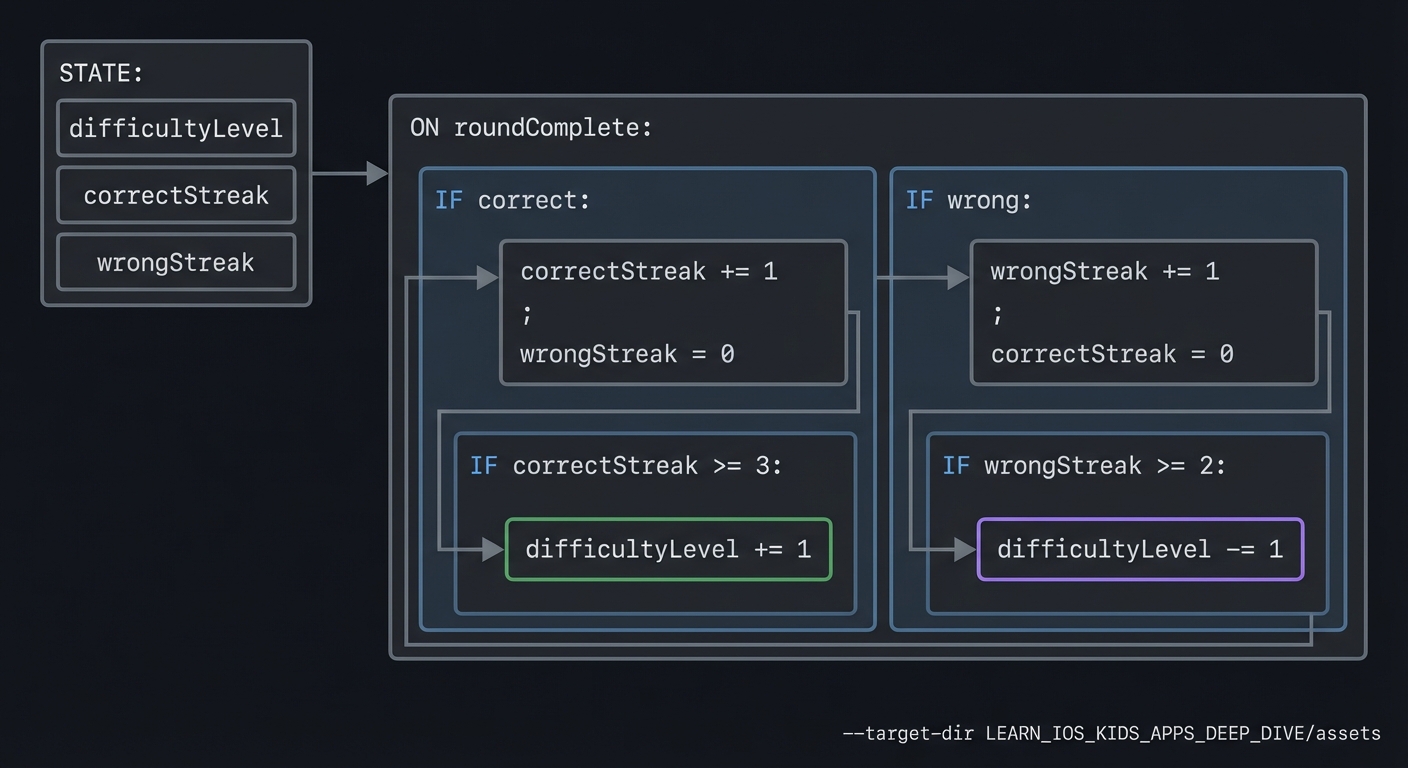
STATE: difficultyLevel, correctStreak, wrongStreak

ON roundComplete:
  IF correct: correctStreak += 1; wrongStreak = 0
  IF wrong: wrongStreak += 1; correctStreak = 0
  IF correctStreak >= 3: difficultyLevel += 1
  IF wrongStreak >= 2: difficultyLevel -= 1
Common Misconceptions
- “Adaptive difficulty should change every time.” It should change only after patterns.
- “More objects always means harder.” Placement and spacing can make small counts harder.
- “Hints reduce learning.” Hints guide the child toward correct counting behavior.
Check-Your-Understanding Questions
- Why should difficulty change only between rounds?
- What is the risk of time pressure in a counting game?
- How can hints support learning without removing challenge?
Check-Your-Understanding Answers
- Changing mid-round confuses the child and breaks the loop.
- Time pressure can cause anxiety and reduce accuracy.
- Hints guide attention to the objects while keeping the task the same.
Real-World Applications
- Math learning apps
- Preschool counting games
- Early numeracy classroom tools
Where You Will Apply It
- In this project: see Section 3.7 Real World Outcome and Section 5.10 Implementation Phases.
- Also used in: Project 7 for controlled randomness.
References
- “Design It!” by Michael Keeling - Ch. 3
- Educational research on scaffolding and difficulty
Key Insight
Adaptive difficulty should feel like encouragement, not evaluation.
Summary
Adaptive difficulty keeps the child in the learning zone by adjusting only between rounds, using small streaks and gentle hints.
Homework / Exercises to Practice the Concept
- Define three difficulty bands for counting to 10.
- Write a streak rule that avoids rapid oscillation.
- Design a hint that encourages counting without giving the answer.
Solutions to the Homework / Exercises
- Level 1: 1-3 objects, 2 choices; Level 2: 1-5 objects, 3 choices; Level 3: 1-8 objects, 3 choices.
- Increase after 3 correct, decrease after 2 incorrect.
- Highlight each object in sequence while counting aloud.
3. Project Specification
3.1 What You Will Build
A counting game where children tap objects to count them, then choose the correct number from large options. The game adapts difficulty based on recent performance and provides gentle hints after mistakes.
3.2 Functional Requirements
- Object generation: Display a set of objects to count.
- Answer choices: Provide multiple number options.
- Feedback: Correct answer celebrates, incorrect answer offers hint.
- Adaptation: Difficulty changes after streaks.
3.3 Non-Functional Requirements
- Performance: Animations remain smooth.
- Reliability: Difficulty changes predictably.
- Usability: Large tap targets and simple layout.
3.4 Example Usage / Output
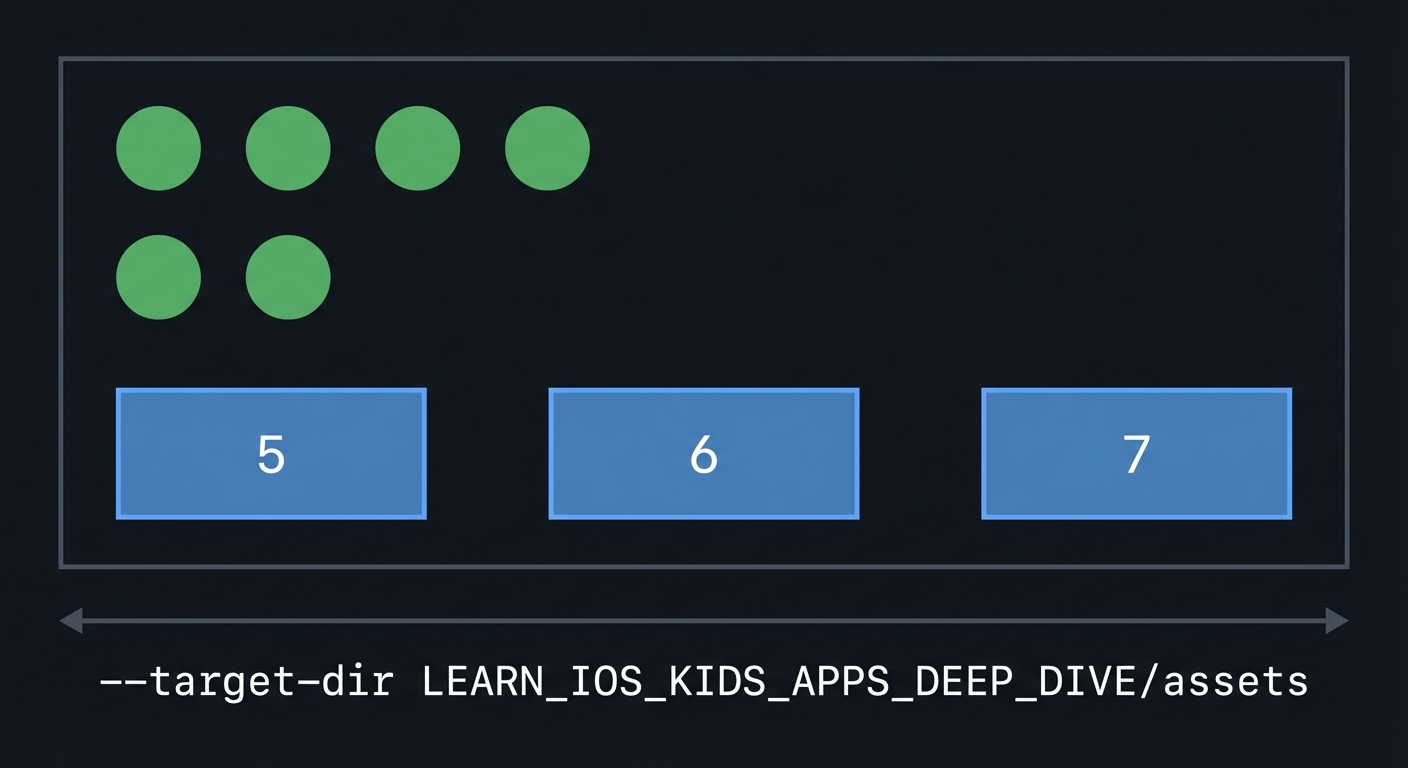
ASCII wireframe:
+----------------------------------+
|  o  o  o  o                      |
|  o  o                            |
|                                  |
|   [ 5 ]   [ 6 ]   [ 7 ]          |
+----------------------------------+
3.5 Data Formats / Schemas / Protocols
- Round: { object_count, choices, correct_choice }
- Progress: { difficulty_level, correct_streak, wrong_streak }
3.6 Edge Cases
- Two objects overlap and appear as one
- Child taps answer before counting
- Difficulty drops below minimum
3.7 Real World Outcome
3.7.1 How to Run (Copy/Paste)
- Run in iPhone simulator.
- Start a new round and interact.
3.7.2 Golden Path Demo (Deterministic)
Scenario: Difficulty level 1, 3 objects shown, correct answer chosen.
Expected behavior:
- Correct answer triggers a small celebration.
- Next round increases difficulty after 3 correct streak.
3.7.3 Failure Demo (Deterministic)
Scenario: Difficulty level 2, child selects wrong answer twice.
Expected behavior:
- Gentle hint appears after second mistake.
- Difficulty decreases by one level for next round.
3.7.4 Mobile UI Details
- Objects in upper area, answers in lower area.
- Large buttons with numbers.
4. Solution Architecture
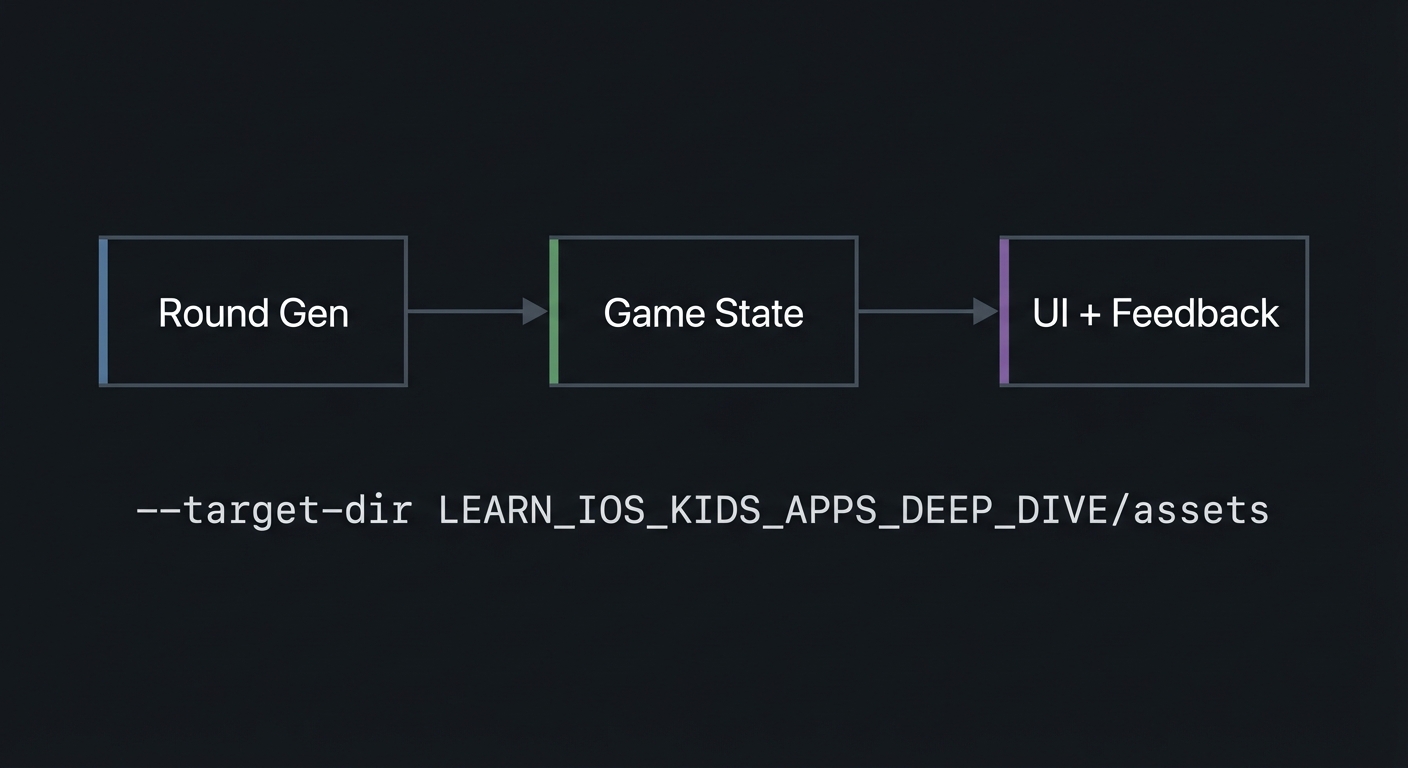
4.1 High-Level Design
+-------------+      +------------------+      +------------------+
| Round Gen   | ---> | Game State       | ---> | UI + Feedback    |
+-------------+      +------------------+      +------------------+
4.2 Key Components
| Component | Responsibility | Key Decisions |
|---|---|---|
| Round Generator | Builds object sets | Uses difficulty band |
| State Manager | Tracks streaks | Update between rounds |
| Feedback Layer | Sounds + animations | Gentle and short |
4.3 Data Structures (No Full Code)
- GameState: { difficulty_level, correct_streak, wrong_streak }
- Round: { objects, choices }
4.4 Algorithm Overview
Key Algorithm: Difficulty Update
- Update streaks based on answer.
- Adjust difficulty if threshold reached.
- Generate next round with new difficulty.
Complexity Analysis:
- Time: O(N) per round (N objects)
- Space: O(N) for object list
5. Implementation Guide
5.1 Development Environment Setup
xcodebuild -version
5.2 Project Structure
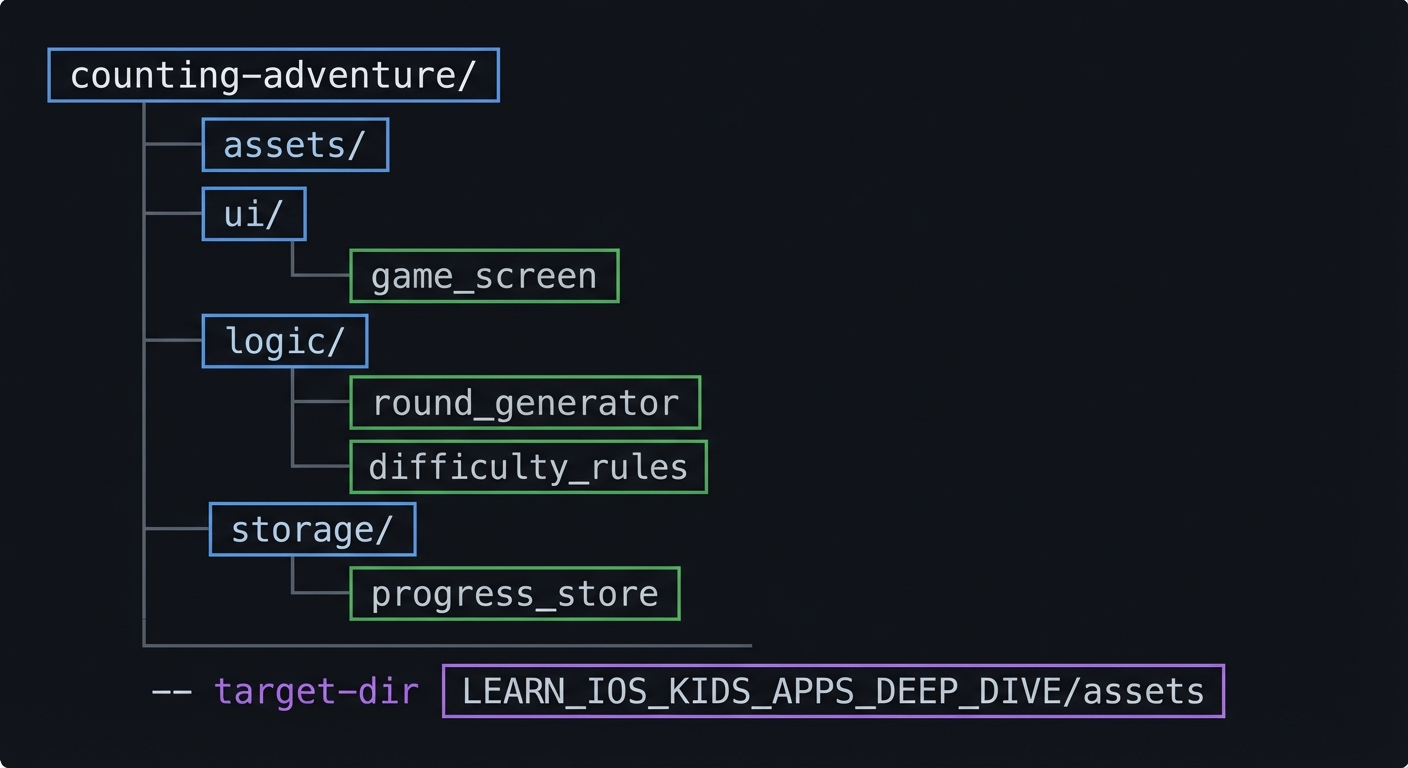
counting-adventure/
+-- assets/
+-- ui/
|   `-- game_screen
+-- logic/
|   +-- round_generator
|   `-- difficulty_rules
`-- storage/
    `-- progress_store
5.3 The Core Question You’re Answering
“How do I keep a child engaged by adjusting challenge without making them feel tested?”
5.4 Concepts You Must Understand First
- Adaptive difficulty
- How do streaks map to level changes?
- Book Reference: “Design It!” by Michael Keeling - Ch. 3
- Feedback loop design
- How do rewards and hints shape behavior?
- Book Reference: “Design It!” by Michael Keeling - Ch. 2
5.5 Questions to Guide Your Design
- Difficulty levels
- How many levels are enough?
- What happens at the minimum and maximum?
- Hint timing
- After how many mistakes should a hint appear?
- How do you keep hints supportive?
5.6 Thinking Exercise
Streak Simulation
Simulate 10 rounds on paper with a mix of correct and incorrect answers. Track how the difficulty changes.
5.7 The Interview Questions They’ll Ask
- “How do you design adaptive difficulty for kids?”
- “Why should hints be gentle?”
- “How do you prevent difficulty oscillation?”
- “What makes a learning loop effective?”
- “How do you test adaptive behavior?”
5.8 Hints in Layers
Hint 1: Start with fixed difficulty Make sure the base game works before adapting.
Hint 2: Add streak tracking Only then add difficulty updates.
Hint 3: Add hints Use a visual or audio cue after repeated mistakes.
Hint 4: Debug with logs Log streaks and difficulty transitions.
5.9 Books That Will Help
| Topic | Book | Chapter |
|---|---|---|
| Learning design | “Design It!” by Michael Keeling | Ch. 3 |
5.10 Implementation Phases
Phase 1: Foundation (3-5 hours)
Goals:
- Generate objects
- Basic answer selection
Tasks:
- Display objects and number choices.
- Evaluate correct vs incorrect.
Checkpoint: One round works with feedback.
Phase 2: Core Functionality (6-8 hours)
Goals:
- Add streak tracking
- Add difficulty update
Tasks:
- Implement streak logic.
- Adjust object counts by difficulty.
Checkpoint: Difficulty changes after streaks.
Phase 3: Polish & Edge Cases (4-6 hours)
Goals:
- Add hints
- Smooth feedback
Tasks:
- Add visual counting hint.
- Add gentle celebration.
Checkpoint: The game feels supportive.
5.11 Key Implementation Decisions
| Decision | Options | Recommendation | Rationale |
|---|---|---|---|
| Difficulty triggers | Immediate vs streak | Streak-based | Stable experience |
| Hint type | Visual vs audio | Visual + audio | Multi-sensory |
| Choices count | 2-4 | 3 | Balanced challenge |
6. Testing Strategy
6.1 Test Categories
| Category | Purpose | Examples |
|---|---|---|
| Unit | Streak logic | Increase/decrease |
| Integration | Round generation | Object count |
| Edge Case | Difficulty bounds | Min/max levels |
6.2 Critical Test Cases
- Three correct answers increase difficulty.
- Two incorrect answers decrease difficulty.
- Difficulty never drops below minimum.
6.3 Test Data
Difficulty 1 -> 3 objects, 2 choices
Difficulty 2 -> 5 objects, 3 choices
7. Common Pitfalls & Debugging
7.1 Frequent Mistakes
| Pitfall | Symptom | Solution |
|---|---|---|
| Oscillation | Level changes every round | Use streak thresholds |
| Too many objects | Overwhelm | Reduce object count |
| Weak feedback | Low engagement | Add celebration |
7.2 Debugging Strategies
- Log difficulty transitions and streaks.
- Record a session and replay behavior.
7.3 Performance Traps
- Too many animated objects can cause lag.
8. Extensions & Challenges
8.1 Beginner Extensions
- Add themed object sets (animals, stars).
8.2 Intermediate Extensions
- Add simple addition mode.
8.3 Advanced Extensions
- Add parent settings for difficulty bands.
9. Real-World Connections
9.1 Industry Applications
- Numeracy apps
- Preschool math games
9.2 Related Open Source Projects
- Look for open math mini-games for UI ideas.
9.3 Interview Relevance
- State management
- Adaptive systems
- UX for education
10. Resources
10.1 Essential Reading
- “Design It!” by Michael Keeling - Ch. 3
10.2 Video Resources
- Talks on scaffolding and adaptive learning
10.3 Tools & Documentation
- Apple HIG for games
10.4 Related Projects in This Series
11. Self-Assessment Checklist
11.1 Understanding
- I can explain adaptive difficulty.
- I can explain why streaks matter.
- I can explain hint timing.
11.2 Implementation
- Difficulty changes predictably.
- Feedback is gentle and consistent.
- Edge cases are handled.
11.3 Growth
- I can describe improvements for older kids.
- I can explain this project in an interview.
12. Submission / Completion Criteria
Minimum Viable Completion:
- Basic counting loop with feedback
Full Completion:
- Adaptive difficulty and hints
Excellence (Going Above & Beyond):
- Additional modes and parent settings