Project 3: Excel-to-Database ETL Pipeline
Build a system that extracts data from Excel files, transforms it, and loads it into a SQL database.
Project Overview
Your company receives client data in Excel spreadsheets from various sources. The data is inconsistent (different column names, date formats, missing values). You need to clean it, standardize it, and load it into a PostgreSQL database for analysis.
What You’ll Build
- Read Excel files with inconsistent structures
- Standardize column names (e.g., “Customer Name” vs “Client” vs “customer_name”)
- Clean and validate data (remove duplicates, handle missing values, validate emails)
- Transform data types (dates, phone numbers, zip codes)
- Load into a PostgreSQL database
- Generate a data quality report showing what was cleaned
Technologies
pandasfor data transformationopenpyxlfor Excel readingSQLAlchemyfor database connectionpsycopg2for PostgreSQL- Data validation libraries
Learning Objectives
By completing this project, you will:
- Understand ETL architecture - Extract, Transform, Load patterns
- Master data cleaning - Handle messy real-world data
- Build column mapping systems - Standardize inconsistent schemas
- Use SQLAlchemy - Python’s most popular database toolkit
- Implement data validation - Regex, type checking, business rules
- Generate data quality reports - Audit and logging best practices
- Design idempotent pipelines - Safe to run multiple times
Deep Theoretical Foundation
ETL vs ELT: Understanding the Paradigms
ETL (Extract-Transform-Load) and ELT (Extract-Load-Transform) represent two fundamental approaches to data integration.
ETL (Traditional):
┌───────────┐    ┌─────────────┐    ┌───────────┐
│  SOURCE   │───►│  TRANSFORM  │───►│ DATABASE  │
│  (Excel)  │    │  (Python)   │    │  (Clean)  │
└───────────┘    └─────────────┘    └───────────┘
                       │
              Heavy processing
              happens BEFORE load

ELT (Modern Data Lake):
┌───────────┐    ┌───────────┐    ┌─────────────┐
│  SOURCE   │───►│ DATABASE  │───►│  TRANSFORM  │
│  (Excel)  │    │  (Raw)    │    │  (In-DB)    │
└───────────┘    └───────────┘    └─────────────┘
                                         │
                              Transformation happens
                              AFTER load (in database)
When to use ETL (this project):
- Data is messy and needs significant cleaning
- Source format varies widely
- You need to validate before storing
- Database should contain only clean data
When to use ELT:
- Loading large volumes quickly is priority
- Database is powerful enough for transformation
- You want to preserve raw data
- Multiple transformations needed for different uses
Data Quality Dimensions
Before you can clean data, you need to understand what “clean” means:
| Dimension | Definition | Example Problem | Validation |
|---|---|---|---|
| Completeness | All required data present | Missing email address | Check NOT NULL |
| Validity | Data conforms to format | Email without @ | Regex pattern |
| Accuracy | Data reflects reality | ZIP code doesn’t exist | Lookup table |
| Consistency | Same thing same way | “CA” vs “California” | Standardization |
| Uniqueness | No unwanted duplicates | Same customer twice | Duplicate check |
| Timeliness | Data is current | Old phone number | Date range check |
Column Mapping Strategies
Real-world data comes with inconsistent column names. Here are strategies to handle this:
1. Exact Mapping Dictionary
column_map = {
    'Customer Name': 'customer_name',
    'customer name': 'customer_name',
    'client': 'customer_name',
    'Client Name': 'customer_name',
    'name': 'customer_name',
}
Pros: Simple, explicit Cons: Must enumerate every variation
2. Fuzzy Matching
from fuzzywuzzy import fuzz

def find_best_match(column, standard_columns, threshold=80):
    for standard in standard_columns:
        if fuzz.ratio(column.lower(), standard.lower()) > threshold:
            return standard
    return None
Pros: Handles minor variations automatically Cons: Can make wrong matches, slower
3. Semantic Matching
customer_synonyms = ['customer', 'client', 'account', 'buyer']
email_synonyms = ['email', 'e-mail', 'mail', 'contact']

def semantic_match(column):
    col_lower = column.lower()
    for synonym in customer_synonyms:
        if synonym in col_lower:
            return 'customer_name'
    for synonym in email_synonyms:
        if synonym in col_lower:
            return 'email'
    return None
Pros: Handles patterns like “Customer_Name”, “CUSTOMER” Cons: Can still miss edge cases
SQLAlchemy Architecture
SQLAlchemy provides two main interfaces:
┌─────────────────────────────────────────────────────────────────┐
│                    SQLAlchemy Architecture                       │
├─────────────────────────────────────────────────────────────────┤
│                                                                   │
│  ┌──────────────────────────────────────────────────────────┐   │
│  │                     ORM (Object Relational Mapper)        │   │
│  │                                                            │   │
│  │  class Customer(Base):                                    │   │
│  │      __tablename__ = 'customers'                          │   │
│  │      id = Column(Integer, primary_key=True)               │   │
│  │      name = Column(String(255))                           │   │
│  │                                                            │   │
│  │  # Work with Python objects:                              │   │
│  │  customer = Customer(name='John')                         │   │
│  │  session.add(customer)                                    │   │
│  │  session.commit()                                         │   │
│  └──────────────────────────────────────────────────────────┘   │
│                              │                                   │
│                              ▼                                   │
│  ┌──────────────────────────────────────────────────────────┐   │
│  │                     Core (SQL Expression Language)        │   │
│  │                                                            │   │
│  │  customers = Table('customers', metadata,                 │   │
│  │      Column('id', Integer, primary_key=True),             │   │
│  │      Column('name', String(255))                          │   │
│  │  )                                                         │   │
│  │                                                            │   │
│  │  # Work with SQL constructs:                              │   │
│  │  stmt = customers.insert().values(name='John')            │   │
│  │  conn.execute(stmt)                                       │   │
│  └──────────────────────────────────────────────────────────┘   │
│                              │                                   │
│                              ▼                                   │
│  ┌──────────────────────────────────────────────────────────┐   │
│  │                     Engine (Connection Pool)              │   │
│  │                                                            │   │
│  │  engine = create_engine('postgresql://...')               │   │
│  │  # Manages connections, transactions                      │   │
│  └──────────────────────────────────────────────────────────┘   │
│                              │                                   │
│                              ▼                                   │
│                     [ PostgreSQL Database ]                      │
│                                                                   │
└─────────────────────────────────────────────────────────────────┘
For this project, use Core because:
- Better for bulk operations (thousands of inserts)
- Clearer mapping to SQL operations
- Easier to work with pandas DataFrames
Data Type Mapping: Excel → Python → SQL
Understanding type transformations is crucial for data integrity:
Excel Cell Type       pandas dtype           PostgreSQL Type
────────────────      ────────────          ────────────────
"General" (text)  →   object (str)      →   VARCHAR(255)
"Number"          →   float64           →   NUMERIC or FLOAT
"Date"            →   datetime64[ns]    →   DATE or TIMESTAMP
"Boolean"         →   bool              →   BOOLEAN
"Currency"        →   float64           →   NUMERIC(12,2)
"Percentage"      →   float64           →   NUMERIC(5,4)

DANGER ZONES:
───────────────────────────────────────────────────────────────
Excel: "02134" (text ZIP code)
   → pandas: 2134 (int) ← LOSES leading zero!
   → PostgreSQL: 2134 ← WRONG!

Solution: Force string type: pd.read_excel(..., dtype={'zip': str})

Excel: "1/2/24"
   → pandas: Timestamp('2024-01-02') or Timestamp('2024-02-01') ← AMBIGUOUS!

Solution: Explicit date parsing: pd.to_datetime(col, format='%m/%d/%y')
Duplicate Detection Strategies
“Duplicate” means different things in different contexts:
Strategy 1: Exact Match
─────────────────────
Same value in every column:
['John Smith', 'john@email.com', '555-1234'] == ['John Smith', 'john@email.com', '555-1234']
✓ Clearly duplicate

Strategy 2: Key-Based Match
───────────────────────────
Same value in unique identifier column:
Email 'john@email.com' appears twice (even if other fields differ)
✓ Probably duplicate (same person, updated info)

Strategy 3: Fuzzy Match
───────────────────────
Similar but not identical:
'John Smith' vs 'Jon Smith'
'john@email.com' vs 'john.smith@email.com'
? Possible duplicate (needs human review)
Best practice: Use key-based matching on email/phone, flag fuzzy matches for review.
The Core Question You’re Answering
“How do I reliably move data from Excel’s chaotic flexibility into a database’s structured rigidity?”
Excel allows anything in any cell. Databases enforce types, constraints, and structure. You’re learning to be the translator, handling the messy reality of real-world Excel data.
Project Specification
Input Requirements
Multiple Excel files with varying structures:
File 1: client_data_vendor_A.xlsx
Customer Name | Email Address | Phone | Join Date
John Smith    | john@email.com| 5551234567 | 1/15/24
File 2: client_data_vendor_B.xlsx
client | email | phone_number | signup_date
Jane Doe | jane@mail.com | (555) 234-5678 | 2024-01-20
File 3: client_data_vendor_C.xlsx
name | contact_email | telephone | registration
Bob Wilson | bob.w@co.com | 555.345.6789 | Jan 25, 2024
Output Requirements
- PostgreSQL Table:
customers- Columns: id (auto), customer_name, email, phone, signup_date, source_file, created_at
- All data standardized and validated
- No duplicates (based on email)
- Data Quality Report:
data_quality_report_{date}.xlsx- Summary sheet with total records, success rate, issue counts
- Transformation log showing what was cleaned
- Flagged records needing manual review
- Data quality metrics per column
Functional Requirements
- Handle different column name variations
- Standardize phone numbers to ###-###-#### format
- Validate email addresses with regex
- Parse multiple date formats
- Remove duplicate records (keep most recent)
- Log all transformations for audit
- Generate report even if no records loaded (show why)
- Safe to run multiple times (idempotent)
Solution Architecture
Component Design
┌─────────────────────────────────────────────────────────────────┐
│                      ETL PIPELINE                                │
├─────────────────────────────────────────────────────────────────┤
│                                                                   │
│  ┌────────────────────────────────────────────────────────────┐ │
│  │                    EXTRACT LAYER                           │ │
│  │                                                              │ │
│  │  ┌────────────┐   ┌────────────┐   ┌────────────┐          │ │
│  │  │ FileScanner│   │ ExcelReader│   │SchemaDetect│          │ │
│  │  │            │   │            │   │            │          │ │
│  │  │ • glob()   │──►│ • read_xl()│──►│ • map_cols│          │ │
│  │  │ • validate │   │ • parse()  │   │ • detect() │          │ │
│  │  └────────────┘   └────────────┘   └────────────┘          │ │
│  └────────────────────────────────────────────────────────────┘ │
│                              │                                   │
│                              ▼                                   │
│  ┌────────────────────────────────────────────────────────────┐ │
│  │                   TRANSFORM LAYER                          │ │
│  │                                                              │ │
│  │  ┌────────────┐   ┌────────────┐   ┌────────────┐          │ │
│  │  │ Standardize│   │  Validate  │   │  Deduplicate│         │ │
│  │  │            │   │            │   │            │          │ │
│  │  │ • names    │──►│ • email    │──►│ • find_dup │          │ │
│  │  │ • phones   │   │ • phone    │   │ • resolve  │          │ │
│  │  │ • dates    │   │ • required │   │ • flag     │          │ │
│  │  └────────────┘   └────────────┘   └────────────┘          │ │
│  └────────────────────────────────────────────────────────────┘ │
│                              │                                   │
│                              ▼                                   │
│  ┌────────────────────────────────────────────────────────────┐ │
│  │                     LOAD LAYER                             │ │
│  │                                                              │ │
│  │  ┌────────────┐   ┌────────────┐   ┌────────────┐          │ │
│  │  │ DBConnect  │   │ BulkInsert │   │ ReportGen  │          │ │
│  │  │            │   │            │   │            │          │ │
│  │  │ • engine   │──►│ • chunk()  │──►│ • summary  │          │ │
│  │  │ • schema   │   │ • insert() │   │ • details  │          │ │
│  │  │ • validate │   │ • commit() │   │ • save()   │          │ │
│  │  └────────────┘   └────────────┘   └────────────┘          │ │
│  └────────────────────────────────────────────────────────────┘ │
│                                                                   │
└─────────────────────────────────────────────────────────────────┘
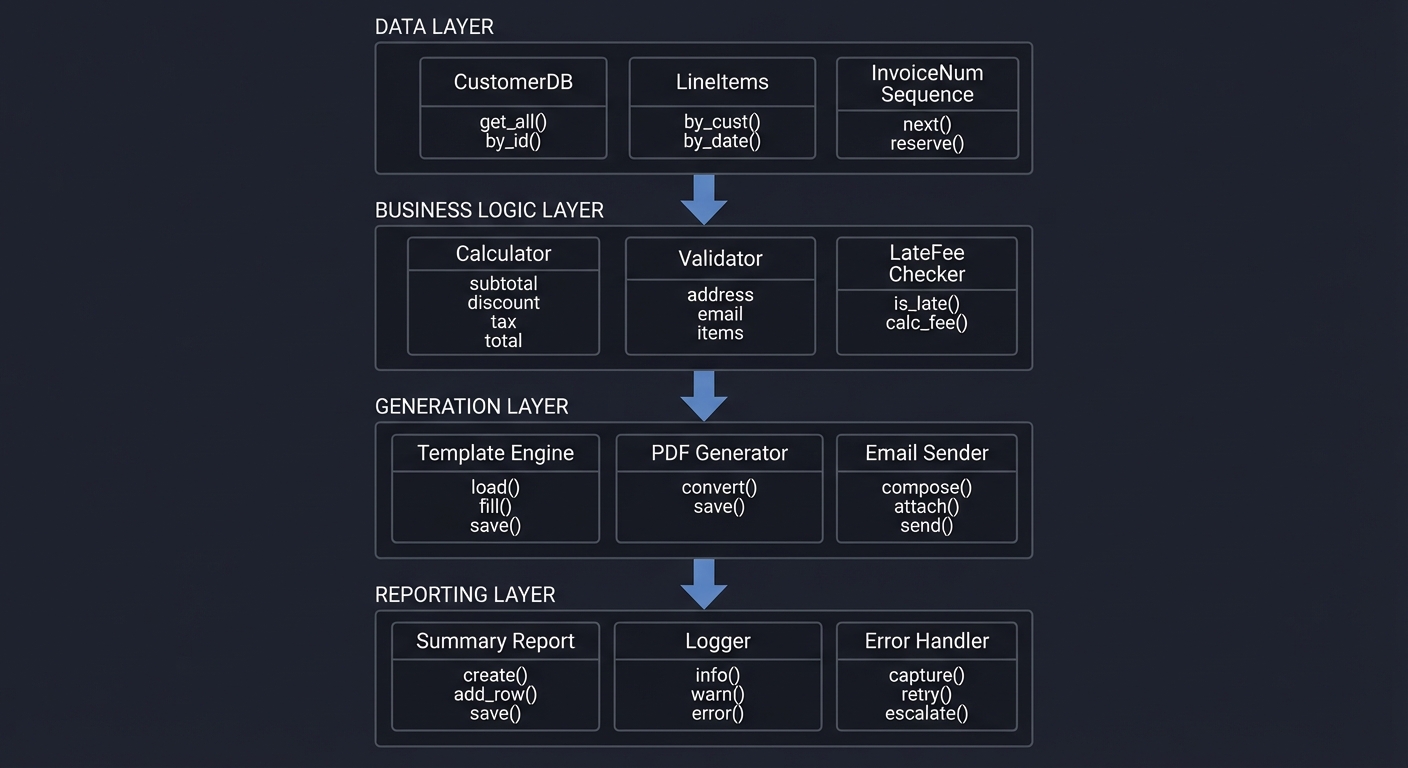
Data Flow
Phase 1: EXTRACT
┌─────────────────────────────────────────────────────────────────┐
│ For each Excel file:                                             │
│   1. Read with openpyxl/pandas                                  │
│   2. Detect column names                                         │
│   3. Map to standard schema                                      │
│   4. Add source_file metadata                                    │
│   5. Append to master DataFrame                                  │
│                                                                   │
│ Output: Raw combined DataFrame with original values              │
└─────────────────────────────────────────────────────────────────┘
                              │
                              ▼
Phase 2: TRANSFORM
┌─────────────────────────────────────────────────────────────────┐
│ Step 2.1: Column Standardization                                 │
│   - Rename columns to standard names                            │
│   - Drop unexpected columns (log them)                          │
│                                                                   │
│ Step 2.2: Name Cleaning                                          │
│   - Trim whitespace                                              │
│   - Title case: "john smith" → "John Smith"                     │
│   - Remove extra spaces                                          │
│                                                                   │
│ Step 2.3: Email Cleaning                                         │
│   - Lowercase                                                    │
│   - Trim whitespace                                              │
│   - Validate with regex                                          │
│   - Flag invalid (don't remove)                                  │
│                                                                   │
│ Step 2.4: Phone Cleaning                                         │
│   - Extract digits only                                          │
│   - Format to ###-###-####                                       │
│   - Handle 10-digit and 11-digit (1 prefix)                     │
│   - Flag invalid (don't remove)                                  │
│                                                                   │
│ Step 2.5: Date Parsing                                           │
│   - Try multiple formats                                         │
│   - Convert to standard YYYY-MM-DD                              │
│   - Flag unparseable                                             │
│                                                                   │
│ Step 2.6: Deduplication                                          │
│   - Identify duplicates by email                                │
│   - Keep most recent record                                      │
│   - Log removed duplicates                                       │
│                                                                   │
│ Output: Clean DataFrame + flagged records DataFrame              │
└─────────────────────────────────────────────────────────────────┘
                              │
                              ▼
Phase 3: LOAD
┌─────────────────────────────────────────────────────────────────┐
│ Step 3.1: Database Connection                                    │
│   - Create SQLAlchemy engine                                    │
│   - Verify table schema exists (create if not)                  │
│                                                                   │
│ Step 3.2: Upsert Strategy                                        │
│   - For each record:                                             │
│     - Check if email exists in database                         │
│     - If exists: UPDATE (if newer) or SKIP                      │
│     - If not: INSERT                                             │
│   - Use transactions for atomicity                              │
│                                                                   │
│ Step 3.3: Bulk Insert (for new records)                         │
│   - Batch into chunks of 1000                                   │
│   - Use executemany for efficiency                              │
│   - Commit after each batch                                     │
│                                                                   │
│ Step 3.4: Generate Report                                        │
│   - Summary statistics                                           │
│   - Transformation log                                           │
│   - Flagged records for review                                   │
│   - Save to Excel                                                │
│                                                                   │
│ Output: Populated database + quality report                      │
└─────────────────────────────────────────────────────────────────┘
Validation Pipeline
┌─────────────────────────────────────────────────────────────────┐
│                    VALIDATION PIPELINE                           │
├─────────────────────────────────────────────────────────────────┤
│                                                                   │
│  Each record passes through validators:                          │
│                                                                   │
│  ┌────────────┐                                                  │
│  │   Record   │                                                  │
│  └─────┬──────┘                                                  │
│        │                                                          │
│        ▼                                                          │
│  ┌────────────┐     PASS      ┌────────────┐                    │
│  │  Required  │──────────────►│   Email    │                    │
│  │  Fields    │               │  Validator │                    │
│  └─────┬──────┘               └─────┬──────┘                    │
│        │ FAIL                       │                            │
│        ▼                            ▼                            │
│  ┌────────────┐             ┌────────────┐     PASS            │
│  │ Flag:      │             │ Flag:      │─────────────────►    │
│  │ MISSING_   │             │ INVALID_   │                      │
│  │ REQUIRED   │             │ EMAIL      │                      │
│  └────────────┘             └────────────┘                      │
│                                   │                              │
│                                   ▼                              │
│                             ┌────────────┐                      │
│                             │   Phone    │                      │
│                             │  Validator │                      │
│                             └─────┬──────┘                      │
│                                   │                              │
│                                   ▼                              │
│                             ┌────────────┐                      │
│                             │   Date     │                      │
│                             │  Validator │                      │
│                             └─────┬──────┘                      │
│                                   │                              │
│                                   ▼                              │
│                             ┌────────────┐                      │
│                             │   VALID    │ → Load to database   │
│                             │   RECORD   │                      │
│                             └────────────┘                      │
│                                                                   │
└─────────────────────────────────────────────────────────────────┘
Phased Implementation Guide
Phase 1: Basic File Loading
Goal: Read all Excel files and combine into single DataFrame.
Tasks:
- Scan input directory for Excel files
- Read each file with pandas
- Log columns detected in each file
- Combine all DataFrames
- Add source file indicator column
Checkpoint: Single DataFrame containing all records from all files.
Common issues:
- Different encodings between files
- Files with multiple sheets (which to use?)
- Empty files or header-only files
Phase 2: Column Mapping
Goal: Standardize column names across all sources.
Tasks:
- Create column mapping dictionary
- Apply mappings to rename columns
- Handle unmapped columns (log and drop)
- Ensure all required columns exist
- Reorder columns to standard order
Checkpoint: All DataFrames have identical column structure.
Common issues:
- Columns that don’t match any mapping
- Missing required columns in some files
- Extra columns that aren’t needed
Phase 3: Data Cleaning Functions
Goal: Implement individual cleaning functions.
Tasks:
clean_name(value)- Title case, trim, no double spacesclean_email(value)- Lowercase, trim, validate formatclean_phone(value)- Extract digits, format ###-###-####parse_date(value)- Try multiple formats, return standard
Checkpoint: Each function works correctly with test inputs.
Common issues:
- Unicode characters in names (accents, etc.)
- International phone numbers
- Ambiguous date formats (1/2/24 = Jan 2 or Feb 1?)
Phase 4: Validation and Flagging
Goal: Identify problematic records without removing them.
Tasks:
- Create validation status column
- Run email validation, set flag if invalid
- Run phone validation, set flag if invalid
- Run date validation, set flag if unparseable
- Check for required fields, flag if missing
Checkpoint: Every record has a validation status and specific flags.
Phase 5: Deduplication
Goal: Remove duplicate records intelligently.
Tasks:
- Identify duplicates based on email
- For each duplicate group, keep best record:
- Prefer records with more complete data
- Prefer most recent date
- Log all removed duplicates
- Store duplicate count for reporting
Checkpoint: No duplicate emails remain.
Phase 6: Database Loading
Goal: Insert clean data into PostgreSQL.
Tasks:
- Create SQLAlchemy engine
- Define table schema
- Create table if not exists
- Insert records in batches
- Handle constraint violations gracefully
- Commit and verify row count
Checkpoint: Data appears in database with correct types.
Phase 7: Report Generation
Goal: Create comprehensive data quality report.
Tasks:
- Calculate summary statistics
- Create transformation log
- Export flagged records
- Generate charts (optional)
- Save to Excel
Checkpoint: Report provides complete audit trail.
Testing Strategy
Unit Tests
def test_clean_phone_standard():
    assert clean_phone('5551234567') == '555-123-4567'

def test_clean_phone_with_formatting():
    assert clean_phone('(555) 123-4567') == '555-123-4567'

def test_clean_phone_with_country_code():
    assert clean_phone('15551234567') == '555-123-4567'

def test_clean_phone_invalid():
    assert clean_phone('12345') is None

def test_validate_email_valid():
    assert validate_email('john@email.com') == True

def test_validate_email_invalid():
    assert validate_email('john.email.com') == False
    assert validate_email('john@') == False

def test_parse_date_formats():
    assert parse_date('1/15/24') == date(2024, 1, 15)
    assert parse_date('2024-01-15') == date(2024, 1, 15)
    assert parse_date('Jan 15, 2024') == date(2024, 1, 15)
Integration Tests
def test_full_pipeline():
    # Create test Excel files
    create_test_files()

    # Run ETL
    result = run_etl('test_input/', 'test_db_connection')

    # Verify database
    with engine.connect() as conn:
        count = conn.execute(text("SELECT COUNT(*) FROM customers")).scalar()
        assert count > 0

    # Verify report was generated
    assert os.path.exists('data_quality_report.xlsx')
Database Tests
def test_database_schema():
    inspector = inspect(engine)
    columns = inspector.get_columns('customers')
    column_names = [c['name'] for c in columns]

    assert 'customer_name' in column_names
    assert 'email' in column_names
    assert 'phone' in column_names
    assert 'signup_date' in column_names

def test_unique_constraint():
    # Insert same email twice should fail
    with pytest.raises(IntegrityError):
        insert_customer(email='test@example.com')
        insert_customer(email='test@example.com')
Common Pitfalls and Debugging
Pitfall 1: ZIP Code Leading Zeros
Symptom: ZIP code “02134” becomes “2134”
Cause: pandas interprets as integer
Solution:
df = pd.read_excel(file, dtype={'zip_code': str})
Pitfall 2: Date Ambiguity
Symptom: “1/2/24” parsed as February 1 instead of January 2
Cause: Default locale assumption
Solution:
def parse_date(value):
    formats = [
        '%m/%d/%y',    # US format first (if that's your source)
        '%d/%m/%y',    # European format
        '%Y-%m-%d',    # ISO format
        '%B %d, %Y',   # Month name format
    ]
    for fmt in formats:
        try:
            return datetime.strptime(value, fmt).date()
        except:
            continue
    return None
Pitfall 3: Unicode in Names
Symptom: Names like “José” cause encoding errors
Cause: File encoding mismatch
Solution:
try:
    df = pd.read_excel(file, encoding='utf-8')
except:
    df = pd.read_excel(file, encoding='latin-1')
Pitfall 4: Database Connection Pool Exhaustion
Symptom: “too many connections” error
Cause: Not closing connections properly
Solution:
# Use context manager
with engine.begin() as conn:
    conn.execute(stmt)
# Connection automatically closed
Pitfall 5: Batch Insert Fails Partially
Symptom: Some records inserted, some failed, hard to know which
Cause: Single transaction for entire batch
Solution:
# Insert one at a time with individual error handling
for record in records:
    try:
        with engine.begin() as conn:
            conn.execute(insert_stmt, record)
    except Exception as e:
        failed_records.append((record, str(e)))
Extensions and Challenges
Extension 1: Incremental Loading
Only process new/changed records since last run.
Skills practiced: Change detection, timestamps, watermarking
Extension 2: Parallel Processing
Process multiple files simultaneously.
Skills practiced: multiprocessing, thread safety, concurrent database access
Extension 3: Schema Evolution
Handle new columns appearing in source files.
Skills practiced: Dynamic schema detection, ALTER TABLE, migration patterns
Extension 4: Data Lineage
Track exactly where each database record came from.
Skills practiced: Metadata management, audit logging, provenance tracking
Extension 5: Automated Scheduling
Run the ETL pipeline automatically on schedule.
Skills practiced: cron, task scheduling, monitoring, alerting
Real-World Connections
Industry Applications
- Marketing: Customer data integration from multiple campaigns
- Sales: Lead consolidation from various sources
- HR: Employee data migration during acquisitions
- Finance: Transaction reconciliation from multiple systems
Career Relevance
This project demonstrates skills for:
- Data Engineer roles
- ETL Developer positions
- Database Administrator roles
- Business Intelligence Engineer
Portfolio Value
When presenting:
- Show the data quality improvement (before/after metrics)
- Demonstrate idempotency (safe to run multiple times)
- Discuss scalability considerations
- Highlight error handling and recovery
Interview Questions
Prepare to answer:
-
“What’s the difference between an ETL and an ELT pipeline?”
-
“How would you handle a 10GB Excel file that doesn’t fit in memory?”
-
“What’s a database transaction and why is it important in data loading?”
-
“How do you ensure your ETL pipeline is idempotent?”
-
“What’s the CAP theorem and how does it relate to data consistency?”
-
“How would you parallelize this pipeline to process files faster?”
Hints by Layer
Layer 1: Column Mapping
column_mapping = {
    'Customer Name': 'customer_name',
    'client': 'customer_name',
    'name': 'customer_name',
    'Email Address': 'email',
    'email': 'email',
    'contact_email': 'email',
}

df.rename(columns=column_mapping, inplace=True)
Layer 2: Email Validation
import re

email_pattern = r'^[a-zA-Z0-9._%+-]+@[a-zA-Z0-9.-]+\.[a-zA-Z]{2,}$'

def is_valid_email(email):
    if pd.isna(email):
        return False
    return bool(re.match(email_pattern, str(email)))

df['email_valid'] = df['email'].apply(is_valid_email)
Layer 3: Phone Cleaning
def clean_phone(phone):
    if pd.isna(phone):
        return None
    digits = ''.join(filter(str.isdigit, str(phone)))
    if len(digits) == 11 and digits[0] == '1':
        digits = digits[1:]
    if len(digits) == 10:
        return f'{digits[:3]}-{digits[3:6]}-{digits[6:]}'
    return None

df['phone'] = df['phone'].apply(clean_phone)
Layer 4: Database Connection
from sqlalchemy import create_engine, Table, Column, Integer, String, Date, MetaData

engine = create_engine('postgresql://user:password@localhost/company_db')
metadata = MetaData()

customers = Table('customers', metadata,
    Column('id', Integer, primary_key=True),
    Column('customer_name', String(255)),
    Column('email', String(255), unique=True),
    Column('phone', String(20)),
    Column('signup_date', Date),
    Column('source_file', String(255)),
    Column('created_at', DateTime, default=datetime.utcnow)
)

metadata.create_all(engine)
Layer 5: Bulk Insert
records = df.to_dict('records')

chunk_size = 1000
for i in range(0, len(records), chunk_size):
    chunk = records[i:i+chunk_size]
    with engine.begin() as conn:
        conn.execute(customers.insert(), chunk)
Self-Assessment Checklist
Before considering complete:
- All Excel files successfully read
- Column names standardized across sources
- Names cleaned (title case, trimmed)
- Emails validated and flagged if invalid
- Phones formatted to ###-###-#### or flagged
- Dates parsed from multiple formats
- Duplicates removed (by email)
- Database table created with correct schema
- All valid records inserted
- Data quality report generated
- Report shows accurate statistics
- Flagged records exportable for review
- Pipeline is idempotent (safe to rerun)
- Errors handled gracefully
- Logging provides audit trail
Resources
| Topic | Resource |
|---|---|
| ETL fundamentals | “Data Pipelines Pocket Reference” by James Densmore - Ch. 1-2 |
| pandas data cleaning | “Python for Data Analysis” by Wes McKinney - Ch. 7 |
| Regular expressions | “Python for Data Analysis” by Wes McKinney - Ch. 7.5 |
| SQL and database basics | “Practical SQL” by Anthony DeBarros - Ch. 1-4 |
| SQLAlchemy fundamentals | “Essential SQLAlchemy” by Jason Myers - Ch. 1-3 |
| Data validation strategies | “Clean Code” by Robert C. Martin - Ch. 7-8 |