Project 6: Deployment Pipeline Tool
Build an end-to-end deployment tool that syncs code, restarts services, and tails logs with resilience.
Quick Reference
| Attribute | Value |
|---|---|
| Difficulty | Advanced |
| Time Estimate | 3-4 weeks |
| Language | C (Alternatives: Rust, Go) |
| Prerequisites | Projects 1-3 recommended, SSH basics |
| Key Topics | File sync, process control, observability |
1. Learning Objectives
By completing this project, you will:
- Orchestrate file syncing, service restarts, and log collection.
- Handle partial failures without corrupting deployments.
- Use signals for graceful shutdown of multi-step workflows.
- Integrate components from earlier projects into a cohesive tool.
2. Theoretical Foundation
2.1 Core Concepts
- Deployment atomicity: Avoid half-applied state during sync.
- Process orchestration: Coordinating external tools and services.
- Observability: Logs and status reporting during deployments.
- Failure recovery: Detect, rollback, or retry steps safely.
2.2 Why This Matters
Deployment failures are classic integration failures. They happen at the boundary between filesystem, network, and process management. This tool makes those boundaries explicit.
2.3 Historical Context / Background
Before modern CI/CD platforms, teams used custom deploy scripts. Understanding the primitives behind those pipelines provides deep systems insight.
2.4 Common Misconceptions
- “Syncing files means the service is healthy.” You must observe and verify.
- “If SSH fails, nothing changed.” Partial transfers can leave inconsistent state.
3. Project Specification
3.1 What You Will Build
A CLI tool that watches a local directory, syncs changes to a remote target via SSH/rsync, restarts a service, and tails logs. It also provides diff to compare local and remote state.
3.2 Functional Requirements
- File sync: Efficient incremental sync to remote.
- Service control: Restart and check status via SSH.
- Log aggregation: Stream remote logs after deployment.
- Failure handling: Retry sync or roll back on failure.
3.3 Non-Functional Requirements
- Reliability: Handle transient SSH failures.
- Usability: Clear CLI subcommands and status output.
- Safety: Avoid deleting unexpected files by default.
3.4 Example Usage / Output
$ ./deployer watch ./src user@host:~/app
[deploy] sync complete (12 files)
[deploy] restarting service: myapp
[deploy] logs:
[myapp] started pid=912
3.5 Real World Outcome
You edit a local file, the tool syncs it to a remote server, restarts the service, and streams the logs so you can see it come back up. Example output:
$ ./deployer watch ./src user@host:~/app
[deploy] changed: src/main.c
[deploy] rsync ok in 1.2s
[deploy] service restart ok
[deploy] tailing logs from /var/log/myapp.log
[myapp] ready on port 8080
4. Solution Architecture
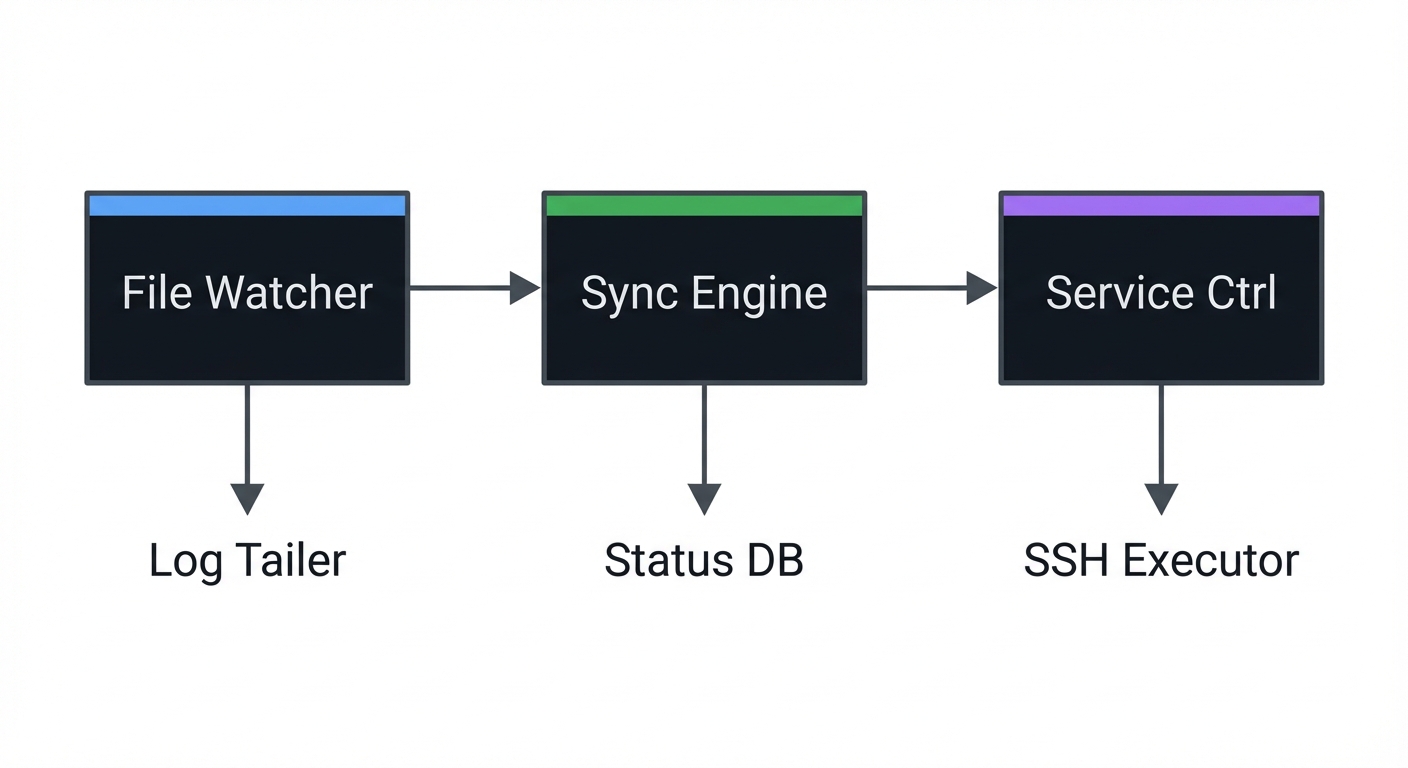
4.1 High-Level Design
┌──────────────┐   ┌──────────────┐   ┌──────────────┐
│ File Watcher │──▶│ Sync Engine  │──▶│ Service Ctrl │
└──────────────┘   └──────────────┘   └──────────────┘
        │                  │                  │
        ▼                  ▼                  ▼
   Log Tailer         Status DB         SSH Executor
4.2 Key Components
| Component | Responsibility | Key Decisions |
|---|---|---|
| Watcher | Detect local changes | inotify vs polling |
| Sync | Transfer files | rsync via SSH |
| Supervisor | Restart service | remote command execution |
| Log Tailer | Stream logs | reuse Project 1 logic |
4.3 Data Structures
struct deploy_job {
    char local_path[PATH_MAX];
    char remote_target[256];
    char service_name[128];
};
4.4 Algorithm Overview
Key Algorithm: safe deploy loop
- Detect change set.
- Run rsync and verify exit code.
- Restart service and wait for readiness.
- Tail logs for confirmation.
Complexity Analysis:
- Time: O(changed files) per deploy
- Space: O(1) plus log buffers
5. Implementation Guide
5.1 Development Environment Setup
sudo apt-get install build-essential rsync
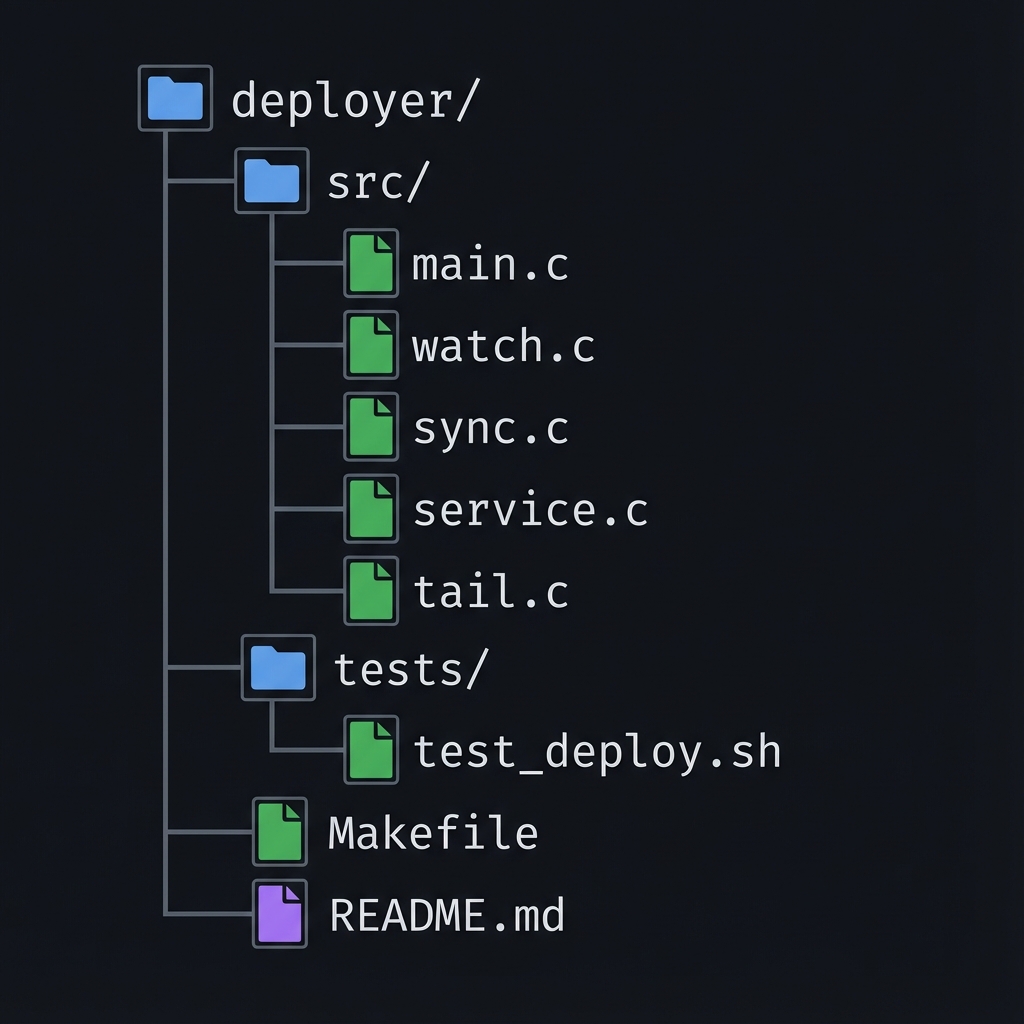
5.2 Project Structure
deployer/
├── src/
│   ├── main.c
│   ├── watch.c
│   ├── sync.c
│   ├── service.c
│   └── tail.c
├── tests/
│   └── test_deploy.sh
├── Makefile
└── README.md
5.3 The Core Question You’re Answering
“How do I coordinate multiple subsystems so a deployment is safe and observable?”
5.4 Concepts You Must Understand First
Stop and research these before coding:
- SSH and command execution
- How to run remote commands reliably.
- Book Reference: “APUE” Ch. 8 (process control) applies to exec usage.
- File sync semantics
- How rsync determines deltas and failure cases.
- Reference: rsync manpage
- Signal handling
- Graceful shutdown of multi-step jobs.
- Book Reference: “TLPI” Ch. 20-21
5.5 Questions to Guide Your Design
Before implementing, think through these:
- How do you detect if a sync is partial?
- What indicates that the service is healthy after restart?
- Should log tailing start before or after restart?
- What happens if the deployer receives SIGTERM mid-sync?
5.6 Thinking Exercise
Simulate a Partial Deploy
Interrupt an rsync mid-transfer. What state is the remote in? How would you detect it? What should your tool do on next run?
5.7 The Interview Questions They’ll Ask
Prepare to answer these:
- “How do you make a deployment atomic?”
- “How do you safely restart a service you don’t control?”
- “What signals should a deployment tool handle?”
5.8 Hints in Layers
Hint 1: Use a staging directory Sync to a temp dir and move into place.
Hint 2: Record a deployment manifest Keep a list of files and checksums to validate.
Hint 3: Reuse prior projects Use your log tailer and supervisor logic.
5.9 Books That Will Help
| Topic | Book | Chapter |
|---|---|---|
| Process control | “APUE” | Ch. 8 |
| Signals | “The Linux Programming Interface” | Ch. 20-21 |
| File I/O | “TLPI” | Ch. 4 |
5.10 Implementation Phases
Phase 1: Foundation (4-5 days)
Goals:
- CLI commands
- Basic sync
Tasks:
- Implement
syncsubcommand using rsync. - Implement
diffsubcommand for local vs remote.
Checkpoint: Can sync files to remote target.
Phase 2: Core Functionality (7-10 days)
Goals:
- Service control
- Log tailing
Tasks:
- Execute remote restart command.
- Tail logs using your log tailer logic.
Checkpoint: End-to-end deploy with logs.
Phase 3: Polish & Edge Cases (5-7 days)
Goals:
- Watch mode
- Failure recovery
Tasks:
- Add watch mode with inotify or polling.
- Handle partial sync and retry.
Checkpoint: Resilient deploy under network drops.
5.11 Key Implementation Decisions
| Decision | Options | Recommendation | Rationale |
|---|---|---|---|
| Watcher | inotify vs polling | inotify with fallback | efficiency + portability |
| Sync method | rsync vs custom | rsync | proven and reliable |
| Health check | log-based vs HTTP | HTTP endpoint | explicit readiness |
6. Testing Strategy
6.1 Test Categories
| Category | Purpose | Examples |
|---|---|---|
| Unit Tests | CLI parsing | subcommand tests |
| Integration Tests | remote sync | local SSH test VM |
| Failure Tests | network drops | kill SSH mid-sync |
6.2 Critical Test Cases
- Sync failure: simulate SSH disconnect.
- Restart failure: service fails to start.
- Log tailing: ensure logs continue through rotation.
6.3 Test Data
file1.txt
file2.txt
7. Common Pitfalls & Debugging
7.1 Frequent Mistakes
| Pitfall | Symptom | Solution |
|---|---|---|
| Sync directly to live dir | inconsistent state | use staging dir |
| No readiness check | false success | verify via HTTP or logs |
| Missing signal handling | stuck deployments | handle SIGINT/SIGTERM |
7.2 Debugging Strategies
- Use
rsync -ndry-run to inspect changes. - Log every step with timestamps.
7.3 Performance Traps
Full sync on every change is slow. Use incremental sync and debouncing.
8. Extensions & Challenges
8.1 Beginner Extensions
- Add
--dry-runflag. - Add a summary report after deploy.
8.2 Intermediate Extensions
- Support multiple environments (staging/prod).
- Add rollback to last known good release.
8.3 Advanced Extensions
- Implement parallel sync for multiple hosts.
- Add checksum verification for every file.
9. Real-World Connections
9.1 Industry Applications
- Custom deployment scripts in small teams.
- CI/CD orchestrators built on similar primitives.
9.2 Related Open Source Projects
- rsync: https://github.com/WayneD/rsync - File sync tool
- fabric: https://github.com/fabric/fabric - Remote execution framework
9.3 Interview Relevance
- Demonstrates system integration thinking.
- Shows ability to coordinate multiple subsystems.
10. Resources
10.1 Essential Reading
- “APUE” by Stevens & Rago - Ch. 8
- “The Linux Programming Interface” by Michael Kerrisk - Ch. 4, 20
10.2 Video Resources
- Deployment tooling talks - SRE conferences
- rsync internals walkthroughs
10.3 Tools & Documentation
man 1 rsync: Sync tool documentationman 1 ssh: Remote execution
10.4 Related Projects in This Series
- Project 1 provides log tailer component.
- Project 3 provides process control patterns.
11. Self-Assessment Checklist
11.1 Understanding
- I can explain deployment atomicity.
- I can describe failure recovery strategies.
- I can outline log-based health checks.
11.2 Implementation
- Sync, restart, and log tail work end-to-end.
- Partial failures are detected and handled.
- CLI outputs clear status.
11.3 Growth
- I can use the tool for a real project.
- I can explain this system in an interview.
12. Submission / Completion Criteria
Minimum Viable Completion:
- Sync and restart works on a local VM.
- Logs are streamed after deploy.
Full Completion:
- Watch mode and retry handling.
- Health checks validate readiness.
Excellence (Going Above & Beyond):
- Multi-host deploy with parallel sync.
- Rollback support and checksum verification.
This guide was generated from SPRINT_5_SYSTEMS_INTEGRATION_PROJECTS.md. For the complete learning path, see the parent directory.