Professional C Programming Mastery: Real-World Projects
Goal: Master professional C by understanding the language model, the toolchain, and the machine-level consequences of your code. You will build 16 real-world projects that force you to reason about types, memory, undefined behavior, portability, I/O, security, and performance. By the end, you will be able to design robust C libraries, debug low-level failures, and explain exactly why your program behaves the way it does across compilers and platforms.
Introduction
Professional C programming is the disciplined practice of writing C that is correct, portable, secure, and performant across compilers, operating systems, and architectures. It means understanding the C abstract machine, how your compiler interprets your code, and how real hardware executes the result. This guide turns that understanding into practice by building a complete set of production-style components: allocators, string libraries, I/O layers, test frameworks, portability shims, and performance-critical data structures.
What you will build (by the end of this guide):
- A compiler behavior lab that documents undefined, unspecified, and implementation-defined behavior
- A full custom allocator and safe string/buffer libraries
- A file I/O subsystem and a cross-platform portability layer
- A C23 features laboratory and a secure coding toolkit
- A performance-optimized data-structure benchmark suite
- A simulated real-time embedded environment
Scope (what is included):
- Modern C (C23) language and standard library usage
- The toolchain (preprocessor, compiler, linker, sanitizer, debugger)
- Memory management, data layout, and pointer safety
- Portability across compilers and operating systems
- Performance measurement and cache-aware design
Out of scope (for this guide):
- Writing operating system kernels
- C++-specific features and templates
- Vendor-specific intrinsics beyond what is needed for experiments
The Big Picture (Mental Model)
Source code -> Preprocessor -> Compiler/Optimizer -> Assembler -> Linker
     |              |                 |                |           |
     |              |                 |                |           v
     |              |                 |                |     Executable
     |              |                 |                |           |
     v              v                 v                v           v
Macro expansion  Tokens         Abstract machine   Object files   OS loader
     |                                |                               |
     v                                v                               v
Behavior categories (defined / impl-defined / unspecified / UB) -> Runtime effects
Key Terms You Will See Everywhere
- Abstract machine: The specification model the C standard uses to define behavior.
- Undefined behavior (UB): The program violates a rule; the standard imposes no requirements.
- Implementation-defined: Behavior must be documented by the compiler/ABI.
- Unspecified: Multiple outcomes are permitted; the standard does not choose one.
- Object representation: The byte-level layout of a C object in memory.
How to Use This Guide
- Read the Theory Primer first. The projects assume the mental models from each chapter.
- Pick a path in “Recommended Learning Paths” and follow it. The projects build on each other.
- Keep a lab notebook. Record compiler versions, flags, and outcomes. Your notes become a reference.
- Treat warnings as errors. Build with
-Wall -Wextra -Werrorand add sanitizers early. - Measure and verify. Each project has a Definition of Done checklist. Use it.
- Revisit earlier projects. As you learn more, you will notice subtleties you missed.
Prerequisites & Background Knowledge
Before starting these projects, you should have foundational understanding in these areas:
Essential Prerequisites (Must Have)
Programming Fundamentals:
- Ability to write and run programs in any language
- Comfort with variables, functions, loops, conditionals
- Basic command-line usage
- Recommended Reading: “C Programming: A Modern Approach” (K.N. King) Ch. 1-5
Computer Architecture Basics:
- What RAM, CPU, registers, and caches are
- Binary and hexadecimal number systems
- Recommended Reading: “Code: The Hidden Language” (Petzold) Ch. 10-14
Helpful But Not Required
Systems Programming Concepts:
- Process vs thread
- Files and file descriptors
- Can learn during: Projects 8, 10, 12
Assembly and Toolchain Basics:
- What a compiler outputs
- How a linker resolves symbols
- Can learn during: Projects 1, 9, 10
Self-Assessment Questions
- Can I compile and run a C program from the command line?
- Can I explain the difference between a pointer and the value it points to?
- Do I understand what
sizeofreturns for arrays vs pointers? - Can I read a compiler error message and fix the code?
- Do I know what undefined behavior is and can I name an example?
If you answered “no” to questions 1-3, spend 1-2 weeks with “Head First C” Ch. 1-6 first.
Development Environment Setup
Required Tools:
- A Linux or macOS system (Windows + WSL2 is acceptable)
- GCC 14+ or Clang 18+ for strong C23 support
makeorcmakegdborlldb
Recommended Tools:
valgrind(Linux) orleaks(macOS)clang-tidyorcppcheckperforhyperfinefor benchmarking
Testing Your Setup:
# Compilers
$ gcc --version
$ clang --version

# C23 mode (compiler support varies)
$ cat > /tmp/c23_test.c <<'C'
#include <stdckdint.h>
#include <stdio.h>
int main(void) {
    int a = 1000000, b = 2000000, out = 0;
    if (ckd_mul(&out, a, b)) {
        puts("overflow");
    } else {
        printf("%d\n", out);
    }
    return 0;
}
C
$ clang -std=c23 /tmp/c23_test.c -o /tmp/c23_test && /tmp/c23_test

# Sanitizers
$ clang -fsanitize=address,undefined -g /tmp/c23_test.c -o /tmp/c23_test_asan
$ /tmp/c23_test_asan
Time Investment
- Simple projects (1, 2, 5): 4-8 hours each
- Moderate projects (3, 4, 7, 8, 9, 10, 11): 1-2 weeks each
- Complex projects (6, 12, 13, 14): 2-3 weeks each
- Advanced projects (15, 16): 3-4 weeks each
Important Reality Check
C is a power tool. The standard assumes you know what you are doing, and the compiler will optimize under that assumption. This guide teaches you to build correct mental models first, then use those models to write code that is both safe and fast.
Big Picture / Mental Model
          +------------------+         +------------------+
          |  C Source Code   |         |  Header Files    |
          +---------+--------+         +---------+--------+
                    |                            |
                    v                            v
           +--------+---------+        +---------+--------+
           | Preprocessor     |------->| Preprocessed C   |
           +--------+---------+        +---------+--------+
                    |                            |
                    v                            v
           +--------+---------+        +---------+--------+
           | Compiler/IR      |------->| Optimized IR     |
           +--------+---------+        +---------+--------+
                    |                            |
                    v                            v
           +--------+---------+        +---------+--------+
           | Assembler        |------->| Object Files     |
           +--------+---------+        +---------+--------+
                    |                            |
                    +------------+---------------+
                                 v
                         +-------+-------+
                         |   Linker      |
                         +-------+-------+
                                 v
                         +-------+-------+
                         | Executable    |
                         +-------+-------+
                                 v
                         +-------+-------+
                         | OS Loader     |
                         +---------------+

Behavior rules (defined / impl-defined / unspecified / UB) apply at the abstract machine level,
then the optimizer maps those rules to actual machine code.
Theory Primer
This section is the mini-book. Each chapter builds a mental model you will use in multiple projects.
Chapter 1: The C Abstract Machine and Behavior Categories
Fundamentals
The C standard defines an abstract machine: an idealized model of how C programs execute. Your compiler maps your source code into real machine code, but the abstract machine defines what that code is allowed to do. This is why C has multiple behavior categories. Well-defined behavior is the part you can rely on across platforms. Implementation-defined behavior is defined by each compiler/ABI (and must be documented). Unspecified behavior means multiple outcomes are allowed and the standard does not choose one. Undefined behavior (UB) means the program violated a rule, and the compiler is no longer constrained. Professional C programming is largely about keeping your program in the well-defined subset, and consciously managing where you rely on implementation-defined behavior for performance or interoperability.
Deep Dive into the Concept
The C abstract machine exists to allow compilers to generate efficient machine code for a wide variety of hardware. The standard does not describe any specific CPU or OS. Instead, it gives semantic rules: how expressions are evaluated, how objects are laid out, and what happens when you read or write them. The compiler then proves that your program follows those rules and applies optimizations that would be invalid if the rules were violated. This is why UB is so dangerous: once the compiler proves that “this cannot happen” under the abstract machine, it can transform the program in ways that seem surprising when the rule is violated at runtime.
Consider signed integer overflow. In C, signed overflow is undefined behavior. That means the compiler can assume it never happens. If you write if (x + 1 < x) { ... }, the compiler is allowed to remove the branch entirely, because in the abstract machine x + 1 cannot be less than x for signed integers. This enables optimizations like loop strength reduction, vectorization, and common subexpression elimination. But it also means a program that does overflow might behave in seemingly unrelated ways, because the optimizer built a proof that overflow cannot happen and rearranged code accordingly.
Implementation-defined behavior is less dangerous because the compiler must document it. Examples include the size of int, the signedness of char, and the calling convention. When you read the compiler documentation (or ABI), you are explicitly choosing to rely on those definitions. This is often necessary for low-level code. For instance, you might depend on little-endian layout or two’s complement representation. The key is to document the dependency and isolate it so you can change it later.
Unspecified behavior is subtle. The classic example is the evaluation order of function arguments. The compiler is allowed to evaluate arguments in any order, and even interleave them with other computations. If your program depends on a particular order, it can break with different optimization levels or compilers. The fix is to break expressions into multiple statements or use sequencing operators (&&, ||, ,) that impose order.
Finally, there is the category of “constraints” in the standard. A constraint violation (like calling a function with the wrong number of arguments) requires a diagnostic. But after the diagnostic, behavior is still undefined unless the compiler provides a recovery extension. This is why professional code treats warnings as errors.
The “as-if rule” ties this all together. Compilers may transform programs freely as long as the observable behavior is the same as if the program were executed by the abstract machine. Observable behavior includes volatile accesses and I/O operations. Everything else can be rearranged or removed. This explains why reading uninitialized memory or using a dangling pointer can cause outcomes that seem unrelated to the bug itself: the compiler has already optimized under the assumption that such reads do not occur.
Understanding these categories is not just academic. It affects testing (your tests might pass at -O0 but fail at -O3), portability (your code may rely on implementation-defined features you did not know existed), and security (many vulnerabilities stem from UB). In professional C, you must learn to spot UB, design around it, and use tools (sanitizers, static analyzers) to catch it early.
How This Fits in Projects
You will apply this chapter directly in Projects 1, 4, 11, 14, and 15, and indirectly in almost every other project. The compiler behavior lab, expression mastery, and secure coding projects all depend on your understanding of UB and behavior categories.
Definitions & Key Terms
- Abstract machine: The model used by the C standard to define program behavior.
- As-if rule: Compilers may optimize as long as observable behavior is preserved.
- Undefined behavior (UB): The standard imposes no requirements; anything may happen.
- Implementation-defined behavior: Must be documented by the compiler/ABI.
- Unspecified behavior: Multiple outcomes allowed, no documentation required.
- Constraint violation: A rule the compiler must diagnose (typically a warning/error).
Mental Model Diagram
Source code
   |
   v
Abstract machine rules
   |
   v
Compiler proves constraints + assumes UB never happens
   |
   v
Optimizer transforms program
   |
   v
Machine code
   |
   v
Observed behavior (only I/O + volatile are "observable")
How It Works (Step-by-Step, Invariants, Failure Modes)
- Write code that (ideally) respects the C rules.
- Compiler checks constraints and emits diagnostics for violations.
- Optimizer assumes UB never occurs and rewrites code.
- Executable runs; only observable behavior must match the abstract machine.
Invariants:
- You must not trigger UB (e.g., signed overflow, out-of-bounds access).
- You must not rely on unspecified evaluation order.
- If you rely on implementation-defined behavior, document it.
Failure modes:
- Miscompiled code at higher optimization levels.
- Inconsistent behavior across compilers/architectures.
- Security vulnerabilities from out-of-bounds or use-after-free.
Minimal Concrete Example
#include <stdio.h>

int main(void) {
    int x = 2147483647;  // INT_MAX on many platforms
    int y = x + 1;        // UB if overflow occurs
    if (y < x) {
        puts("overflow detected");
    } else {
        puts("no overflow");
    }
    return 0;
}
Common Misconceptions
- “UB just means the program will crash.” (It may do anything, including appear to work.)
- “If it passes tests at -O0, it is correct.” (Optimization can change behavior.)
- “Implementation-defined behavior is the same as UB.” (It is documented; UB is not.)
Check-Your-Understanding Questions
- What is the difference between unspecified behavior and undefined behavior?
- Why can the compiler remove a branch that tests for signed overflow?
- What does the as-if rule allow the optimizer to do?
Check-Your-Understanding Answers
- Unspecified behavior allows multiple outcomes but still conforms to the standard; UB removes all requirements.
- Because the abstract machine says signed overflow cannot happen, so
x + 1 < xis always false. - It allows any transformation that preserves observable behavior (I/O and volatile effects).
Real-World Applications
- Building portable libraries that must work across compilers and CPUs.
- Auditing security-critical code for UB (buffer overflows, invalid pointer use).
- Debugging code that behaves differently at different optimization levels.
Where You Will Apply It
- Project 1: Compiler Behavior Laboratory
- Project 4: Expression and Operator Mastery
- Project 11: Testing and Analysis Framework
- Project 14: Secure String and Buffer Library
- Project 15: Performance-Optimized Data Structures
References
- “Effective C, 2nd Edition” (Seacord) Ch. 1-3
- “Expert C Programming” (van der Linden) Ch. 1-2
- John Regehr’s UB articles (blog.regehr.org)
Key Insight
The compiler is not a simulator of your CPU; it is a proof engine that assumes UB never happens.
Summary
The abstract machine defines the contract between your code and the compiler. If you violate that contract, the compiler is free to do anything. Professional C programmers keep programs inside the well-defined subset, isolate reliance on implementation-defined behavior, and use tooling to detect UB early.
Homework/Exercises
- Write five tiny programs that each trigger a different class of UB.
- Compile them with GCC and Clang at
-O0and-O3and compare outputs. - Document which behaviors are consistent and which diverge.
Solutions
- Use common UB cases: signed overflow, uninitialized read, out-of-bounds access, invalid shift, use-after-free.
- Compare outputs across compilers and optimization levels.
- Summarize results in a table with compiler/flags/outcome columns.
Chapter 2: Types, Objects, Alignment, and Effective Types
Fundamentals
In C, everything you manipulate is an object with a type, a size, and an alignment requirement. The type system tells the compiler how many bytes an object occupies and how to interpret those bytes. Alignment rules determine which addresses are valid for each type; violating alignment can cause crashes on some architectures or slowdowns on others. Structs and unions introduce padding and layout constraints that are often invisible in source code but critical for ABI compatibility and performance. Professional C programmers must understand how object representation, padding, and alignment affect correctness, binary compatibility, and memory usage.
Deep Dive into the Concept
The C type system is deceptively simple on the surface but has deep consequences for layout, aliasing, and optimization. Every object has a type, and that type implies a representation in memory. For example, int might be 4 bytes with 4-byte alignment on one platform and 2 bytes on another. The compiler uses this information to generate loads and stores, and to determine which operations are legal. When you access an object using a type that is not compatible with its effective type, you can trigger undefined behavior via the strict aliasing rule.
Alignment is the rule that objects of a given type must be stored at addresses that are multiples of some power of two. CPUs often require or strongly prefer aligned accesses. The compiler assumes you follow these rules, so it may use alignment-sensitive instructions. If you break alignment (for example, by casting a char* to an int* pointing at an unaligned address), behavior can be undefined or slower. The _Alignof and _Alignas operators allow you to query and enforce alignment, which is especially important for SIMD or custom allocators.
Padding is the hidden space inside structs inserted to satisfy alignment. Consider:
struct S {
    char c;   // 1 byte
    int  i;   // 4 bytes
};
On most systems, struct S will be 8 bytes, not 5, because the compiler inserts 3 bytes of padding after c to align i. That padding is uninitialized and may contain garbage, which matters for serialization and hashing. If you memcmp two structs with padding, the padding may differ even if the fields are identical. Professional code either initializes padding or avoids relying on bytewise comparisons for structs.
Effective type is a rule that tells the compiler which type an object “is” for aliasing purposes. If you allocate raw memory with malloc, it has no effective type until you store a value into it. After that, the object takes on the effective type of the stored value. Accessing it through an incompatible type can break strict aliasing. The safe escape hatch is unsigned char (or char), which is allowed to alias any object representation. That is why memcpy works and why binary serialization often uses unsigned char buffers.
Unions are another common pitfall. The standard only guarantees that you can read the last stored member of a union (with some exceptions). Many compilers support type punning via unions as an extension, but it is not portable. The portable approach is to use memcpy into a different type. This matters in numeric representation experiments and in low-level bit manipulations.
Bit-fields introduce additional complexity. Their layout, ordering, and padding are implementation-defined. If you use bit-fields for hardware registers, you must verify layout on each compiler/target. For networking or file formats, bit-fields are usually the wrong choice; explicit bitwise operations are safer and more portable.
Because of these rules, type choices are not merely about readability. They are a contract between your code, the compiler, and the hardware. For example, choosing uint32_t instead of unsigned int communicates a fixed-width requirement. Choosing size_t or ptrdiff_t communicates that a value represents sizes or pointer differences and will match the platform. Professional code uses the right types, validates alignment, and avoids assumptions about padding and layout unless explicitly documented.
How This Fits in Projects
This chapter powers Projects 2, 6, 7, 10, 12, and 15. The type explorer, allocator, string library, and performance data structures all depend on correct reasoning about object layout and aliasing.
Definitions & Key Terms
- Object: A region of storage that holds a value.
- Object representation: The bytes that encode an object’s value.
- Alignment: The required address multiple for a type.
- Padding: Unused bytes inserted to satisfy alignment rules.
- Effective type: The type the compiler uses for aliasing rules.
- Strict aliasing: The rule that restricts how objects may be accessed through different types.
Mental Model Diagram
Memory bytes -> Type interpretation -> Alignment rules -> Legal accesses
     |                |                   |
     v                v                   v
Object representation  Effective type     Optimizer assumptions
How It Works (Step-by-Step, Invariants, Failure Modes)
- You declare a type; the compiler assigns size and alignment.
- Objects are laid out with padding as needed.
- Compiler enforces aliasing rules based on effective type.
- Violations become UB or hidden bugs (memcmp, hashing, serialization).
Invariants:
- Objects must be accessed with compatible types.
- Alignment must be respected.
- Padding bytes are not meaningful unless initialized.
Failure modes:
- Crashes on architectures with strict alignment.
- Miscompilations due to strict aliasing violations.
- Incorrect serialization or hashing due to padding differences.
Minimal Concrete Example
#include <stdio.h>
#include <stdalign.h>

struct S { char c; int i; };

int main(void) {
    printf("sizeof(struct S) = %zu\n", sizeof(struct S));
    printf("alignof(struct S) = %zu\n", alignof(struct S));
    printf("offsetof i = %zu\n", offsetof(struct S, i));
    return 0;
}
Common Misconceptions
- “Struct size is the sum of its fields.” (Padding is often added.)
- “Union type punning is portable.” (It is not guaranteed by the standard.)
- “Strict aliasing is only a performance issue.” (It can change program behavior.)
Check-Your-Understanding Questions
- Why does
struct { char c; int i; }usually take 8 bytes? - What types are always allowed to alias any object representation?
- What is the safe way to reinterpret bytes as a different type?
Check-Your-Understanding Answers
- The compiler inserts padding to align the
intfield. unsigned char(andchar) may alias any object representation.- Use
memcpyinto an object of the destination type.
Real-World Applications
- Interfacing with binary protocols and file formats.
- Designing ABI-stable libraries and public C APIs.
- Building custom allocators that require strict alignment.
Where You Will Apply It
- Project 2: Type System Explorer
- Project 6: Dynamic Memory Allocator
- Project 7: String Library from Scratch
- Project 10: Modular Program Architecture
- Project 12: Cross-Platform Portability Layer
- Project 15: Performance-Optimized Data Structures
References
- “Effective C, 2nd Edition” (Seacord) Ch. 4-6
- “Understanding and Using C Pointers” (Reese) Ch. 2-4
- “C Interfaces and Implementations” (Hanson) Ch. 2-3
Key Insight
Types are not only about readability; they define the memory contract your compiler relies on.
Summary
Correct C programs depend on a precise understanding of types, layout, alignment, and effective types. Padding and aliasing rules are not optional details; they directly impact correctness and portability. Professional C code treats layout as an explicit design choice.
Homework/Exercises
- Write a program that prints size and alignment for all fundamental types.
- Create three structs with different field orderings and compare sizes.
- Show how a strict aliasing violation can change program output at
-O3.
Solutions
- Use
sizeof,_Alignof, andoffsetof. - Reorder fields to group largest to smallest to reduce padding.
- Use a union or pointer cast to produce a strict aliasing violation; compare outputs under optimization.
Chapter 3: Expressions, Conversions, and Evaluation Order
Fundamentals
C expressions are not just arithmetic; they encode evaluation order, side effects, and type conversions. A single line of code can trigger integer promotions, pointer arithmetic, and implicit conversions between signed and unsigned types. The C standard defines how values are converted but leaves many evaluation orders unspecified. This means the result of a complex expression can differ across compilers and optimization levels if you depend on a particular order. Professional C programming means writing expressions that are explicit, predictable, and safe under the C sequencing rules.
Deep Dive into the Concept
Every expression in C produces a value and may have side effects. The standard describes the value computations and the side effects, and it specifies when those side effects are guaranteed to be sequenced relative to other operations. In modern terms, operations are sequenced before or unsequenced. If two side effects on the same scalar object are unsequenced, behavior is undefined. The classic example is i = i++ + 1; where the modification of i and the read of i are unsequenced. The rule is: do not modify an object more than once between sequence points unless the intervening accesses are well-ordered.
Integer promotions and usual arithmetic conversions are central to expression semantics. For example, char and short are promoted to int (or unsigned int) before arithmetic. When you mix signed and unsigned types, the unsigned often wins, which can convert negative values into large unsigned numbers. This is the root of many bugs: size_t n = -1; results in a huge value, and comparisons between signed and unsigned can produce surprising results.
Evaluation order is often unspecified in C. The order in which function arguments are evaluated is unspecified, as is the order of evaluation for most binary operators. Only certain operators impose sequencing: &&, ||, ?:, and the comma operator. This means code like f(i++, i++) is undefined because the increments are unsequenced relative to each other, and even if it were defined, the order would be unspecified. The fix is to split expressions into multiple statements so the order is explicit.
Floating-point conversions add additional complexity. When you convert between float, double, and long double, you lose precision. Converting from floating to integer truncates toward zero and is undefined if the value is outside the target range. This matters for parsing numeric input, fixed-point conversions, and safe casting in performance code.
Bitwise operators (&, |, ^, ~, <<, >>) operate on integer types after promotions. Shifting by a negative amount or by a value greater than or equal to the width of the type is undefined. Right shifts of signed values are implementation-defined (arithmetic vs logical shift). Professional code uses unsigned types for bitwise operations to avoid surprises.
Understanding expression semantics is also vital for macro design. Macros substitute tokens, not values, so #define SQUARE(x) x*x can produce unexpected results when x has side effects. The correct macro definition uses parentheses and avoids evaluating arguments multiple times. This is one reason static inline functions are often better than macros.
Finally, expression rules affect performance. The compiler is free to reorder operations that are not sequenced, as long as observable behavior is preserved. This is why volatile or atomic operations are used for synchronization: they impose ordering constraints. In normal C code, you should write expressions that do not depend on implicit ordering, and you should use explicit sequencing when order matters.
How This Fits in Projects
This chapter is core to Projects 1 and 4, and it influences Projects 5 and 9. Expression and operator mastery is the foundation for understanding UB, macro behavior, and control flow patterns.
Definitions & Key Terms
- Sequence point / sequencing: A rule that defines when side effects are guaranteed to be complete.
- Unsequenced: Two operations whose relative order is not specified (can lead to UB).
- Integer promotions: Automatic promotion of small integer types to
int/unsigned int. - Usual arithmetic conversions: Rules for balancing types in arithmetic expressions.
- Side effect: A change to program state (modifying an object, I/O).
Mental Model Diagram
Expression -> Promotions -> Conversions -> Evaluation order -> Result + side effects
          (implicit)         (implicit)       (often unspecified)
How It Works (Step-by-Step, Invariants, Failure Modes)
- Parse expression into operators and operands.
- Apply integer promotions and usual arithmetic conversions.
- Evaluate operands in unspecified order (unless sequencing operators force order).
- Apply operator semantics and produce value/side effects.
Invariants:
- Do not modify an object more than once without sequencing.
- Avoid mixing signed and unsigned without explicit casts.
- Do not rely on argument evaluation order.
Failure modes:
- UB from unsequenced side effects.
- Surprise results from signed/unsigned conversions.
- Compiler-dependent behavior due to unspecified order.
Minimal Concrete Example
#include <stdio.h>

int main(void) {
    int i = 1;
    int a = i++ + i++;  // undefined behavior
    printf("%d %d\n", i, a);
    return 0;
}
Common Misconceptions
- “C evaluates left-to-right like many scripting languages.” (Often false.)
- “Signed and unsigned comparisons are safe.” (Unsigned can dominate.)
- “Macros behave like functions.” (They expand as text.)
Check-Your-Understanding Questions
- Why is
i = i++ + 1;undefined? - What happens when you compare
int x = -1;withsize_t y = 1;? - Which operators guarantee left-to-right evaluation?
Check-Your-Understanding Answers
- The read and modification of
iare unsequenced. xis converted to a large unsigned value, sox > ymay be true.&&,||,?:, and the comma operator impose sequencing.
Real-World Applications
- Writing safe arithmetic and boundary checks.
- Building correct macros and compile-time utilities.
- Avoiding UB in performance-critical loops.
Where You Will Apply It
- Project 1: Compiler Behavior Laboratory
- Project 4: Expression and Operator Mastery
- Project 5: Control Flow Pattern Library
- Project 9: Preprocessor Metaprogramming
References
- “Effective C, 2nd Edition” (Seacord) Ch. 7-9
- “C Programming: A Modern Approach” (King) Ch. 7-10
- “Expert C Programming” (van der Linden) Ch. 3-4
Key Insight
In C, the order you write expressions is not always the order the machine will evaluate them.
Summary
Expressions are where C’s power and danger collide. The language gives you speed and flexibility, but it requires discipline: avoid unsequenced side effects, understand promotions and conversions, and be explicit about evaluation order.
Homework/Exercises
- Write a program that demonstrates integer promotions with
charandshort. - Create examples where signed/unsigned conversions cause surprising results.
- Refactor a complex expression into multiple statements and compare outputs.
Solutions
- Print results of
char + charandshort + shortand show they becomeint. - Compare
-1 < 1uand explain the conversion. - Use temporaries to sequence evaluation and eliminate UB.
Chapter 4: Storage Duration, Lifetimes, and Allocation
Fundamentals
C gives you precise control over where and how long objects live. Every object has a storage duration: automatic (stack), static (global or static local), thread (thread-local), or allocated (heap). Each duration has rules about initialization, lifetime, and destruction. Misunderstanding these rules leads to common bugs: returning pointers to local variables, using freed memory, or leaking allocations. Professional C programming is about making lifetime and ownership explicit, then enforcing those rules with tools and conventions.
Deep Dive into the Concept
At runtime, a typical C program uses multiple storage regions. The stack holds automatic objects created when you enter a block or function; they are destroyed when you leave. The static storage area holds globals, static locals, and string literals; they live for the entire program duration. The heap holds dynamically allocated objects created by malloc, calloc, or realloc, and destroyed by free. Thread-local storage provides per-thread objects with static lifetime but thread scope.
The distinction between scope and lifetime is critical. Scope is a compile-time visibility rule; lifetime is a runtime existence rule. A pointer can outlive the scope of an object, and if you use it after the object’s lifetime ends, you have a dangling pointer. This is a top source of bugs and vulnerabilities. Example: returning the address of a local variable is always wrong because the local’s lifetime ends when the function returns.
Dynamic allocation introduces its own hazards. malloc returns uninitialized memory; calloc returns zero-initialized memory. realloc may move the allocation and invalidate the original pointer. Double-free, use-after-free, and memory leaks are the classic failure modes. Allocators also have internal fragmentation (unused bytes within allocated blocks) and external fragmentation (unused space between blocks). Understanding these concepts is key for Project 6 (allocator) and Project 15 (performance).
Professional C code treats allocation as a policy decision. You choose an allocation strategy based on usage patterns: general-purpose malloc, arenas for bulk allocation, pools for fixed-size objects, or stack allocation for short-lived data. Each strategy has trade-offs in speed, memory usage, and complexity. It is common to use multiple strategies in a single system.
Alignment also matters in allocation. malloc guarantees a pointer suitable for any type, but custom allocators must enforce alignment or risk UB and performance penalties. Many allocators align to 16 bytes (or more) to support SIMD and cache line alignment.
Lifetime management also intersects with error handling. In C, you often need to release multiple resources on failure paths. This is why the “goto cleanup” pattern is idiomatic: it makes deallocation explicit and consistent. Projects 5 and 10 will teach these patterns.
Finally, the C standard library is not the whole story. On POSIX systems, there are functions like posix_memalign or aligned_alloc for aligned memory, and on Windows there are _aligned_malloc APIs. Professional C code isolates platform-specific allocation behind a small abstraction layer to stay portable.
How This Fits in Projects
This chapter is essential for Projects 5, 6, 7, 10, 14, 15, and 16. Allocation and lifetime rules underpin allocators, string libraries, error handling patterns, and embedded constraints.
Definitions & Key Terms
- Automatic storage: Objects created on block entry, destroyed on exit.
- Static storage: Objects that live for the entire program.
- Allocated storage: Objects created with
malloc/free. - Lifetime: The time interval during which an object exists.
- Dangling pointer: A pointer to an object whose lifetime has ended.
Mental Model Diagram
Stack (automatic)   Heap (allocated)     Static (global)
     |                    |                    |
     v                    v                    v
Short-lived         Managed by allocators     Whole program
How It Works (Step-by-Step, Invariants, Failure Modes)
- Automatic objects are created when a block is entered and destroyed on exit.
- Static objects are initialized before
mainand destroyed at program end. - Allocated objects are created by
malloc/callocand destroyed byfree. - Pointers must not outlive the lifetime of the objects they reference.
Invariants:
- Every allocated block must be freed exactly once.
- Do not use pointers after the object’s lifetime ends.
- Align allocations to the required boundary.
Failure modes:
- Use-after-free and double-free bugs.
- Memory leaks and unbounded growth.
- Misaligned access causing crashes or slowdown.
Minimal Concrete Example
#include <stdlib.h>

int *make_array(size_t n) {
    int *p = malloc(n * sizeof(int));
    if (!p) return NULL;
    return p;  // caller owns memory
}

void bad(void) {
    int x = 42;
    int *p = &x;
    // p becomes dangling after function returns
}
Common Misconceptions
- “malloc returns zeroed memory.” (It does not; use
calloc.) - “realloc always grows in place.” (It may move memory.)
- “If the program exits, leaks do not matter.” (They matter for long-running services and libraries.)
Check-Your-Understanding Questions
- What is the difference between scope and lifetime?
- When does a static local variable get initialized?
- Why is returning a pointer to a local variable unsafe?
Check-Your-Understanding Answers
- Scope is visibility in the source code; lifetime is runtime existence.
- It is initialized before program start (or on first use for some implementations).
- The local variable’s lifetime ends at function return, leaving a dangling pointer.
Real-World Applications
- Custom allocators for high-performance systems.
- Resource management patterns that avoid leaks.
- Embedded systems where heap usage is restricted or banned.
Where You Will Apply It
- Project 5: Control Flow Pattern Library
- Project 6: Dynamic Memory Allocator
- Project 7: String Library from Scratch
- Project 10: Modular Program Architecture
- Project 14: Secure String and Buffer Library
- Project 15: Performance-Optimized Data Structures
- Project 16: Real-Time Embedded Simulator
References
- “C Interfaces and Implementations” (Hanson) Ch. 5-6
- “The Linux Programming Interface” (Kerrisk) Ch. 6-7
- “Effective C, 2nd Edition” (Seacord) Ch. 10-12
Key Insight
In C, memory is not a convenience; it is a contract you must manage explicitly.
Summary
Storage duration and object lifetime rules are the backbone of safe C. Professional code makes ownership explicit, chooses allocation strategies intentionally, and validates memory with tools like sanitizers and Valgrind.
Homework/Exercises
- Write a program that intentionally leaks memory and detect it with Valgrind.
- Implement a simple arena allocator and compare it to
mallocfor bulk allocations. - Create a resource acquisition function that uses the “goto cleanup” pattern.
Solutions
- Use
valgrind --leak-check=full ./a.outto confirm leaks. - Use a pre-allocated buffer and a bump pointer for arena allocation.
- On failure, jump to a cleanup label that frees all acquired resources.
Chapter 5: Pointers, Arrays, Strings, and Buffers
Fundamentals
Pointers are the core abstraction in C: they let you work with memory addresses directly. Arrays are closely related; in most expressions, arrays decay to pointers to their first element. This relationship is powerful but also dangerous. Off-by-one errors, buffer overflows, and invalid pointer arithmetic are among the most common C bugs. Understanding pointer semantics, array bounds, and the structure of C strings is essential for building safe low-level libraries.
Deep Dive into the Concept
A pointer in C is a typed address. The type matters because pointer arithmetic is scaled by the size of the pointed-to type. When you add 1 to an int*, you move by sizeof(int) bytes, not 1 byte. This is why p + 1 means “the next int”. It also means that out-of-bounds pointer arithmetic can silently walk off the end of an allocation. The standard allows a pointer to move one element past the end of an array (the “one-past” rule) for comparisons or iteration, but dereferencing it is UB.
Arrays are not first-class values in C. When you pass an array to a function, it decays to a pointer and you lose size information. This is why functions that accept arrays must also accept a length parameter, and why sizeof behaves differently on arrays vs pointers. Example: sizeof(arr) is the size of the entire array in the scope where it is declared, but sizeof(ptr) is just the size of the pointer (often 8 bytes).
C strings are arrays of char terminated by a NUL byte ('\0'). This design makes strings easy to store but dangerous to manipulate. Functions like strcpy and strcat do not know the size of the destination buffer, which leads to buffer overflows. Safe string handling in C requires explicit length tracking, careful use of snprintf/strnlen, or the use of safer wrappers. A professional C coder treats every string as a (pointer, length) pair, even if the underlying representation is NUL-terminated.
Pointers also interact with the strict aliasing rule discussed in Chapter 2. A pointer to one type cannot safely access an object of an incompatible type, except for char and unsigned char. Violating this rule can yield miscompilations at high optimization levels. This is why memcpy is the portable way to reinterpret bytes, and why union type punning is nonportable without compiler extensions.
The const qualifier is another important tool. const char *p means the data is read-only through p, while char *const p means the pointer itself cannot be reassigned. Correct use of const communicates ownership and intent, and enables the compiler to enforce safety.
The restrict keyword (C99) promises that for the lifetime of a pointer, no other pointer will alias the same object. This enables optimizations and is often used in performance-sensitive code. But it is a contract: if you violate it, behavior is undefined. Use restrict only when you control all call sites and can guarantee non-aliasing.
Finally, pointer comparisons are only defined within the same array object (including one-past). Comparing pointers to unrelated objects is undefined. This matters for generic containers and memory allocators. Professional code avoids comparing unrelated pointers unless using integer types like uintptr_t for diagnostics, and even then with caution.
How This Fits in Projects
This chapter is central to Projects 6, 7, 8, 14, and 15. The string library, secure buffers, allocator, and performance projects all depend on correct pointer and array reasoning.
Definitions & Key Terms
- Pointer arithmetic: Adding/subtracting an integer to a pointer (scaled by element size).
- Array decay: Implicit conversion of array to pointer to its first element.
- One-past pointer: A pointer just past the last element; valid for comparison but not dereference.
- NUL-terminated string: A
chararray ending with\0. - Restrict: Keyword promising non-aliasing access.
Mental Model Diagram
[Array of N elements]
| e0 | e1 | e2 | ... | eN-1 | (one-past)
  ^
  |
  p points here

p+1 -> e1
p+N -> one-past (valid for comparison, invalid to dereference)
How It Works (Step-by-Step, Invariants, Failure Modes)
- Arrays decay to pointers in most expressions and function calls.
- Pointer arithmetic moves in units of the element size.
- Bounds are your responsibility; the language does not enforce them.
- C strings end at NUL; length is not stored with the buffer.
Invariants:
- Do not dereference out-of-bounds pointers.
- Always track buffer lengths explicitly.
- Do not compare unrelated pointers.
Failure modes:
- Buffer overflows and memory corruption.
- Use-after-free or out-of-bounds reads.
- Miscompilation due to aliasing violations.
Minimal Concrete Example
#include <stdio.h>

void print_buf(const char *buf, size_t n) {
    for (size_t i = 0; i < n; i++) {
        printf("%02x ", (unsigned char)buf[i]);
    }
    puts("");
}

int main(void) {
    char s[] = "hi"; // 'h' 'i' '\0'
    print_buf(s, sizeof(s));
    return 0;
}
Common Misconceptions
- “Arrays are passed by value.” (They decay to pointers.)
- “strncpy is safe.” (It can leave strings unterminated and is slow.)
- “Pointer comparisons are always defined.” (Only within the same array object.)
Check-Your-Understanding Questions
- Why does
sizeof(arr)differ fromsizeof(ptr)? - What is the one-past pointer rule?
- Why are C strings considered unsafe by default?
Check-Your-Understanding Answers
sizeof(arr)is the full array size;sizeof(ptr)is just the pointer size.- You may form a pointer one element past the end of an array, but not dereference it.
- Because length is not stored, so functions can read or write past the end unless you track size.
Real-World Applications
- Secure string and buffer libraries.
- Network protocol parsers and serializers.
- Performance-sensitive data structures that rely on pointer arithmetic.
Where You Will Apply It
- Project 6: Dynamic Memory Allocator
- Project 7: String Library from Scratch
- Project 8: File I/O System
- Project 14: Secure String and Buffer Library
- Project 15: Performance-Optimized Data Structures
References
- “Understanding and Using C Pointers” (Reese) Ch. 5-8
- “Effective C, 2nd Edition” (Seacord) Ch. 13-15
- “C Programming: A Modern Approach” (King) Ch. 11-13
Key Insight
In C, a pointer is not a safe handle; it is a raw address with rules you must enforce.
Summary
Pointer and array semantics are a constant source of C bugs. Professional code treats every buffer as a (pointer, length) pair, avoids implicit assumptions, and respects the one-past rule and aliasing constraints.
Homework/Exercises
- Write a function that safely copies a buffer using explicit length checks.
- Implement
strnlenand explain how it avoids overreads. - Create a test that demonstrates a buffer overflow with
strcpyand then fix it.
Solutions
- Use
memcpywith validated lengths and return error codes for insufficient space. strnlenstops at either NUL or max length, preventing runaway reads.- Replace
strcpywithsnprintfor a length-tracked copy routine.
Chapter 6: Numeric Representation and Bit-Level Reasoning
Fundamentals
C exposes integers and floating-point numbers very close to their hardware representation. Most systems use two’s complement for integers and IEEE 754 for floating-point, but the C standard only guarantees ranges and relationships, not exact bit patterns. This makes numeric reasoning both powerful and dangerous. Professional C programmers understand how overflow, underflow, rounding, and endianness affect correctness, especially in serialization, cryptography, and performance-critical math.
Deep Dive into the Concept
Integers in C come in signed and unsigned variants, with implementation-defined sizes. Unsigned integers are defined to use modulo arithmetic: overflow wraps around. Signed integers, however, invoke undefined behavior on overflow. This distinction matters for safety and optimization. If you need defined wrap-around, use unsigned types. If you need to detect overflow, use checked arithmetic (C23’s <stdckdint.h> provides ckd_add, ckd_sub, ckd_mul).
Integer promotions and conversions interact with representation. For example, uint8_t promotes to int (or unsigned int), which can change the sign when you do bitwise operations. A common bug is shifting a signed value and expecting logical (zero-fill) shifts; the standard allows either arithmetic or logical right shift for signed types. The safe approach is to cast to an unsigned type before shifting.
Floating-point values are typically IEEE 754, but C only guarantees a minimum range and precision. IEEE 754 defines NaN, infinity, signed zero, and rounding modes. Converting a float to an integer truncates toward zero, and if the value is outside the integer range, the behavior is undefined. This is important for parsing input and for fixed-point conversions.
Endianness defines the byte order of multi-byte values in memory. Little-endian stores the least significant byte first; big-endian stores the most significant byte first. Endianness affects serialization, network protocols, and binary file formats. The standard does not specify endianness, so portable code must handle it explicitly. You can detect endianness at runtime and convert using bit shifts or standard functions (htonl, ntohl) in networking contexts.
Bitwise operations are a major tool for systems programming. They allow you to set flags, pack fields, and implement fast arithmetic. But you must respect rules: shifting by the width of the type or by a negative value is undefined; left-shifting into the sign bit is undefined for signed types. The safest pattern is to use unsigned types for bitwise work, and document assumptions about width.
Bit-fields are sometimes used for compact storage, but their layout and ordering are implementation-defined, making them unsuitable for portable file formats or protocols. If you need portable packed representations, explicit masks and shifts are more reliable.
Fixed-point arithmetic is common in embedded systems where floating-point is expensive or unavailable. You represent numbers as integers scaled by a power of two (e.g., Q16.16). This gives deterministic performance and predictable overflow behavior but requires careful scaling and rounding.
The key professional insight is that numeric representation is not just math; it is data layout and semantics. If you do not control these details, the compiler will make assumptions you did not intend.
How This Fits in Projects
This chapter is central to Projects 3, 8, 15, and 16. Numeric representation is also a hidden dependency in projects involving serialization and performance.
Definitions & Key Terms
- Two’s complement: Common signed integer representation.
- Modulo arithmetic: Unsigned overflow wraps around.
- IEEE 754: Floating-point standard defining NaN, infinity, rounding.
- Endianness: Byte order in memory.
- Fixed-point: Integer representation of scaled real numbers.
Mental Model Diagram
Integer bits -> Interpretation (signed/unsigned) -> Arithmetic rules -> Overflow behavior
Floating bits -> IEEE 754 rules -> Rounding/NaN/Inf -> Conversion behavior
How It Works (Step-by-Step, Invariants, Failure Modes)
- Choose types that match the range and semantics needed.
- Apply conversions consciously, especially signed/unsigned.
- Handle overflow explicitly (checked arithmetic or unsigned wrap).
- Normalize byte order for serialization.
Invariants:
- Use unsigned for defined wrap-around.
- Avoid signed overflow.
- Convert endianness explicitly for portable formats.
Failure modes:
- UB from signed overflow or invalid shifts.
- Data corruption due to endianness mismatches.
- Precision loss or NaN propagation in floating code.
Minimal Concrete Example
#include <stdint.h>
#include <stdio.h>

int main(void) {
    uint16_t x = 0x1234;
    unsigned char *p = (unsigned char *)&x;
    printf("byte0=%02x byte1=%02x\n", p[0], p[1]);
    return 0;
}
Common Misconceptions
- “Signed overflow wraps like unsigned.” (It is undefined.)
- “Bit-fields are portable.” (Layout is implementation-defined.)
- “Float to int conversion is safe.” (Out-of-range is undefined.)
Check-Your-Understanding Questions
- Why is unsigned overflow defined but signed overflow is UB?
- What happens if you shift left into the sign bit of a signed integer?
- How do you make serialization portable across endianness?
Check-Your-Understanding Answers
- The standard explicitly defines modulo behavior for unsigned but not for signed.
- It is undefined behavior (can miscompile).
- Convert to a known byte order using masks/shifts or
htonl/ntohl.
Real-World Applications
- Binary file formats and network protocols.
- Cryptography and compression algorithms.
- Fixed-point math in embedded systems.
Where You Will Apply It
- Project 3: Numeric Representation Deep Dive
- Project 8: File I/O System
- Project 15: Performance-Optimized Data Structures
- Project 16: Real-Time Embedded Simulator
References
- “Computer Systems: A Programmer’s Perspective” (Bryant, O’Hallaron) Ch. 2
- “Modern C” (Gustedt) Ch. 4-5
- “Low-Level Programming” (Zhirkov) Ch. 1-3
Key Insight
Numbers in C are data structures with rules, not just mathematical values.
Summary
Numeric representation affects portability, performance, and correctness. Professional C code treats integer and floating-point behavior as part of the program’s data model, not an implementation detail.
Homework/Exercises
- Write a program that prints the IEEE 754 bit pattern of a
float. - Implement checked multiplication using
<stdckdint.h>and compare to manual checks. - Write endianness conversion functions for 16/32/64-bit integers.
Solutions
- Use
memcpyfromfloattouint32_tand print bits. - Use
ckd_multo detect overflow and compare against manual range checks. - Use bit shifts and masks to swap bytes or detect system endianness.
Chapter 7: Translation Phases, Preprocessor, and Linkage
Fundamentals
The C toolchain is a pipeline: source code is preprocessed, compiled, assembled, and linked. The preprocessor performs textual substitution, which can radically change your program if macros are misused. Separate compilation and linkage allow large codebases, but they also introduce rules for symbol visibility and linkage that can cause subtle bugs. Professional C code treats the toolchain as part of the language, not an afterthought.
Deep Dive into the Concept
C translation happens in phases: characters are processed into tokens, macros are expanded, comments are removed, and the compiler then parses the resulting token stream. This means macros operate at the token level, not at the semantic level. A macro can replace x with x+1, but it cannot enforce types or safety. This is why macros must be carefully parenthesized and why static inline functions are often safer.
The preprocessor provides powerful techniques: include guards prevent duplicate inclusion, X-macros allow you to define a list once and generate enums, tables, or strings from it, and _Generic enables type-based dispatch. But macros also introduce hazards: they can evaluate arguments multiple times, they are not scoped, and they can create obscure debugging problems because the compiler reports errors in expanded code.
Separate compilation introduces translation units. A translation unit is a source file after preprocessing. Each translation unit is compiled independently to an object file. The linker then resolves symbols across object files. This is where static and extern matter: static gives internal linkage (symbol visible only within the translation unit), while extern declares a symbol defined elsewhere. Misusing these keywords leads to duplicate symbol errors or, worse, multiple copies of global state.
Header design is part of professional C. Headers should declare interfaces, not define storage (except for static inline functions and static const data). They should be idempotent (include guards), and they should minimize dependencies to reduce compile time. If you put function definitions in headers without static inline, you will create multiple definitions and linker errors.
Build systems and compiler flags are part of the story. Flags like -Wall -Wextra -Werror improve correctness; -O2/-O3 improve performance; -g enables debugging; -fno-strict-aliasing can mitigate aliasing bugs but at a performance cost. The linker can also perform link-time optimization (LTO) if enabled, which changes performance characteristics and sometimes exposes UB. Professional code must define a consistent build profile for debug and release, and test both.
Portability requires awareness of the platform ABI. Name mangling is not an issue in C, but calling conventions, struct layout, and alignment can vary. This is why public APIs should use stable, fixed-width types for external interfaces, and why binary compatibility is harder than source compatibility.
How This Fits in Projects
This chapter is essential for Projects 9, 10, 12, and 13. The preprocessor metaprogramming project is an explicit exercise in translation phases, and the modular architecture and portability projects rely on proper linkage discipline.
Definitions & Key Terms
- Translation unit: A source file after preprocessing.
- Internal linkage: Symbol visible only within a translation unit (
static). - External linkage: Symbol visible across translation units (
extern). - X-macros: A pattern for generating code from a single list.
- LTO: Link-time optimization performed by the linker.
Mental Model Diagram
Headers + Source -> Preprocessor -> Translation Unit -> Compiler -> Object File
          ^                                                     |
          |                                                     v
       Include guards                                       Linker -> Executable
How It Works (Step-by-Step, Invariants, Failure Modes)
- Preprocessor expands macros and includes headers.
- Compiler parses each translation unit independently.
- Assembler produces object files with symbols and relocations.
- Linker resolves symbols and produces the final executable.
Invariants:
- Headers should not define storage (unless
staticorinline). - Each external symbol must be defined exactly once.
- Macros must be safe against multiple evaluation.
Failure modes:
- Multiple definition linker errors.
- Subtle bugs from macro side effects.
- ABI mismatch between modules or libraries.
Minimal Concrete Example
// header.h
#ifndef HEADER_H
#define HEADER_H

int add(int a, int b);  // declaration only

#endif

// file.c
#include "header.h"
int add(int a, int b) { return a + b; }
Common Misconceptions
- “Putting function bodies in headers is fine.” (It creates multiple definitions unless
static inline.) - “Macros are just like functions.” (They are text substitution.)
- “Linker errors are only build issues.” (They reflect API design problems.)
Check-Your-Understanding Questions
- What is the difference between a declaration and a definition?
- Why can a macro with side effects be dangerous?
- What does
staticdo at file scope?
Check-Your-Understanding Answers
- A declaration introduces a symbol; a definition allocates storage or provides the body.
- The macro may evaluate its argument multiple times, causing unintended side effects.
- It gives internal linkage, making the symbol private to that translation unit.
Real-World Applications
- Building reusable C libraries with stable headers.
- Implementing portability layers across OSes.
- Using generated code for enums, tables, and dispatch.
Where You Will Apply It
- Project 9: Preprocessor Metaprogramming
- Project 10: Modular Program Architecture
- Project 12: Cross-Platform Portability Layer
- Project 13: C23 Modern Features Laboratory
References
- “Expert C Programming” (van der Linden) Ch. 5-7
- “The Linux Programming Interface” (Kerrisk) Ch. 42-44
- “Managing Projects with GNU Make” (Mecklenburg) Ch. 1-3
Key Insight
The C toolchain is part of the language; ignoring it creates fragile software.
Summary
Understanding translation phases, macros, and linkage is essential to building large, maintainable C programs. Professional C programmers design headers, build systems, and compilation models with the same care as the code itself.
Homework/Exercises
- Write an X-macro list and generate both an enum and a string table from it.
- Create a small multi-file project and intentionally break linkage rules, then fix them.
- Compare debug and release builds and document the differences in behavior.
Solutions
- Use a macro list like
X(ERR_OK) X(ERR_FAIL)and expand into enum and string array. - Add duplicate definitions or missing
externdeclarations to see linker errors. - Build with
-O0 -gvs-O3and compare output and warnings.
Chapter 8: I/O, Files, and the OS Boundary
Fundamentals
C provides two main layers of I/O: the stdio library (FILE*, fread, fwrite, fprintf) and the low-level OS interfaces (read, write, file descriptors on POSIX). stdio is buffered and portable, while low-level I/O is unbuffered and OS-specific. Professional C programmers must understand both, because buffering, error handling, and binary/text mode differences can break programs in subtle ways.
Deep Dive into the Concept
The stdio library is designed for portability and convenience. A FILE* wraps an OS-level file descriptor and adds buffering. The buffer reduces system calls, which improves performance. But buffering also introduces ordering issues: data written with fprintf may not reach the disk until you flush or close the stream. This is why logs can disappear after a crash if you do not flush, and why you must call fflush when you need data to be visible immediately.
There are three buffering modes: fully buffered (default for files), line buffered (default for terminals), and unbuffered (often used for stderr). You can change buffering with setvbuf. Choosing the correct mode is critical for performance and correctness in streaming applications.
Text and binary modes are another portability hazard. On Windows, text mode translates \n to \r\n and treats certain bytes as EOF. On POSIX, text and binary are the same. If you are reading or writing binary formats (images, network packets, serialized data), you must open files in binary mode ("rb", "wb") to avoid data corruption on Windows.
Error handling is subtle. Many stdio functions signal errors by returning a short count or a negative value and setting errno. feof and ferror must be checked after a read to distinguish end-of-file from errors. Low-level read/write can return partial results even on success, so robust code loops until the full buffer is processed. Nonblocking I/O complicates this further, but even blocking I/O can return partial writes if signals occur.
File positioning functions (fseek, ftell) are limited by the underlying OS and file type. For large files, use fseeko/ftello or off_t where available. For portability, treat file offsets as potentially large and avoid assuming long is large enough.
Finally, the OS boundary matters for performance and correctness. stdio is portable, but if you need precise control, you may drop to OS APIs like open, read, and write. Professional systems often wrap these in a platform abstraction so the rest of the codebase remains portable.
How This Fits in Projects
This chapter directly supports Projects 8 and 12 and indirectly affects Projects 7 and 14. File I/O, portability layers, and secure buffer handling all rely on correct I/O semantics.
Definitions & Key Terms
- FILE*: Buffered I/O stream in the C standard library.
- File descriptor: OS-level handle for open files (POSIX).
- Buffering: Accumulating data to reduce system calls.
- Text vs binary mode: Platform-specific translation of newlines and EOF.
- Partial read/write: I/O operations that transfer fewer bytes than requested.
Mental Model Diagram
Your code -> stdio buffer -> OS syscall -> kernel -> storage device
       (buffered)         (unbuffered)
How It Works (Step-by-Step, Invariants, Failure Modes)
- Open a stream or descriptor (
fopenoropen). - Read/write data via buffered or unbuffered APIs.
- Check errors (
ferror,errno) and handle partial results. - Flush and close to ensure data is written.
Invariants:
- Always check return values.
- Flush buffered output when needed.
- Use binary mode for binary formats on Windows.
Failure modes:
- Data loss due to unflushed buffers.
- Corrupted files due to text-mode translation.
- Partial reads/writes causing truncated data.
Minimal Concrete Example
#include <stdio.h>

int main(void) {
    FILE *f = fopen("data.bin", "wb");
    if (!f) return 1;
    int x = 0x12345678;
    fwrite(&x, sizeof(x), 1, f);
    fflush(f);
    fclose(f);
    return 0;
}
Common Misconceptions
- “fwrite writes all bytes or fails.” (It can write fewer elements.)
- “Text mode is the same as binary everywhere.” (Not on Windows.)
- “Checking
feofbefore reading is enough.” (You must read first, then check.)
Check-Your-Understanding Questions
- Why can stdio buffering cause missing log output after a crash?
- What is the correct way to detect EOF vs error?
- When do you need to use binary mode?
Check-Your-Understanding Answers
- Data may still be in the buffer and not flushed to disk.
- Perform a read, then check
feofandferror. - Whenever you read/write binary formats, especially on Windows.
Real-World Applications
- Implementing loggers and data pipelines.
- Building binary file formats or network packet capture tools.
- Writing portability layers for different OSes.
Where You Will Apply It
- Project 8: File I/O System
- Project 12: Cross-Platform Portability Layer
- Project 14: Secure String and Buffer Library
References
- “The Linux Programming Interface” (Kerrisk) Ch. 13-14
- “Advanced Programming in the UNIX Environment” (Stevens, Rago) Ch. 3-5
- “Practical C Programming” (Oualline) Ch. 11-12
Key Insight
I/O is not just reading and writing bytes; it is an interaction with the OS and its buffering rules.
Summary
Robust C I/O requires careful handling of buffering, partial reads/writes, and platform differences. Professional C programmers treat I/O as a system boundary, not a simple API call.
Homework/Exercises
- Write a file copier that handles partial reads/writes correctly.
- Implement a hex dump tool that reads binary data safely.
- Compare buffered vs unbuffered I/O performance for large files.
Solutions
- Use a loop around
read/write(orfread/fwrite) and check for partial results. - Read into a byte buffer and print hex with offsets.
- Benchmark using
timeorhyperfineand vary buffer sizes.
Chapter 9: Safety, Tooling, and Modern C (C23)
Fundamentals
Professional C code is built with aggressive warnings, runtime sanitizers, and static analysis. These tools catch undefined behavior, memory safety bugs, and API misuse before they reach production. Modern C standards also add features that improve safety and expressiveness. C23 introduces new language and library features such as nullptr, _BitInt, and checked integer arithmetic (<stdckdint.h>), and compilers are steadily improving support. The combination of disciplined coding and tooling is how professional C code stays safe and maintainable.
Deep Dive into the Concept
Compiler warnings are your first line of defense. Flags like -Wall -Wextra -Wconversion -Wshadow (plus -Werror in CI) surface many classes of bugs: missing returns, implicit conversions, sign mismatches, and unused variables. Warnings are not perfect, but they dramatically reduce defect rates when treated seriously.
Sanitizers are runtime instrumentation tools. AddressSanitizer (ASan) inserts red zones around heap/stack objects and uses shadow memory to detect out-of-bounds and use-after-free. UndefinedBehaviorSanitizer (UBSan) inserts checks for UB such as signed overflow or invalid shifts. MemorySanitizer (MSan) tracks uninitialized memory, and ThreadSanitizer (TSan) detects data races. These tools are extremely effective at surfacing bugs that tests would otherwise miss.
Static analysis (clang-tidy, cppcheck, CodeQL) inspects code without executing it. It can detect issues like null dereferences, unchecked return values, and insecure functions. Static analysis is essential for large codebases because it scales without running tests and can enforce style and safety rules.
Fuzzing complements testing by generating random or adversarial inputs. Libraries like libFuzzer or AFL can quickly find parser bugs, buffer overruns, and assertion failures. Fuzzing is particularly important for string libraries, file parsers, and network protocol handling (Projects 7, 8, 14).
Modern C (C23) adds features that improve safety and clarity. According to compiler status pages and release notes, C23 includes:
nullptrandnullptr_tfor safer null pointer constants._BitInt(N)for fixed-width integer types beyond 64 bits.<stdckdint.h>for checked arithmetic (ckd_add,ckd_sub,ckd_mul).- Standard attributes like
[[deprecated]],[[maybe_unused]], and[[nodiscard]].
Support varies by compiler and version, so professional code must check feature availability and provide fallbacks. The standard itself (ISO/IEC 9899:2024) defines the behavior, while compiler docs detail what is implemented.
Secure C guidelines (such as the CERT C Coding Standard) provide rules for avoiding common vulnerabilities: buffer overflows, integer overflows, format string bugs, and undefined behavior. Many organizations treat these guidelines as part of their coding standards. The key is to encode them into your tooling: static analysis, sanitizer builds, and mandatory code review checklists.
The professional workflow is therefore: write code, compile with warnings-as-errors, run unit tests under sanitizers, run static analysis, and fuzz critical components. The earlier you integrate these steps, the less time you spend debugging low-level failures.
How This Fits in Projects
This chapter underpins Projects 1, 11, 13, and 14. Your compiler behavior lab, test framework, C23 features lab, and secure string library all depend on modern tooling and safety practices.
Definitions & Key Terms
- ASan/UBSan/TSan/MSan: Sanitizers for memory, UB, threading, and uninitialized memory.
- Static analysis: Automated reasoning about code without running it.
- Fuzzing: Randomized testing to find edge cases and crashes.
- C23: The ISO C standard revision published in 2024.
- CERT C: Secure coding standard for C.
Mental Model Diagram
Code -> Warnings -> Tests -> Sanitizers -> Static Analysis -> Fuzzing
         (compile)  (run)     (runtime)     (analysis)       (random inputs)
How It Works (Step-by-Step, Invariants, Failure Modes)
- Compile with warnings-as-errors.
- Run unit tests under sanitizers.
- Run static analysis and fix findings.
- Fuzz inputs for parsers and libraries.
Invariants:
- Zero sanitizer findings in CI.
- Warnings treated as errors.
- Critical code paths fuzzed and reviewed.
Failure modes:
- Security vulnerabilities from unchecked inputs.
- UB that only appears under optimization.
- Silent data corruption from integer overflow.
Minimal Concrete Example
#include <stdckdint.h>
#include <stdio.h>

int main(void) {
    int a = 1000000, b = 2000000, out = 0;
    if (ckd_mul(&out, a, b)) {
        puts("overflow detected");
    } else {
        printf("%d\n", out);
    }
    return 0;
}
Common Misconceptions
- “Warnings are optional.” (They are early indicators of real bugs.)
- “Sanitizers are too slow to use.” (Use them in tests and CI, not necessarily production.)
- “C23 features are everywhere.” (Support varies; always check compiler status.)
Check-Your-Understanding Questions
- What kinds of bugs does ASan detect?
- Why is fuzzing especially valuable for parsers?
- How should you handle C23 features on older compilers?
Check-Your-Understanding Answers
- Out-of-bounds reads/writes, use-after-free, and other memory errors.
- Parsers handle untrusted input; fuzzing explores edge cases that unit tests miss.
- Use feature detection and provide fallback implementations or compatibility layers.
Real-World Applications
- Hardening libraries against exploitation.
- Reducing security incidents in embedded and systems software.
- Creating CI pipelines that enforce safe C practices.
Where You Will Apply It
- Project 1: Compiler Behavior Laboratory
- Project 11: Testing and Analysis Framework
- Project 13: C23 Modern Features Laboratory
- Project 14: Secure String and Buffer Library
References
- ISO/IEC 9899:2024 (C23) standard overview (iso.org)
- GCC 14 and Clang 18 C23 status pages
- CERT C Coding Standard (SEI)
Key Insight
C safety is not a single feature; it is a disciplined toolchain and workflow.
Summary
Modern C development relies on compiler diagnostics, sanitizers, static analysis, and careful use of newer language features. Professional C programmers embed these tools into their workflow to catch bugs early and enforce secure coding practices.
Homework/Exercises
- Compile a project with
-fsanitize=address,undefinedand fix all findings. - Run
clang-tidyand resolve at least five warnings. - Write a fuzz target for your string library and run it for an hour.
Solutions
- Add sanitizer builds to your Makefile or CMake.
- Use
clang-tidy -checks='*'and suppress only with justification. - Use libFuzzer with a corpus of real and randomized inputs.
Chapter 10: Performance and Cache-Aware Design
Fundamentals
Performance in C is not just about algorithms; it is about data layout, memory access patterns, and measurement discipline. Modern CPUs are extremely fast at arithmetic but slow at fetching data from memory. Cache misses, branch mispredictions, and poor locality can dominate runtime. Professional C programmers design data structures and loops that respect the memory hierarchy and measure performance with real workloads.
Deep Dive into the Concept
CPUs access memory through a hierarchy: registers, L1/L2/L3 caches, main memory, and storage. Accessing L1 cache may take a few cycles; main memory can take hundreds. This means cache locality is often more important than raw instruction count. If your data is laid out contiguously, you benefit from spatial locality. If you access the same data repeatedly, you benefit from temporal locality. Poor locality can make a fast algorithm slow in practice.
Data layout is the first lever. An array-of-structs (AoS) layout keeps fields for one object together; a struct-of-arrays (SoA) layout keeps each field in its own array. AoS is convenient for per-object operations, but SoA is often better for vectorized or cache-friendly operations. Performance-critical code often uses SoA for hot loops and AoS for configuration or metadata.
Alignment and padding affect cache line usage. If a struct crosses cache line boundaries frequently, you pay extra misses. Aligning hot structures to cache lines (often 64 bytes) can help. alignas(64) and careful field ordering can reduce false sharing in multithreaded code.
Branch prediction is another factor. Unpredictable branches cause pipeline flushes. Techniques like branchless programming, lookup tables, or data-driven loops can improve performance, but at the cost of readability. Measure before you optimize.
Benchmarking discipline is critical. Microbenchmarks can lie due to cache warmup, CPU frequency scaling, and compiler optimizations that remove “dead” code. Use tools like hyperfine, perf, or cachegrind to measure. Always benchmark with realistic workloads and multiple iterations, and report variance (min/median/max). Pin your process to a CPU core if possible and disable turbo for consistent results.
Compiler optimization flags (-O2, -O3, -march=native) can dramatically change performance. But optimizations can also expose UB and change numeric precision. Professional code maintains separate debug and release builds and validates correctness under optimization.
Finally, remember that algorithmic complexity still matters. Cache-aware tweaks cannot rescue a poor algorithm. The best performance comes from combining good algorithms with cache-conscious implementations.
How This Fits in Projects
This chapter drives Project 15 and influences Projects 6, 7, and 10. The performance data structures project is the explicit application, but allocator and string performance also depend on these principles.
Definitions & Key Terms
- Cache line: The unit of data transferred between memory and cache (often 64 bytes).
- Spatial locality: Accessing data stored close together.
- Temporal locality: Reusing data in a short time window.
- False sharing: Multiple threads writing to different data in the same cache line.
- Microbenchmark: A small benchmark that measures isolated operations.
Mental Model Diagram
CPU registers -> L1 cache -> L2 cache -> L3 cache -> RAM
   (fast)        (fast)       (medium)    (slower)   (slow)
How It Works (Step-by-Step, Invariants, Failure Modes)
- Choose data structures that minimize cache misses.
- Measure performance under realistic workloads.
- Adjust layout and access patterns for locality.
- Validate correctness under optimized builds.
Invariants:
- Benchmarks must be repeatable and representative.
- Optimizations must preserve correctness.
- Data layout should match access patterns.
Failure modes:
- “Optimizations” that only improve microbenchmarks.
- Hidden UB that appears only at
-O3. - Data layout that increases cache misses.
Minimal Concrete Example
// AoS vs SoA example (conceptual)
struct Particle { float x, y, z; float vx, vy, vz; } particles[N];

// SoA
float x[N], y[N], z[N];
float vx[N], vy[N], vz[N];
Common Misconceptions
- “The fastest algorithm is always the fastest program.” (Cache effects can dominate.)
- “Microbenchmarks are enough.” (They often mislead.)
- “Alignment doesn’t matter.” (It matters for cache lines and SIMD.)
Check-Your-Understanding Questions
- Why can SoA be faster than AoS?
- What is false sharing?
- Why can
-O3expose hidden bugs?
Check-Your-Understanding Answers
- SoA improves cache locality and vectorization when accessing one field across many elements.
- False sharing occurs when threads write different data in the same cache line.
- Optimizations assume UB does not happen and may reorder operations.
Real-World Applications
- High-performance data structures (queues, hash tables, pools).
- Low-latency systems (trading, networking, databases).
- Game engines and real-time simulation.
Where You Will Apply It
- Project 6: Dynamic Memory Allocator
- Project 7: String Library from Scratch
- Project 10: Modular Program Architecture
- Project 15: Performance-Optimized Data Structures
References
- “Computer Systems: A Programmer’s Perspective” (Bryant, O’Hallaron) Ch. 5-6
- “Mastering Algorithms with C” (Loudon) Ch. 8-10
- “Algorithms in C” (Sedgewick) Ch. 12-14
Key Insight
Performance is a property of data movement, not just computation.
Summary
Cache-aware design and disciplined benchmarking are core skills for professional C programmers. The fastest code is often the code that moves the least data.
Homework/Exercises
- Benchmark AoS vs SoA for a simple vector update loop.
- Use
perforcachegrindto measure cache misses for two layouts. - Implement a small fixed-size allocator and compare its speed to
malloc.
Solutions
- Use identical workloads and measure multiple runs with
hyperfine. - Compare cache miss rates and relate them to runtime differences.
- Use a free-list allocator for fixed-size blocks and measure throughput.
Chapter 11: Embedded and Real-Time Constraints
Fundamentals
Embedded C programming operates under strict constraints: limited memory, limited CPU, and strict timing requirements. Many embedded systems do not have an OS, or they run a small RTOS. Code must be deterministic, predictable, and conservative with resources. Concepts like interrupts, volatile, and fixed-point arithmetic are not optional; they are fundamental. Professional C programmers who understand these constraints write safer, more disciplined code even in non-embedded environments.
Deep Dive into the Concept
Embedded systems frequently run on microcontrollers with kilobytes of RAM and limited clock speeds. Dynamic allocation may be forbidden because it introduces fragmentation and unpredictable timing. Instead, embedded code often uses static buffers, fixed-size pools, and compile-time configuration. Memory usage is part of the design, and stack depth must be measured and bounded.
Interrupts are the primary concurrency mechanism. An interrupt service routine (ISR) can preempt normal execution at any time. ISRs must be short, avoid blocking, and avoid calling non-reentrant functions. Shared data between an ISR and main code must be accessed safely. volatile tells the compiler that a value may change outside the current flow, but it does not make operations atomic. For multi-byte values, you must ensure atomic access (disable interrupts briefly, or use atomic operations where available).
Real-time scheduling requires deterministic timing. Cooperative schedulers rely on tasks yielding control; preemptive schedulers rely on time slices and priorities. Priority inversion, jitter, and latency are the key challenges. Professional embedded code measures worst-case execution time and validates deadlines, often with logic analyzers or cycle counters.
Fixed-point arithmetic replaces floating-point when FP hardware is slow or absent. Fixed-point uses integer math with a fixed scaling factor, trading precision for speed and determinism. You must carefully manage overflow, scaling, and rounding to avoid error accumulation.
Memory-mapped I/O is common in embedded systems. Peripheral registers are accessed by pointers to fixed addresses. These registers must be declared volatile to prevent the compiler from optimizing away reads/writes. But volatile does not imply ordering between different registers; memory barriers or hardware-specific ordering rules may be needed.
Embedded code also faces boot and initialization constraints. Startup code sets up the stack, initializes data sections, and configures clocks and peripherals. Understanding this process helps you design simulators (Project 16) and diagnose startup failures.
Finally, embedded programming is a lesson in constraints and correctness. When you cannot rely on large stacks, heap allocation, or floating-point, you learn to build systems that are robust and predictable. These skills translate directly into systems programming and high-performance C.
How This Fits in Projects
This chapter is the foundation for Project 16 and influences Projects 6 and 15. Embedded constraints drive allocator design and performance discipline.
Definitions & Key Terms
- ISR: Interrupt service routine, runs asynchronously.
- Volatile: Qualifier preventing certain compiler optimizations.
- Fixed-point: Integer arithmetic with a scaling factor.
- Memory-mapped I/O: Accessing hardware registers via pointers.
- Priority inversion: A low-priority task blocks a high-priority task.
Mental Model Diagram
Main loop ----> [tasks]
     ^             |
     |             v
 Interrupt ----> ISR (short, non-blocking)
How It Works (Step-by-Step, Invariants, Failure Modes)
- Initialize hardware and static memory.
- Run main loop or scheduler.
- Interrupts preempt normal execution and handle time-critical events.
- Share data safely between ISR and main code.
Invariants:
- ISRs must be short and non-blocking.
- Shared data must be accessed atomically or with interrupts disabled.
- Heap usage should be avoided or tightly controlled.
Failure modes:
- Data races between ISR and main code.
- Missed deadlines due to long ISR execution.
- Stack overflow from deep call chains.
Minimal Concrete Example
volatile int tick = 0;

void TIMER_ISR(void) {
    tick++;  // safe only if tick is atomic for the target
}

int main(void) {
    while (1) {
        if (tick) {
            tick = 0;
            // handle periodic task
        }
    }
}
Common Misconceptions
- “volatile makes code thread-safe.” (It does not.)
- “ISRs can do anything.” (They must be short and deterministic.)
- “Floating-point is always too slow.” (It depends on hardware, but fixed-point is safer for determinism.)
Check-Your-Understanding Questions
- Why is
volatileinsufficient for synchronization? - What is priority inversion?
- Why avoid dynamic allocation in real-time systems?
Check-Your-Understanding Answers
volatileonly prevents compiler optimizations; it does not make operations atomic.- A low-priority task holds a resource needed by a high-priority task, causing delays.
- Heap allocation introduces fragmentation and unpredictable timing.
Real-World Applications
- Firmware for sensors and IoT devices.
- Automotive and medical embedded controllers.
- Real-time signal processing and control systems.
Where You Will Apply It
- Project 16: Real-Time Embedded Simulator
- Project 6: Dynamic Memory Allocator
- Project 15: Performance-Optimized Data Structures
References
- “Making Embedded Systems” (White) Ch. 1-6
- “Bare Metal C” (Oualline) Ch. 1-4
- “Operating Systems: Three Easy Pieces” (Arpaci-Dusseau) Ch. 29
Key Insight
Embedded C is the discipline of writing correct code under extreme constraints; it sharpens every other C skill.
Summary
Embedded and real-time systems demand deterministic execution, disciplined memory use, and safe interaction with hardware. Mastering these constraints makes you a better systems programmer everywhere.
Homework/Exercises
- Write a fixed-point multiplication routine and test error bounds.
- Implement a cooperative scheduler with three periodic tasks.
- Simulate an ISR that updates a shared buffer and design a safe handoff.
Solutions
- Use Q16.16 fixed-point and compare to floating-point results.
- Use a timer tick and task period counters.
- Use a ring buffer with atomic index updates or disable interrupts briefly.
Glossary
- ABI (Application Binary Interface): The calling convention, data layout, and binary interface rules for a platform.
- Abstract machine: The C standard’s model for program execution.
- Alignment: The address boundary requirement for a type.
- Buffer overflow: Writing past the end of a buffer.
- Dangling pointer: A pointer to an object whose lifetime has ended.
- Effective type: The type used by the compiler for aliasing rules.
- Endianness: Byte order of multi-byte values in memory.
- Linkage: Visibility of symbols across translation units.
- Sequence point: A rule that defines ordering of side effects.
- Undefined behavior (UB): Behavior with no requirements from the standard.
- Unspecified behavior: Multiple outcomes allowed, no guarantee which.
- Implementation-defined: Behavior chosen by the compiler/ABI and documented.
- Sanitizer: Runtime instrumentation to detect classes of bugs.
- Static analysis: Source analysis without execution.
- Translation unit: A source file after preprocessing.
Why Professional C Programming Matters
The Modern Problem It Solves
C remains the language of operating systems, embedded firmware, and performance-critical libraries. But its power comes with sharp edges: unchecked memory access, UB, and platform-specific behavior. Modern systems still rely on C, which means professional C skills remain essential for security, correctness, and portability.
Real-world impact and adoption (recent data):
- C remains a top-ranked language: TIOBE’s December 2025 index lists C as a top language (rank #2, ~10% rating). Source: https://www.tiobe.com/tiobe-index/
- Memory safety is a dominant security issue: Google reports that ~70% of severe vulnerabilities in large, memory-unsafe codebases are memory safety related, and that 75% of CVEs used in in-the-wild exploits are memory safety issues (2024). Source: https://security.googleblog.com/2024/10/safer-by-design.html
- Government guidance highlights the risk: CISA and NSA note that a large fraction (up to two-thirds) of vulnerabilities are due to memory safety errors. Source: https://www.cisa.gov/news-events/alerts/2023/11/01/cisa-and-nsa-release-guidance-addressing-memory-safety
- The standard keeps evolving: C23 (ISO/IEC 9899:2024) modernizes the language and library. Source: https://www.iso.org/standard/82075.html
Why this matters: C is still the interface language between hardware, operating systems, and high-level applications. If you write C, you are responsible for correctness and safety. There are no training wheels.
OLD APPROACH                         PROFESSIONAL APPROACH
+----------------------+             +------------------------+
| "It works on my PC" |             | Understand the abstract|
| Debug later          |             | machine and toolchain  |
| Ignore UB            |             | Eliminate UB early     |
| No sanitizers        |             | Sanitize + analyze     |
+----------------------+             +------------------------+
Context & Evolution (Brief)
C was created to write UNIX and remains the lingua franca of systems programming. Each standard revision adds safer and more expressive tools (C99, C11, C17, C23), but the core philosophy remains: low-level control with explicit responsibility.
Concept Summary Table
| Concept Cluster | What You Need to Internalize |
|---|---|
| Abstract Machine & Behavior | How UB/unspecified behavior shapes compiler optimizations and correctness. |
| Types & Object Layout | Alignment, padding, object representation, and strict aliasing rules. |
| Expressions & Conversions | Promotions, sequencing, evaluation order, and side effects. |
| Lifetimes & Allocation | Storage duration, ownership, and allocator strategies. |
| Pointers & Strings | Pointer arithmetic, array decay, and safe buffer handling. |
| Numeric Representation | Integer/float behavior, overflow, endianness. |
| Toolchain & Linkage | Preprocessor, translation units, and symbol visibility. |
| I/O & OS Boundary | Buffering, error handling, portability. |
| Safety & Modern C | Tooling, sanitizers, C23 features, secure coding. |
| Performance | Cache-aware data layout and benchmarking discipline. |
| Embedded Constraints | Interrupts, determinism, fixed-point, resource limits. |
Project-to-Concept Map
| Project | What It Builds | Primer Chapters It Uses |
|---|---|---|
| Project 1: Compiler Behavior Laboratory | UB/behavior test harness | 1, 3, 9 |
| Project 2: Type System Explorer | Layout and alignment probe | 2 |
| Project 3: Numeric Representation Deep Dive | Integer/float bit lab | 6 |
| Project 4: Expression and Operator Mastery | Sequencing/precedence tests | 1, 3 |
| Project 5: Control Flow Pattern Library | Error handling and FSM patterns | 3, 4 |
| Project 6: Dynamic Memory Allocator | Custom allocator | 2, 4, 5, 10 |
| Project 7: String Library from Scratch | Safe string API | 2, 5, 9 |
| Project 8: File I/O System | Buffered I/O subsystem | 6, 8 |
| Project 9: Preprocessor Metaprogramming | Macro-based generators | 3, 7 |
| Project 10: Modular Program Architecture | Headers, linkage, build | 7 |
| Project 11: Testing and Analysis Framework | Test runner + sanitizers | 1, 9 |
| Project 12: Cross-Platform Portability Layer | OS abstraction layer | 7, 8 |
| Project 13: C23 Modern Features Laboratory | New features lab | 7, 9 |
| Project 14: Secure String and Buffer Library | Safe APIs + fuzzing | 5, 9 |
| Project 15: Performance-Optimized Data Structures | Cache-aware DS | 2, 5, 10 |
| Project 16: Real-Time Embedded Simulator | Embedded runtime model | 4, 6, 11 |
Deep Dive Reading by Concept
Language Semantics and UB
| Concept | Book & Chapter | Why This Matters |
|---|---|---|
| Abstract machine, UB | “Effective C, 2nd Edition” (Seacord) Ch. 1-3 | Core rules about defined/undefined behavior. |
| Expressions & sequencing | “Expert C Programming” (van der Linden) Ch. 3-4 | Practical pitfalls and ordering issues. |
Types, Memory, and Pointers
| Concept | Book & Chapter | Why This Matters |
|---|---|---|
| Object layout & alignment | “C Programming: A Modern Approach” (King) Ch. 16 | Structs, unions, padding. |
| Pointers & aliasing | “Understanding and Using C Pointers” (Reese) Ch. 5-8 | Safe pointer reasoning. |
| Allocators | “C Interfaces and Implementations” (Hanson) Ch. 5-6 | Practical allocator design. |
Systems and I/O
| Concept | Book & Chapter | Why This Matters |
|---|---|---|
| File I/O and errors | “The Linux Programming Interface” (Kerrisk) Ch. 13-14 | OS boundary and I/O details. |
| Toolchain and linking | “Expert C Programming” (van der Linden) Ch. 5-7 | Understanding compilation and linkage. |
Performance and Embedded
| Concept | Book & Chapter | Why This Matters |
|---|---|---|
| Performance & memory hierarchy | “Computer Systems: A Programmer’s Perspective” Ch. 5-6 | Cache-aware reasoning. |
| Embedded constraints | “Making Embedded Systems” (White) Ch. 1-6 | Real-time and resource constraints. |
Quick Start
Day 1 (4 hours):
- Read Chapter 1 (Abstract Machine) and Chapter 3 (Expressions).
- Skim Project 1 and run one UB example under GCC and Clang.
- Set up your toolchain (sanitizers + compiler flags).
- Record your first results in a lab notebook.
Day 2 (4 hours):
- Start Project 1 seriously: build the test harness.
- Add one UB, one implementation-defined, and one unspecified test.
- Run under
-O0and-O3and document differences. - Read the Core Question and Hints for Project 1.
End of weekend: You now understand the most important mental model in C: the compiler is allowed to assume UB never happens. That insight will explain most surprises you will see later.
Recommended Learning Paths
Path 1: The C Professional (Recommended Start)
Best for: Learners who want a full, balanced path.
- Project 1 (Compiler Behavior Lab)
- Project 2 (Type System Explorer)
- Project 4 (Expression and Operator Mastery)
- Project 6 (Dynamic Memory Allocator)
- Project 7 (String Library)
- Project 10 (Modular Architecture)
- Project 11 (Testing Framework)
- Project 13 (C23 Features)
- Project 15 (Performance)
- Project 16 (Embedded Simulator)
Path 2: The Security-Focused Engineer
Best for: Learners who want secure coding and vulnerability prevention.
- Project 1
- Project 6
- Project 7
- Project 11
- Project 14
- Project 9 (for macro safety)
Path 3: The Performance Engineer
Best for: Learners focused on speed and data layout.
- Project 2
- Project 3
- Project 6
- Project 15
- Project 10
Path 4: The Embedded Developer
Best for: Learners targeting firmware and real-time systems.
- Project 3
- Project 6
- Project 16
- Project 5
- Project 12
Path 5: The Modern C Practitioner
Best for: Learners who want C23 features and modern tooling.
- Project 13
- Project 11
- Project 14
- Project 9
Success Metrics
You can consider this guide “complete” when you can demonstrate all of the following:
- You can explain UB, implementation-defined, and unspecified behavior with examples.
- You can design and implement a custom allocator that passes stress tests.
- You can build a safe string/buffer API with fuzz tests and zero sanitizer findings.
- You can build and link a modular C library across Linux/macOS/Windows.
- You can benchmark a data structure and explain cache effects.
- You can build and run a simulated real-time embedded system with deterministic timing.
Optional Appendix: Tooling and Debugging Cheatsheet
Compiler flags (debug):
-Wall -Wextra -Wshadow -Wconversion -g -O0
Compiler flags (release):
-O2 -DNDEBUG -march=native
Sanitizers:
-fsanitize=address,undefined
Useful tools:
gdb/lldbfor debuggingvalgrindfor memory leaksperforcachegrindfor performance
Optional Appendix: Capstone and Production Readiness
Final Overall Project: The Complete C Toolkit
Goal: Combine Projects 6, 7, 10, 11, and 14 into a single “Professional C Library”.
- Memory subsystem
- Arena allocator for bulk operations
- Pool allocator for fixed-size objects
- Debug allocator with leak detection
- String subsystem
- Safe string functions with explicit lengths
- UTF-8 utilities
- Formatting with bounds checking
- Build infrastructure
- Clean header/source organization
- Opaque types for encapsulation
- Makefile with test targets
- Testing and quality
- Unit test framework
- Sanitizer integration
- Static analysis integration
- Documentation
- API reference and examples
- Security considerations
From Learning to Production
| Your Project | Production Equivalent | Gap to Fill |
|---|---|---|
| Memory Allocator | jemalloc, tcmalloc | Thread safety, size classes, cache optimization |
| String Library | glib, bstring | Full API coverage, performance tuning |
| File I/O | libuv, libevent | Async I/O, cross-platform abstraction |
| Test Framework | Unity, Check | Fixtures, mocking, richer assertions |
Career Paths Unlocked
- Systems programmer (OS, drivers, runtime libraries)
- Embedded engineer (IoT, automotive, medical devices)
- Security researcher (vulnerability analysis, secure coding)
- Performance engineer (low-latency systems)
Project Overview Table
| # | Project | Difficulty | Time | Key Concepts | Fun Factor |
|---|---|---|---|---|---|
| 1 | Compiler Behavior Lab | Level 2 | Weekend | UB, impl-defined, optimization | *** |
| 2 | Type System Explorer | Level 2 | Weekend | Types, alignment, padding | *** |
| 3 | Numeric Representation | Level 3 | 1 Week | Two’s complement, IEEE 754 | ** |
| 4 | Expression & Operators | Level 3 | 1 Week | Precedence, sequence points | *** |
| 5 | Control Flow Patterns | Level 1 | Weekend | goto, FSM, error handling | ** |
| 6 | Dynamic Memory Allocator | Level 4 | 2 Weeks | malloc, free, fragmentation | ***** |
| 7 | String Library | Level 3 | 1 Week | Strings, UTF-8, security | ** |
| 8 | File I/O System | Level 3 | 1 Week | Buffering, binary, endianness | *** |
| 9 | Preprocessor Metaprogramming | Level 4 | 1 Week | Macros, _Generic, X-macros | ** |
| 10 | Modular Architecture | Level 3 | 1 Week | Headers, linkage, Make | *** |
| 11 | Testing Framework | Level 3 | 1 Week | Assertions, sanitizers | *** |
| 12 | Cross-Platform Layer | Level 4 | 2 Weeks | Portability, CMake | ** |
| 13 | C23 Features Lab | Level 3 | 1 Week | nullptr, _BitInt, stdckdint | ** |
| 14 | Secure String Library | Level 4 | 2 Weeks | Annex K, fuzzing | ** |
| 15 | Performance Data Structures | Level 5 | 3 Weeks | Cache, arena, benchmarking | ***** |
| 16 | Embedded Simulator | Level 5 | 3 Weeks | Fixed-point, ISR, constraints | ***** |
Project List
Project 1: Compiler Behavior Laboratory
- File: P01-COMPILER_BEHAVIOR_LAB.md
- Main Programming Language: C
- Alternative Programming Languages: None (this is about C compilers)
- Coolness Level: Level 3 - Genuinely Clever
- Business Potential: Level 1 - Resume Gold
- Difficulty: Level 2 - Intermediate
- Knowledge Area: Compilers, Language Semantics
- Software or Tool: GCC, Clang, MSVC
- Main Book: Effective C, 2nd Edition by Robert C. Seacord
What you’ll build: A test harness that demonstrates implementation-defined, unspecified, and undefined behavior across compilers and optimization levels.
Why it teaches professional C: You cannot write professional C without understanding that your code may behave differently depending on compiler, version, flags, and platform. This project forces you to confront that reality.
Core challenges you’ll face:
- Observing optimization effects → Maps to understanding how UB enables compiler transforms
- Cross-compiler differences → Maps to portability concerns
- Documenting behavior categories → Maps to reading the C standard
Real World Outcome
What you will see:
- A test suite: Collection of C programs demonstrating each behavior category
- Comparison reports: Same code producing different results across compilers/flags
- Documentation: Your own reference guide for behavior you’ve observed
Command Line Outcome Example:
# 1. Compile same code with different compilers
$ gcc -std=c23 -O0 -o test_gcc_o0 behavior_test.c
$ gcc -std=c23 -O3 -o test_gcc_o3 behavior_test.c
$ clang -std=c23 -O0 -o test_clang_o0 behavior_test.c
$ clang -std=c23 -O3 -o test_clang_o3 behavior_test.c

# 2. Run and compare signed overflow behavior
$ ./test_gcc_o0
Test: Signed overflow (INT_MAX + 1)
Result: -2147483648  (wrapped around - common at -O0)

$ ./test_gcc_o3
Test: Signed overflow (INT_MAX + 1)
Result: 2147483647   (optimized away - compiler assumed no overflow!)

# 3. Compare implementation-defined behavior
$ ./test_gcc_o0 impl_defined
Right shift of -1: -1  (arithmetic shift - sign extended)
sizeof(int): 4

$ ./test_clang_o0 impl_defined
Right shift of -1: -1  (same on this platform)
sizeof(int): 4

# 4. Generate comparison report
$ ./run_all_tests.sh > behavior_report.txt
$ cat behavior_report.txt
=== BEHAVIOR COMPARISON REPORT ===
Test Case              | GCC -O0  | GCC -O3  | Clang -O0 | Clang -O3
--------------------   | -------- | -------- | --------- | ---------
signed_overflow        | -2^31    | 2^31-1   | -2^31     | <crash>
null_ptr_check_elim    | checked  | skipped  | checked   | skipped
uninitialized_read     | 0        | 42       | garbage   | 0
...
The Core Question You’re Answering
“What exactly does my C code mean, and who decides?”
Before you write any code, sit with this question. The C standard defines what your code means, but it deliberately leaves many things undefined or implementation-defined. This isn’t sloppiness - it’s a design choice that allows C to run efficiently on wildly different hardware. Your job as a C programmer is to write code that means what you intend across all platforms you target.
Concepts You Must Understand First
Stop and research these before coding:
- The Four Behavior Categories
- What is “well-defined” behavior and can you give an example?
- What makes behavior “implementation-defined” and why does the standard require documentation?
- What is “unspecified” behavior and how is it different from implementation-defined?
- What is “undefined” behavior and why can the compiler assume it never happens?
- Book Reference: “Effective C, 2nd Edition” Ch. 1 - Seacord
- Compiler Optimization Levels
- What does -O0, -O1, -O2, -O3 mean?
- How do optimizations change what the compiler can assume?
- Book Reference: “21st Century C” Ch. 2 - Klemens
- The As-If Rule
- What transformations can the compiler make?
- What is the “observable behavior” the compiler must preserve?
Questions to Guide Your Design
Before implementing, think through these:
- Test Categories
- What are the most important undefined behaviors to demonstrate?
- Which implementation-defined behaviors vary most across platforms?
- Observation Method
- How will you ensure the compiler doesn’t optimize away your test?
- How will you capture and compare output across runs?
- Documentation
- How will you record what you observe?
- How will you make this reference useful for future projects?
Thinking Exercise
Trace the Optimizer’s Logic
Before coding, trace what the compiler might do with this code:
int foo(int x) {
    if (x + 100 < x) {  // check for overflow
        return -1;      // overflow occurred
    }
    return x + 100;
}
Questions while tracing:
- If
xisINT_MAX - 50, what should happen mathematically? - Signed overflow is undefined behavior. What can the compiler assume?
- If UB can’t happen, when is
x + 100 < xever true? - What will an optimizing compiler do with the
ifstatement?
The Interview Questions They’ll Ask
Prepare to answer these:
- “What’s the difference between undefined behavior and implementation-defined behavior?”
- “Give me an example of code that works in debug builds but fails in release builds.”
- “Why does signed integer overflow have undefined behavior in C?”
- “What is the ‘as-if’ rule and how does it affect optimization?”
- “How would you write portable C code that needs to detect integer overflow?”
Hints in Layers
Hint 1: Start Small
Create a single C file with one test: signed integer overflow. Print the result of INT_MAX + 1. Compile with -O0 and -O3. Observe the difference.
Hint 2: Prevent Optimization
Use volatile to prevent the compiler from optimizing away your test values:
volatile int x = INT_MAX;
volatile int result = x + 1;  // Compiler must actually compute this
Hint 3: Structure Your Tests
// Pseudocode structure
struct test_case {
    char* name;
    char* description;
    void (*run_test)(void);
    char* expected_behavior;  // "undefined", "impl-defined", etc.
};

// Run each test, capture output
for each test:
    print test name
    run test function
    print result
Hint 4: Use Compiler Explorer Visit godbolt.org to see the actual assembly generated. Compare GCC and Clang output for your test cases. This shows exactly what the compiler decided to do.
Books That Will Help
| Topic | Book | Chapter |
|---|---|---|
| Behavior categories | “Effective C, 2nd Edition” by Seacord | Ch. 1 |
| Compiler internals | “Advanced C and C++ Compiling” by Stevanovic | Ch. 1-2 |
| Optimization effects | “Computer Systems: A Programmer’s Perspective” by Bryant | Ch. 5 |
Common Pitfalls & Debugging
Problem 1: “My undefined behavior test doesn’t show any problem”
- Why: At
-O0, many UB cases “work” because the compiler generates naive code - Fix: Always test at
-O3or with-fsanitize=undefined - Quick test:
gcc -O3 -fsanitize=undefined your_test.c && ./a.out
Problem 2: “Results are inconsistent between runs”
- Why: Uninitialized memory contains garbage from previous use
- Debug: This is actually demonstrating the behavior correctly
- Fix: Document this as part of your findings
Problem 3: “I can’t reproduce cross-compiler differences on my machine”
- Why: You may only have one compiler installed
- Fix: Use Docker images or Compiler Explorer for comparison
Definition of Done
- Test suite covers well-defined, implementation-defined, unspecified, and undefined behavior with at least 3 cases each
- Runs on GCC and Clang (and MSVC if available) at -O0 and -O3 with a comparison report
- Results documented in a table with compiler/version/flags/output
- Each UB case includes a short explanation of why it is UB
- Reproducible build script or Makefile included
Project 2: Type System Explorer
- File: P02-TYPE_SYSTEM_EXPLORER.md
- Main Programming Language: C
- Alternative Programming Languages: None
- Coolness Level: Level 3 - Genuinely Clever
- Business Potential: Level 1 - Resume Gold
- Difficulty: Level 2 - Intermediate
- Knowledge Area: Type Systems, Memory Layout
- Software or Tool: GCC, GDB
- Main Book: Effective C, 2nd Edition by Robert C. Seacord
What you’ll build: An interactive program that visualizes type sizes, alignments, struct padding, and type representations in memory.
Why it teaches professional C: Understanding how types map to memory is essential for writing efficient, portable code. This project makes the invisible visible.
Core challenges you’ll face:
- Discovering alignment rules → Maps to struct layout optimization
- Visualizing padding → Maps to memory efficiency
- Understanding type qualifiers → Maps to const correctness and volatile semantics
Real World Outcome
What you will see:
- Type information display: Sizes, alignments, ranges for all fundamental types
- Struct layout visualizer: Shows padding and member offsets graphically
- Qualifier demonstrations: How const, volatile, restrict affect compilation
Command Line Outcome Example:
# 1. Run type explorer
$ ./type_explorer

=== FUNDAMENTAL TYPES ===
Type            Size    Align   Signed  Min                  Max
-----------     ----    -----   ------  ---                  ---
_Bool           1       1       no      0                    1
char            1       1       impl    -128                 127
unsigned char   1       1       no      0                    255
short           2       2       yes     -32768               32767
int             4       4       yes     -2147483648          2147483647
long            8       8       yes     -9223372036854775808 9223372036854775807
float           4       4       n/a     1.175494e-38         3.402823e+38
double          8       8       n/a     2.225074e-308        1.797693e+308
void*           8       8       n/a     (pointer)            (pointer)

=== STRUCT LAYOUT ANALYSIS ===
struct example { char a; int b; char c; };

Offset  Size  Member
------  ----  ------
0       1     char a
1-3     3     [PADDING - 3 bytes wasted]
4       4     int b
8       1     char c
9-11    3     [PADDING - 3 bytes for alignment]

Total size: 12 bytes
Optimal reordering: { int b; char a; char c; } = 8 bytes (33% smaller)

# 2. Demonstrate type punning
$ ./type_explorer --punning
Float 3.14159 as bytes: 0xD0 0x0F 0x49 0x40
Float 3.14159 as int (via union): 0x40490FD0
WARNING: Type punning via pointer cast is undefined behavior!

# 3. Show type qualifiers effect
$ ./type_explorer --qualifiers
const int x = 5;
Attempting modification... COMPILER ERROR (as expected)

volatile int counter;
Assembly shows: load/store on every access (no caching in register)
The Core Question You’re Answering
“How does the compiler represent my data in memory, and what control do I have over it?”
Before you write any code, understand that C gives you more control over memory layout than any high-level language. With that control comes responsibility - and the need to understand alignment, padding, and representation.
Concepts You Must Understand First
Stop and research these before coding:
- Alignment Requirements
- Why do some types need to be at even addresses?
- What happens on some architectures if you access misaligned data?
- What is
_Alignof(C11+) /alignof(C23)? - Book Reference: “Effective C, 2nd Edition” Ch. 2 - Seacord
- Struct Padding
- How does the compiler decide where to insert padding?
- What is “tail padding” and why does it exist?
- How can you minimize padding?
- Book Reference: “Expert C Programming” Ch. 5 - van der Linden
- Type Qualifiers
- What does
constmean at the type level vs declaration level? - What does
volatileprevent the compiler from doing? - What does
restrictpromise the compiler? - Book Reference: “Effective C, 2nd Edition” Ch. 2 - Seacord
- What does
Questions to Guide Your Design
Before implementing, think through these:
- Type Introspection
- How will you get type sizes and alignments programmatically?
- How will you handle types that vary by platform (long, pointers)?
- Struct Analysis
- How will you calculate member offsets?
- How will you detect padding bytes?
- How will you visualize the layout clearly?
- Qualifier Demonstration
- How will you show what qualifiers do (without modifying const data)?
- Can you show the generated assembly difference for volatile?
Thinking Exercise
Predict the Layout
Before coding, predict the size and layout of these structs:
struct A { char a; int b; char c; };           // Size? Layout?
struct B { int b; char a; char c; };           // Size? Layout?
struct C { char a; char c; int b; };           // Size? Layout?
struct D { char a; double d; char c; };        // Size? Layout?
struct E { char a; char b; char c; char d; };  // Size? Layout?
Questions while predicting:
- What alignment does each member require?
- Where must padding be inserted?
- What is the struct’s overall alignment requirement?
- Why does member order affect total size?
The Interview Questions They’ll Ask
Prepare to answer these:
- “Why does reordering struct members sometimes reduce memory usage?”
- “What’s the difference between
const int*andint* const?” - “When would you use the
volatilekeyword?” - “What does
restricttell the compiler, and when is it safe to use?” - “How would you ensure a struct has no padding?”
Hints in Layers
Hint 1: Start with Sizes
Use sizeof() and _Alignof() to print information about each fundamental type. This is your foundation.
Hint 2: Use offsetof for Structs
#include <stddef.h>
// offsetof(struct_type, member) gives byte offset of member
size_t offset_b = offsetof(struct example, b);
Hint 3: Visualize Padding
// Pseudocode for detecting padding
for each member:
    expected_offset = end of previous member
    actual_offset = offsetof(struct, member)
    if actual_offset > expected_offset:
        print "PADDING: bytes from expected_offset to actual_offset"
Hint 4: Use Compiler Attributes
GCC/Clang support __attribute__((packed)) to remove padding. Compare packed vs unpacked structs to verify your understanding.
Books That Will Help
| Topic | Book | Chapter |
|---|---|---|
| Type system | “Effective C, 2nd Edition” by Seacord | Ch. 2 |
| Struct layout | “Expert C Programming” by van der Linden | Ch. 5 |
| Memory representation | “Computer Systems: A Programmer’s Perspective” by Bryant | Ch. 3 |
Common Pitfalls & Debugging
Problem 1: “My struct size doesn’t match my calculation”
- Why: You forgot tail padding (struct size must be multiple of its alignment)
- Debug:
printf("Size: %zu, Align: %zu\n", sizeof(s), _Alignof(s)); - Fix: Recalculate including tail padding
Problem 2: “My packed struct crashes on ARM”
- Why: Some ARM processors fault on misaligned access
- Fix: Use packed structs only for serialization, not runtime data
Problem 3: “offsetof gives weird values for bit-fields”
- Why: Bit-fields don’t have byte addresses
- Fix: offsetof doesn’t work with bit-fields; use different approach
Definition of Done
- Reports sizes, alignments, and offsets for all fundamental and common derived types
- Demonstrates padding effects with multiple struct orderings
- Shows effective type and aliasing experiments with documented outcomes
- Runs on at least two compilers (and two architectures if possible)
- Outputs a concise report summarizing layout observations
Project 3: Numeric Representation Deep Dive
- File: P03-NUMERIC_REPRESENTATION.md
- Main Programming Language: C
- Alternative Programming Languages: Python (for verification)
- Coolness Level: Level 4 - Hardcore Tech Flex
- Business Potential: Level 1 - Resume Gold
- Difficulty: Level 3 - Advanced
- Knowledge Area: Computer Architecture, Numeric Computation
- Software or Tool: GCC, GDB, bc (calculator)
- Main Book: Effective C, 2nd Edition by Robert C. Seacord
What you’ll build: A comprehensive numeric representation toolkit that explores integer representations, floating-point IEEE 754, safe conversions, and numeric edge cases.
Why it teaches professional C: Numeric bugs are subtle and dangerous. Understanding two’s complement, IEEE 754, and safe conversion patterns is essential for robust C code.
Core challenges you’ll face:
- Visualizing binary representations → Maps to understanding bit patterns
- IEEE 754 decomposition → Maps to understanding floating-point precision
- Safe conversion library → Maps to avoiding overflow vulnerabilities
Real World Outcome
What you will see:
- Integer representation viewer: Two’s complement, bit patterns, overflow behavior
- IEEE 754 decomposer: Sign, exponent, mantissa extraction
- Safe math library: Overflow-checked arithmetic operations
Command Line Outcome Example:
# 1. Integer representation
$ ./numeric_tools int 127
Decimal:  127
Binary:   01111111
Hex:      0x7F
Bits:     8
Signed:   yes
Two's complement representation

$ ./numeric_tools int -1
Decimal:  -1
Binary:   11111111111111111111111111111111
Hex:      0xFFFFFFFF
Bits:     32
Note: All 1s is two's complement representation of -1

# 2. IEEE 754 floating-point
$ ./numeric_tools float 3.14159
Value:     3.14159
Bits:      01000000010010010000111111010000
Sign:      0 (positive)
Exponent:  10000000 (biased: 128, actual: 1)
Mantissa:  10010010000111111010000
Formula:   (-1)^0 × 1.57079637... × 2^1 = 3.14159...

$ ./numeric_tools float 0.1
Value:     0.1
WARNING:   0.1 cannot be exactly represented in binary floating-point!
Actual:    0.100000001490116119384765625
Error:     1.49e-09

# 3. Safe arithmetic
$ ./numeric_tools safe_add 2147483647 1
INT_MAX + 1 would overflow!
Safe result: OVERFLOW_ERROR

$ ./numeric_tools safe_multiply 65536 65536
65536 * 65536 would overflow 32-bit int!
Use int64_t for result: 4294967296

# 4. Conversion safety
$ ./numeric_tools convert -5 unsigned
Converting -5 to unsigned...
WARNING: Converting negative to unsigned!
Result: 4294967291 (wraps around as per C standard)
This IS defined behavior but probably not what you want.
The Core Question You’re Answering
“How does C represent numbers, and what happens at the edges?”
Before you write any code, understand that computers don’t have infinite precision. Every numeric type has limits, and C’s behavior at those limits is critical to understand - especially the difference between well-defined wraparound (unsigned) and undefined behavior (signed overflow).
Concepts You Must Understand First
Stop and research these before coding:
- Two’s Complement
- Why does flipping bits and adding 1 give the negative?
- Why is there one more negative number than positive?
- How does two’s complement make addition work for negative numbers?
- Book Reference: “Code: The Hidden Language” Ch. 12-13 - Petzold
- IEEE 754 Floating-Point
- What are the three parts of a floating-point number?
- Why can’t 0.1 be represented exactly?
- What are denormalized numbers, infinity, and NaN?
- Book Reference: “Effective C, 2nd Edition” Ch. 3 - Seacord
- Integer Promotion and Conversion
- What is “integer promotion” and when does it happen?
- What are the “usual arithmetic conversions”?
- What happens when you convert signed to unsigned?
- Book Reference: “Effective C, 2nd Edition” Ch. 3 - Seacord
Questions to Guide Your Design
Before implementing, think through these:
- Binary Visualization
- How will you display bits in a readable way?
- How will you handle different integer sizes?
- IEEE 754 Parsing
- How will you extract sign, exponent, and mantissa?
- How will you handle special values (infinity, NaN)?
- Safe Arithmetic
- How will you detect overflow BEFORE it happens?
- What return type will you use for overflow-checked operations?
Thinking Exercise
Trace the Bits
Before coding, work through this by hand:
int8_t a = 127;    // What is binary?
int8_t b = a + 1;  // What happens in the CPU? What bits result?
                   // Note: This is undefined behavior!

uint8_t c = 255;   // What is binary?
uint8_t d = c + 1; // What happens? What bits result?
                   // Note: This is well-defined wraparound
Questions while tracing:
- What bit pattern represents 127 in 8 bits?
- If you add 1 to 01111111, what do you get?
- Why is 10000000 interpreted as -128 for signed but 128 for unsigned?
- Why does the C standard treat signed vs unsigned overflow differently?
The Interview Questions They’ll Ask
Prepare to answer these:
- “Why does signed integer overflow have undefined behavior while unsigned wraps?”
- “How would you check if an addition would overflow before doing it?”
- “What problems can occur when comparing signed and unsigned integers?”
- “Why doesn’t 0.1 + 0.2 == 0.3 in C?”
- “What is the difference between truncation and rounding when converting float to int?”
Hints in Layers
Hint 1: Use Bit Manipulation To print bits, use shifting and masking:
for (int i = bits - 1; i >= 0; i--)
    putchar((value >> i) & 1 ? '1' : '0');
Hint 2: IEEE 754 Uses Unions
union float_bits {
    float f;
    uint32_t bits;
};
// Access the bits representation of a float
Hint 3: Overflow Detection Pattern
// Check before adding: does a + b overflow?
// If a and b are positive and a > INT_MAX - b, overflow will occur
// Pseudocode structure for safe_add
if (b > 0 && a > MAX - b) return OVERFLOW;
if (b < 0 && a < MIN - b) return UNDERFLOW;
return a + b;
Hint 4: Use the __builtin Functions
GCC/Clang provide __builtin_add_overflow(), __builtin_mul_overflow() etc. Compare your manual checks against these.
Books That Will Help
| Topic | Book | Chapter |
|---|---|---|
| Integer representation | “Effective C, 2nd Edition” by Seacord | Ch. 3 |
| IEEE 754 | “Computer Systems: A Programmer’s Perspective” by Bryant | Ch. 2 |
| Bit manipulation | “Write Great Code, Vol. 1” by Hyde | Ch. 3-4 |
Common Pitfalls & Debugging
Problem 1: “My bit display is backwards”
- Why: You’re printing LSB first instead of MSB first
- Fix: Loop from
bits-1down to0
Problem 2: “My IEEE 754 decomposition is wrong”
- Why: Endianness or union type-punning issues
- Debug: Use
xxdor hexdump to verify byte order - Fix: Use memcpy instead of union for strictest compliance
Problem 3: “Overflow check itself overflows”
- Why: You computed
a + bto check if it overflows - too late! - Fix: Rearrange: check
a > MAX - binstead
Definition of Done
- Shows bit-level representations for signed/unsigned integers and IEEE 754 floats
- Includes tests for overflow, underflow, NaN, and infinity
- Detects endianness and demonstrates byte order conversion
- Provides fixed-point conversion examples with error analysis
- Documents all observations with repeatable scripts
Project 4: Expression and Operator Mastery
- File: P04-EXPRESSION_OPERATOR_MASTERY.md
- Main Programming Language: C
- Alternative Programming Languages: None
- Coolness Level: Level 3 - Genuinely Clever
- Business Potential: Level 1 - Resume Gold
- Difficulty: Level 3 - Advanced
- Knowledge Area: Language Semantics, Compilation
- Software or Tool: GCC, Clang, Godbolt
- Main Book: Effective C, 2nd Edition by Robert C. Seacord
What you’ll build: A test suite demonstrating operator precedence, associativity, sequence points, and evaluation order - including cases that break.
Why it teaches professional C: Operator precedence bugs are common even among experienced programmers. Understanding sequence points prevents data races in single-threaded code.
Core challenges you’ll face:
- Precedence traps → Maps to correct expression writing
- Sequence point violations → Maps to avoiding undefined behavior
- Short-circuit evaluation → Maps to efficient conditional logic
Real World Outcome
What you will see:
- Precedence demonstration: Showing operator priority with and without parentheses
- Sequence point visualizer: Cases that work vs cases that break
- Short-circuit tests: Proving side effects are or aren’t executed
Command Line Outcome Example:
# 1. Precedence surprises
$ ./expr_test precedence
Expression: a & 0x0F == b
Parsed as:  a & (0x0F == b)    // Comparison has higher precedence!
You probably meant: (a & 0x0F) == b

Expression: ptr->field++
Parsed as:  (ptr->field)++     // Correct - -> binds tighter than ++

# 2. Sequence point violations
$ ./expr_test sequence

UNDEFINED: i = i++ + ++i;
Compiler 1 (-O0): 7
Compiler 1 (-O3): 5
Compiler 2 (-O0): 6
WARNING: Different results! This is undefined behavior.

DEFINED: i = i + 1; j = i + 1;
Consistent result: i=6, j=7 (sequence point at semicolon)

# 3. Short-circuit evaluation
$ ./expr_test shortcircuit
Expression: func1() && func2()
  func1() returns 0 (false)
  func2() NOT CALLED (short-circuit)
  Result: 0

Expression: func1() & func2()    // Bitwise AND
  func1() returns 0
  func2() CALLED (no short-circuit for bitwise ops!)
  Result: 0

# 4. Pointer arithmetic
$ ./expr_test pointer_arith
int arr[5] at 0x7fff5000
arr + 1 = 0x7fff5004  (moved by sizeof(int) = 4 bytes)
&arr + 1 = 0x7fff5014  (moved by sizeof(arr) = 20 bytes!)
The Core Question You’re Answering
“In what order does C evaluate expressions, and when does order matter?”
Before you write any code, understand that C does not guarantee left-to-right evaluation. Between sequence points, the compiler can evaluate subexpressions in any order. Modifying a variable multiple times between sequence points is undefined behavior.
Concepts You Must Understand First
Stop and research these before coding:
- Operator Precedence and Associativity
- Can you list the precedence of common operators?
- What does left-to-right vs right-to-left associativity mean?
- Which operators are you most likely to get wrong?
- Book Reference: “Effective C, 2nd Edition” Ch. 4 - Seacord
- Sequence Points
- What is a sequence point?
- Where do sequence points occur?
- What cannot happen between sequence points?
- Book Reference: “Expert C Programming” Ch. 2 - van der Linden
- Short-Circuit Evaluation
- Which operators short-circuit?
- What is the difference between && and & for this purpose?
- How does short-circuiting affect side effects?
- Book Reference: “Effective C, 2nd Edition” Ch. 4 - Seacord
Questions to Guide Your Design
Before implementing, think through these:
- Precedence Testing
- How will you show that precedence affects parsing?
- What are the most commonly-mistaken precedence pairs?
- Sequence Point Violations
- How will you demonstrate undefined behavior safely?
- Can you show different results from same code?
- Side Effect Tracking
- How will you show when side effects occur?
- How will you demonstrate short-circuit behavior?
Thinking Exercise
Parse the Expression
Before coding, determine the parse tree for these expressions WITHOUT running them:
a = b = c = 0;                    // How does = associativity work?
*p++                              // Does * or ++ happen first?
a + b * c + d                     // Draw the tree
a || b && c                       // Which binds tighter?
(a, b, c)                         // What does comma operator do?
sizeof(x) + sizeof(y)             // Precedence of sizeof?
Questions while parsing:
- For each expression, draw parentheses showing actual parse
- For each, what does the standard guarantee about evaluation order?
- Which of these might cause sequence point issues if x had side effects?
The Interview Questions They’ll Ask
Prepare to answer these:
- “What’s wrong with
if (flags & FLAG_A == FLAG_A)?” - “Is
a[i] = i++;defined or undefined behavior?” - “What’s the difference between
a && banda & bwhen a and b have side effects?” - “What is a sequence point and why does it matter?”
- “What does
*p++do exactly?”
Hints in Layers
Hint 1: Create a Precedence Table Write a test that shows two expressions that parse differently due to precedence. Print what you expected vs what actually happened.
Hint 2: Use Compiler Warnings
gcc -Wall -Wsequence-point -Wparentheses your_code.c
These flags catch many precedence and sequence issues.
Hint 3: Function Calls as Sequence Points
// Between each function call is a sequence point
int result = func1() + func2();
// But order of func1 vs func2 is unspecified!
Hint 4: Print Side Effects
int trace(int x, const char* msg) {
    printf("Evaluated %s: %d\n", msg, x);
    return x;
}
// Use: trace(a, "a") && trace(b, "b")
Books That Will Help
| Topic | Book | Chapter |
|---|---|---|
| Operators | “Effective C, 2nd Edition” by Seacord | Ch. 4 |
| Sequence points | “Expert C Programming” by van der Linden | Ch. 2 |
| C evaluation | “C Programming: A Modern Approach” by King | Ch. 4, 5 |
Common Pitfalls & Debugging
Problem 1: “My UB examples work fine”
- Why: UB can “work” on your specific compiler/platform
- Fix: Test with different compilers, optimization levels
- Better: Use
-fsanitize=undefinedto catch UB
Problem 2: “Can’t demonstrate evaluation order differences”
- Why: Many compilers consistently choose one order
- Fix: Use more complex expressions or different compilers
Problem 3: “Sequence point diagram doesn’t match behavior”
- Why: C11/C17/C23 changed from “sequence points” to “sequenced before”
- Fix: Check which standard version you’re using
Definition of Done
- Covers precedence, associativity, and sequencing with concrete tests
- Demonstrates at least five UB cases and explains why they are UB
- Builds clean with -Wall -Wextra -Werror and sanitizers
- Includes a reference cheat sheet of safe vs unsafe expression patterns
- All tests are automated and reproducible
Project 5: Control Flow Pattern Library
- File: P05-CONTROL_FLOW_PATTERNS.md
- Main Programming Language: C
- Alternative Programming Languages: None
- Coolness Level: Level 2 - Practical but Forgettable
- Business Potential: Level 1 - Resume Gold
- Difficulty: Level 1 - Beginner
- Knowledge Area: Programming Fundamentals, Idioms
- Software or Tool: GCC, Godbolt
- Main Book: Effective C, 2nd Edition by Robert C. Seacord
What you’ll build: A collection of control flow idioms including finite state machines, structured error handling, and safe loop patterns.
Why it teaches professional C: While control flow seems simple, professional C code uses specific patterns for error handling, state machines, and cleanup. Learning these idioms early prevents spaghetti code.
Core challenges you’ll face:
- Structured error handling → Maps to goto-based cleanup patterns
- Switch statement best practices → Maps to avoiding fallthrough bugs
- Loop invariant design → Maps to provably correct code
Real World Outcome
What you will see:
- Error handling pattern: Centralized cleanup with goto
- State machine framework: Clean FSM implementation
- Loop patterns: Sentinel loops, for-loop idioms, early exit
Command Line Outcome Example:
# 1. Error handling demonstration
$ ./control_flow error_handling
Opening resource A... OK
Opening resource B... OK
Opening resource C... FAILED

Cleanup sequence:
  Closing resource B (was opened)
  Closing resource A (was opened)
  NOT closing resource C (was not opened)
Function returned: -1 (RESOURCE_C_FAILED)

# 2. State machine
$ ./control_flow fsm "aabba"
Input: aabba
STATE: START -> (a) -> A_SEEN
STATE: A_SEEN -> (a) -> A_SEEN
STATE: A_SEEN -> (b) -> B_SEEN
STATE: B_SEEN -> (b) -> B_SEEN
STATE: B_SEEN -> (a) -> A_AFTER_B
Final: ACCEPTED (ends in A_AFTER_B)

$ ./control_flow fsm "aabb"
Input: aabb
...
Final: REJECTED (ends in B_SEEN)

# 3. Loop patterns
$ ./control_flow loops
Sentinel loop: Read 5 numbers until -1 entered
For loop: Processed 10 items
Early exit: Found target at index 3
While-true-break: Validated input after 2 retries
The Core Question You’re Answering
“How do I structure control flow for clarity, safety, and maintainability?”
Before you write any code, understand that C’s flexibility can lead to unmaintainable code. The goto statement isn’t evil - it’s essential for error handling. Fall-through in switch is a footgun. Loops need clear invariants.
Concepts You Must Understand First
Stop and research these before coding:
- The goto Debate
- Why is goto considered harmful in general?
- When is goto the cleanest solution (error handling)?
- What is the Linux kernel’s goto style?
- Book Reference: “C Programming: A Modern Approach” by King — Ch. 6
- Switch Statement Semantics
- What happens without break?
- When is fallthrough intentional vs bug?
- What does
[[fallthrough]]attribute do in C23? - Book Reference: “Effective C, 2nd Edition” Ch. 5 - Seacord
- Finite State Machines
- How do you represent states and transitions in C?
- What patterns work for complex state machines?
- Book Reference: “Fluent C” by Preschern — Ch. on State Machines
Questions to Guide Your Design
Before implementing, think through these:
- Error Handling Structure
- How will you track which resources are open?
- How will you ensure cleanup happens in reverse order?
- State Machine Design
- How will you represent states (enum, int, other)?
- How will you handle transitions (switch, function pointers)?
- Loop Invariants
- For each loop pattern, what invariant is maintained?
- How will you demonstrate the pattern’s purpose?
Thinking Exercise
Trace the Error Path
Before coding, trace all execution paths through this code:
int process_data(void) {
    FILE *f1 = NULL, *f2 = NULL, *f3 = NULL;
    int result = -1;

    f1 = fopen("file1.txt", "r");
    if (!f1) goto cleanup;

    f2 = fopen("file2.txt", "r");
    if (!f2) goto cleanup;

    f3 = fopen("file3.txt", "w");
    if (!f3) goto cleanup;

    // Do work...
    result = 0;

cleanup:
    if (f3) fclose(f3);
    if (f2) fclose(f2);
    if (f1) fclose(f1);
    return result;
}
Questions while tracing:
- If f1 fails, what gets closed?
- If f2 fails, what gets closed?
- Why is reverse order important for cleanup?
- Why check for NULL before closing?
The Interview Questions They’ll Ask
Prepare to answer these:
- “When would you use goto in C and why?”
- “How do you implement error handling with multiple resources in C?”
- “How would you implement a state machine in C?”
- “What’s the C23 attribute to mark intentional switch fallthrough?”
- “How do you write a loop that processes a variable-length input?”
Hints in Layers
Hint 1: Start with Error Handling Implement a function that opens 3 files, does work, and cleans up. Handle all failure cases cleanly.
Hint 2: State Machine with Enum and Switch
enum state { START, STATE_A, STATE_B, ... };
enum event { EVENT_X, EVENT_Y, ... };

enum state transition(enum state current, enum event ev) {
    switch (current) {
        case START:
            switch (ev) {
                case EVENT_X: return STATE_A;
                // ...
            }
        // ...
    }
}
Hint 3: C23 [[fallthrough]] Attribute
switch (x) {
    case 1:
        do_something();
        [[fallthrough]];  // Explicitly mark intentional fallthrough
    case 2:
        do_something_else();
        break;
}
Hint 4: Loop Invariant Comments
// Invariant: sum contains the sum of arr[0..i-1]
for (int i = 0; i < n; i++) {
    sum += arr[i];
}
// Postcondition: sum contains sum of arr[0..n-1]
Books That Will Help
| Topic | Book | Chapter |
|---|---|---|
| Control flow | “Effective C, 2nd Edition” by Seacord | Ch. 5 |
| Error handling | “C Interfaces and Implementations” by Hanson | Ch. 4 |
| State machines | “Fluent C” by Preschern | Ch. 6 |
Common Pitfalls & Debugging
Problem 1: “Cleanup happens for resources not yet opened”
- Why: Resources not initialized to NULL
- Fix: Always initialize resource pointers to NULL
Problem 2: “State machine gets stuck”
- Why: Missing transition or unreachable state
- Debug: Add logging to every state transition
- Fix: Verify all states handle all possible events
Problem 3: “Fall-through causes unexpected behavior”
- Why: Missing break statement
- Fix: Use -Wimplicit-fallthrough compiler flag
Definition of Done
- Implements at least three error-handling patterns (goto cleanup, status return, RAII-like)
- Includes a finite state machine (table-driven or switch-based)
- Demonstrates resource cleanup paths with sanitizer validation
- Provides a usage guide describing when to use each pattern
- All patterns are covered by tests
Project 6: Dynamic Memory Allocator
- File: P06-DYNAMIC_MEMORY_ALLOCATOR.md
- Main Programming Language: C
- Alternative Programming Languages: Rust (for comparison)
- Coolness Level: Level 5 - Pure Magic
- Business Potential: Level 1 - Resume Gold
- Difficulty: Level 4 - Expert
- Knowledge Area: Memory Management, Systems Programming
- Software or Tool: GCC, Valgrind, AddressSanitizer
- Main Book: Effective C, 2nd Edition by Robert C. Seacord
What you’ll build: A custom memory allocator with multiple strategies (first-fit, best-fit, buddy system), debugging features, and leak detection.
Why it teaches professional C: Memory management is where C programs fail most spectacularly. Building your own allocator teaches you exactly what malloc/free do and what can go wrong.
Core challenges you’ll face:
- Free list management → Maps to understanding heap organization
- Coalescing freed blocks → Maps to fragmentation prevention
- Memory debugging → Maps to leak and corruption detection
Real World Outcome
What you will see:
- Working allocator: malloc/free replacements that work with real programs
- Debugging output: Allocation tracking, leak reports, corruption detection
- Performance comparison: Stats comparing your allocator strategies
Command Line Outcome Example:
# 1. Basic allocation test
$ ./mem_test basic
MyAlloc initialized with 1MB heap
Allocated 100 bytes at 0x7f8b1000 (block size: 112)
Allocated 200 bytes at 0x7f8b1070 (block size: 208)
Freed 0x7f8b1000
Allocated 50 bytes at 0x7f8b1000 (reused freed block!)
All allocations freed. Heap clean.

# 2. Leak detection
$ ./mem_test leak
MyAlloc: Creating 5 allocations...
MyAlloc: Freeing only 3...
MyAlloc: Simulating program exit...

=== MEMORY LEAK REPORT ===
Leaked block at 0x7f8b1200: 256 bytes
  Allocated at: test.c:42 in function test_leak()
Leaked block at 0x7f8b1400: 128 bytes
  Allocated at: test.c:43 in function test_leak()
Total leaked: 384 bytes in 2 blocks

# 3. Double-free detection
$ ./mem_test double_free
Allocated at 0x7f8b1000
First free: OK
Second free: FATAL ERROR: Double free detected at 0x7f8b1000
  Originally allocated at: test.c:50
  First freed at: test.c:51
  Double-free attempted at: test.c:52

# 4. Strategy comparison
$ ./mem_test benchmark
Running 10000 allocations/frees...

Strategy        | Time    | Fragmentation | Peak Memory
----------------|---------|---------------|-------------
First-Fit       | 45ms    | 23%           | 1.8MB
Best-Fit        | 120ms   | 8%            | 1.2MB
Buddy System    | 35ms    | 31%           | 2.1MB
The Core Question You’re Answering
“What happens between
malloc()andfree(), and what can go wrong?”
Before you write any code, understand that malloc/free are not magic - they’re just functions that manage a region of memory. Every allocation needs bookkeeping, every free needs validation, and fragmentation is always lurking.
Concepts You Must Understand First
Stop and research these before coding:
- Heap Organization
- How does the system give you memory to manage (sbrk, mmap)?
- What is the difference between internal and external fragmentation?
- What metadata must you store with each block?
- Book Reference: “Effective C, 2nd Edition” Ch. 6 - Seacord
- Allocation Strategies
- What is first-fit, best-fit, worst-fit?
- What is the buddy system and why is it fast?
- What are the trade-offs between strategies?
- Book Reference: “Operating Systems: Three Easy Pieces” Ch. 17 - Arpaci-Dusseau
- Memory Debugging Techniques
- How do you detect double-free?
- How do you detect use-after-free?
- How do you track allocation origins?
- Book Reference: “Effective C, 2nd Edition” Ch. 6 - Seacord
Questions to Guide Your Design
Before implementing, think through these:
- Block Structure
- What metadata will you store in each block’s header?
- How will you find the next/previous blocks?
- How will you mark blocks as free vs allocated?
- Free List Management
- Will you use a linked list, bitmap, or tree?
- How will you coalesce adjacent free blocks?
- How will you handle splitting large blocks?
- Debugging Features
- How will you detect writes outside allocated bounds?
- How will you track where allocations came from?
- How will you detect use-after-free?
Thinking Exercise
Design Your Block Header
Before coding, design a block header structure:
┌─────────────────────────────────────────────────────────────┐
│                     BLOCK LAYOUT                             │
├─────────────────────────────────────────────────────────────┤
│                                                              │
│  What information must you store for each block?            │
│  - Size of the block (how many bits needed?)                │
│  - Is it allocated or free? (1 bit)                         │
│  - Pointer to next free block? (only if free list)          │
│  - Debug info? (file/line of allocation)                    │
│                                                              │
│  Where does the user's data start?                          │
│  What alignment requirements must you meet?                  │
│                                                              │
└─────────────────────────────────────────────────────────────┘
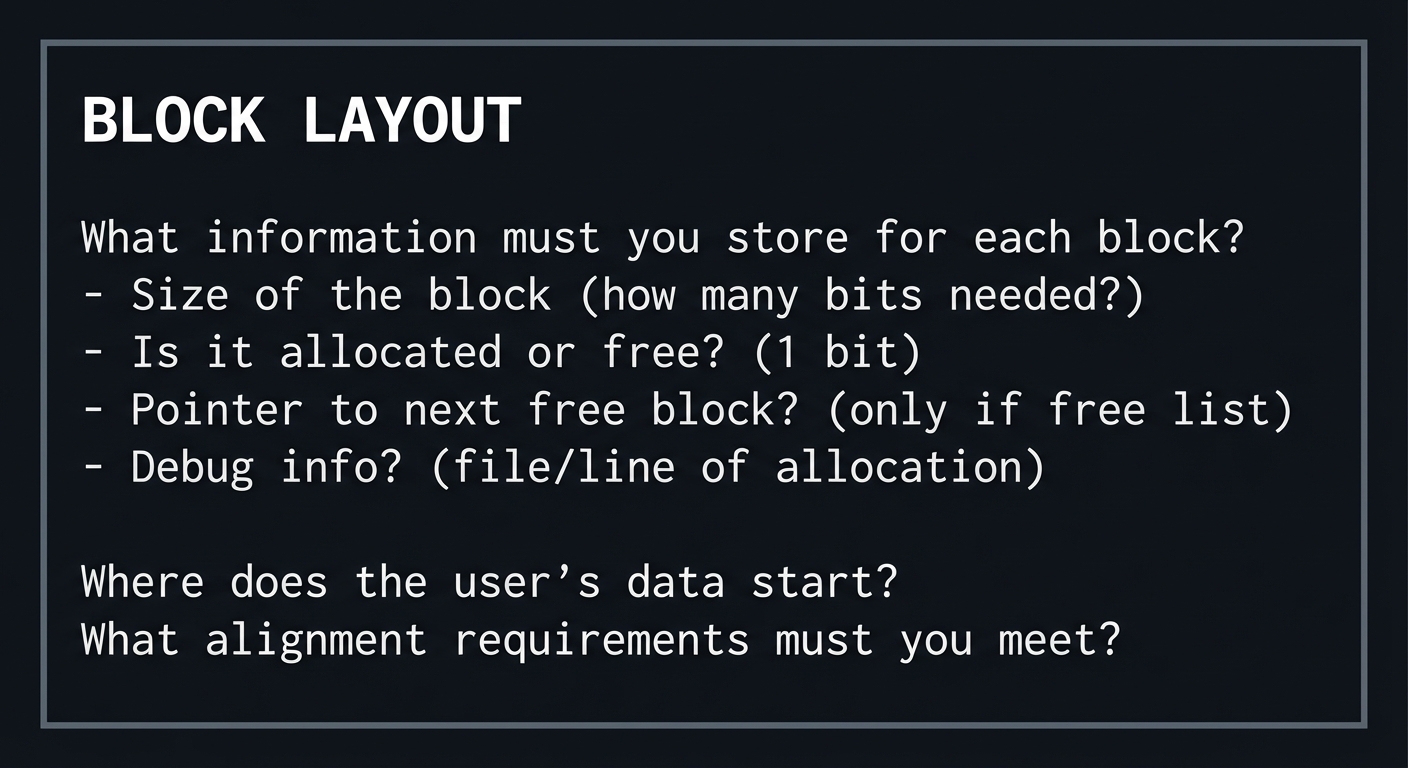
Questions while designing:
- If you store a 4-byte size and 1-byte flags, what alignment issues arise?
- How do you find the header given a user pointer?
- How do you find the next block given a header pointer?
The Interview Questions They’ll Ask
Prepare to answer these:
- “How does malloc work internally?”
- “What is memory fragmentation and how do you prevent it?”
- “How would you implement a memory leak detector?”
- “What is the buddy system allocator?”
- “What are the trade-offs between first-fit and best-fit?”
Hints in Layers
Hint 1: Start with a Static Array Don’t use sbrk/mmap initially. Start with a large static array as your “heap”. This lets you focus on allocation logic without OS complexity.
Hint 2: Block Header Design
// Pseudocode block structure
typedef struct block_header {
    size_t size;        // Size of data portion
    unsigned int flags; // LSB: 0=free, 1=allocated
    struct block_header* next; // For free list
} block_header;

// User pointer is right after header
// header_ptr + sizeof(block_header) = user_ptr
Hint 3: Coalescing Algorithm
// Pseudocode for coalescing
when freeing a block:
    mark block as free
    if previous block is free:
        merge with previous
    if next block is free:
        merge with next
    add to free list
Hint 4: Use Guard Bytes for Debugging Write a known pattern before and after user data. On free, verify the pattern is intact to detect buffer overflows.
Books That Will Help
| Topic | Book | Chapter |
|---|---|---|
| Malloc/free | “Effective C, 2nd Edition” by Seacord | Ch. 6 |
| Memory allocators | “Operating Systems: Three Easy Pieces” by Arpaci-Dusseau | Ch. 17 |
| Debugging memory | “Computer Systems: A Programmer’s Perspective” by Bryant | Ch. 9 |
Common Pitfalls & Debugging
Problem 1: “My allocator returns misaligned pointers”
- Why: Header size isn’t a multiple of required alignment
- Debug: Print addresses with
%pand check alignment - Fix: Pad header to multiple of
_Alignof(max_align_t)
Problem 2: “Coalescing breaks my free list”
- Why: Pointer manipulation errors when merging blocks
- Debug: Draw the linked list before and after each operation
- Fix: Handle all four cases: prev free, next free, both, neither
Problem 3: “My allocator is slower than system malloc”
- Why: System malloc is highly optimized (thread-local caches, size classes)
- Fix: This is expected! Focus on correctness, then optimize
Definition of Done
- Implements malloc/free/calloc/realloc semantics with tests
- Supports splitting and coalescing of free blocks
- Includes a stress test and fragmentation metrics
- Provides optional debug features (canary, leak detection, statistics)
- Benchmarks against system malloc with documented results
Project 7: String Library from Scratch
- File: P07-STRING_LIBRARY.md
- Main Programming Language: C
- Alternative Programming Languages: None
- Coolness Level: Level 3 - Genuinely Clever
- Business Potential: Level 1 - Resume Gold
- Difficulty: Level 3 - Advanced
- Knowledge Area: String Handling, Security
- Software or Tool: GCC, Valgrind, AddressSanitizer
- Main Book: Effective C, 2nd Edition by Robert C. Seacord
What you’ll build: A complete string library with safe string functions, UTF-8 support, and bounds-checking interfaces that prevent buffer overflows.
Why it teaches professional C: String handling is the #1 source of C vulnerabilities. Building safe string functions teaches you exactly what can go wrong and how to prevent it.
Core challenges you’ll face:
- Null terminator handling → Maps to understanding C strings
- Buffer overflow prevention → Maps to secure coding
- UTF-8 encoding → Maps to Unicode support
Real World Outcome
What you will see:
- Safe string library: strlen_s, strcpy_s, strcat_s implementations
- UTF-8 support: Character counting, validation, iteration
- Security testing: Demonstrated prevention of buffer overflows
Command Line Outcome Example:
# 1. Basic safe operations
$ ./string_test safe_ops
Testing safe_strcpy:
  Source: "Hello, World!" (13 chars)
  Dest buffer: 10 bytes
  Result: ERROR_BUFFER_TOO_SMALL
  Dest contents: "Hello, Wo" (truncated with null terminator)

Testing safe_strcat:
  Dest: "Hello" (5 chars)
  Source: ", World!" (8 chars)
  Dest buffer: 15 bytes
  Result: SUCCESS
  Dest contents: "Hello, World!" (13 chars)

# 2. UTF-8 handling
$ ./string_test utf8 "Hello, 世界! 🌍"
Input string bytes: 19
ASCII character count: 19 (wrong!)
UTF-8 codepoint count: 12 (correct!)
Codepoints:
  H (U+0048) - 1 byte
  e (U+0065) - 1 byte
  l (U+006C) - 1 byte
  l (U+006C) - 1 byte
  o (U+006F) - 1 byte
  , (U+002C) - 1 byte
  (space) (U+0020) - 1 byte
  世 (U+4E16) - 3 bytes
  界 (U+754C) - 3 bytes
  ! (U+0021) - 1 byte
  (space) (U+0020) - 1 byte
  🌍 (U+1F30D) - 4 bytes

# 3. Overflow prevention demo
$ ./string_test overflow
Standard strcpy (DANGEROUS):
  Attempting to copy 100 bytes into 10-byte buffer...
  [AddressSanitizer would catch: stack-buffer-overflow]

Safe strcpy:
  Attempting to copy 100 bytes into 10-byte buffer...
  Result: ERROR_BUFFER_TOO_SMALL
  No overflow occurred. Buffer contains: "123456789" (truncated safely)

# 4. Format string safety
$ ./string_test format
safe_snprintf(buf, 10, "Value: %d", 12345)
Result: "Value: 12" (truncated, no overflow)
Return value: 12 (would need 12 chars for full output)
The Core Question You’re Answering
“Why are C strings so dangerous, and how do I make them safe?”
Before you write any code, understand that C strings are just arrays of bytes ending with ‘\0’. There’s no length stored, no bounds checking, and every string function must trust that the terminator exists. One missing null byte can crash or compromise an entire system.
Concepts You Must Understand First
Stop and research these before coding:
- C String Representation
- Why is ‘\0’ termination fragile?
- What’s the difference between a string literal and a char array?
- What happens if you forget the null terminator?
- Book Reference: “Effective C, 2nd Edition” Ch. 7 - Seacord
- Buffer Overflow Attacks
- What is stack smashing?
- How do format string vulnerabilities work?
- What is the Annex K bounds-checking interface?
- Book Reference: “Effective C, 2nd Edition” Ch. 7 - Seacord
- UTF-8 Encoding
- How does UTF-8 encode Unicode codepoints?
- How do you tell if a byte is ASCII, continuation, or lead byte?
- What is a surrogate pair and why does UTF-8 not need them?
- Book Reference: “The Linux Programming Interface” by Kerrisk — Ch. 61
Questions to Guide Your Design
Before implementing, think through these:
- Safe Interface Design
- What parameters does a safe string function need?
- What should the function return to indicate errors?
- Should you truncate or fail on overflow?
- UTF-8 Iteration
- How will you detect invalid UTF-8 sequences?
- How will you handle mixed ASCII/multibyte strings?
- How will you count characters vs bytes?
- Memory Safety
- How will you ensure null termination?
- How will you handle overlapping source/destination?
- How will you test for overflows?
Thinking Exercise
Analyze the Vulnerability
Before coding, analyze this classic vulnerable code:
void greet(char *name) {
    char buf[64];
    sprintf(buf, "Hello, %s! Welcome.", name);
    puts(buf);
}
Questions while analyzing:
- What is the maximum safe length for
name? - What happens if
nameis 100 characters? - What happens if
namecontains%s%s%s%s? - How would you fix this function?
The Interview Questions They’ll Ask
Prepare to answer these:
- “What makes C strings vulnerable to buffer overflows?”
- “What is the difference between strcpy and strncpy, and why is strncpy still dangerous?”
- “How would you implement a safe string concatenation function?”
- “What is UTF-8 and how do you iterate over UTF-8 codepoints?”
- “What are the Annex K bounds-checking interfaces?”
Hints in Layers
Hint 1: Start with strlen
Implement strlen first - it’s the foundation. Then implement a safe version that takes a maximum length.
Hint 2: Safe Function Signature
// Pseudocode for safe string copy
typedef enum {
    STR_OK,
    STR_TRUNCATED,
    STR_NULL_PTR,
    STR_BUFFER_TOO_SMALL
} str_result;

str_result safe_strcpy(
    char* dest,
    size_t dest_size,
    const char* src
);
// Returns status, always null-terminates dest
Hint 3: UTF-8 Lead Byte Detection
// UTF-8 encoding patterns:
// 0xxxxxxx - 1-byte (ASCII)
// 110xxxxx - 2-byte lead
// 1110xxxx - 3-byte lead
// 11110xxx - 4-byte lead
// 10xxxxxx - continuation byte

int utf8_byte_length(unsigned char lead) {
    if ((lead & 0x80) == 0) return 1;      // ASCII
    if ((lead & 0xE0) == 0xC0) return 2;   // 2-byte
    if ((lead & 0xF0) == 0xE0) return 3;   // 3-byte
    if ((lead & 0xF8) == 0xF0) return 4;   // 4-byte
    return -1;  // Invalid or continuation
}
Hint 4: Test with AddressSanitizer
gcc -fsanitize=address,undefined -g your_test.c
./a.out
# ASan will catch any buffer overflows you missed
Books That Will Help
| Topic | Book | Chapter |
|---|---|---|
| String handling | “Effective C, 2nd Edition” by Seacord | Ch. 7 |
| Buffer overflows | “Computer Systems: A Programmer’s Perspective” by Bryant | Ch. 3 |
| Unicode/UTF-8 | “The Linux Programming Interface” by Kerrisk | Ch. 61 |
Common Pitfalls & Debugging
Problem 1: “My safe_strcpy doesn’t null-terminate on truncation”
- Why: You stopped copying but forgot to add ‘\0’
- Fix: Always set
dest[dest_size - 1] = '\0'in truncation case
Problem 2: “UTF-8 iteration reads past end of string”
- Why: Malformed UTF-8 with missing continuation bytes
- Debug: Check for null terminator before reading continuation bytes
- Fix: Validate UTF-8 before iterating, or handle errors inline
Problem 3: “My functions fail with overlapping buffers”
- Why:
memmoveis needed for overlap, notmemcpy - Fix: Use
memmoveor explicitly check for overlap
Definition of Done
- Implements a safe string API with explicit lengths
- Includes UTF-8 validation and iteration helpers
- Passes sanitizer builds and fuzz tests
- Provides documented examples and edge-case handling
- Exports a stable header-based API with tests
Project 8: File I/O System
- File: P08-FILE_IO_SYSTEM.md
- Main Programming Language: C
- Alternative Programming Languages: None
- Coolness Level: Level 3 - Genuinely Clever
- Business Potential: Level 2 - Micro-SaaS
- Difficulty: Level 3 - Advanced
- Knowledge Area: I/O, Operating Systems
- Software or Tool: GCC, strace/dtrace
- Main Book: Effective C, 2nd Edition by Robert C. Seacord
What you’ll build: A comprehensive file I/O library handling text and binary files, buffering strategies, serialization with endianness handling, and cross-platform compatibility.
Why it teaches professional C: I/O is where C programs interact with the real world. Understanding buffering, streams, and binary formats is essential for reliable, portable code.
Core challenges you’ll face:
- Buffering modes → Maps to understanding stdio internals
- Binary I/O with endianness → Maps to portable data formats
- Error handling in I/O → Maps to robust file operations
Real World Outcome
What you will see:
- Buffering demonstration: Line vs full vs unbuffered I/O
- Binary file reader/writer: Portable format with endianness handling
- File utilities: Copy, compare, checksum operations
Command Line Outcome Example:
# 1. Buffering mode demonstration
$ ./file_io buffering
=== Line Buffered (stdout default) ===
Writing without newline... [1 second pause]
Now with newline:
Output appears immediately!

=== Fully Buffered (file default) ===
Writing to file... [writes to buffer]
Buffer size: 8192 bytes
Writing 100 bytes... (not yet on disk)
After fflush: now on disk
After fclose: definitely on disk

=== Unbuffered (stderr default) ===
Each write goes directly to OS (slow but immediate)

# 2. Binary file format with endianness
$ ./file_io binary_write test.bin
Writing struct to file in portable format...
Platform is: little-endian
File format: big-endian (network byte order)
Converting before write:
  int32 12345678 -> bytes: 0x00 0xBC 0x61 0x4E
  float 3.14159 -> bytes: 0x40 0x49 0x0F 0xD0
Wrote 16 bytes to test.bin

$ ./file_io binary_read test.bin
Reading portable format...
Converting from big-endian to native...
Recovered values:
  int32: 12345678
  float: 3.14159
Cross-platform compatible!

# 3. System call tracing
$ strace -e read,write ./file_io syscalls
read(3, "Hello, World!\n", 4096) = 14  # One read for small file
write(1, "File contents: Hello, World!\n", 30) = 30
...
Buffered reads reduce syscall count by 10-100x!
The Core Question You’re Answering
“How does data flow between my program and persistent storage, and what can go wrong along the way?”
Before you write any code, understand that file I/O involves multiple layers: your buffers, stdio buffers, OS buffers, disk controller caches. Each layer can fail, lose data, or behave unexpectedly. Mastering I/O means understanding this stack.
Concepts You Must Understand First
Stop and research these before coding:
- Stream Buffering
- What are the three buffering modes?
- When does flushing happen automatically?
- What is the difference between fflush and fsync?
- Book Reference: “Effective C, 2nd Edition” Ch. 8 - Seacord
- Binary I/O and Endianness
- What is byte order and why does it matter?
- How do you write portable binary files?
- What are htonl/ntohl and when do you use them?
- Book Reference: “The Linux Programming Interface” by Kerrisk — Ch. 44
- Error Handling in I/O
- What is ferror vs feof?
- When can fclose fail?
- What happens to data if the system crashes?
- Book Reference: “Effective C, 2nd Edition” Ch. 8 - Seacord
Questions to Guide Your Design
Before implementing, think through these:
- Buffering Control
- How will you demonstrate buffering effects?
- How will you measure syscall count?
- Portable Binary Format
- What byte order will you use in files?
- How will you handle different sizes of int on different platforms?
- How will you serialize structs with padding?
- Error Robustness
- How will you handle partial writes?
- How will you recover from interrupted reads?
- How will you ensure atomic file updates?
Thinking Exercise
Trace the Data Path
Before coding, trace what happens when you write “Hello\n” to a file:
Your code:    fwrite("Hello\n", 1, 6, fp);
              │
              ▼
stdio buffer: [H][e][l][l][o][\n][ ][ ]...  (application space)
              │
              │ (fflush or buffer full or newline for line-buffered)
              ▼
Kernel call:  write(fd, "Hello\n", 6)
              │
              ▼
Page cache:   Kernel buffer in RAM               (kernel space)
              │
              │ (sync, fsync, or kernel writeback)
              ▼
Disk:         Persistent storage                  (hardware)
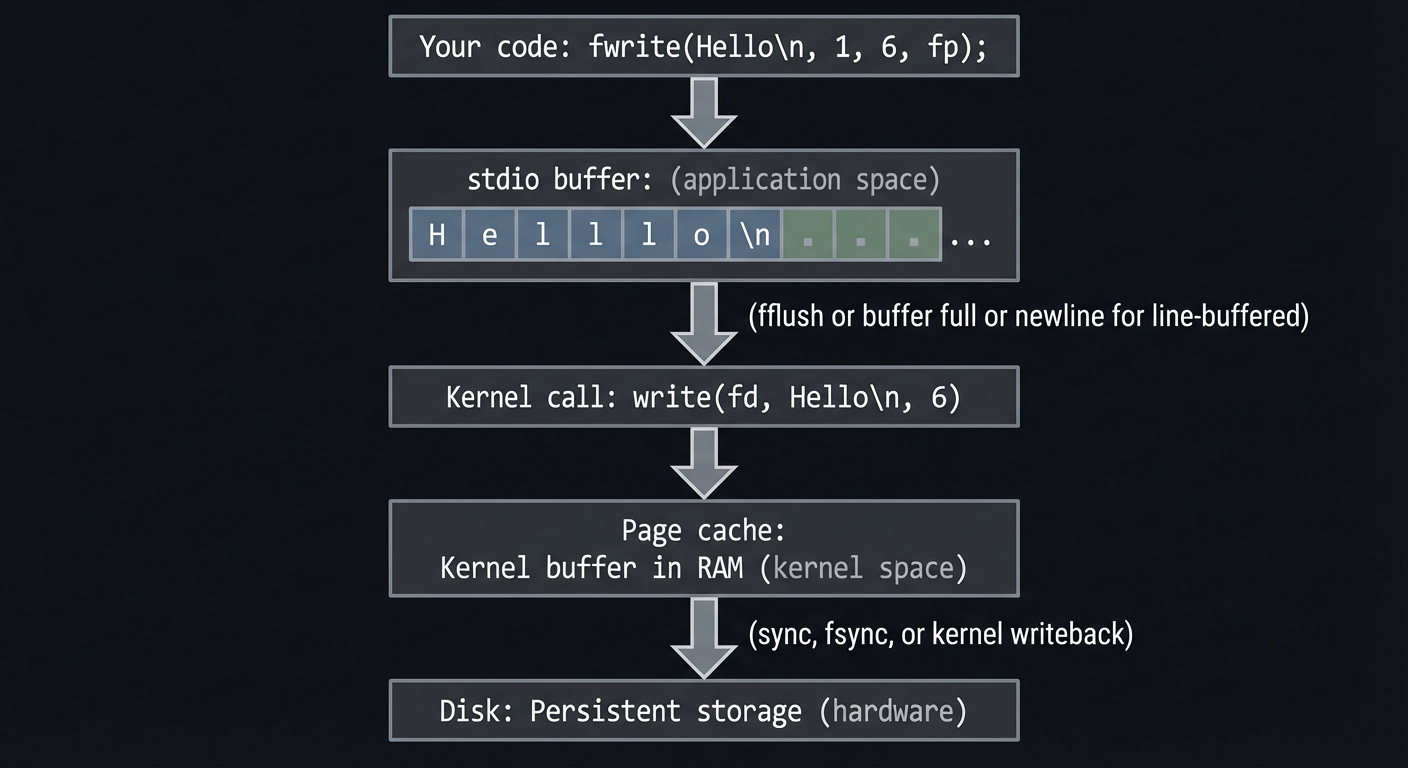
Questions while tracing:
- If the program crashes after fwrite, where is the data?
- If the system crashes after fflush, where is the data?
- What guarantees does fsync provide?
The Interview Questions They’ll Ask
Prepare to answer these:
- “What is the difference between fwrite and write?”
- “How does buffering affect I/O performance?”
- “How do you ensure data is actually on disk?”
- “What is endianness and how do you write portable binary files?”
- “What happens if fclose fails and you ignore it?”
Hints in Layers
Hint 1: Use setvbuf to Control Buffering
setvbuf(stream, NULL, _IONBF, 0);  // Unbuffered
setvbuf(stream, NULL, _IOLBF, 0);  // Line buffered
setvbuf(stream, NULL, _IOFBF, 0);  // Fully buffered
Hint 2: Portable Byte Order
// Write in network byte order (big-endian)
uint32_t value = 12345;
uint32_t be_value = htonl(value);  // Host TO Network Long
fwrite(&be_value, sizeof(be_value), 1, fp);

// Read back
fread(&be_value, sizeof(be_value), 1, fp);
value = ntohl(be_value);  // Network TO Host Long
Hint 3: Serialize Structs Field-by-Field
Don’t fwrite whole structs - padding differs between platforms. Write each field individually in a defined order.
Hint 4: Atomic File Update Pattern
// Write to temp file first
write_data(temp_path);
// Rename atomically replaces target
rename(temp_path, final_path);
// If crash occurs, either old or new file exists (not corrupt)
Books That Will Help
| Topic | Book | Chapter |
|---|---|---|
| stdio I/O | “Effective C, 2nd Edition” by Seacord | Ch. 8 |
| System I/O | “The Linux Programming Interface” by Kerrisk | Ch. 4-5 |
| Buffering | “Advanced UNIX Programming” by Stevens | Ch. 5 |
Common Pitfalls & Debugging
Problem 1: “My writes appear out of order”
- Why: Buffering delays when data is actually written
- Debug: Use strace to see actual write() calls
- Fix: Use fflush or setvbuf for control
Problem 2: “Binary files work on my machine but not others”
- Why: Endianness or struct padding differences
- Fix: Use explicit byte order and field-by-field serialization
Problem 3: “Data is lost on system crash”
- Why: fflush only flushes to kernel, not disk
- Fix: Use fsync(fileno(fp)) for durability guarantee
Definition of Done
- Implements buffered I/O with configurable buffer sizes
- Handles text and binary modes correctly (including Windows if available)
- Demonstrates correct EOF/error handling and partial reads
- Includes tools: file copy, hexdump, and simple grep
- Benchmarks buffered vs unbuffered performance
Project 9: Preprocessor Metaprogramming
- File: P09-PREPROCESSOR_METAPROGRAMMING.md
- Main Programming Language: C
- Alternative Programming Languages: None
- Coolness Level: Level 4 - Hardcore Tech Flex
- Business Potential: Level 1 - Resume Gold
- Difficulty: Level 4 - Expert
- Knowledge Area: Metaprogramming, Code Generation
- Software or Tool: GCC, Clang, cpp
- Main Book: Effective C, 2nd Edition by Robert C. Seacord
What you’ll build: A comprehensive preprocessor toolkit including type-generic macros, X-macros for code generation, debugging macros, and conditional compilation patterns.
Why it teaches professional C: The preprocessor is C’s metaprogramming system. Understanding it enables code generation, platform abstraction, and debugging tools that professional C code relies on.
Core challenges you’ll face:
- Macro hygiene → Maps to avoiding macro pitfalls
- Type-generic selection → Maps to _Generic and polymorphism
- Code generation with X-macros → Maps to DRY principles
Real World Outcome
What you will see:
- Debug macros: Logging with file/line/function information
- Type-generic functions: printf-like polymorphism via _Generic
- X-macro code generation: Enum-string conversions, dispatch tables
Command Line Outcome Example:
# 1. Debug macro demonstration
$ ./preprocessor debug
[DEBUG] main.c:42 in test_debug(): Entering function
[DEBUG] main.c:43 in test_debug(): x = 42, y = 3.14
[ERROR] main.c:45 in test_debug(): Something went wrong!
Compiled without DEBUG: (no output - macros expand to nothing)

# 2. Type-generic print
$ ./preprocessor generic
generic_print(42):       42 (as int)
generic_print(3.14):     3.140000 (as double)
generic_print("hello"):  hello (as string)
generic_print('c'):      c (as char)

# 3. X-macro enum generation
$ ./preprocessor xmacro
Enum values generated:
  STATUS_OK = 0
  STATUS_ERROR = 1
  STATUS_PENDING = 2
  STATUS_COMPLETE = 3

String conversion:
  status_to_string(STATUS_OK) = "STATUS_OK"
  status_to_string(STATUS_ERROR) = "STATUS_ERROR"

# 4. Preprocessor output inspection
$ gcc -E macros.c | head -50
# Shows expanded macros - what compiler actually sees
The Core Question You’re Answering
“How can I use the preprocessor to write less code, catch more bugs, and abstract platform differences?”
Before you write any code, understand that the preprocessor runs before the compiler. It does text substitution, not compilation. Macros have no types, no scopes, and can expand to syntactically invalid code. This power is dangerous but essential for professional C.
Concepts You Must Understand First
Stop and research these before coding:
- Macro Expansion Rules
- How does tokenization work?
- What is the difference between object-like and function-like macros?
- What are the # and ## operators?
- Book Reference: “Effective C, 2nd Edition” Ch. 9 - Seacord
- _Generic Selection (C11+)
- How does _Generic provide type-based dispatch?
- How is it different from C++ overloading?
- What are the limitations of _Generic?
- Book Reference: “Modern C, Third Edition” by Gustedt — Ch. on Type-Generic Macros
- X-Macros Pattern
- What problem do X-macros solve?
- How do you define and use X-macros?
- What are the trade-offs?
- Book Reference: “21st Century C” by Klemens — Ch. 10
Questions to Guide Your Design
Before implementing, think through these:
- Safe Macro Design
- How will you avoid double-evaluation problems?
- How will you ensure proper parenthesization?
- How will you handle multi-statement macros?
- Type-Generic Interface
- What types will you support?
- How will you handle unsupported types?
- Can you make it extensible?
- Code Generation
- What data will you encode in X-macros?
- What code will you generate from that data?
- How will you keep the macro and generated code in sync?
Thinking Exercise
Analyze Macro Expansion
Before coding, trace the expansion of these macros:
#define SQUARE(x) x * x
#define SQUARE_FIXED(x) ((x) * (x))

int a = 5;
int b = SQUARE(a + 1);      // What does this expand to?
int c = SQUARE_FIXED(a + 1); // What does this expand to?
int d = SQUARE(a++);         // What about this?
Questions while tracing:
- Why does SQUARE(a + 1) give wrong result?
- Does SQUARE_FIXED fix the problem?
- Why is SQUARE(a++) dangerous?
- How would you fix the a++ problem?
The Interview Questions They’ll Ask
Prepare to answer these:
- “What are the common pitfalls of C macros?”
- “How does the ## operator work?”
- “What is _Generic and when would you use it?”
- “What is the X-macro pattern?”
- “How do you write a safe multi-statement macro?”
Hints in Layers
Hint 1: Debug Macro with __FILE__ and __LINE__
#define DEBUG_LOG(fmt, ...) \
    fprintf(stderr, "[DEBUG] %s:%d in %s(): " fmt "\n", \
            __FILE__, __LINE__, __func__, ##__VA_ARGS__)
// Note: ##__VA_ARGS__ handles zero variadic args (GCC extension)
Hint 2: Safe Multi-Statement Macro
// Use do { ... } while(0) for multi-statement macros
#define SWAP(a, b) do { \
    typeof(a) _tmp = (a); \
    (a) = (b); \
    (b) = _tmp; \
} while(0)
// Works correctly with if/else without braces
Hint 3: Type-Generic with _Generic
#define print_val(x) _Generic((x), \
    int: print_int, \
    double: print_double, \
    char*: print_string, \
    default: print_unknown \
)(x)
Hint 4: X-Macro Pattern
// Define data in one place
#define STATUS_CODES \
    X(OK,       0, "Success") \
    X(ERROR,    1, "Error occurred") \
    X(PENDING,  2, "Operation pending")

// Generate enum
enum status {
    #define X(name, val, desc) STATUS_##name = val,
    STATUS_CODES
    #undef X
};

// Generate string conversion
const char* status_str(enum status s) {
    switch(s) {
        #define X(name, val, desc) case STATUS_##name: return #name;
        STATUS_CODES
        #undef X
    }
    return "UNKNOWN";
}
Books That Will Help
| Topic | Book | Chapter |
|---|---|---|
| Preprocessor | “Effective C, 2nd Edition” by Seacord | Ch. 9 |
| _Generic | “Modern C, Third Edition” by Gustedt | Ch. 12 |
| Macro patterns | “21st Century C” by Klemens | Ch. 10 |
Common Pitfalls & Debugging
Problem 1: “My macro evaluates arguments multiple times”
- Why: Function-like macros are text substitution, not function calls
- Fix: Use _Generic to dispatch to real functions, or use statement expressions
Problem 2: “Macro breaks when used in if without braces”
- Why: Multi-statement macro without do-while wrapper
- Example:
if (x) MACRO(); else-> syntax error - Fix: Always wrap multi-statement macros in do { } while(0)
Problem 3: “Can’t see what my macro expands to”
- Debug: Use
gcc -E file.cto see preprocessor output - Fix: Inspect and fix the expanded code
Definition of Done
- Implements X-macros, token pasting, and _Generic dispatch examples
- Generated output is captured with the preprocessor (-E)
- Includes compile-time assertions and diagnostics macros
- Demonstrates macro pitfalls and safe alternatives
- All macros are documented with example expansions
Project 10: Modular Program Architecture
- File: P10-MODULAR_PROGRAM_ARCHITECTURE.md
- Main Programming Language: C
- Alternative Programming Languages: None
- Coolness Level: Level 3 - Genuinely Clever
- Business Potential: Level 3 - Service & Support
- Difficulty: Level 3 - Advanced
- Knowledge Area: Software Architecture, Build Systems
- Software or Tool: GCC, Make, CMake
- Main Book: Effective C, 2nd Edition by Robert C. Seacord
What you’ll build: A well-structured multi-file C program demonstrating opaque types, header organization, linkage control, and professional build automation.
Why it teaches professional C: Professional C code isn’t written in single files. Understanding compilation units, linkage, header design, and build systems is essential for maintainable codebases.
Core challenges you’ll face:
- Header organization → Maps to preventing compilation errors
- Opaque types → Maps to information hiding
- Build automation → Maps to reproducible builds
Real World Outcome
What you will see:
- Clean project structure: Organized source/header layout
- Opaque type API: Data abstraction like OOP encapsulation
- Automated build: Makefile or CMake with incremental compilation
Command Line Outcome Example:
# 1. Project structure
$ tree
.
├── include/
│   ├── mylib/
│   │   ├── buffer.h      # Public API - opaque type
│   │   ├── list.h        # Public API - opaque type
│   │   └── mylib.h       # Main include (includes all)
│   └── internal/
│       └── buffer_internal.h  # Private - only for .c files
├── src/
│   ├── buffer.c          # Implementation
│   ├── list.c            # Implementation
│   └── main.c            # Application
├── tests/
│   └── test_buffer.c
├── Makefile
└── README.md

# 2. Opaque type in action
$ cat include/mylib/buffer.h
// Users can't see inside buffer_t
typedef struct buffer buffer_t;

buffer_t* buffer_create(size_t capacity);
void buffer_destroy(buffer_t* buf);
size_t buffer_write(buffer_t* buf, const void* data, size_t len);
size_t buffer_read(buffer_t* buf, void* dest, size_t len);

$ gcc -c user_code.c -I include
# User cannot access struct internals - only API

# 3. Build system
$ make
Compiling src/buffer.c
Compiling src/list.c
Compiling src/main.c
Linking bin/myapp
Build complete: bin/myapp

$ touch src/buffer.c && make
Compiling src/buffer.c  # Only recompiles changed file
Linking bin/myapp

$ make clean
Removing build artifacts...

$ make test
Running tests...
test_buffer: PASS (10 tests)
test_list: PASS (8 tests)
All tests passed!
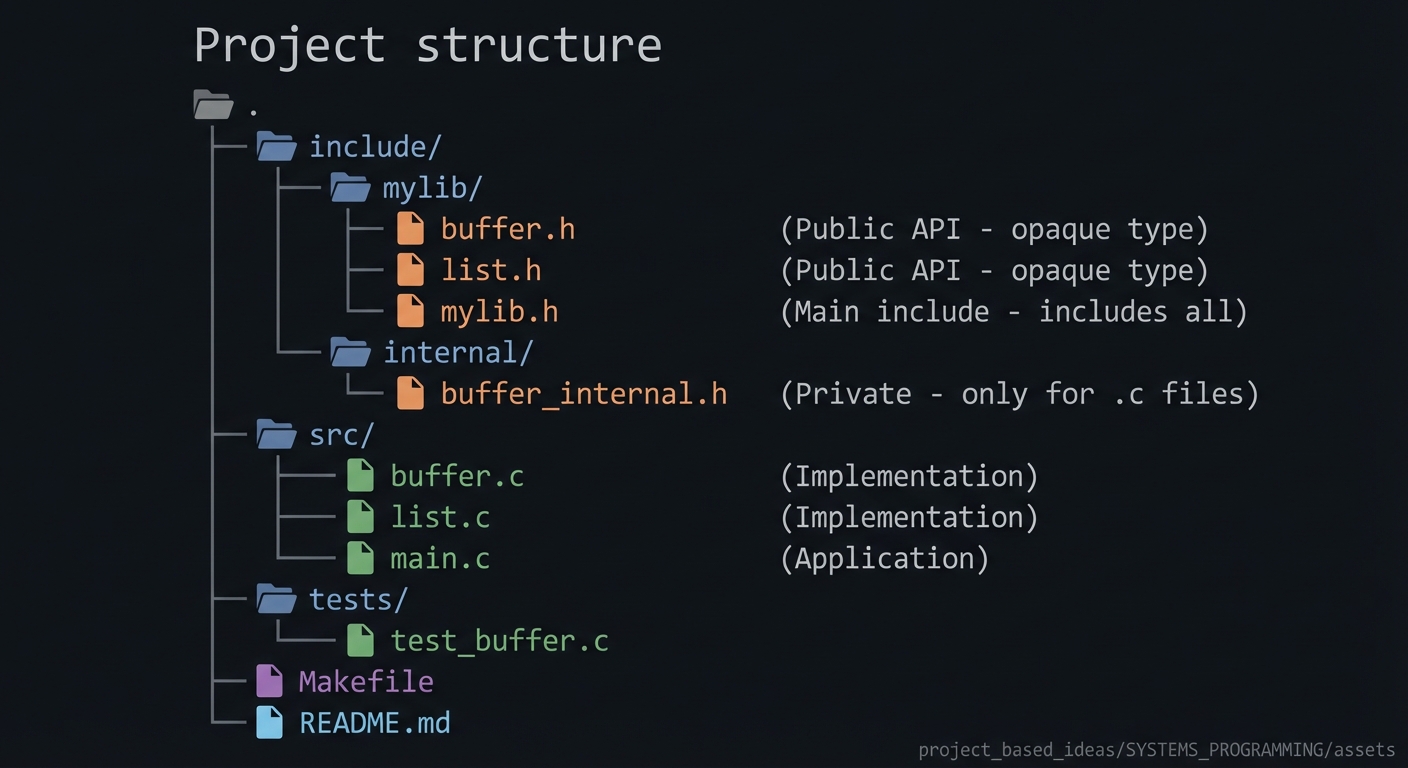
The Core Question You’re Answering
“How do I organize C code so it scales from 100 lines to 100,000 lines?”
Before you write any code, understand that C’s compilation model (separate compilation, linking) creates both power and complexity. Headers must be included in the right order, symbols must be visible in the right places, and changes must trigger the right recompilation.
Concepts You Must Understand First
Stop and research these before coding:
- Translation Units and Linking
- What is a translation unit?
- What is the difference between internal and external linkage?
- What does
staticmean at file scope? - Book Reference: “Effective C, 2nd Edition” Ch. 10 - Seacord
- Header File Design
- What goes in headers vs source files?
- What are header guards and why are they needed?
- What is the one-definition rule?
- Book Reference: “C Interfaces and Implementations” by Hanson — Ch. 1-2
- Opaque Types
- How do you hide struct internals from users?
- What is the PIMPL (pointer to implementation) pattern?
- What are the costs of opaque types?
- Book Reference: “C Interfaces and Implementations” by Hanson — Ch. 1
Questions to Guide Your Design
Before implementing, think through these:
- Project Layout
- How will you organize directories?
- Which headers are public vs internal?
- Where do tests go?
- API Design
- What types and functions are part of the public API?
- How will you hide implementation details?
- How will you version your API?
- Build System
- How will you track dependencies?
- How will you support debug vs release builds?
- How will you run tests?
Thinking Exercise
Design the Include Graph
Before coding, design the include relationships for a library with Buffer and List modules:
                    ┌─────────────────────────────┐
                    │       user_code.c           │
                    │  #include <mylib/mylib.h>   │
                    └─────────────┬───────────────┘
                                  │
                    ┌─────────────▼───────────────┐
                    │     mylib/mylib.h           │
                    │  #include "buffer.h"        │
                    │  #include "list.h"          │
                    └─────────────┬───────────────┘
                    ┌─────────────┴───────────────┐
          ┌─────────▼─────────┐         ┌─────────▼─────────┐
          │  mylib/buffer.h   │         │   mylib/list.h    │
          │  typedef struct   │         │   typedef struct  │
          │    buffer ...     │         │     list ...      │
          └─────────┬─────────┘         └─────────┬─────────┘
                    │                             │
          (internal use only)           (internal use only)
                    │                             │
          ┌─────────▼─────────┐         ┌─────────▼─────────┐
          │ internal/         │         │ internal/         │
          │  buffer_internal.h│         │  list_internal.h  │
          │ struct buffer {   │         │ struct list {     │
          │   // details      │         │   // details      │
          │ };                │         │ };                │
          └───────────────────┘         └───────────────────┘
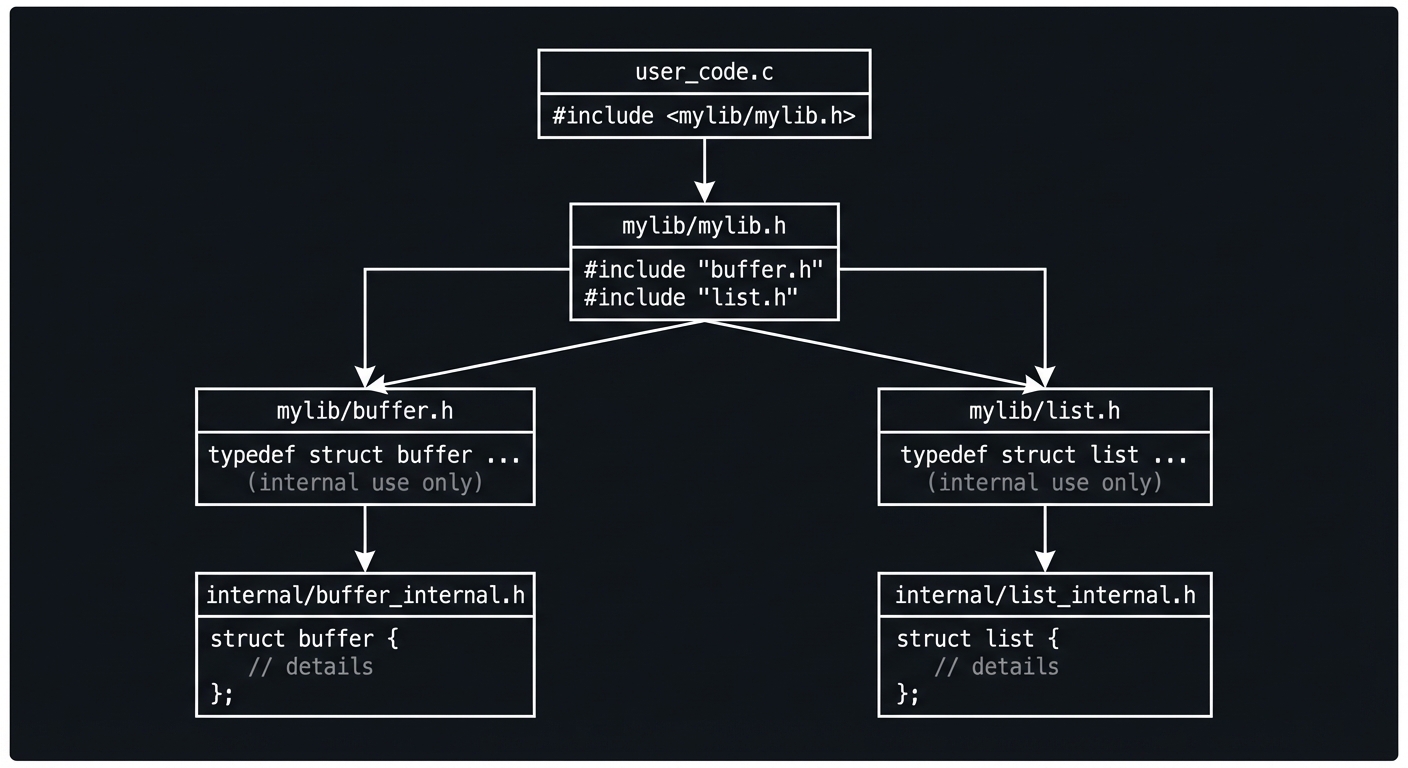
Questions while designing:
- Why can’t users see buffer_internal.h?
- What happens if mylib.h includes buffer_internal.h?
- How do buffer.c and list.c access the internal headers?
The Interview Questions They’ll Ask
Prepare to answer these:
- “What is the difference between static at file scope and function scope?”
- “How do you hide implementation details in C?”
- “What is a header guard and why do you need it?”
- “How does Make know what to recompile?”
- “What is an opaque pointer and when would you use one?”
Hints in Layers
Hint 1: Basic Header Guard
// buffer.h
#ifndef MYLIB_BUFFER_H
#define MYLIB_BUFFER_H

// ... declarations ...

#endif // MYLIB_BUFFER_H
Hint 2: Opaque Type Pattern
// Public header (buffer.h)
typedef struct buffer buffer_t;  // Forward declaration only
buffer_t* buffer_create(void);

// Private header (buffer_internal.h)
struct buffer {
    char* data;
    size_t size;
    size_t capacity;
};

// Implementation (buffer.c)
#include "buffer.h"
#include "internal/buffer_internal.h"
// Can access struct members here
Hint 3: Makefile Dependency Tracking
# Automatic dependency generation
DEPFLAGS = -MT $@ -MMD -MP -MF $(DEPDIR)/$*.d

%.o: %.c
    $(CC) $(DEPFLAGS) $(CFLAGS) -c $< -o $@

# Include generated dependencies
-include $(DEPS)
Hint 4: Static for Internal Functions
// buffer.c
static void grow_buffer(buffer_t* buf) {
    // Internal helper - not visible outside this file
}

buffer_t* buffer_create(void) {
    // Public function - visible to linker
}
Books That Will Help
| Topic | Book | Chapter |
|---|---|---|
| Program structure | “Effective C, 2nd Edition” by Seacord | Ch. 10 |
| C interfaces | “C Interfaces and Implementations” by Hanson | Ch. 1-2 |
| Make | “The GNU Make Book” by Graham-Cumming | Ch. 1-4 |
Common Pitfalls & Debugging
Problem 1: “Multiple definition of symbol X”
- Why: Function defined in header, included in multiple .c files
- Fix: Only declare in headers; define in exactly one .c file
- Exception: static inline functions can be in headers
Problem 2: “Incomplete type used in sizeof”
- Why: Trying to use opaque type where compiler needs to know size
- Fix: You can only use pointers to opaque types
Problem 3: “Make doesn’t recompile when header changes”
- Why: Missing dependency on header file
- Fix: Add proper header dependencies to Makefile or use -MMD flag
Definition of Done
- Library builds cleanly as multiple translation units
- Public API uses opaque types and clean headers
- No duplicate symbol or linkage errors across compilers
- Build system supports debug and release profiles
- Documentation includes usage examples and build instructions
Project 11: Testing and Analysis Framework
- File: P11-TESTING_ANALYSIS_FRAMEWORK.md
- Main Programming Language: C
- Alternative Programming Languages: Python (for test runners)
- Coolness Level: Level 3 - Genuinely Clever
- Business Potential: Level 3 - Service & Support
- Difficulty: Level 3 - Advanced
- Knowledge Area: Testing, Static/Dynamic Analysis
- Software or Tool: GCC, Clang, Valgrind, cppcheck
- Main Book: Effective C, 2nd Edition by Robert C. Seacord
What you’ll build: A complete testing and analysis framework with unit tests, static assertions, runtime assertions, and integration of sanitizers and static analyzers.
Why it teaches professional C: Professional C code requires rigorous testing and analysis. Learning to use assertions, sanitizers, and static analysis catches bugs that would otherwise ship to production.
Core challenges you’ll face:
- Writing effective tests → Maps to test coverage and edge cases
- Configuring sanitizers → Maps to memory and undefined behavior detection
- Interpreting analysis output → Maps to fixing real bugs
Real World Outcome
What you will see:
- Unit test framework: Minimal test harness with assertions
- Static analysis integration: cppcheck/clang-tidy pipeline
- Sanitizer suite: ASan, UBSan, MSan in CI pipeline
Command Line Outcome Example:
# 1. Unit test framework
$ ./run_tests
Running test suite: buffer_tests
  [PASS] test_buffer_create
  [PASS] test_buffer_write
  [FAIL] test_buffer_overflow
    Expected: ERROR_OVERFLOW
    Got: SUCCESS
    Location: tests/buffer_test.c:45
  [PASS] test_buffer_free
Results: 3/4 passed (75%)

# 2. Static analysis
$ make static-analysis
Running cppcheck...
src/buffer.c:42: warning: Possible null pointer dereference: ptr [nullPointer]
src/string.c:15: warning: Array 'buf[10]' accessed at index 10 [arrayIndexOutOfBounds]

Running clang-tidy...
src/buffer.c:50:5: warning: Value stored to 'result' is never read [deadcode.DeadStores]
src/string.c:20:3: warning: Call to function 'strcpy' is insecure [cert-str-str31-c]

Static analysis complete: 2 errors, 2 warnings

# 3. Sanitizer integration
$ make test-asan
Compiling with AddressSanitizer...
Running tests...
=================================================================
==12345==ERROR: AddressSanitizer: heap-buffer-overflow
READ of size 1 at 0x602000000011
    #0 0x401234 in read_buffer src/buffer.c:42
    #1 0x401567 in test_buffer_read tests/buffer_test.c:50
...

# 4. Combined CI check
$ make ci-check
[1/4] Building with warnings as errors... PASS
[2/4] Running static analysis... PASS (0 errors)
[3/4] Running tests with ASan... PASS (all tests)
[4/4] Running tests with UBSan... FAIL
  Undefined behavior detected in src/math.c:15
CI check failed. See logs above.
The Core Question You’re Answering
“How do I find bugs in C code before they find me?”
Before you write any code, understand that C gives you no safety net. The compiler won’t catch null pointer dereferences, buffer overflows, or use-after-free. You must build your own safety net with tests, assertions, and analysis tools.
Concepts You Must Understand First
Stop and research these before coding:
- Assertions
- What is the difference between static and runtime assertions?
- When should assertions fire vs return error codes?
- What does NDEBUG do to assertions?
- Book Reference: “Effective C, 2nd Edition” Ch. 11 - Seacord
- Sanitizers
- What bugs does AddressSanitizer find?
- What bugs does UndefinedBehaviorSanitizer find?
- What is the performance overhead of sanitizers?
- Book Reference: Trail of Bits ASan Guide
- Static Analysis
- What can static analysis find that testing cannot?
- What are false positives and how do you handle them?
- How do cppcheck and clang-tidy differ?
- Book Reference: “Effective C, 2nd Edition” Ch. 11 - Seacord
Questions to Guide Your Design
Before implementing, think through these:
- Test Framework
- How will you organize test files?
- How will you run individual vs all tests?
- How will you report failures clearly?
- Sanitizer Integration
- Which sanitizers will you enable?
- How will you run tests with different sanitizer configurations?
- How will you handle sanitizer-specific issues?
- CI Pipeline
- What checks must pass before code is merged?
- How will you fail fast on obvious issues?
- How will you make results actionable?
Thinking Exercise
Design Your Assertion Strategy
Before coding, decide when to use each:
// Static assertion - compile-time check
static_assert(sizeof(int) >= 4, "Need 32-bit int");

// Runtime assertion - debug check, removed in release
assert(ptr != NULL);

// Error return - production error handling
if (ptr == NULL) return ERROR_NULL_PTR;

// Sanitizer detection - catches what you missed
// (Enabled via compiler flags, no code changes)
Questions while designing:
- What should be static_assert vs assert?
- When should you assert vs return an error?
- Should assertions stay in release builds?
The Interview Questions They’ll Ask
Prepare to answer these:
- “What is the difference between AddressSanitizer and Valgrind?”
- “When would you use a static assertion vs a runtime assertion?”
- “How would you set up a CI pipeline for a C project?”
- “What is a false positive in static analysis?”
- “How do you test error handling paths in C?”
Hints in Layers
Hint 1: Minimal Test Framework
// Pseudocode test framework
#define TEST(name) void name(void)
#define ASSERT_EQ(a, b) do { \
    if ((a) != (b)) { \
        printf("FAIL: %s != %s at %s:%d\n", #a, #b, __FILE__, __LINE__); \
        test_failed = 1; \
    } \
} while(0)
Hint 2: Sanitizer Compilation
# Address Sanitizer (memory errors)
gcc -fsanitize=address -g -fno-omit-frame-pointer your_code.c

# Undefined Behavior Sanitizer
gcc -fsanitize=undefined -g your_code.c

# Both together
gcc -fsanitize=address,undefined -g your_code.c
Hint 3: Makefile Targets
test: build
    ./run_tests

test-asan:
    $(CC) -fsanitize=address $(CFLAGS) $(SRCS) -o test_asan
    ./test_asan

static-analysis:
    cppcheck --enable=all src/
    clang-tidy src/*.c -- $(CFLAGS)
Hint 4: CI Check Script
#!/bin/bash
set -e  # Exit on first failure
make clean
make CFLAGS="-Wall -Werror"
make static-analysis
make test-asan
make test-ubsan
echo "All checks passed!"
Books That Will Help
| Topic | Book | Chapter |
|---|---|---|
| Testing & Analysis | “Effective C, 2nd Edition” by Seacord | Ch. 11 |
| Debugging | “The Art of Debugging” by Matloff | Ch. 1-4 |
| Memory safety | “Computer Systems: A Programmer’s Perspective” by Bryant | Ch. 9 |
Common Pitfalls & Debugging
Problem 1: “Sanitizer says my test is slow”
- Why: Sanitizers have 2x-20x overhead
- Fix: Run sanitized tests on reduced input, or accept the slowdown for CI
Problem 2: “Static analyzer has too many false positives”
- Why: Static analysis is conservative (may warn about valid code)
- Fix: Use inline suppressions or configure analysis levels
Problem 3: “Test passes normally but fails with sanitizer”
- Why: You have a latent bug that only manifests under sanitizer
- Fix: This is the sanitizer doing its job! Fix the bug.
Definition of Done
- Test runner supports multiple test cases and suites
- Integrates sanitizer builds and reports failures clearly
- Provides a summary report with pass/fail counts
- Includes example tests for at least three other projects
- Documentation explains how to add new tests
Project 12: Cross-Platform Portability Layer
- File: P12-CROSS_PLATFORM_PORTABILITY.md
- Main Programming Language: C
- Alternative Programming Languages: None
- Coolness Level: Level 4 - Hardcore Tech Flex
- Business Potential: Level 3 - Service & Support
- Difficulty: Level 4 - Expert
- Knowledge Area: Portability, Systems Programming
- Software or Tool: GCC, Clang, MSVC, Docker
- Main Book: Effective C, 2nd Edition by Robert C. Seacord
What you’ll build: A portability abstraction layer that handles platform differences in file I/O, threading, memory mapping, and endianness.
Why it teaches professional C: Real-world C code must run on multiple platforms. Learning to abstract platform differences while maintaining performance is essential for professional libraries.
Core challenges you’ll face:
- API abstraction → Maps to consistent interfaces across platforms
- Conditional compilation → Maps to platform-specific implementations
- Testing portability → Maps to multi-platform CI
Real World Outcome
What you will see:
- Portability header: Unified API for platform-specific operations
- Platform implementations: Linux, macOS, Windows backends
- Cross-platform build: CMake or Meson configuration
Command Line Outcome Example:
# 1. Same code, different platforms
$ cat example.c
#include "platform.h"

int main(void) {
    plat_file_t* f = plat_file_open("test.txt", PLAT_READ);
    plat_thread_t thread = plat_thread_create(worker, NULL);
    plat_mutex_t mutex = plat_mutex_create();
    // Same API everywhere!
}

# 2. Build on different platforms
$ cmake -B build && cmake --build build
-- Detected platform: Linux
-- Using pthreads for threading
-- Using mmap for memory mapping
-- Build complete

$ cmake -B build && cmake --build build  # On Windows
-- Detected platform: Windows
-- Using Win32 threads for threading
-- Using MapViewOfFile for memory mapping
-- Build complete

# 3. Platform detection output
$ ./platform_info
Platform Layer Info:
  OS: Linux 5.15.0
  Arch: x86_64
  Byte order: Little-endian
  Pointer size: 8 bytes
  Page size: 4096 bytes
  Threading: pthreads
  Atomic support: lock-free
The Core Question You’re Answering
“How do I write C code that works on Linux, macOS, Windows, and embedded systems?”
Before you write any code, understand that “portable C” is a spectrum. Pure ISO C is highly portable but limited. Real programs need files, threads, and networking - which differ across platforms. Your job is to abstract these differences cleanly.
Concepts You Must Understand First
Stop and research these before coding:
- Platform Detection
- What macros identify the target platform?
- How do you detect at compile-time vs runtime?
- What is the difference between OS and architecture?
- Book Reference: “21st Century C” by Klemens — Ch. 9
- API Abstraction Patterns
- How do you create a unified API with platform backends?
- What are the tradeoffs of compile-time vs runtime dispatch?
- How do you handle features that only exist on some platforms?
- Book Reference: “C Interfaces and Implementations” by Hanson — Ch. 1
- Cross-Platform Build Systems
- How does CMake detect and configure for different platforms?
- What are feature tests and why are they important?
- How do you set up cross-compilation?
- Book Reference: “The GNU Make Book” by Graham-Cumming — Ch. 7
Questions to Guide Your Design
Before implementing, think through these:
- API Design
- What operations need abstraction?
- How will you handle platform-specific features?
- What happens when a feature isn’t available?
- Implementation Strategy
- Will you use conditional compilation or runtime dispatch?
- How will you organize platform-specific code?
- How will you test all platforms?
- Error Handling
- How will you map platform-specific errors to unified error codes?
- How will you handle “not implemented” cases?
Thinking Exercise
Map Platform Differences
Before coding, map these operations across platforms:
Operation           | POSIX (Linux/macOS)  | Windows
--------------------|----------------------|------------------
Open file           | open()               | CreateFile()
Create thread       | pthread_create()     | CreateThread()
Lock mutex          | pthread_mutex_lock() | EnterCriticalSection()
Memory map file     | mmap()               | MapViewOfFile()
Get current time    | clock_gettime()      | QueryPerformanceCounter()
Sleep (milliseconds)| usleep()*1000        | Sleep()
Questions while mapping:
- Which operations have significant semantic differences?
- Which can be a thin wrapper vs need translation?
- What error codes need mapping?
The Interview Questions They’ll Ask
Prepare to answer these:
- “How do you write portable C code that handles platform differences?”
- “What is the difference between POSIX and Win32 threading APIs?”
- “How would you abstract file I/O for cross-platform code?”
- “What build system would you use for a cross-platform C project?”
- “How do you test code on platforms you don’t have access to?”
Hints in Layers
Hint 1: Platform Detection Macros
#if defined(_WIN32) || defined(_WIN64)
    #define PLATFORM_WINDOWS 1
#elif defined(__APPLE__) && defined(__MACH__)
    #define PLATFORM_MACOS 1
#elif defined(__linux__)
    #define PLATFORM_LINUX 1
#else
    #error "Unknown platform"
#endif
Hint 2: Header Organization
platform/
├── platform.h         # Public API (platform-agnostic)
├── platform_types.h   # Type definitions
├── platform_linux.c   # Linux implementation
├── platform_macos.c   # macOS implementation
└── platform_windows.c # Windows implementation
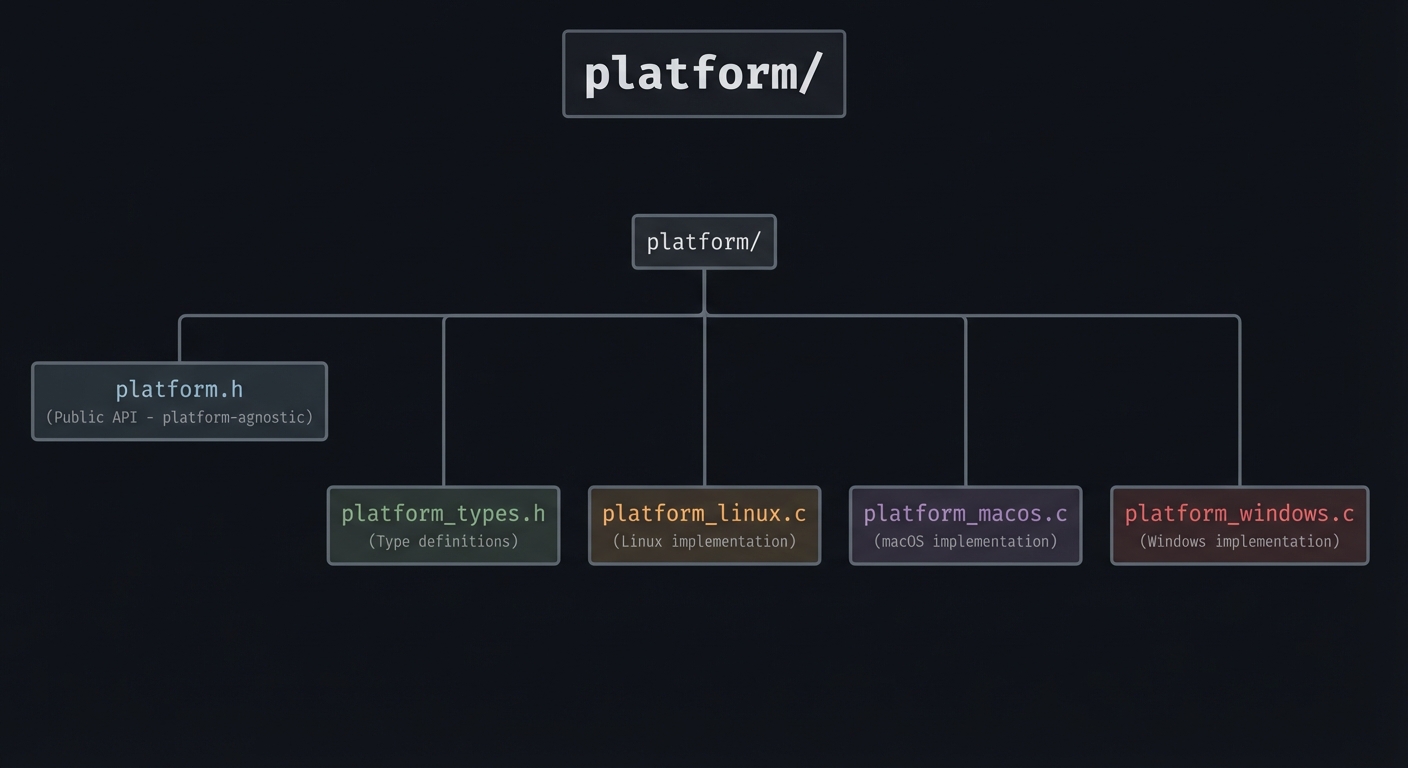
Hint 3: Build System Selection
# CMakeLists.txt
if(WIN32)
    target_sources(platform PRIVATE platform_windows.c)
    target_link_libraries(platform PRIVATE kernel32)
elseif(APPLE)
    target_sources(platform PRIVATE platform_macos.c)
elseif(UNIX)
    target_sources(platform PRIVATE platform_linux.c)
    target_link_libraries(platform PRIVATE pthread)
endif()
Hint 4: CI for Multiple Platforms
# GitHub Actions
jobs:
  build:
    strategy:
      matrix:
        os: [ubuntu-latest, macos-latest, windows-latest]
    runs-on: ${{ matrix.os }}
    steps:
      - uses: actions/checkout@v4
      - run: cmake -B build && cmake --build build
      - run: ctest --test-dir build
Books That Will Help
| Topic | Book | Chapter |
|---|---|---|
| Portability | “21st Century C” by Klemens | Ch. 9 |
| POSIX | “The Linux Programming Interface” by Kerrisk | Ch. 1-3 |
| Build systems | “The GNU Make Book” by Graham-Cumming | Ch. 7 |
Common Pitfalls & Debugging
Problem 1: “Works on Linux but crashes on Windows”
- Why: Different behavior for edge cases (NULL paths, empty strings)
- Debug: Run with sanitizers on all platforms
- Fix: Add defensive checks for platform-specific quirks
Problem 2: “CMake doesn’t detect my platform correctly”
- Why: Using wrong detection variables
- Fix: Use CMake’s built-in platform variables (WIN32, APPLE, UNIX)
Problem 3: “Can’t test Windows, I only have Linux”
- Fix: Use GitHub Actions or other CI for multi-platform testing
Definition of Done
- Provides a portability layer for file paths, time, and OS differences
- Builds on Linux, macOS, and Windows/WSL with minimal #ifdef
- Includes a feature-detection header and build config
- Tests verify consistent behavior across platforms
- CI or build scripts document platform differences
Project 13: C23 Modern Features Laboratory
- File: P13-C23_MODERN_FEATURES.md
- Main Programming Language: C
- Alternative Programming Languages: None
- Coolness Level: Level 4 - Hardcore Tech Flex
- Business Potential: Level 1 - Resume Gold
- Difficulty: Level 3 - Advanced
- Knowledge Area: Language Standards, Modern C
- Software or Tool: GCC 13+, Clang 17+
- Main Book: Effective C, 2nd Edition by Robert C. Seacord
What you’ll build: A showcase of C23 features including typeof, auto, nullptr, constexpr, attributes, and new library functions.
Why it teaches professional C: C23 brings significant improvements that make C safer and more expressive. Understanding these features prepares you for modern C development.
Core challenges you’ll face:
- New type inference → Maps to auto and typeof usage
- Compile-time evaluation → Maps to constexpr
- Attribute usage → Maps to [[nodiscard]], [[maybe_unused]], etc.
Real World Outcome
What you will see:
- Feature demonstrations: Working examples of each C23 feature
- Before/after comparisons: C17 vs C23 approaches
- Compatibility layer: Macros for C23 features in older compilers
Command Line Outcome Example:
# 1. Type inference with auto and typeof
$ ./c23_demo auto
C23 auto type inference:
  auto x = 42;          // x is int
  auto p = &x;          // p is int*
  auto arr[] = {1,2,3}; // arr is int[3]

C23 typeof operators:
  typeof(x) y = 100;    // y is int (same type as x)
  typeof_unqual(cp) p;  // p is char* (removes const)

# 2. nullptr and constexpr
$ ./c23_demo nullptr
nullptr vs NULL:
  NULL: ((void*)0) - can be confused with integer 0
  nullptr: dedicated null pointer constant (type nullptr_t)

$ ./c23_demo constexpr
constexpr vs const:
  const int x = func(); // Can be runtime value
  constexpr int y = 42; // MUST be compile-time constant

Array with constexpr size:
  constexpr size_t N = 10;
  int arr[N];  // Valid in C23!

# 3. Attributes
$ ./c23_demo attributes
[[nodiscard]] applied:
  error_code result = do_something();  // Warning if ignored!

[[deprecated("use new_func instead")]] applied:
  old_func();  // Compiler warning

[[fallthrough]] in switch:
  No warning for intentional fallthrough

# 4. Compiler compatibility check
$ ./c23_demo compat
Compiler: GCC 14.2.0
C23 support:
  auto: ✓ supported
  typeof: ✓ supported
  nullptr: ✓ supported
  constexpr: ✓ supported
  [[attributes]]: ✓ supported
  #embed: ✗ not yet (GCC 15+)
The Core Question You’re Answering
“What does modern C look like, and how do I use its newest features safely?”
Before you write any code, understand that C23 is a major modernization. It borrows good ideas from C++ (attributes, nullptr, auto) while staying true to C’s philosophy. Learning C23 now means you’re ready when it becomes the default.
Concepts You Must Understand First
Stop and research these before coding:
- Type Inference (auto, typeof)
- How does C23 auto differ from C++ auto?
- What is typeof vs typeof_unqual?
- When should you use explicit types vs inference?
- Book Reference: “Effective C, 2nd Edition” Appendix - Seacord
- Compile-Time Constants (constexpr)
- How does constexpr differ from const?
- What expressions can be constexpr?
- How does this help with array sizes?
- Book Reference: “Effective C, 2nd Edition” Appendix - Seacord
- Attributes
- What are the standard C23 attributes?
- How do attributes help prevent bugs?
- How do you handle compilers that don’t support them?
- Book Reference: “Effective C, 2nd Edition” Appendix - Seacord
Questions to Guide Your Design
Before implementing, think through these:
- Feature Coverage
- Which C23 features will you demonstrate?
- How will you show the improvement over C17?
- Compatibility
- How will you handle compilers without C23 support?
- Can you create fallback macros?
- Practical Application
- Where would each feature improve real code?
- What mistakes do they prevent?
Thinking Exercise
Compare Old and New
Before coding, compare these C17 and C23 approaches:
// C17: Explicit types everywhere
int x = 42;
int* p = &x;
const int SIZE = 10;  // Not usable as array size in some contexts

// C23: Type inference and constexpr
auto x = 42;
auto p = &x;
constexpr int SIZE = 10;  // Always usable as array size
int arr[SIZE];

// C17: NULL confusion
if (ptr == NULL || ptr == 0)  // Both work, confusing

// C23: nullptr clarity
if (ptr == nullptr)  // Clear null pointer check
Questions while comparing:
- When does auto make code clearer vs more confusing?
- What problems does constexpr solve that const doesn’t?
- Why is nullptr safer than NULL?
The Interview Questions They’ll Ask
Prepare to answer these:
- “What are the major new features in C23?”
- “How does C23 auto differ from C++ auto?”
- “What is the difference between nullptr and NULL?”
- “What is constexpr and when would you use it?”
- “What does [[nodiscard]] do and why is it useful?”
Hints in Layers
Hint 1: Compile with C23
gcc -std=c23 -Wall -Wextra your_code.c
# or
clang -std=c2x -Wall -Wextra your_code.c  # c2x for older clang
Hint 2: Feature Detection
#if __STDC_VERSION__ >= 202311L
    #define HAS_C23 1
#else
    #define HAS_C23 0
#endif

#if HAS_C23
    #define NODISCARD [[nodiscard]]
#else
    #define NODISCARD /* empty */
#endif
Hint 3: typeof Usage
// C23 typeof operators
#define SWAP(a, b) do { \
    typeof(a) _tmp = (a); \
    (a) = (b); \
    (b) = _tmp; \
} while(0)

// typeof_unqual removes qualifiers
const int x = 5;
typeof(x) y;          // y is const int
typeof_unqual(x) z;   // z is int (no const)
Hint 4: Attributes Demo
[[nodiscard]] int must_check(void);
[[deprecated("use new_api")]] void old_api(void);
[[maybe_unused]] static void helper(void);
[[noreturn]] void fatal_error(const char* msg);

switch (x) {
    case 1:
        do_something();
        [[fallthrough]];
    case 2:
        do_more();
        break;
}
Books That Will Help
| Topic | Book | Chapter |
|---|---|---|
| C23 features | “Effective C, 2nd Edition” by Seacord | Appendix |
| Modern C | “Modern C, Third Edition” by Gustedt | Ch. 1-2 |
| Type system | “21st Century C” by Klemens | Ch. 10 |
Common Pitfalls & Debugging
Problem 1: “Compiler says -std=c23 is not supported”
- Why: Older compiler version
- Fix: Update GCC to 13+ or Clang to 17+
- Workaround: Use -std=c2x for partial support
Problem 2: “auto doesn’t work like C++ auto”
- Why: C23 auto requires initializer and is more limited
- Fix: Understand that C23 auto is for objects only, not function returns
Problem 3: “Attributes cause errors on old compilers”
- Fix: Use feature detection macros to define empty fallbacks
Definition of Done
- Builds in C23 mode on GCC and Clang with a compatibility matrix
- Demonstrates _BitInt, nullptr, and stdckdint with minimal examples
- Uses standard attributes like [[nodiscard]] or [[maybe_unused]]
- Documents feature availability and fallbacks
- Each feature has a unit test
Project 14: Secure String and Buffer Library
- File: P14-SECURE_STRING_BUFFER.md
- Main Programming Language: C
- Alternative Programming Languages: None
- Coolness Level: Level 4 - Hardcore Tech Flex
- Business Potential: Level 2 - Micro-SaaS
- Difficulty: Level 4 - Expert
- Knowledge Area: Security, Memory Safety
- Software or Tool: GCC, AddressSanitizer, Fuzzing tools
- Main Book: Effective C, 2nd Edition by Robert C. Seacord
What you’ll build: A security-focused string and buffer library implementing Annex K interfaces, with fuzzing tests and formal verification considerations.
Why it teaches professional C: Security vulnerabilities in C often stem from string/buffer handling. Building a secure library teaches defensive coding patterns used in security-critical software.
Core challenges you’ll face:
- Bounds-checking interfaces → Maps to Annex K _s functions
- Defensive design → Maps to fail-safe patterns
- Security testing → Maps to fuzzing and verification
Real World Outcome
What you will see:
- Annex K implementations: strcpy_s, strcat_s, sprintf_s
- Fuzzing integration: AFL/libFuzzer test harness
- Security audit report: Documentation of security properties
Command Line Outcome Example:
# 1. Secure string operations
$ ./secure_demo strings
Standard (DANGEROUS):
  strcpy(dst, src) with src="AAAA...AA" (100 bytes)
  BUFFER OVERFLOW - wrote past dst[10]

Secure version:
  strcpy_s(dst, 10, src) with src="AAAA...AA" (100 bytes)
  Result: EINVAL (buffer too small)
  dst contents: "" (zeroed on error)

# 2. Constraint handler
$ ./secure_demo constraint
Setting constraint handler to abort_handler_s...
strcpy_s(dst, 10, NULL);
CONSTRAINT VIOLATION: src is NULL
  Called from: demo.c:42
  Calling abort()...
Aborted

# 3. Fuzzing results
$ ./fuzz_test -max_len=1000 -runs=1000000
Running 1000000 fuzzing iterations...
No crashes found in secure_strcpy_s
No crashes found in secure_strcat_s
1 edge case found in secure_sprintf_s:
  - Empty format string with args triggers assertion
Coverage: 98.5% of security-critical paths
The Core Question You’re Answering
“How do I write string handling code that can’t be exploited?”
Before you write any code, understand that buffer overflows remain a top vulnerability. The Annex K bounds-checking interfaces were designed to prevent entire classes of attacks. Even if your platform doesn’t support them natively, you can implement them yourself.
Concepts You Must Understand First
Stop and research these before coding:
- Annex K Bounds-Checking Interfaces
- What functions does Annex K provide?
- How do constraint handlers work?
- Why is Annex K controversial?
- Book Reference: “Effective C, 2nd Edition” Ch. 7 - Seacord
- Secure Coding Patterns
- What is defense in depth?
- How do you fail safely?
- What is input validation?
- Book Reference: “Effective C, 2nd Edition” Ch. 7 - Seacord
- Security Testing
- What is fuzzing and how does it find bugs?
- What is coverage-guided fuzzing?
- How do you write fuzz targets?
- Book Reference: AddressSanitizer docs
Questions to Guide Your Design
Before implementing, think through these:
- API Design
- What should happen when a constraint is violated?
- Should functions zero buffers on error?
- How will you handle NULL pointers?
- Error Handling
- What error values will you return?
- How will constraint handlers work?
- How will you log security events?
- Testing Strategy
- What edge cases must you test?
- How will you set up fuzzing?
- How will you measure coverage?
Thinking Exercise
Analyze Attack Scenarios
Before coding, analyze how your library prevents these attacks:
Attack: Buffer overflow via long input
  strcpy(dst, user_input);  // No bounds check
  -> Your library: strcpy_s(dst, sizeof(dst), user_input);

Attack: Off-by-one error
  strncpy(dst, src, sizeof(dst));  // Might not null-terminate!
  -> Your library: Always null-terminates

Attack: Integer overflow in size calculation
  malloc(n * sizeof(int));  // n * 4 might overflow
  -> Your library: Check for overflow before allocation

Attack: Format string vulnerability
  printf(user_input);  // User controls format!
  -> Your library: Validate format strings, reject %n
Questions while analyzing:
- What does your function do for each attack?
- How do you ensure the attack can’t succeed?
- What error does the caller see?
The Interview Questions They’ll Ask
Prepare to answer these:
- “What are the Annex K bounds-checking interfaces?”
- “How would you implement a secure string copy function?”
- “What is a constraint handler in secure C coding?”
- “How would you fuzz test a string library?”
- “What is the difference between strncpy and strcpy_s?”
Hints in Layers
Hint 1: Annex K Function Signature
errno_t strcpy_s(char* restrict dest,
                 rsize_t destsz,
                 const char* restrict src);
// Returns 0 on success, non-zero on error
// Zeros dest on error (fail-safe)
Hint 2: Constraint Handler
typedef void (*constraint_handler_t)(
    const char* restrict msg,
    void* restrict ptr,
    errno_t error
);

void set_constraint_handler_s(constraint_handler_t handler);

// Default handler might log and continue
// Strict handler might abort()
Hint 3: Fuzzing Target
// libFuzzer target
int LLVMFuzzerTestOneInput(const uint8_t* data, size_t size) {
    char dst[32];
    char* src = malloc(size + 1);
    if (!src) return 0;
    memcpy(src, data, size);
    src[size] = '\0';

    // Should never crash, overflow, or UB
    strcpy_s(dst, sizeof(dst), src);

    free(src);
    return 0;
}
Hint 4: Build with Fuzzing
clang -fsanitize=fuzzer,address -g fuzz_target.c secure_string.c
./a.out corpus/ -max_len=1000 -runs=1000000
Books That Will Help
| Topic | Book | Chapter |
|---|---|---|
| Secure strings | “Effective C, 2nd Edition” by Seacord | Ch. 7 |
| Security | “Computer Systems: A Programmer’s Perspective” by Bryant | Ch. 3 |
| Fuzzing | libFuzzer documentation | Online |
Common Pitfalls & Debugging
Problem 1: “My secure function is slower than standard”
- Why: Bounds checking has overhead
- Fix: This is expected! Security has a cost. Optimize hot paths carefully.
Problem 2: “Fuzzer found a crash in edge case”
- Why: You missed a validation check
- Fix: This is fuzzing working correctly! Fix the bug.
Problem 3: “Constraint handler can’t recover”
- Why: After constraint violation, state may be inconsistent
- Fix: Design functions to be fail-safe (zeroed output on error)
Definition of Done
- Implements bounds-checked string/buffer APIs with explicit error codes
- Includes fuzz tests for at least two APIs
- Runs clean under ASan/UBSan
- Documents threat model and misuse cases
- Includes compatibility guidance for Annex K or safe alternatives
Project 15: Performance-Optimized Data Structures
- File: P15-PERFORMANCE_DATA_STRUCTURES.md
- Main Programming Language: C
- Alternative Programming Languages: None
- Coolness Level: Level 5 - Pure Magic
- Business Potential: Level 2 - Micro-SaaS
- Difficulty: Level 5 - Master
- Knowledge Area: Data Structures, Performance
- Software or Tool: GCC, perf, Valgrind (cachegrind)
- Main Book: Mastering Algorithms with C by Kyle Loudon
What you’ll build: High-performance data structures (hash table, arena allocator, ring buffer) with cache-conscious design and benchmarking.
Why it teaches professional C: C is chosen for performance. Understanding cache behavior, memory layout, and algorithmic complexity in C teaches you to write code that’s actually fast, not just theoretically efficient.
Core challenges you’ll face:
- Cache-conscious design → Maps to data layout for cache efficiency
- Memory allocation strategies → Maps to arena and pool allocators
- Benchmarking accuracy → Maps to measuring real performance
Real World Outcome
What you will see:
- Hash table: Open addressing with Robin Hood hashing
- Arena allocator: Fast bulk allocation with single free
- Ring buffer: Lock-free SPSC queue for IPC
Command Line Outcome Example:
# 1. Hash table benchmark
$ ./bench hash_table
Hash Table Benchmark (1M operations):
Implementation      | Insert   | Lookup   | Delete   | Memory
--------------------|----------|----------|----------|--------
Naive chaining      | 245 ms   | 189 ms   | 201 ms   | 48 MB
Open addressing     | 112 ms   | 87 ms    | 95 ms    | 32 MB
Robin Hood          | 98 ms    | 65 ms    | 78 ms    | 32 MB

Cache statistics (Robin Hood):
  L1 cache misses: 12,345 (vs 89,012 for naive)
  L3 cache misses: 1,234 (vs 15,678 for naive)

# 2. Arena allocator
$ ./bench arena
Arena vs malloc (100K small allocations):
                    | Time     | Fragmentation | Free Time
--------------------|----------|---------------|----------
malloc/free         | 15 ms    | 23%          | 12 ms
Arena allocator     | 2 ms     | 0%           | 0.1 ms (bulk)

# 3. Ring buffer throughput
$ ./bench ring_buffer
SPSC Ring Buffer (producer-consumer):
  Message size: 64 bytes
  Buffer size: 4096 entries
  Throughput: 25M messages/second
  Latency (p99): 150 ns
The Core Question You’re Answering
“How do I write data structures that are fast in practice, not just in theory?”
Before you write any code, understand that Big-O complexity isn’t everything. Cache misses, branch mispredictions, and memory allocation overhead often dominate real performance. The fastest code minimizes these hidden costs.
Concepts You Must Understand First
Stop and research these before coding:
- Cache Architecture
- What are L1/L2/L3 caches and their latencies?
- What is a cache line and why does size matter?
- What is false sharing?
- Book Reference: “Computer Systems: A Programmer’s Perspective” by Bryant — Ch. 6
- Memory Allocation Patterns
- When is custom allocation faster than malloc?
- What is an arena allocator?
- What is a pool allocator?
- Book Reference: “Mastering Algorithms with C” by Loudon — Ch. 12
- Benchmarking
- Why are microbenchmarks misleading?
- How do you prevent compiler optimizations from skewing results?
- What cache/branch counters should you measure?
- Book Reference: “Computer Systems: A Programmer’s Perspective” by Bryant — Ch. 5
Questions to Guide Your Design
Before implementing, think through these:
- Data Layout
- How will you organize data for cache efficiency?
- What is the size of your main data structure?
- How many cache lines does an operation touch?
- Memory Strategy
- When will you allocate/deallocate?
- Can you use bulk allocation?
- How will you handle growth?
- Measurement
- What operations will you benchmark?
- How will you isolate the code under test?
- What hardware counters will you use?
Thinking Exercise
Analyze Cache Behavior
Before coding, analyze cache access patterns:
Hash Table with Chaining:
  lookup(key):
    hash = hash(key)           // Compute
    bucket = table[hash % N]    // CACHE MISS (pointer chase)
    while bucket:
      if bucket.key == key:    // CACHE MISS (key in different location)
        return bucket.value
      bucket = bucket.next     // CACHE MISS (pointer chase)

Open Addressing:
  lookup(key):
    hash = hash(key)
    i = hash % N
    while table[i].occupied:    // SEQUENTIAL ACCESS (cache friendly!)
      if table[i].key == key:   // KEY AND VALUE TOGETHER
        return table[i].value
      i = (i + 1) % N
Questions while analyzing:
- How many cache misses per lookup for each design?
- Why is open addressing more cache-friendly?
- What’s the downside of open addressing?
The Interview Questions They’ll Ask
Prepare to answer these:
- “What is cache-conscious programming?”
- “When would you use a custom allocator instead of malloc?”
- “What is Robin Hood hashing and why is it faster?”
- “How do you benchmark C code accurately?”
- “What is an arena allocator and when would you use one?”
Hints in Layers
Hint 1: Cache-Aligned Structures
// Ensure structure is cache-line sized
struct hash_entry {
    uint64_t key;
    uint64_t value;
    uint32_t hash;
    uint32_t distance;  // For Robin Hood
} __attribute__((aligned(64)));  // 64-byte cache line
Hint 2: Arena Allocator Structure
typedef struct arena {
    char* base;      // Start of memory region
    size_t size;     // Total size
    size_t offset;   // Current allocation offset
} arena_t;

void* arena_alloc(arena_t* a, size_t size) {
    size = ALIGN_UP(size, 16);  // Align allocations
    if (a->offset + size > a->size) return NULL;
    void* ptr = a->base + a->offset;
    a->offset += size;
    return ptr;
}

void arena_reset(arena_t* a) {
    a->offset = 0;  // "Free" everything instantly
}
Hint 3: Benchmarking with perf
# Compile with debug info
gcc -O2 -g benchmark.c -o benchmark

# Run with performance counters
perf stat -e cache-references,cache-misses,branches,branch-misses ./benchmark

# Detailed cache analysis
perf record -e cache-misses ./benchmark
perf report
Hint 4: Prevent Optimization of Benchmark
// Force compiler to not optimize away result
volatile int sink;
void benchmark(void) {
    int result = function_under_test();
    sink = result;  // Compiler must compute result
}
Books That Will Help
| Topic | Book | Chapter |
|---|---|---|
| Algorithms in C | “Mastering Algorithms with C” by Loudon | Ch. 8-12 |
| Cache optimization | “Computer Systems: A Programmer’s Perspective” by Bryant | Ch. 5-6 |
| Data structures | “Algorithms in C” by Sedgewick | Ch. 12-14 |
Common Pitfalls & Debugging
Problem 1: “My optimized version is slower than naive”
- Why: Microbenchmark doesn’t reflect real usage patterns
- Debug: Profile with realistic workload
- Fix: Optimize for actual access patterns
Problem 2: “perf shows high cache misses but code is simple”
- Why: Data doesn’t fit in cache or has poor locality
- Fix: Reorganize data layout, reduce structure size
Problem 3: “Benchmark results are inconsistent”
- Why: CPU frequency scaling, other processes, cache warmup
- Fix: Pin CPU frequency, run multiple iterations, use taskset
Definition of Done
- Implements at least two cache-aware data structures
- Benchmarks include warmup, multiple iterations, and variance reporting
- Collects perf/cachegrind results and explains trends
- Uses a memory allocation strategy suited to data access patterns
- Provides a performance report comparing naive vs optimized versions
Project 16: Real-Time Embedded Simulator
- File: P16-REALTIME_EMBEDDED_SIMULATOR.md
- Main Programming Language: C
- Alternative Programming Languages: None
- Coolness Level: Level 5 - Pure Magic
- Business Potential: Level 3 - Service & Support
- Difficulty: Level 5 - Master
- Knowledge Area: Embedded Systems, Real-Time Programming
- Software or Tool: GCC, QEMU (optional), Logic analyzer
- Main Book: Making Embedded Systems by Elecia White
What you’ll build: A simulated embedded system with interrupt handling, state machines, fixed-point math, and memory-constrained design patterns.
Why it teaches professional C: Embedded C is where C’s low-level nature shines. Building a simulated embedded system teaches constraints-based programming, real-time considerations, and resource management that apply to any performance-critical code.
Core challenges you’ll face:
- Resource constraints → Maps to working without dynamic allocation
- Real-time requirements → Maps to predictable timing
- Hardware abstraction → Maps to simulating hardware interfaces
Real World Outcome
What you will see:
- Simulated microcontroller: Timer, GPIO, UART peripherals
- Real-time scheduler: Cooperative multitasking with priorities
- Sensor processing: Fixed-point filtering and calibration
Command Line Outcome Example:
# 1. Run embedded simulator
$ ./embedded_sim
Embedded System Simulator v1.0
  CPU: Simulated 16MHz
  RAM: 4KB (stack: 1KB, heap: 0KB)
  Peripherals: Timer, GPIO, UART

Boot sequence:
  [0.000 ms] Hardware init... OK
  [0.012 ms] Calibration... OK
  [0.025 ms] Scheduler start... OK

Running tasks:
  [T+0.100 ms] sensor_read() - value: 2048 (raw), 25.3°C (calibrated)
  [T+0.200 ms] led_update() - LED: ON
  [T+1.000 ms] uart_transmit() - "TEMP:25.3\r\n"
  [T+1.100 ms] sensor_read() - value: 2052 (raw), 25.4°C (calibrated)

Interrupt log:
  [T+0.050 ms] TIMER_IRQ - tick
  [T+0.100 ms] TIMER_IRQ - tick
  ...

# 2. Fixed-point math demo
$ ./embedded_sim fixed_point
Fixed-Point Math (Q16.16):
  3.14159 represented as: 0x0003243F
  Multiply: 3.14159 * 2.0 = 6.28318
  Divide: 3.14159 / 2.0 = 1.57079
  Sin(PI/4) = 0.70711 (error: 0.00001)

# 3. Memory analysis
$ ./embedded_sim memory
Static memory usage:
  .text (code):  2,341 bytes
  .rodata:       128 bytes
  .data:         64 bytes
  .bss:          256 bytes
  Total Flash:   2,533 bytes
  Total RAM:     320 bytes (8% of 4KB)

Stack high-water mark: 412 bytes
No heap used (embedded safe!)
The Core Question You’re Answering
“How do I write C for systems with severe constraints on memory, timing, and reliability?”
Before you write any code, understand that embedded C is different. No malloc (or very limited), no printf (or very expensive), no floating-point (or slow), no OS (often). Every byte and cycle counts. This discipline makes you a better C programmer everywhere.
Concepts You Must Understand First
Stop and research these before coding:
- Memory-Constrained Design
- How do you avoid dynamic allocation?
- What are static pools and object pools?
- How do you measure stack usage?
- Book Reference: “Making Embedded Systems” by White — Ch. 3
- Fixed-Point Arithmetic
- Why avoid floating-point in embedded?
- How does Q16.16 fixed-point work?
- How do you handle overflow?
- Book Reference: “Making Embedded Systems” by White — Ch. 5
- Interrupt Handling
- What makes interrupt-safe code?
- What is volatile and when is it needed?
- How do you share data between ISR and main code?
- Book Reference: “Making Embedded Systems” by White — Ch. 6
Questions to Guide Your Design
Before implementing, think through these:
- Hardware Abstraction
- How will you simulate peripherals?
- What registers will you model?
- How will you generate interrupts?
- Scheduling
- How will tasks be scheduled?
- How will you ensure timing predictability?
- How will you handle priority inversion?
- Resource Budget
- What is your RAM budget per module?
- What is your maximum stack depth?
- What is your timing budget per task?
Thinking Exercise
Design Interrupt-Safe Communication
Before coding, design how the sensor ISR and main task will communicate:
// WRONG: Race condition
int sensor_value;  // Shared between ISR and task

void TIMER_ISR(void) {
    sensor_value = read_adc();  // Write in ISR
}

void sensor_task(void) {
    int local = sensor_value;  // Read in task
    // PROBLEM: Read might get partially-updated value!
}

// SOLUTION: ???
// How do you make this safe without locks (ISR can't block)?
Questions while designing:
- Why can’t you use a mutex here?
- What does volatile do and not do?
- How do you ensure atomic access?
- What if sensor_value is 32-bit on an 8-bit CPU?
The Interview Questions They’ll Ask
Prepare to answer these:
- “Why would you avoid malloc in embedded systems?”
- “What is volatile and when is it required?”
- “How do you implement fixed-point arithmetic?”
- “What is a cooperative scheduler vs preemptive?”
- “How do you measure stack usage in an embedded system?”
Hints in Layers
Hint 1: Fixed-Point Math
// Q16.16 format: 16 bits integer, 16 bits fraction
typedef int32_t fixed_t;
#define FIXED_SHIFT 16
#define FIXED_ONE (1 << FIXED_SHIFT)

#define FLOAT_TO_FIXED(f) ((fixed_t)((f) * FIXED_ONE))
#define FIXED_TO_FLOAT(x) ((float)(x) / FIXED_ONE)

fixed_t fixed_mul(fixed_t a, fixed_t b) {
    return (fixed_t)(((int64_t)a * b) >> FIXED_SHIFT);
}
Hint 2: Volatile for Hardware Registers
// Hardware register must be volatile
typedef struct {
    volatile uint32_t DATA;
    volatile uint32_t STATUS;
    volatile uint32_t CONTROL;
} UART_TypeDef;

#define UART1 ((UART_TypeDef*)0x40001000)

void uart_send(char c) {
    while (!(UART1->STATUS & TX_READY))
        ;  // Busy wait (reads STATUS each iteration due to volatile)
    UART1->DATA = c;
}
Hint 3: Static Task Scheduling
// Cooperative scheduler with static allocation
typedef struct {
    void (*func)(void);
    uint32_t period_ms;
    uint32_t last_run;
} task_t;

static task_t tasks[] = {
    { sensor_read, 100, 0 },   // Every 100ms
    { led_update, 200, 0 },    // Every 200ms
    { uart_transmit, 1000, 0 } // Every 1 second
};

void scheduler_run(void) {
    uint32_t now = get_tick_ms();
    for (int i = 0; i < ARRAY_SIZE(tasks); i++) {
        if (now - tasks[i].last_run >= tasks[i].period_ms) {
            tasks[i].func();
            tasks[i].last_run = now;
        }
    }
}
Hint 4: Stack Usage Painting
// Fill stack with pattern at startup
void paint_stack(void) {
    extern uint32_t _stack_start, _stack_end;
    for (uint32_t* p = &_stack_start; p < &_stack_end; p++) {
        *p = 0xDEADBEEF;  // Magic pattern
    }
}

// Check high-water mark
size_t check_stack_usage(void) {
    extern uint32_t _stack_start, _stack_end;
    uint32_t* p = &_stack_start;
    while (*p == 0xDEADBEEF && p < &_stack_end) p++;
    return ((char*)&_stack_end - (char*)p);  // Bytes used
}
Books That Will Help
| Topic | Book | Chapter |
|---|---|---|
| Embedded design | “Making Embedded Systems” by White | Ch. 1-6 |
| Bare metal C | “Bare Metal C” by Oualline | Ch. 1-4 |
| Real-time | “Making Embedded Systems” by White | Ch. 7 |
Common Pitfalls & Debugging
Problem 1: “My ISR doesn’t seem to run”
- Why: Interrupt not enabled, wrong priority, or handler name
- Debug: Check interrupt enable registers, verify vector table
- Fix: Ensure proper interrupt configuration
Problem 2: “Fixed-point calculation gives wrong result”
- Why: Overflow in intermediate calculation
- Debug: Print intermediate values, check for wraparound
- Fix: Use wider intermediate type (int64_t for Q16.16 multiply)
Problem 3: “Stack overflow corrupts data”
- Why: Deep call stack or large local variables
- Debug: Paint stack, check high-water mark
- Fix: Reduce stack usage, increase stack size, use static buffers
Definition of Done
- Simulator boot sequence and peripherals behave deterministically
- Scheduler meets timing deadlines under load
- Fixed-point math unit tests pass with acceptable error
- ISR/task communication is race-free and documented
- Memory usage report includes stack high-water mark and no heap usage