Project 7: Extension and Plugin Compatibility Lab
A compatibility report for extensions across agent ecosystems.
Quick Reference
| Attribute | Value |
|---|---|
| Difficulty | 3 |
| Time Estimate | 2 Weeks |
| Language | JavaScript (Alternatives: Python) |
| Prerequisites | CLI basics, JSON/YAML, scripting fundamentals |
| Key Topics | Capability mapping, Version compatibility, Isolation |
1. Learning Objectives
By completing this project, you will:
- Explain capability mapping in the context of extension and plugin compatibility lab.
- Design a lightweight schema or workflow that addresses maps to adapter patterns.
- Validate outcomes using explicit checks and logs.
- Document trade-offs and failure modes for this project.
2. Theoretical Foundation
2.1 Core Concepts
- Capability mapping: Focus on how maps to adapter patterns impacts interoperability and automation.
- Contract boundaries: Define where responsibilities split between agents and adapters.
- Feedback loops: Ensure outputs are measurable and comparable across tools.
2.2 Why This Matters
This project makes interoperability concrete. Without a shared structure, automation becomes fragile. This work forces you to define a stable interface that survives tool changes and version drift.
2.3 Historical Context / Background
Developer tooling has always faced fragmentation: different shells, different config formats, and different automation pipelines. Multi-agent systems are the modern version of that fragmentation and require the same discipline.
2.4 Common Misconceptions
- Assuming all CLIs expose identical capabilities.
- Treating output formats as stable without validation.
- Ignoring governance and approval requirements in automation.
3. Project Specification
3.1 What You Will Build
A compatibility report for extensions across agent ecosystems.
3.2 Functional Requirements
- Baseline definition: Document the minimum data or behavior required.
- Mapping layer: Provide a normalization or translation mechanism.
- Verification step: Add checks that confirm expected outcomes.
- Failure handling: Define how to respond to mismatches or missing data.
3.3 Non-Functional Requirements
- Performance: Keep workflows lightweight and repeatable.
- Reliability: Ensure partial failures are detected and logged.
- Usability: Provide clear outputs for human review.
3.4 Example Usage / Output
$ run-extension-and-plugin-compatibility-lab --dry-run
[info] Project: Extension and Plugin Compatibility Lab
[info] Inputs validated, mapping layer ready
[info] Output schema: normalized-v1
[info] No changes applied (dry-run)
3.5 Real World Outcome
You will have a concrete artifact (schema, routing rule, or policy) that your automation can reference. You will see clear before/after behavior: with the artifact in place, outputs are normalized and decisions are traceable.
4. Solution Architecture
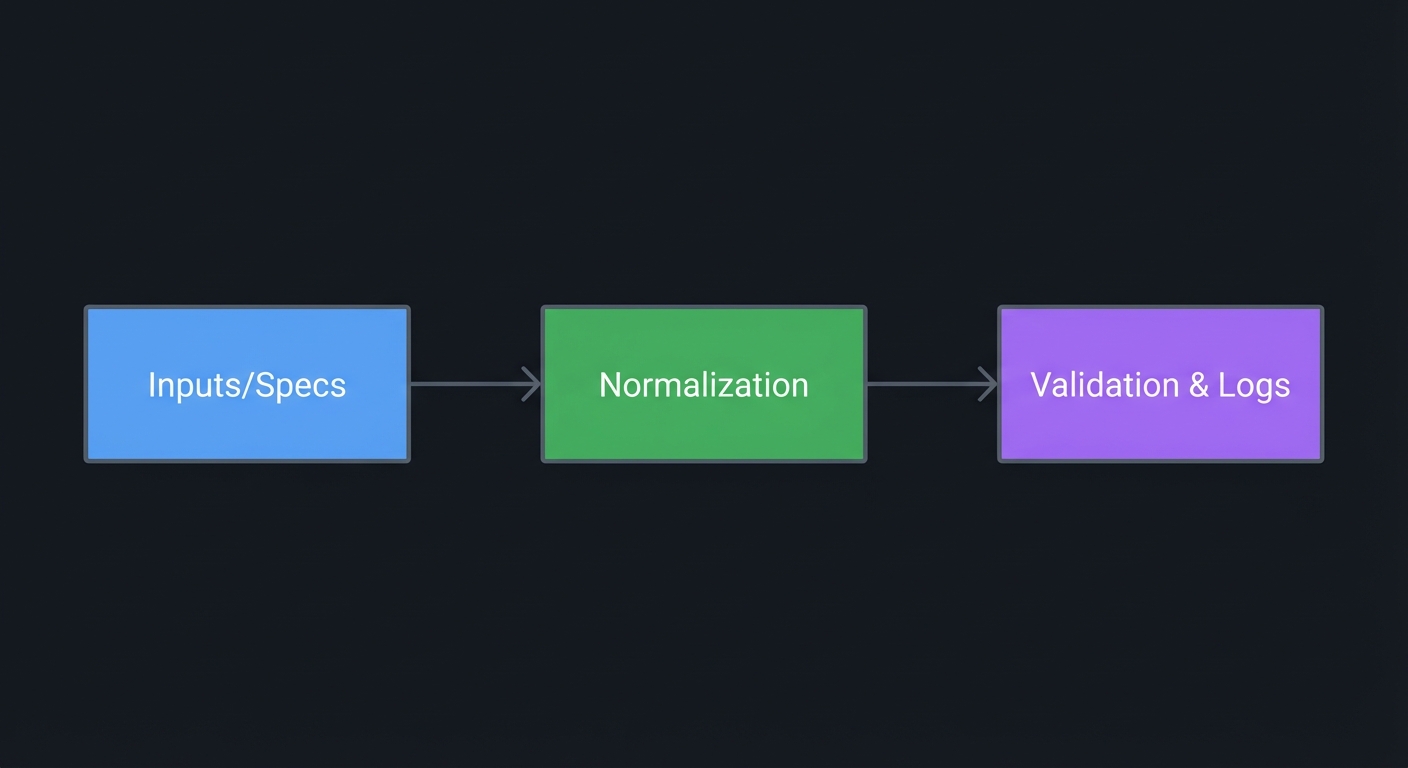
4.1 High-Level Design
┌──────────────┐     ┌────────────────┐     ┌───────────────────┐
│ Inputs/Specs │────▶│ Normalization  │────▶│ Validation & Logs │
└──────────────┘     └────────────────┘     └───────────────────┘
4.2 Key Components
| Component | Responsibility | Key Decisions |
|---|---|---|
| Intake | Gather inputs and constraints | Keep a single source of truth |
| Adapter | Translate agent-specific details | Normalize to a shared schema |
| Validator | Check outputs and policies | Fail fast on violations |
4.3 Data Structures
// Example structure (pseudocode)
record TaskSpec {
    id
    goal
    constraints
    agentTargets
}
4.4 Algorithm Overview
Key Algorithm: Normalization and Validation
- Collect project inputs and constraints.
- Normalize into a canonical schema.
- Validate outputs and record results.
- Emit a report for humans and downstream automation.
Complexity Analysis:
- Time: O(n) with respect to inputs
- Space: O(n) for stored mappings and logs
5. Implementation Guide
5.1 Development Environment Setup
# Use your standard scripting runtime and CLI tools
# Verify the CLIs you plan to compare are installed
5.2 Project Structure
project-root/
├── specs/
│   └── extension-and-plugin-compatibility-lab-schema.md
├── data/
│   └── sample-inputs.json
├── reports/
│   └── run-summary.md
└── README.md
5.3 The Core Question You’re Answering
“How do I make extension and plugin compatibility lab reliable across multiple agents?”
Before you build anything, make sure you can answer this question without looking at notes. If you cannot, stop and refine the spec.
5.4 Concepts You Must Understand First
Stop and research these before coding:
- Schema discipline
- What fields are required vs optional?
- How do you prevent ambiguity?
- Policy enforcement
- How do approvals and sandbox boundaries affect this project?
- Logging and auditability
- What must be logged for debugging and governance?
5.5 Questions to Guide Your Design
Before implementing, think through these:
- Normalization
- What parts must be standardized for interoperability?
- What can remain agent-specific?
- Validation
- How will you detect invalid or incomplete outputs?
- What should happen on failure?
- Human review
- Which steps should require a checkpoint?
- How will reviewers see the evidence?
5.6 Thinking Exercise
Trace the Workflow
Before writing anything, sketch the workflow from input to output. Mark every point where data changes shape or meaning.
Questions while sketching:
- Where is information lost or transformed?
- Which step is the most fragile?
- Where should validation occur?
5.7 The Interview Questions They’ll Ask
Prepare to answer these:
- “What is the main interoperability constraint in this project?”
- “How do you normalize outputs across tools?”
- “What validation checks prevent failures?”
- “How do you handle tool-specific exceptions?”
- “How do you log decisions for audits?”
5.8 Hints in Layers
Hint 1: Start with a list Write down the minimal inputs and outputs you need.
Hint 2: Define a contract Decide which fields are required and how they are validated.
Hint 3: Map to agents Write mapping rules for each CLI or agent you plan to support.
Hint 4: Add guardrails Add explicit checks and clear failure messages for unsafe cases.
5.9 Books That Will Help
| Topic | Book | Chapter |
|---|---|---|
| Interfaces | “Clean Architecture” by Robert C. Martin | Ch. 8 |
| Reliability | “Release It!” by Michael T. Nygard | Ch. 3 |
| Data modeling | “Designing Data-Intensive Applications” by Martin Kleppmann | Ch. 1 |
5.10 Implementation Phases
Phase 1: Foundation (2 Weeks)
Goals:
- Establish the baseline inputs and constraints
- Capture the minimal schema for interoperability
Tasks:
- Inventory the required inputs for Extension and Plugin Compatibility Lab.
- Document the canonical fields and expected outputs.
Checkpoint: A draft spec exists with required fields and examples.
Phase 2: Core Functionality (2 Weeks)
Goals:
- Implement the normalization flow
- Add validation and logging rules
Tasks:
- Build the mapping rules for each target agent.
- Define validation checks for success and failure.
Checkpoint: Sample runs produce normalized outputs and logs.
Phase 3: Polish & Edge Cases (2 Weeks)
Goals:
- Cover edge cases and failure handling
- Document operational guidance
Tasks:
- Identify top failure modes and define responses.
- Add usability notes and runbook steps.
Checkpoint: Edge-case checklist is documented and tested.
5.11 Key Implementation Decisions
| Decision | Options | Recommendation | Rationale |
|---|---|---|---|
| Normalization scope | Minimal vs exhaustive | Minimal | Keeps the system maintainable |
| Validation strictness | Lenient vs strict | Strict | Reduces downstream errors |
| Storage | File-based vs service | File-based | Faster to iterate in early stages |
6. Testing Strategy
6.1 Test Categories
| Category | Purpose | Examples |
|---|---|---|
| Unit Tests | Validate mapping rules | Schema field checks |
| Integration Tests | Validate end-to-end flow | Sample tasks across agents |
| Edge Case Tests | Validate failure handling | Missing fields, invalid outputs |
6.2 Critical Test Cases
- Missing required field: Expect a validation error and no output.
- Unsupported agent capability: Expect a fallback or clear failure message.
- Schema mismatch: Expect normalization to flag incompatibility.
6.3 Test Data
input: minimal task spec
output: normalized report
7. Common Pitfalls & Debugging
7.1 Frequent Mistakes
| Pitfall | Symptom | Solution |
|---|---|---|
| Over-normalizing | Loss of important detail | Keep agent-specific metadata |
| Skipping validation | Silent failures | Add explicit checks |
| Poor logging | Debugging is slow | Add correlation IDs |
7.2 Debugging Strategies
- Trace logs: Follow correlation IDs across steps.
- Compare outputs: Run the same input across agents and diff results.
7.3 Performance Traps
Large specs or over-detailed schemas can slow iteration. Keep the first version minimal and expand only when needed.
8. Extensions & Challenges
8.1 Beginner Extensions
- Add a simple report summary
- Add a manual review checklist
8.2 Intermediate Extensions
- Add configurable validation rules
- Add a diff view for comparisons
8.3 Advanced Extensions
- Add automated regression tracking
- Add a policy-based routing module
9. Real-World Connections
9.1 Industry Applications
- Agent platforms: Adapter layers for CLI tools and APIs.
- Dev productivity tools: Standardized outputs for pipelines and audits.
9.2 Related Open Source Projects
- MCP ecosystem: https://code.claude.com/docs/en/mcp - Shared context and tool access.
- Gemini CLI extensions: https://geminicli.com/docs/extensions/ - Plugin portability patterns.
9.3 Interview Relevance
This project prepares you to discuss interoperability design, reliability, and governance in technical interviews.
10. Resources
10.1 Essential Reading
- “Clean Architecture” by Robert C. Martin - Chapters on boundaries and interfaces
- “Release It!” by Michael T. Nygard - Failure modes and stability patterns
10.2 Video Resources
- Focus on CLI automation and agent interoperability talks from industry conferences
10.3 Tools & Documentation
- https://developers.openai.com/codex/cli
- https://code.claude.com/docs/en/cli-reference
- https://geminicli.com/docs/cli/commands/
- https://kiro.dev/docs/cli/chat/configuration/
10.4 Related Projects in This Series
- Project 1: Establishes capability baselines
- Project 14: Adds logging and observability
- Project 28: Builds event-driven orchestration
11. Self-Assessment Checklist
Before considering this project complete, verify:
11.1 Understanding
- I can explain the main interoperability constraint for this project
- I can describe the normalization and validation flow
- I can identify at least two failure modes and their fixes
11.2 Implementation
- All functional requirements are met
- Validation checks pass consistently
- Logs provide enough detail for debugging
- Edge cases are handled
11.3 Growth
- I can identify at least one improvement for the next iteration
- I documented lessons learned
- I can explain this project in a job interview
12. Submission / Completion Criteria
Minimum Viable Completion:
- Defined a clear schema or policy
- Ran at least one validation pass
- Documented results in a report
Full Completion:
- Added edge-case handling and retries
- Produced a reusable template for future runs
Excellence (Going Above & Beyond):
- Added automated regression checks
- Documented integration into a larger automation pipeline
This guide was generated from LEARN_MULTI_AGENT_INTEROPERABILITY_DEEP_DIVE.md. For the complete learning path, see the parent directory README.