Project 22: Time and Utility Toolkit
Explore time APIs, variadic functions, and stdlib utilities.
Quick Reference
| Attribute | Value |
|---|---|
| Difficulty | Level 3 (Advanced) |
| Time Estimate | 10-20 hours |
| Language | C |
| Prerequisites | Basic C syntax, Functions and control flow |
| Key Topics | time APIs, variadic, sorting/searching, random numbers, error handling |
1. Learning Objectives
By completing this project, you will:
- Apply time APIs in a real program
- Apply variadic in a real program
- Apply sorting/searching in a real program
- Apply random numbers in a real program
2. Theoretical Foundation
2.1 Core Concepts
- time APIs: Core concept needed for this project.
- variadic: How it shapes correctness and design trade-offs.
- sorting/searching: Practical rules that impact implementation.
2.2 Why This Matters
These topics appear in production C code constantly and are easiest to learn by building a full end-to-end tool.
2.3 Historical Context / Background
C practices around time APIs evolved to keep programs portable across compilers and platforms.
2.4 Common Misconceptions
- Assuming input is always well-formed
- Forgetting that C does not manage memory for you
- Ignoring edge cases until late in development
3. Project Specification
3.1 What You Will Build
A toolkit that demonstrates time formatting, random numbers, qsort/bsearch, and variadic output.
3.2 Functional Requirements
- Implement the core features described above
- Validate inputs and handle error cases
- Provide a CLI demo and tests
3.3 Non-Functional Requirements
- Performance: Must handle typical inputs without noticeable delay
- Reliability: Must reject invalid inputs and fail safely
- Usability: Output should be readable and consistent
3.4 Example Usage / Output
$ ./timetool
Now: 2024-12-28 14:35
Sorted: 1 2 3 5 8
3.5 Real World Outcome
$ ./timetool
Elapsed: 0.023s
4. Solution Architecture
4.1 High-Level Design
┌─────────────┐     ┌─────────────┐     ┌─────────────┐
│  Input      │────▶│  Core Logic │────▶│  Output     │
└─────────────┘     └─────────────┘     └─────────────┘

4.2 Key Components
| Component | Responsibility | Key Decisions |
|---|---|---|
| Core Logic | Apply main rules | Keep functions small |
| Output | Format results | Consistent formatting |
4.3 Data Structures
struct Timer { clock_t start; clock_t end; };
4.4 Algorithm Overview
Key Algorithm: qsort comparator
- Define compare
- Sort data
- Search or report
Complexity Analysis:
- Time: O(n log n)
- Space: O(log n)
5. Implementation Guide
5.1 Development Environment Setup
# Build
cc -std=c99 -Wall -Wextra -o demo *.c
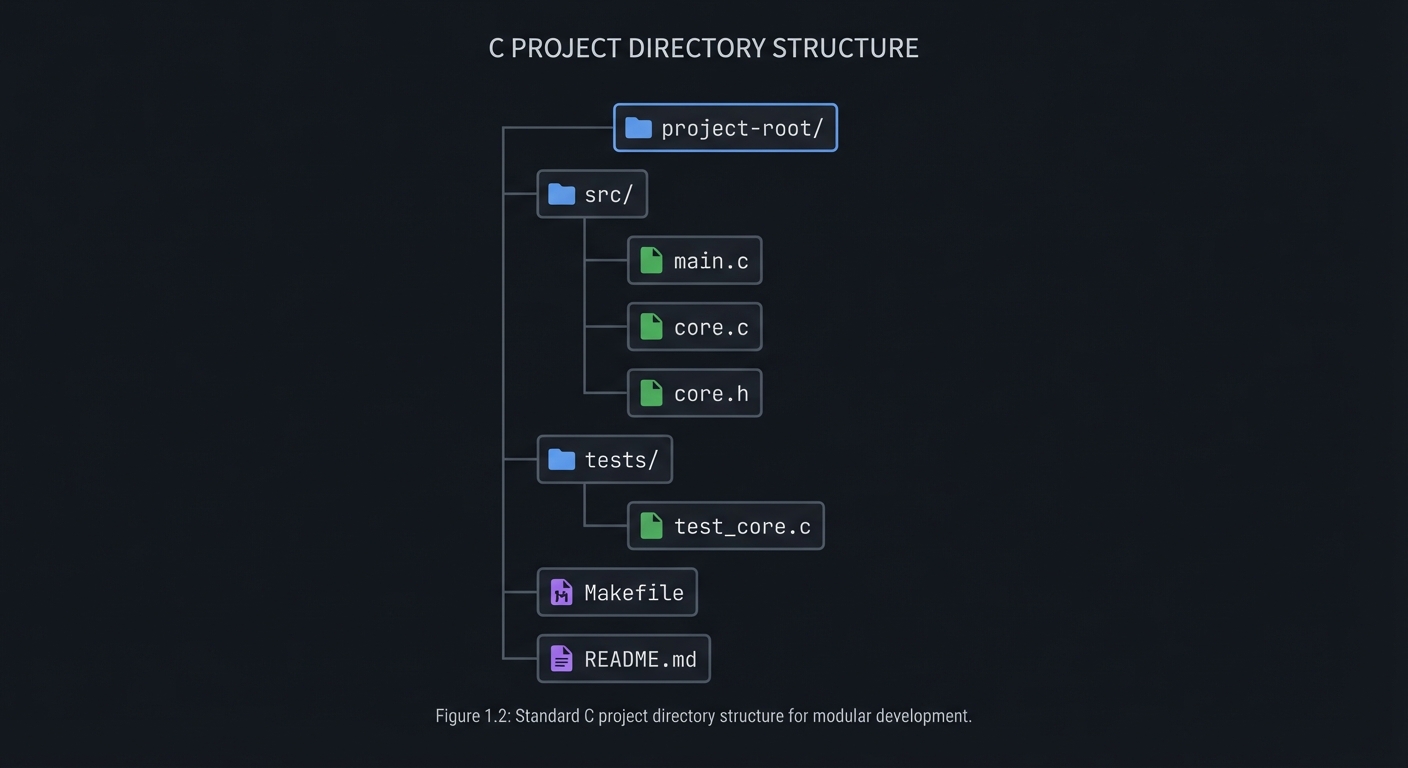
5.2 Project Structure
project-root/
├── src/
│   ├── main.c
│   ├── core.c
│   └── core.h
├── tests/
│   └── test_core.c
├── Makefile
└── README.md
5.3 The Core Question You’re Answering
“How do the remaining standard library utilities work in practice?”
5.4 Concepts You Must Understand First
Stop and research these before coding:
- Time Apis
- What is it and why does it matter here?
- How will you validate inputs around it?
- Book Reference: Ch. 25-27
- Variadic
- What common mistakes happen with this concept?
- How do you test it?
- Book Reference: Ch. 25-27
- Sorting/Searching
- What edge cases show up in real programs?
- How will you observe failures?
- Book Reference: Ch. 25-27
5.5 Questions to Guide Your Design
Before implementing, think through these:
- What is the smallest input that should work?
- What is the riskiest edge case?
- Where should errors be reported to the user?
5.6 Thinking Exercise
Sketch a sample input and output by hand, then trace the steps your program must perform to transform one into the other.
5.7 The Interview Questions They’ll Ask
Prepare to answer these:
- Explain how time APIs works in C.
- What are common mistakes with variadic?
- How do you test edge cases for sorting/searching?
- How do you handle errors without exceptions in C?
- What would you refactor first in your solution?
5.8 Hints in Layers
Hint 1: Start with the smallest possible input and prove the output. Hint 2: Add validation before adding features. Hint 3: Write tests for edge cases early. Hint 4: Refactor once the behavior is correct.
5.9 Books That Will Help
| Topic | Book | Chapter |
|---|---|---|
| Core project concepts | “C Programming: A Modern Approach” | Ch. 25-27 |
| C idioms | “The C Programming Language” | Ch. 1-3 |
| Defensive C | “Effective C” | Ch. 2-5 |
5.10 Implementation Phases
Phase 1: Foundation (2-4 hours)
Goals:
- Set up project structure
- Implement minimal working path
Tasks:
- Create headers and source files
- Build a minimal demo
Checkpoint: You can compile and run a basic demo
Phase 2: Core Functionality (4-8 hours)
Goals:
- Implement main features
- Handle errors
Tasks:
- Add main functions
- Add validation and error codes
Checkpoint: All main requirements work with sample inputs
Phase 3: Polish & Edge Cases (2-4 hours)
Goals:
- Handle edge cases
- Improve usability
Tasks:
- Add tests for edge cases
- Clean output and docs
Checkpoint: All tests pass and output is stable
5.11 Key Implementation Decisions
| Decision | Options | Recommendation | Rationale |
|---|---|---|---|
| Data representation | Array vs struct | Struct | Clear invariants and interfaces |
| Error handling | Return codes vs global | Return codes | Easier to test and reason |
6. Testing Strategy
6.1 Test Categories
| Category | Purpose | Examples |
|---|---|---|
| Unit Tests | Test core functions | Single input -> expected output |
| Integration Tests | End-to-end CLI | Sample input files |
| Edge Case Tests | Boundaries and invalid input | Empty input, max values |
6.2 Critical Test Cases
- Valid input for the happy path
- Invalid input that should be rejected
- Boundary values and empty input
6.3 Test Data
$ ./timetool
7. Common Pitfalls & Debugging
7.1 Frequent Mistakes
| Pitfall | Symptom | Solution |
|---|---|---|
| Missing input validation | Crashes or wrong output | Validate inputs early |
| Off-by-one errors | Boundary failures | Test edges explicitly |
| Memory misuse | Leaks or crashes | Free resources on all paths |
7.2 Debugging Strategies
- Use
-Wall -Wextra -fsanitize=addressduring development - Add small debug prints around the failing step
7.3 Performance Traps
Avoid unnecessary copies and repeated scans of the same data.
8. Extensions & Challenges
8.1 Beginner Extensions
- Add basic configuration flags
- Improve output formatting
8.2 Intermediate Extensions
- Support file input and output
- Add richer error messages
8.3 Advanced Extensions
- Optimize performance for large inputs
- Add extra features beyond the original scope
9. Real-World Connections
9.1 Industry Applications
- Developer tooling: Uses similar parsing and reporting patterns
- Systems utilities: Requires careful input validation and performance
9.2 Related Open Source Projects
- coreutils: Small utilities that mirror these patterns
- musl: Clean, minimal C implementations
9.3 Interview Relevance
- time APIs: Common in systems interviews
- variadic: Used to test fundamentals
10. Resources
10.1 Essential Reading
- “C Programming: A Modern Approach” by K.N. King - Ch. 25-27
- “The Linux Programming Interface” by Michael Kerrisk - relevant I/O chapters
10.2 Video Resources
- “YouTube: C programming deep dives”
- “YouTube: Debugging C with gdb”
10.3 Tools & Documentation
- GCC/Clang: Compiler and warnings
- GDB/LLDB: Debugging runtime behavior
10.4 Related Projects in This Series
- Previous Project: Robust Error Handler
- Next Project: None
11. Self-Assessment Checklist
Before considering this project complete, verify:
11.1 Understanding
- I can explain the main concepts without notes
- I can describe the data flow and key structures
- I understand why key design decisions were made
11.2 Implementation
- All functional requirements are met
- All test cases pass
- Code is clean and documented
- Edge cases are handled
11.3 Growth
- I can identify one improvement for next time
- I’ve documented lessons learned
- I can explain this project in an interview
12. Submission / Completion Criteria
Minimum Viable Completion:
- Functional CLI or library output with sample inputs
- Clear error handling for invalid inputs
- Tests for at least 3 edge cases
Full Completion:
- All minimum criteria plus:
- Clean project structure with docs
- Expanded tests for invalid inputs
Excellence (Going Above & Beyond):
- Performance or UX improvements
- Extra extensions implemented
This guide was generated from LEARN_C_MODERN_APPROACH_KING.md. For the complete learning path, see the parent directory.