P04: File Signature (Magic Number) Identifier
How do computers know what a file actually is, independent of what humans name it?
Quick Reference
| Attribute | Value |
|---|---|
| Difficulty | Intermediate |
| Time Estimate | A few hours |
| Main Language | Python |
| Alternative Languages | Go, C, Rust |
| Prerequisites | Basic file handling, Project 1 concepts (binary/hex conversion) |
| Key Topics | Binary file I/O, magic numbers, byte sequences, file forensics |
Table of Contents
- Learning Objectives
- Project Overview
- The Core Question You’re Answering
- Concepts You Must Understand First
- Deep Theoretical Foundation
- Real World Outcome
- Questions to Guide Your Design
- Thinking Exercise
- Project Specification
- Solution Architecture
- Hints in Layers
- Common File Signatures Reference
- Common Pitfalls & Debugging
- Testing Strategy
- Definition of Done
- Extensions & Challenges
- The Interview Questions They’ll Ask
- Books That Will Help
- Self-Assessment Checklist
Learning Objectives
By completing this project, you will:
-
Master Binary File I/O: Understand the critical difference between text mode and binary mode when reading files, and why this matters for examining raw bytes.
-
Recognize File Signatures (Magic Numbers): Learn how files self-identify through specific byte sequences at the beginning (and sometimes other locations) of the file.
-
Work with Raw Bytes in Your Language: Gain proficiency in reading, comparing, and displaying bytes in Python (or your chosen language), including the distinction between bytes objects and strings.
-
Build Security Awareness: Understand why file extensions are unreliable and how file signature analysis is used in security, forensics, and malware analysis.
-
Design Data Structures for Lookup: Create an efficient and maintainable database of file signatures that handles variable-length patterns and offsets.
-
Apply Hexadecimal Knowledge: Reinforce your understanding of hex notation by working with real-world binary data.
Project Overview
What you’re building: A command-line tool that reads the first 8+ bytes of any file and identifies its true file type based on magic numbers (file signatures), regardless of what the file extension claims.
Why it matters: File extensions are just labels that can be easily changed. A malicious actor could rename malware.exe to harmless.pdf. The only reliable way to know what a file truly is - at the binary level - is to examine its signature bytes. This is how security tools, file managers, and forensic software work.
Real-world applications:
- Malware detection and analysis
- File forensics and incident response
- Email attachment scanning
- File upload validation (security feature)
- Data recovery from corrupted file systems
- Building file managers and preview tools
+------------------------------------------------------------------+
|                    File Signature Identification                  |
+------------------------------------------------------------------+
|                                                                  |
|   User provides a file:                                          |
|   $ python file_identifier.py mystery_image.dat                  |
|                                                                  |
|   Your tool reads the first bytes:                               |
|   +-----------------+                                            |
|   | 89 50 4E 47 0D 0A 1A 0A ...                                  |
|   +-----------------+                                            |
|        |                                                         |
|        v                                                         |
|   +------------------+                                           |
|   | Signature        |                                           |
|   | Database Lookup  |                                           |
|   +------------------+                                           |
|        |                                                         |
|        v                                                         |
|   +-------------------------------------------+                  |
|   | RESULT:                                   |                  |
|   | File type: PNG Image                      |                  |
|   | Signature: 89 50 4E 47 0D 0A 1A 0A        |                  |
|   | Extension mismatch: Expected .png,        |                  |
|   |                     got .dat              |                  |
|   +-------------------------------------------+                  |
|                                                                  |
+------------------------------------------------------------------+
The Core Question You’re Answering
“How do computers know what a file actually is, independent of what humans name it?”
When you double-click a file on your computer, how does the operating system know to open it with the right application? You might think “it looks at the extension” - and you’d be partially right. But what happens when:
- A file has no extension?
- The extension has been changed (accidentally or maliciously)?
- You’re analyzing files from an unknown source?
The answer lies in file signatures - specific byte patterns that files use to identify themselves. These are also called magic numbers because they appear like “magic” identification codes at the beginning of files.
Think of it like this: A file extension is like a name tag that says “Hi, I’m a PDF.” But the file signature is like a fingerprint - it’s built into the file’s DNA and cannot be changed without corrupting the file.
         FILE EXTENSION vs FILE SIGNATURE
         ==================================

         Extension-based identification (UNRELIABLE):
         ┌────────────────────┐
         │  virus.exe         │  <-- Original name
         │         │          │
         │         v          │
         │  cute_cat.jpg      │  <-- Renamed (still an executable!)
         └────────────────────┘

         Signature-based identification (RELIABLE):
         ┌────────────────────┐
         │  File bytes start  │
         │  with: 4D 5A ...   │  <-- MZ header = Windows executable
         │                    │      (regardless of file name!)
         └────────────────────┘

         Your tool performs the RELIABLE identification!
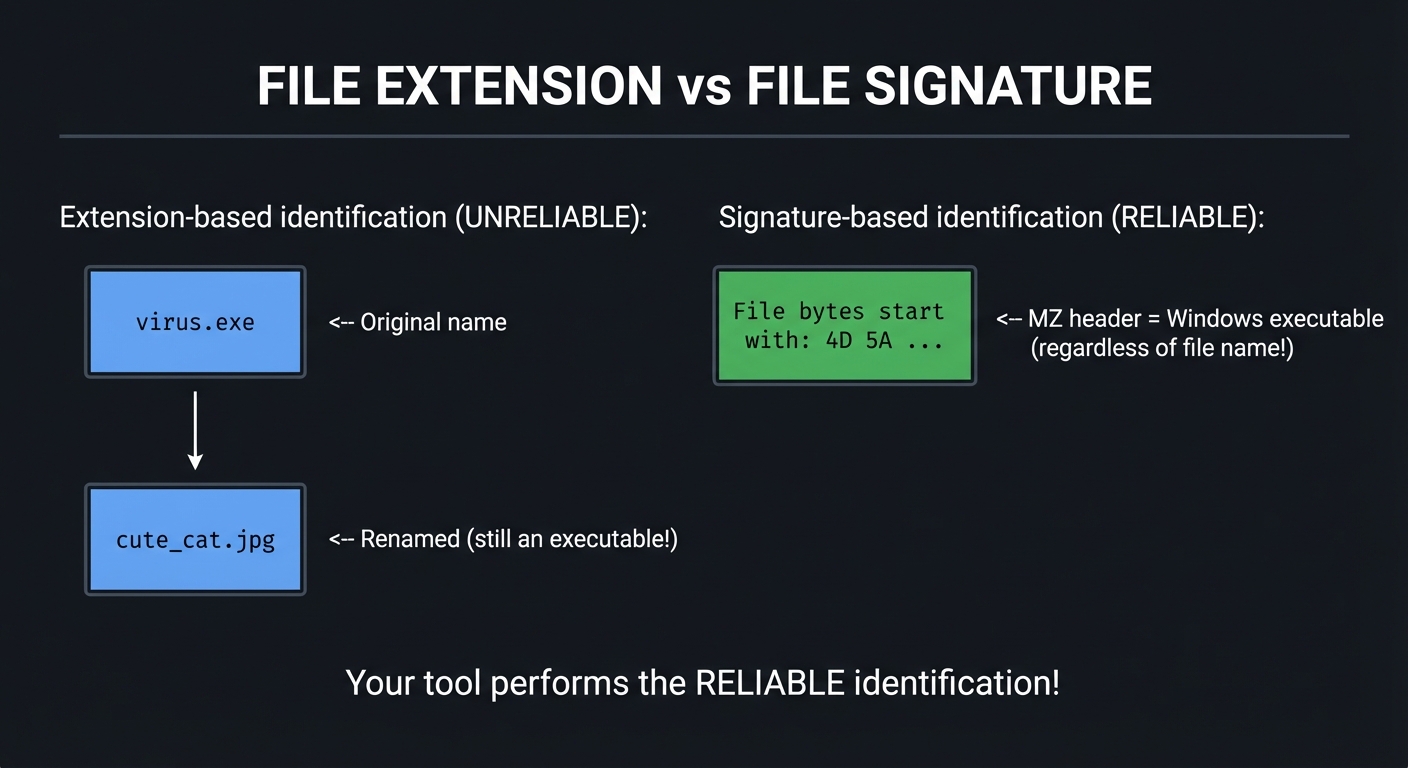
This project teaches you to perform signature-based file identification - a fundamental skill used in security tools, forensic analysis, and file management systems.
Concepts You Must Understand First
Before starting this project, ensure you understand these concepts. Each is explained in detail below.
1. Binary vs. Text Files
What’s the difference?
Every file on your computer is ultimately a sequence of bytes. However, the way we interpret those bytes differs:
-
Text files: Bytes are meant to represent human-readable characters (using encodings like ASCII or UTF-8). Examples:
.txt,.py,.html,.json -
Binary files: Bytes represent arbitrary data that is NOT meant to be read as text. Examples:
.png,.pdf,.exe,.zip
         TEXT FILE vs BINARY FILE
         =========================

         Text file "hello.txt":
         ┌─────────────────────────────────────────┐
         │ Bytes: 48 65 6C 6C 6F                   │
         │ As text: H  e  l  l  o                  │
         │                                         │
         │ Every byte is a printable character.   │
         │ You can open this in Notepad.          │
         └─────────────────────────────────────────┘

         Binary file "image.png":
         ┌─────────────────────────────────────────┐
         │ Bytes: 89 50 4E 47 0D 0A 1A 0A ...     │
         │ As text: .PNG....  (mostly garbage)    │
         │                                         │
         │ Many bytes are NOT printable chars.    │
         │ Opening in Notepad shows garbage.      │
         │ The 0x89 byte is NOT a valid ASCII     │
         │ character - it's binary data!          │
         └─────────────────────────────────────────┘
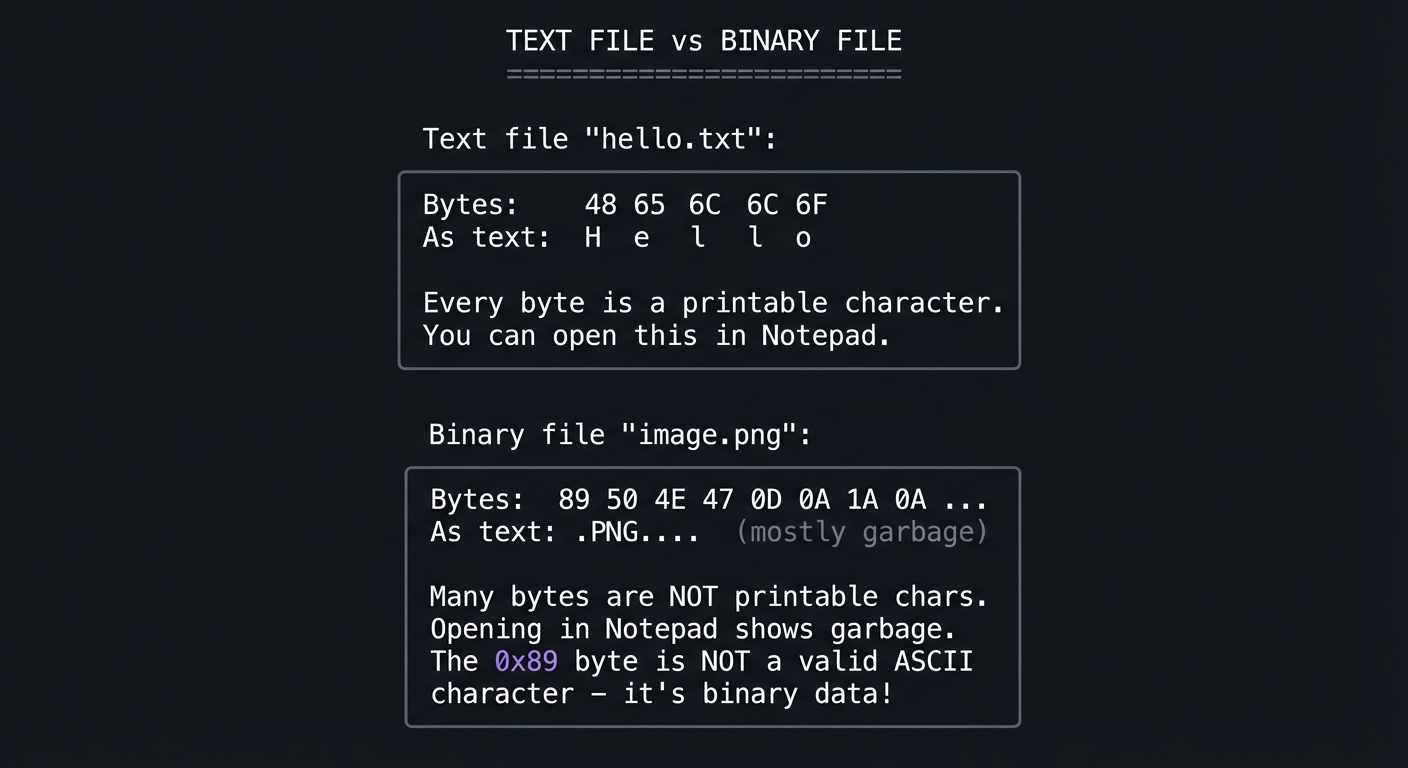
Why this matters for file reading:
When you open a file in text mode (the default in most languages), the runtime performs text encoding/decoding transformations that can corrupt binary data. You MUST open binary files in binary mode.
# WRONG - text mode corrupts binary data
with open('image.png', 'r') as f:
    data = f.read()  # May throw error or corrupt data!

# RIGHT - binary mode preserves exact bytes
with open('image.png', 'rb') as f:
    data = f.read()  # Returns bytes object: b'\x89PNG\r\n...'
2. Byte Representation (0-255, 00-FF)
A byte is 8 bits, which can represent values from 0 to 255 (decimal) or 00 to FF (hexadecimal).
         BYTE VALUE REPRESENTATIONS
         ===========================

         Decimal     Binary          Hexadecimal     Example Context
         -------     --------        -----------     ---------------
         0           0000 0000       00              Null byte
         65          0100 0001       41              ASCII 'A'
         137         1000 1001       89              PNG signature start
         255         1111 1111       FF              JPEG signature start

         Each byte in a file is just a number 0-255.
         We display them in hex for compactness:

         Decimal: 137 80 78 71 13 10 26 10
         Hex:     89  50 4E 47 0D 0A 1A 0A
                  ^^^^^^^^^^^^^^^^^^^^^^^^
                  This is the PNG signature!
3. Hexadecimal Notation
Hexadecimal (base 16) uses digits 0-9 and A-F. It’s the standard way to represent binary data because:
- Each hex digit represents exactly 4 bits (one nibble)
- Two hex digits represent exactly one byte
- It’s more compact than binary or decimal for displaying byte sequences
         WHY HEX IS PREFERRED FOR BINARY DATA
         =====================================

         The same 4 bytes represented three ways:

         Decimal:     137, 80, 78, 71
                      (variable width, hard to parse)

         Binary:      10001001 01010000 01001110 01000111
                      (too long!)

         Hexadecimal: 89 50 4E 47
                      (compact, fixed 2 chars per byte)

         Hex is the universal language for examining binary data.
4. File I/O in Your Language (Binary Mode ‘rb’)
In Python, the 'rb' mode opens a file for reading in binary mode:
'r'= read mode'b'= binary mode
# Reading first 8 bytes of a file
with open('somefile.pdf', 'rb') as f:
    header = f.read(8)  # Returns: b'%PDF-1.7' (bytes object)

# Key methods for binary file objects:
f.read(n)      # Read n bytes (or all if n not specified)
f.seek(offset) # Jump to byte position
f.tell()       # Get current byte position
5. Data Types: Bytes vs. Strings
In Python 3, bytes and str are distinct types:
         BYTES vs STRINGS IN PYTHON
         ===========================

         String (str):
         ┌─────────────────────────────────────────┐
         │ text = "Hello"                          │
         │ Type: str                               │
         │ Contains: Unicode characters            │
         │ Mutable: No                             │
         └─────────────────────────────────────────┘

         Bytes (bytes):
         ┌─────────────────────────────────────────┐
         │ data = b"Hello"                         │
         │ Type: bytes                             │
         │ Contains: Raw byte values (0-255)       │
         │ Mutable: No                             │
         │                                         │
         │ data = b'\x89PNG\r\n\x1a\n'             │
         │ Contains: 8 bytes including non-ASCII   │
         └─────────────────────────────────────────┘

         Converting between them:
         - bytes.decode('utf-8') -> str
         - str.encode('utf-8') -> bytes
         - bytes.hex() -> hex string '89504e47'
         - bytes.fromhex('89504e47') -> bytes
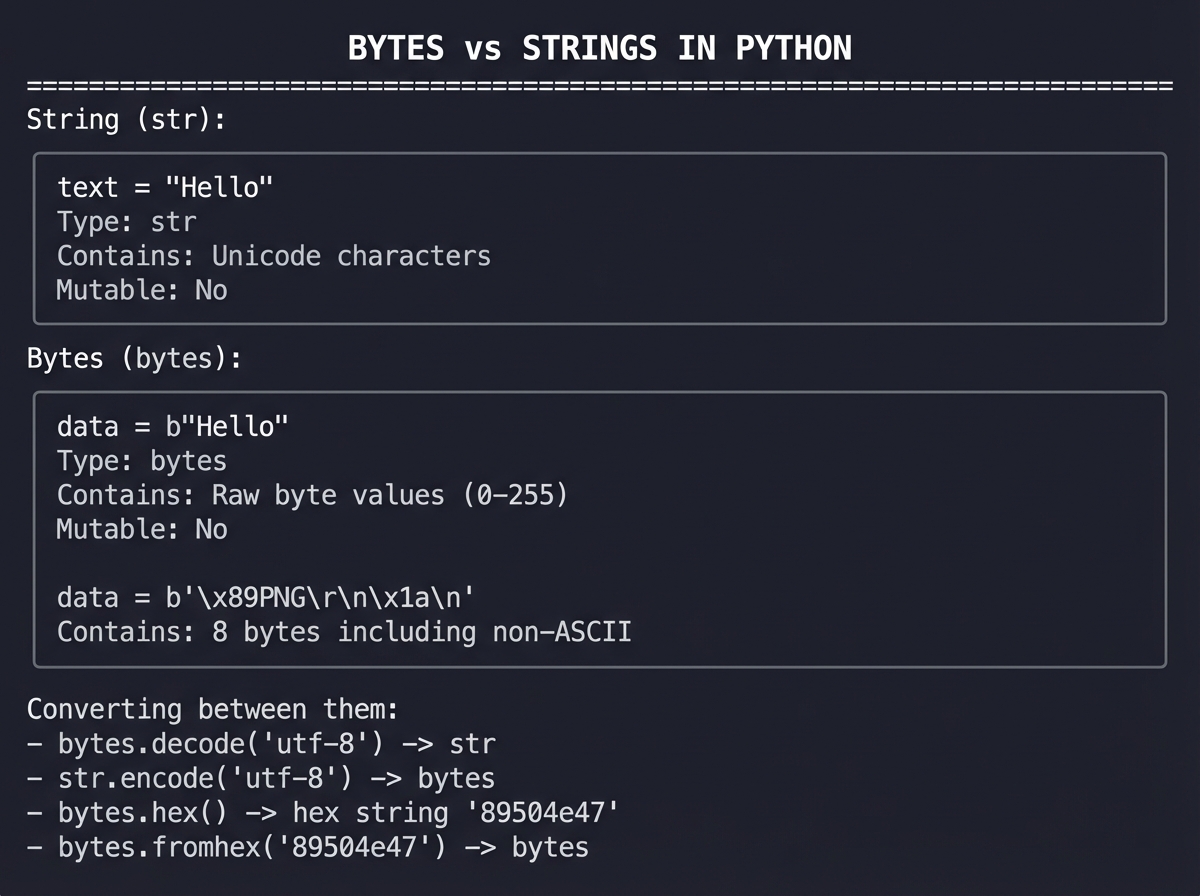
Key operations with bytes:
# Creating bytes
sig = b'\x89PNG'          # Bytes literal with hex escape
sig = bytes([137, 80, 78, 71])  # From list of integers
sig = bytes.fromhex('89504e47') # From hex string

# Accessing bytes
sig[0]        # Returns integer 137 (not a byte!)
sig[0:4]      # Returns bytes slice

# Comparing bytes
if header.startswith(b'\x89PNG'):
    print("It's a PNG!")

# Displaying bytes as hex
print(sig.hex())           # '89504e47'
print(' '.join(f'{b:02X}' for b in sig))  # '89 50 4E 47'
6. Endianness (Big vs. Little)
Endianness refers to the byte order of multi-byte values:
- Big-endian: Most significant byte first (like reading left-to-right)
- Little-endian: Least significant byte first (reversed)
         ENDIANNESS EXPLAINED
         =====================

         The 32-bit integer 0x12345678:

         Big-Endian (network byte order):
         Address:  0x00  0x01  0x02  0x03
         Value:    12    34    56    78
                   MSB ─────────────→ LSB

         Little-Endian (x86, most PCs):
         Address:  0x00  0x01  0x02  0x03
         Value:    78    56    34    12
                   LSB ─────────────→ MSB

         For file signatures, this matters when the signature
         represents a multi-byte number (like the Mach-O header).
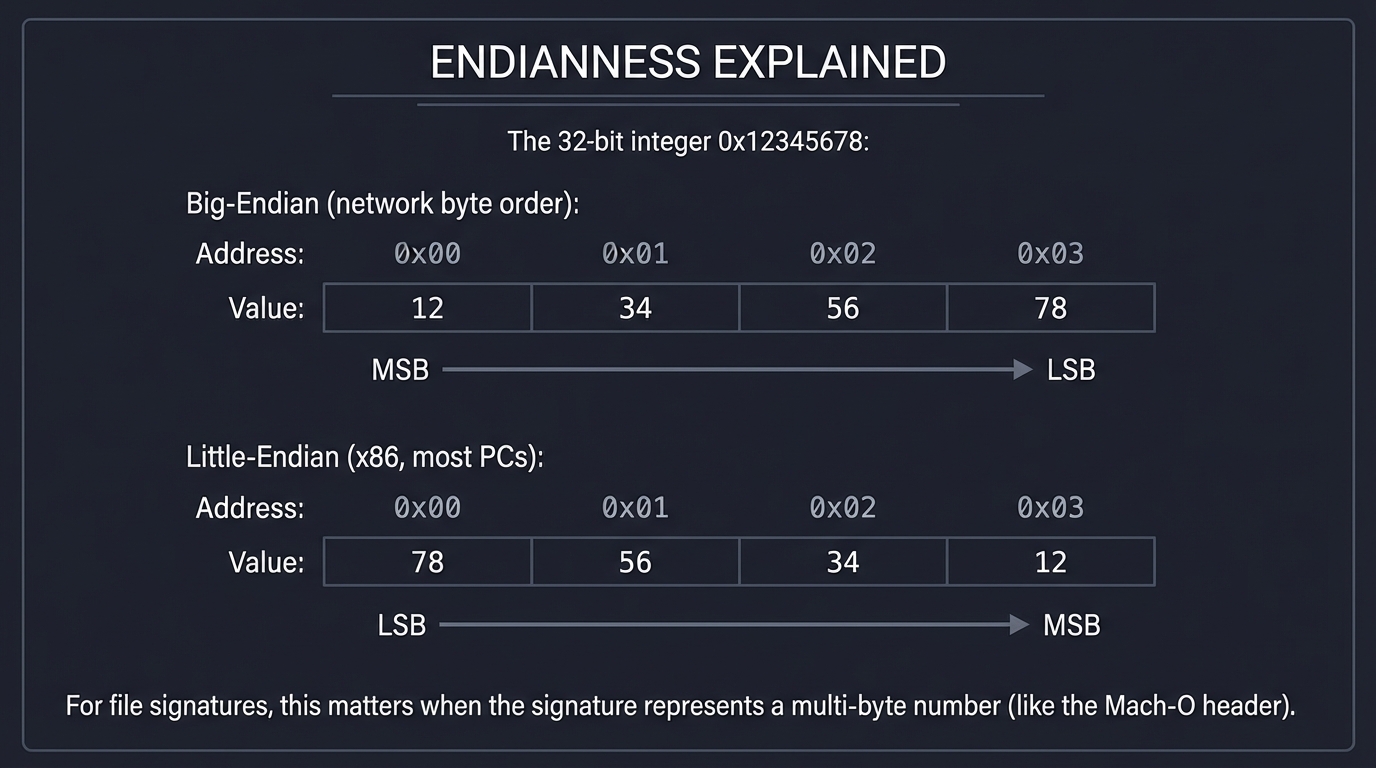
For most file signatures, you compare byte-by-byte in the order they appear in the file, so endianness only matters when documentation describes a signature as a multi-byte integer.
Deep Theoretical Foundation
What Are Magic Numbers?
Magic numbers (also called file signatures) are specific byte sequences placed at fixed positions in files to identify the file format. They’re called “magic” because they appear to magically identify files regardless of their names.
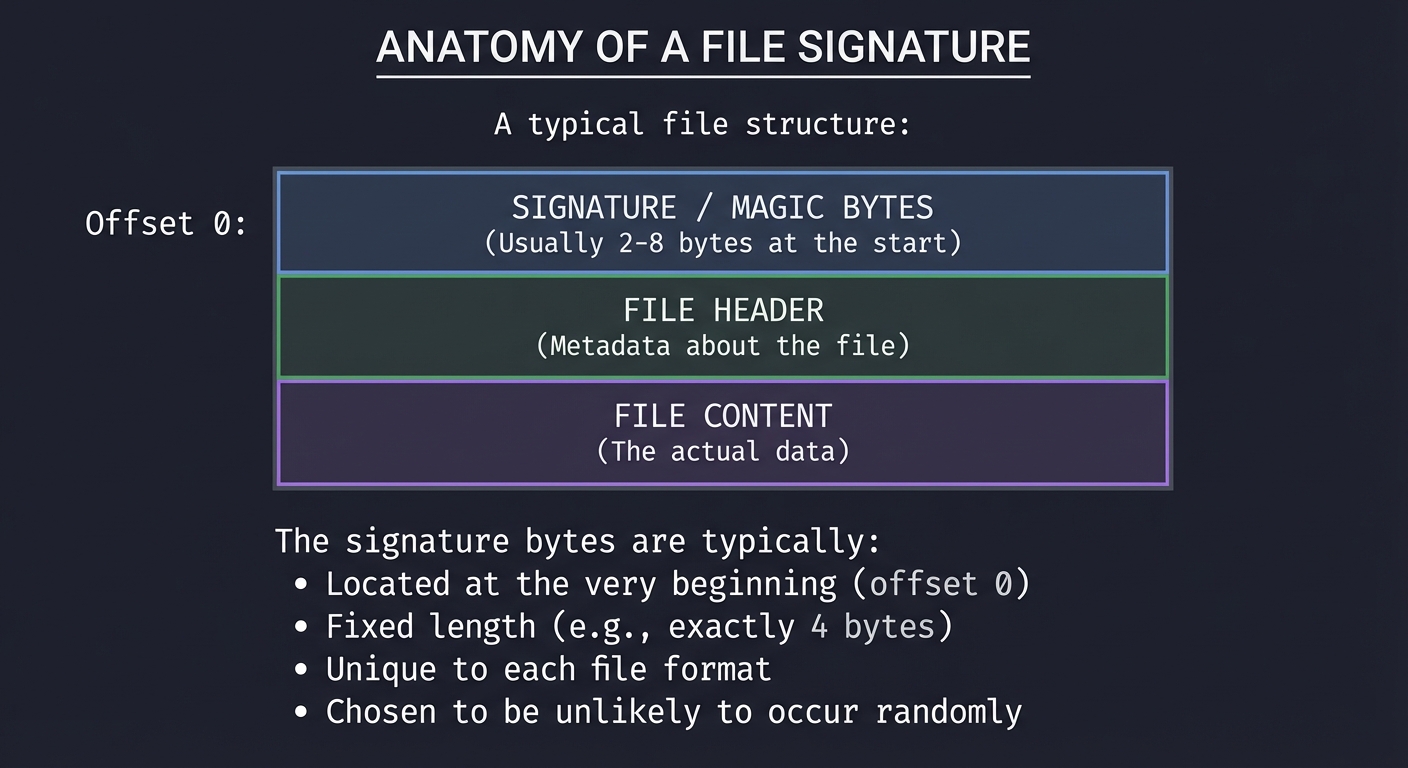
         ANATOMY OF A FILE SIGNATURE
         ============================

         A typical file structure:

         Offset 0:  ┌─────────────────────────────────────┐
                    │  SIGNATURE / MAGIC BYTES            │
                    │  (Usually 2-8 bytes at the start)   │
                    ├─────────────────────────────────────┤
                    │  FILE HEADER                        │
                    │  (Metadata about the file)          │
                    ├─────────────────────────────────────┤
                    │  FILE CONTENT                       │
                    │  (The actual data)                  │
                    └─────────────────────────────────────┘

         The signature bytes are typically:
         - Located at the very beginning (offset 0)
         - Fixed length (e.g., exactly 4 bytes)
         - Unique to each file format
         - Chosen to be unlikely to occur randomly
Why Magic Numbers Exist
File signatures serve several critical purposes:
-
Format Identification: Software can verify it’s reading the correct file type before attempting to parse it.
-
Error Detection: If a file starts with unexpected bytes, software knows something is wrong (corruption, wrong file type, etc.).
-
Version Information: Many signatures include version numbers (like
%PDF-1.7). -
Security Validation: Systems can verify files are what they claim to be before processing them.
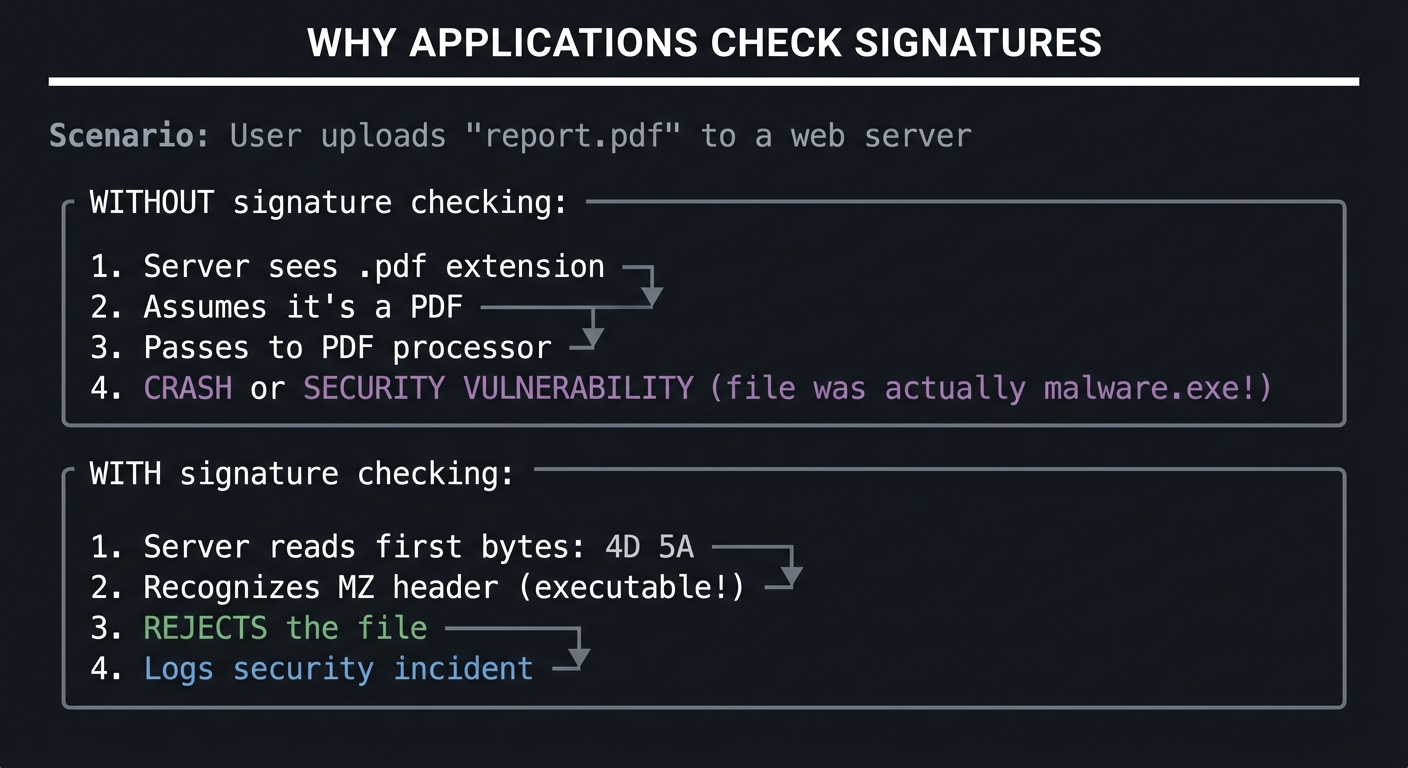
         WHY APPLICATIONS CHECK SIGNATURES
         ==================================

         Scenario: User uploads "report.pdf" to a web server

         WITHOUT signature checking:
         ┌─────────────────────────────────────────┐
         │  1. Server sees .pdf extension          │
         │  2. Assumes it's a PDF                  │
         │  3. Passes to PDF processor             │
         │  4. CRASH or SECURITY VULNERABILITY     │
         │     (file was actually malware.exe!)    │
         └─────────────────────────────────────────┘

         WITH signature checking:
         ┌─────────────────────────────────────────┐
         │  1. Server reads first bytes: 4D 5A     │
         │  2. Recognizes MZ header (executable!)  │
         │  3. REJECTS the file                    │
         │  4. Logs security incident              │
         └─────────────────────────────────────────┘
Signature Design Patterns
Different file formats use different signature strategies:
Pattern 1: Fixed Byte Sequence
The most common pattern - a specific sequence of bytes at offset 0.
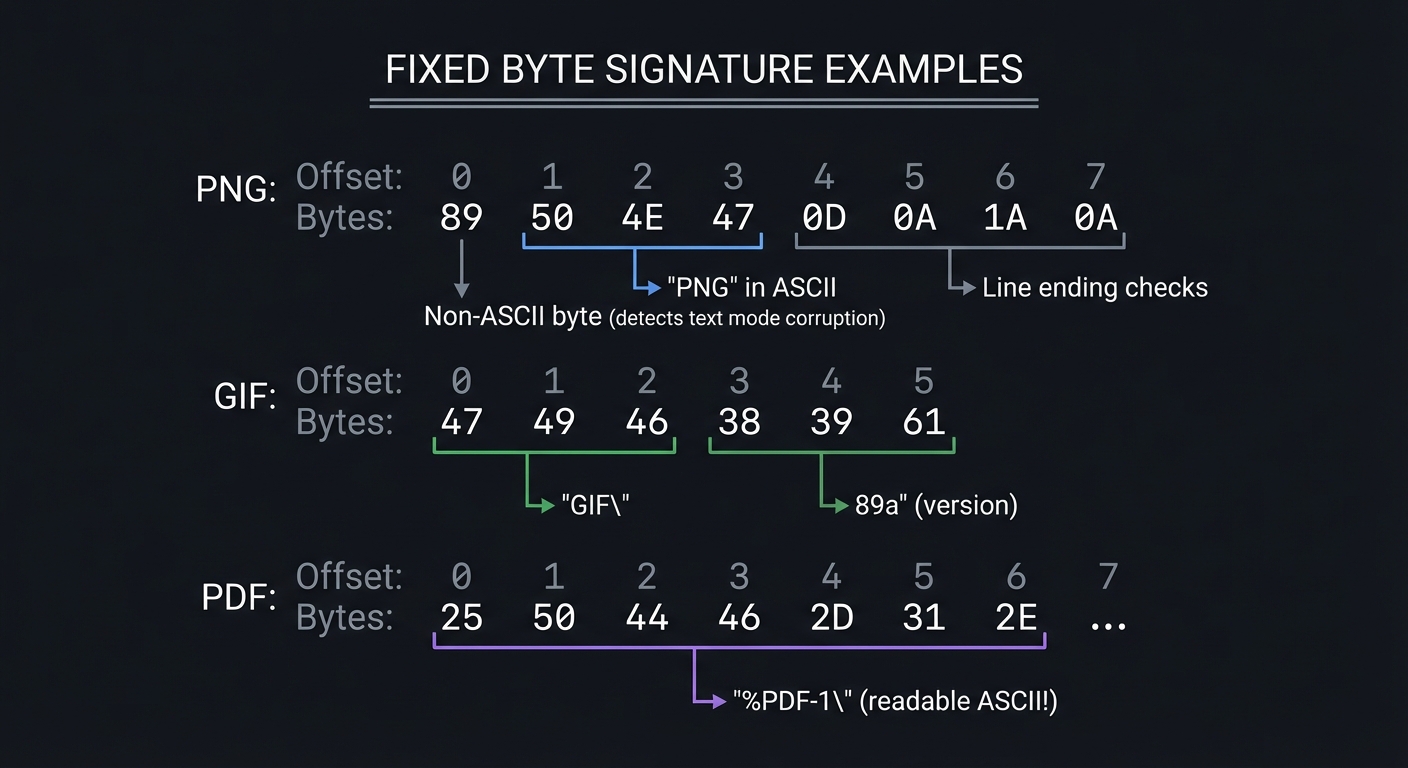
         FIXED BYTE SIGNATURE EXAMPLES
         ==============================

         PNG:
         Offset:  0  1  2  3  4  5  6  7
         Bytes:   89 50 4E 47 0D 0A 1A 0A
                  │  └──┬──┘  └──┬──┘
                  │     │        └── Line ending checks
                  │     └── "PNG" in ASCII
                  └── Non-ASCII byte (detects text mode corruption)

         GIF:
         Offset:  0  1  2  3  4  5
         Bytes:   47 49 46 38 39 61
                  └─────┬─────┘ │  │
                        │       v  v
                     "GIF"    "89a" (version)

         PDF:
         Offset:  0  1  2  3  4  5  6  7
         Bytes:   25 50 44 46 2D 31 2E ...
                  └───────┬───────┘
                       "%PDF-1." (readable ASCII!)
Pattern 2: ASCII-Readable Signatures
Some formats use human-readable signatures:
         ASCII-READABLE SIGNATURES
         ==========================

         PDF:  %PDF-1.4  (or 1.5, 1.6, 1.7...)

         The % character (0x25) was chosen because:
         - It's a valid ASCII character
         - It's unlikely to start random binary data
         - It's a comment character in PostScript (PDF's ancestor)

         ZIP:  PK (0x50 0x4B)

         Named after Phil Katz, creator of the ZIP format.
         When you open a ZIP file in a text editor,
         you might see "PK" at the beginning!
Pattern 3: Offset-Based Signatures
Some signatures don’t start at byte 0:
         OFFSET-BASED SIGNATURES
         ========================

         Microsoft Office (OLE Compound Document):
         Offset 0: D0 CF 11 E0 A1 B1 1A E1

         But modern Office files (.docx, .xlsx, .pptx) are:
         Actually ZIP archives containing XML!
         Offset 0: 50 4B 03 04 (ZIP signature)

         To identify if it's Word vs Excel vs PowerPoint,
         you must look INSIDE the ZIP at specific XML files.


         RIFF-based formats (WAV, AVI):
         Offset 0:  R  I  F  F
         Offset 8:  W  A  V  E  (for WAV files)
                    A  V  I     (for AVI files)

         The format type is at offset 8, not offset 0!
Pattern 4: Variable/Wildcard Patterns
Some signatures have variable parts:
         VARIABLE PATTERN SIGNATURES
         ============================

         JPEG:
         Start: FF D8 FF
         The 4th byte can vary:
           FF D8 FF E0 = JFIF format
           FF D8 FF E1 = EXIF format (common in camera photos)
           FF D8 FF DB = Raw JPEG

         Your matching logic might need:
         - Wildcard support (e.g., FF D8 FF ??)
         - Multiple signature variants per format
The UNIX file Command
The UNIX file command is the gold standard for file identification. It uses an extensive database of signatures (the “magic” file) to identify thousands of file types:
$ file mystery_file
mystery_file: PNG image data, 800 x 600, 8-bit/color RGBA, non-interlaced

$ file malware.pdf
malware.pdf: PE32 executable (GUI) Intel 80386, for MS Windows

# The file command saw through the.pdf extension!
Your project implements a simplified version of this functionality.
Real World Outcome
When you complete this project, here’s exactly what you’ll see when running your tool:
Basic File Identification
$ python file_identifier.py mystery_image.dat

================================================================================
                        FILE SIGNATURE IDENTIFIER
                         File: mystery_image.dat
================================================================================

FILE BYTES (first 16)
--------------------------------------------------------------------------------
  Offset    Hex                                      ASCII
  00000000  89 50 4E 47 0D 0A 1A 0A 00 00 00 0D 49  .PNG........I
            48 44 52                                 HDR

SIGNATURE ANALYSIS
--------------------------------------------------------------------------------
  Hex signature: 89 50 4E 47 0D 0A 1A 0A
  File type:     PNG Image (Portable Network Graphics)
  MIME type:     image/png

  Signature breakdown:
    89       - High bit set (detects 7-bit transmission corruption)
    50 4E 47 - "PNG" in ASCII
    0D 0A    - DOS line ending (CRLF)
    1A       - End-of-file marker (stops DOS TYPE command)
    0A       - UNIX line ending (LF)

EXTENSION ANALYSIS
--------------------------------------------------------------------------------
  [!] EXTENSION MISMATCH DETECTED

  File extension:   .dat (generic data file)
  Detected type:    PNG Image
  Expected extension: .png

  Recommendation: This file appears to be a PNG image with an
                  incorrect extension. Consider renaming to .png

================================================================================
Verbose Mode with Byte-by-Byte Breakdown
$ python file_identifier.py document.pdf --verbose

================================================================================
                        FILE SIGNATURE IDENTIFIER
                           File: document.pdf
================================================================================

FILE BYTES (first 32)
--------------------------------------------------------------------------------
  Offset    Hex                                                ASCII
  00000000  25 50 44 46 2D 31 2E 37 0A 25 E2 E3 CF D3 0A 31  %PDF-1.7.%....1
  00000010  20 30 20 6F 62 6A 0A 3C 3C 0A 2F 54 79 70 65 20   0 obj.<<./Type

BYTE-BY-BYTE ANALYSIS
--------------------------------------------------------------------------------
  Position 0:  25 (37)  = '%'  [ASCII printable]
  Position 1:  50 (80)  = 'P'  [ASCII printable]
  Position 2:  44 (68)  = 'D'  [ASCII printable]
  Position 3:  46 (70)  = 'F'  [ASCII printable]
  Position 4:  2D (45)  = '-'  [ASCII printable]
  Position 5:  31 (49)  = '1'  [ASCII printable]
  Position 6:  2E (46)  = '.'  [ASCII printable]
  Position 7:  37 (55)  = '7'  [ASCII printable]

SIGNATURE ANALYSIS
--------------------------------------------------------------------------------
  Hex signature: 25 50 44 46 2D
  File type:     PDF Document (Portable Document Format)
  MIME type:     application/pdf
  Version:       1.7

  The PDF signature is notable for being human-readable ASCII.
  The '%' character starts a comment in PDF syntax.

EXTENSION ANALYSIS
--------------------------------------------------------------------------------
  [OK] Extension matches detected type

  File extension:   .pdf
  Detected type:    PDF Document
  Expected extension: .pdf

================================================================================
Bulk Directory Analysis
$ python file_identifier.py --scan /path/to/downloads/

================================================================================
                     BULK FILE SIGNATURE ANALYSIS
                      Directory: /path/to/downloads/
================================================================================

Scanning 47 files...

SUMMARY
--------------------------------------------------------------------------------
  Total files:       47
  Identified:        42
  Unknown:           3
  Extension matches: 38
  Mismatches:        4 [!]

DETAILED RESULTS
--------------------------------------------------------------------------------
  File                          Detected Type      Extension  Status
  ----                          -------------      ---------  ------
  report.pdf                    PDF Document       .pdf       [OK]
  image001.png                  PNG Image          .png       [OK]
  photo.jpg                     JPEG Image         .jpg       [OK]
  document.doc                  MS Office (OLE)    .doc       [OK]

  [!] MISMATCHES DETECTED:
  ----
  suspicious.pdf                PE32 Executable    .pdf       [MISMATCH!]
  data.txt                      ZIP Archive        .txt       [MISMATCH!]
  backup.jpg                    RAR Archive        .jpg       [MISMATCH!]
  config.cfg                    SQLite Database    .cfg       [MISMATCH!]

WARNINGS
--------------------------------------------------------------------------------
  [!] 4 files have extension mismatches - these may require investigation
  [!] suspicious.pdf appears to be an executable disguised as a PDF!
      This could indicate malware. DO NOT EXECUTE.

================================================================================
Unknown File Type
$ python file_identifier.py unknown_format.xyz

================================================================================
                        FILE SIGNATURE IDENTIFIER
                         File: unknown_format.xyz
================================================================================

FILE BYTES (first 16)
--------------------------------------------------------------------------------
  Offset    Hex                                      ASCII
  00000000  1F 8B 08 00 00 00 00 00 00 03 ED 5C 5B  ...........\[
            8F E4                                    ..

SIGNATURE ANALYSIS
--------------------------------------------------------------------------------
  Hex signature: 1F 8B 08
  File type:     GZIP Compressed Archive
  MIME type:     application/gzip

  Note: GZIP files are compressed data. The original file type
        cannot be determined without decompression.

EXTENSION ANALYSIS
--------------------------------------------------------------------------------
  [!] EXTENSION MISMATCH DETECTED

  File extension:   .xyz (unknown)
  Detected type:    GZIP Compressed
  Expected extension: .gz or .gzip

  Recommendation: This is a GZIP compressed file. Rename to .gz
                  or decompress with: gunzip unknown_format.xyz

================================================================================
Questions to Guide Your Design
Work through these questions BEFORE writing code:
1. Signature Database Structure
How will you store and organize file signatures?
Consider:
- A dictionary mapping signature bytes to file type info?
- A list of signature objects with match methods?
- A class hierarchy with different signature types?
Think about:
# Option A: Simple dictionary
signatures = {
    b'\x89PNG\r\n\x1a\n': {'name': 'PNG', 'extension': 'png', 'mime': 'image/png'},
    b'%PDF': {'name': 'PDF', 'extension': 'pdf', 'mime': 'application/pdf'},
}

# Option B: Named tuples or dataclasses
@dataclass
class FileSignature:
    magic_bytes: bytes
    name: str
    extension: str
    mime_type: str
    offset: int = 0  # Support non-zero offsets

# Option C: Class-based with matching logic
class Signature:
    def matches(self, data: bytes) -> bool: ...
Which approach handles variable-length signatures best? Which is easiest to maintain and extend?
2. How Many Bytes to Read?
What’s the optimal number of bytes to read from each file?
Consider:
- Most signatures are 4-8 bytes
- Some formats need more context (RIFF-based need 12 bytes)
- Reading too much is wasteful
- Reading too little may miss matches
Your answer: _______
3. Comparison Methods
How will you compare file bytes against signatures?
Options:
- Exact prefix match:
data.startswith(signature) - Slice comparison:
data[offset:offset+len(sig)] == sig - Pattern matching with wildcards
What about signatures that don’t start at byte 0?
4. Output Formatting
How will you display byte data to users?
Consider:
- Hex dump format (like
xxdoutput) - Simple hex string:
89 50 4E 47 - Include ASCII representation?
- Color coding for terminals?
5. Edge Cases
What edge cases must you handle?
- Empty files (0 bytes)
- Files smaller than signature length
- Permission denied errors
- Non-existent files
- Symbolic links
- Special files (devices, pipes)
- Binary vs text mode issues
6. Offset-Based Signatures
How will you handle signatures not at byte 0?
Some formats (like RIFF/WAV/AVI) have their specific identifier at an offset. Will your design accommodate this?
RIFF format:
Offset 0:  52 49 46 46  "RIFF"  <- Generic container
Offset 8:  57 41 56 45  "WAVE"  <- Actual format identifier
Thinking Exercise
Before writing any code, complete these exercises by hand:
Exercise 1: Manual Hex Dump
Use the xxd command (or a hex editor) to examine a real PNG file:
$ xxd image.png | head -5
00000000: 8950 4e47 0d0a 1a0a 0000 000d 4948 4452  .PNG........IHDR
00000010: 0000 0320 0000 0258 0802 0000 00b5 c56c  ... ...X.......l
00000020: 3600 0000 0173 5247 4200 aece 1ce9 0000  6....sRGB.......
00000030: 0004 6741 4d41 0000 b18f 0bfc 6105 0000  ..gAMA......a...
00000040: 0009 7048 5973 0000 0e74 0000 0e74 01de  ..pHYs...t...t..
Questions:
- What are the first 8 bytes in hexadecimal?
- Why is “PNG” visible in the ASCII column but the first byte shows as “.”?
- What do you notice about bytes at offset 0x0C-0x0F?
Exercise 2: Create a Test File
Create a fake “image” file manually:
# Create a file that LOOKS like a PNG to your identifier
$ echo -ne '\x89PNG\r\n\x1a\n' > fake_image.dat
$ xxd fake_image.dat
Your tool should identify this as a PNG, even though it’s just 8 bytes!
Exercise 3: Signature Comparison Table
Fill in this table by researching file signatures:
| File Type | First 4 Bytes (Hex) | ASCII Representation | Offset |
|---|---|---|---|
| PNG | 89 50 4E 47 | .PNG | 0 |
| JPEG | __ __ __ __ | __ | 0 |
| GIF | __ __ __ __ | __ | 0 |
| __ __ __ __ | __ | 0 | |
| ZIP | __ __ __ __ | __ | 0 |
| RAR | __ __ __ __ | __ | 0 |
| EXE (PE) | __ __ __ __ | __ | 0 |
Exercise 4: Hand-Trace Your Algorithm
Given this input file (first 16 bytes):
50 4B 03 04 14 00 06 00 08 00 00 00 21 00 F0 17
And these signature entries:
PNG:  89 50 4E 47
PDF:  25 50 44 46
ZIP:  50 4B 03 04
DOCX: 50 4B 03 04 (plus check internal files)
Trace through your matching algorithm:
- What signature matches?
- Is this enough to distinguish ZIP from DOCX?
- What additional logic would you need?
Project Specification
Functional Requirements
| Feature | Description | Priority |
|---|---|---|
| Read file signature | Read first N bytes from any file | P0 |
| Identify file type | Match against signature database | P0 |
| Display hex output | Show signature bytes in hex format | P0 |
| Basic signature DB | At least 10 common file types | P0 |
| Extension mismatch | Detect and warn about mismatches | P1 |
| Verbose mode | Byte-by-byte breakdown | P1 |
| Directory scanning | Scan multiple files at once | P2 |
| JSON/CSV output | Machine-readable output | P2 |
| Unknown file handling | Graceful handling of unrecognized files | P1 |
Command-Line Interface
# Basic usage
python file_identifier.py <filename>

# Verbose mode with byte breakdown
python file_identifier.py <filename> --verbose

# Directory scanning
python file_identifier.py --scan <directory>

# Output formats
python file_identifier.py <filename> --format json
python file_identifier.py <filename> --format csv

# Check specific number of bytes
python file_identifier.py <filename> --bytes 16

# Quiet mode (just type, no formatting)
python file_identifier.py <filename> --quiet
# Output: PNG Image

# Help
python file_identifier.py --help
Minimum Signature Database
Your tool must identify at least these file types:
| Category | File Types |
|---|---|
| Images | PNG, JPEG, GIF, BMP, WEBP |
| Documents | PDF, DOC/DOCX, XLS/XLSX |
| Archives | ZIP, RAR, GZIP, 7Z, TAR |
| Executables | Windows EXE/DLL, ELF, Mach-O |
| Media | MP3, MP4, WAV, AVI |
Output Requirements
- Display file bytes in hex format with ASCII representation
- Show matched signature and file type name
- Display MIME type
- Warn if extension doesn’t match detected type
- Handle errors gracefully (file not found, permission denied, etc.)
Solution Architecture
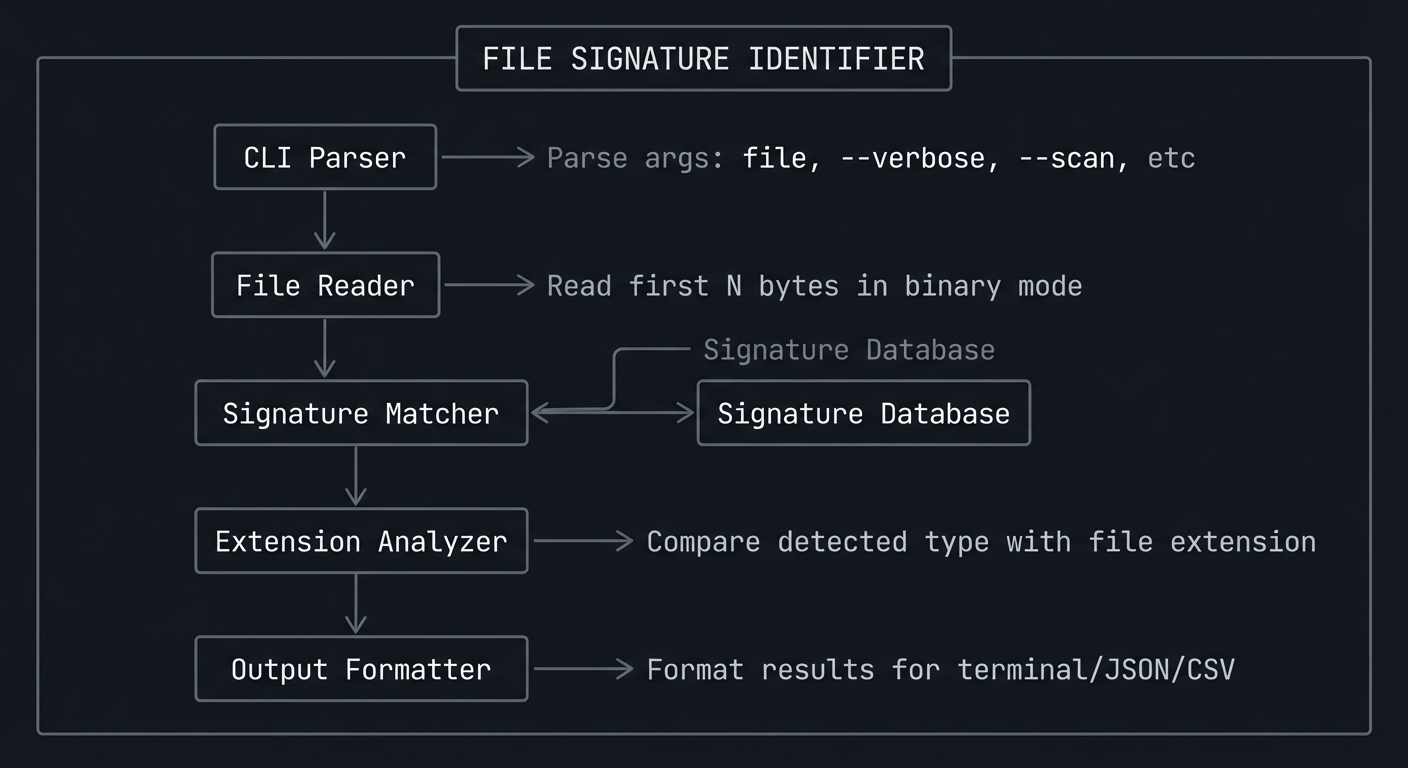
High-Level Design
+------------------------------------------------------------------+
|                    FILE SIGNATURE IDENTIFIER                      |
+------------------------------------------------------------------+
|                                                                  |
|   ┌───────────────┐                                              |
|   │  CLI Parser   │◀── Parse args: file, --verbose, --scan, etc |
|   └───────┬───────┘                                              |
|           │                                                       |
|           v                                                       |
|   ┌───────────────┐                                              |
|   │  File Reader  │◀── Read first N bytes in binary mode        |
|   └───────┬───────┘                                              |
|           │                                                       |
|           v                                                       |
|   ┌───────────────┐     ┌─────────────────┐                      |
|   │  Signature    │────▶│  Signature      │                      |
|   │  Matcher      │     │  Database       │                      |
|   └───────┬───────┘     └─────────────────┘                      |
|           │                                                       |
|           v                                                       |
|   ┌───────────────┐                                              |
|   │  Extension    │◀── Compare detected type with file extension |
|   │  Analyzer     │                                              |
|   └───────┬───────┘                                              |
|           │                                                       |
|           v                                                       |
|   ┌───────────────┐                                              |
|   │  Output       │◀── Format results for terminal/JSON/CSV     |
|   │  Formatter    │                                              |
|   └───────────────┘                                              |
|                                                                  |
+------------------------------------------------------------------+
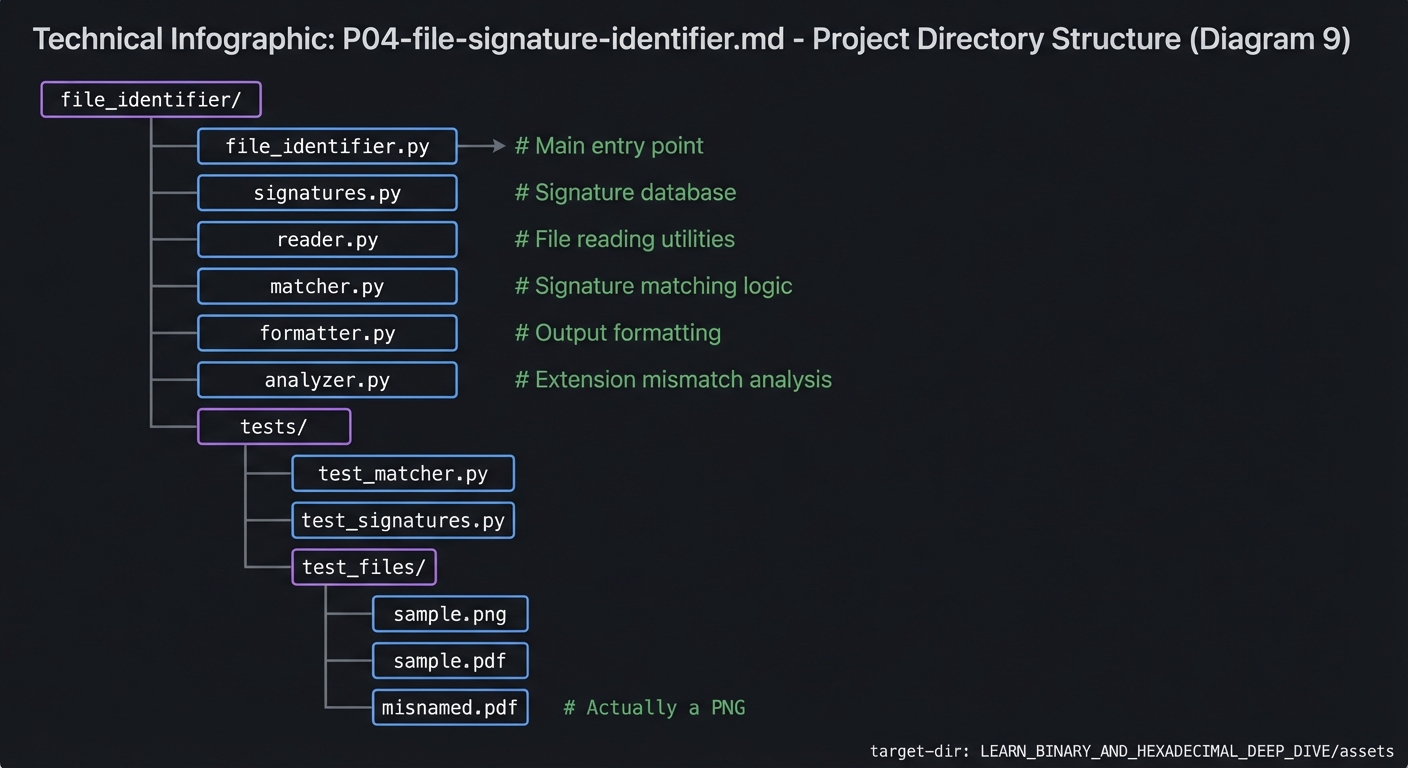
Module Structure
file_identifier/
├── file_identifier.py     # Main entry point
├── signatures.py          # Signature database
├── reader.py              # File reading utilities
├── matcher.py             # Signature matching logic
├── formatter.py           # Output formatting
├── analyzer.py            # Extension mismatch analysis
└── tests/
    ├── test_matcher.py
    ├── test_signatures.py
    └── test_files/
        ├── sample.png
        ├── sample.pdf
        └── misnamed.pdf   # Actually a PNG
Key Data Structures
from dataclasses import dataclass
from typing import Optional, List

@dataclass
class FileSignature:
    """Represents a file signature/magic number."""
    magic_bytes: bytes           # The signature bytes to match
    name: str                    # Human-readable name (e.g., "PNG Image")
    extension: str               # Expected extension (e.g., "png")
    mime_type: str               # MIME type (e.g., "image/png")
    offset: int = 0              # Byte offset where signature starts
    description: Optional[str] = None  # Additional description


@dataclass
class IdentificationResult:
    """Result of file identification."""
    file_path: str
    file_bytes: bytes            # First N bytes read
    signature: Optional[FileSignature]  # Matched signature (None if unknown)
    extension_match: bool        # Does extension match detected type?
    actual_extension: str        # The file's actual extension
    warnings: List[str]          # Any warnings to display


class SignatureDatabase:
    """Manages the collection of known file signatures."""

    def __init__(self):
        self.signatures: List[FileSignature] = []
        self._load_signatures()

    def find_match(self, data: bytes) -> Optional[FileSignature]:
        """Find the first matching signature for the given bytes."""
        for sig in self.signatures:
            if self._matches(data, sig):
                return sig
        return None

    def _matches(self, data: bytes, sig: FileSignature) -> bool:
        """Check if data matches the signature."""
        start = sig.offset
        end = start + len(sig.magic_bytes)
        if len(data) < end:
            return False
        return data[start:end] == sig.magic_bytes
Hints in Layers
If you’re stuck, reveal hints one at a time:
Hint 1: Getting Started - Reading Bytes
The most fundamental operation is reading bytes from a file:
def read_file_bytes(filepath: str, num_bytes: int = 16) -> bytes:
    """Read the first num_bytes from a file in binary mode."""
    try:
        with open(filepath, 'rb') as f:
            return f.read(num_bytes)
    except FileNotFoundError:
        raise FileNotFoundError(f"File not found: {filepath}")
    except PermissionError:
        raise PermissionError(f"Permission denied: {filepath}")
    except IsADirectoryError:
        raise IsADirectoryError(f"Path is a directory: {filepath}")
Key points:
- Always use
'rb'(read binary) mode - Handle common exceptions
- Return
bytesobject (not string!)
Hint 2: Building the Signature Database
Start with a simple dictionary, then evolve to a class:
# Simple starting point
SIGNATURES = [
    FileSignature(
        magic_bytes=b'\x89PNG\r\n\x1a\n',
        name='PNG Image',
        extension='png',
        mime_type='image/png',
        description='Portable Network Graphics'
    ),
    FileSignature(
        magic_bytes=b'\xff\xd8\xff',
        name='JPEG Image',
        extension='jpg',
        mime_type='image/jpeg',
        description='JPEG/JFIF Image'
    ),
    FileSignature(
        magic_bytes=b'%PDF',
        name='PDF Document',
        extension='pdf',
        mime_type='application/pdf',
        description='Portable Document Format'
    ),
    FileSignature(
        magic_bytes=b'PK\x03\x04',
        name='ZIP Archive',
        extension='zip',
        mime_type='application/zip',
        description='ZIP Compressed Archive'
    ),
    # Add more signatures...
]
Note the use of:
- Raw bytes with hex escapes:
b'\x89'for byte 137 - Mixed ASCII and hex:
b'PNG'works too - Escape sequences:
\r\nfor CRLF
Hint 3: Reading and Converting Bytes
Working with bytes in Python:
# Read bytes from file
with open('file.png', 'rb') as f:
    data = f.read(16)  # bytes object

# Access individual bytes (returns int!)
first_byte = data[0]  # 137 (int), not b'\x89'

# Slice bytes (returns bytes)
first_four = data[0:4]  # b'\x89PNG'

# Convert to hex string for display
hex_string = data.hex()  # '89504e47...'

# Pretty hex format with spaces
pretty_hex = ' '.join(f'{b:02X}' for b in data)
# '89 50 4E 47 0D 0A 1A 0A...'

# Convert hex string back to bytes
bytes_from_hex = bytes.fromhex('89504e47')

# Check if printable ASCII
def is_printable(byte: int) -> bool:
    return 32 <= byte <= 126

# Get ASCII representation (. for non-printable)
def to_ascii_char(byte: int) -> str:
    return chr(byte) if is_printable(byte) else '.'

ascii_repr = ''.join(to_ascii_char(b) for b in data)
Hint 4: Implementing Signature Matching
A robust matching function:
def match_signature(data: bytes, signatures: List[FileSignature]) -> Optional[FileSignature]:
    """
    Find the best matching signature for the given data.

    Returns the first match, prioritizing longer signatures.
    """
    # Sort by signature length (longest first) for better specificity
    sorted_sigs = sorted(signatures, key=lambda s: len(s.magic_bytes), reverse=True)

    for sig in sorted_sigs:
        if matches(data, sig):
            return sig

    return None


def matches(data: bytes, sig: FileSignature) -> bool:
    """Check if data matches a signature at the specified offset."""
    start = sig.offset
    end = start + len(sig.magic_bytes)

    # Check if we have enough data
    if len(data) < end:
        return False

    # Extract the relevant slice and compare
    file_slice = data[start:end]
    return file_slice == sig.magic_bytes
Why sort by length? Consider:
- ZIP:
PK\x03\x04 - DOCX:
PK\x03\x04(same start, but has XML inside)
Longer signatures are more specific!
Hint 5: Handling Edge Cases
Edge cases to handle:
import os

def identify_file(filepath: str) -> IdentificationResult:
    """Main identification function with edge case handling."""

    # Edge case 1: File doesn't exist
    if not os.path.exists(filepath):
        raise FileNotFoundError(f"File not found: {filepath}")

    # Edge case 2: It's a directory
    if os.path.isdir(filepath):
        raise IsADirectoryError(f"Path is a directory: {filepath}")

    # Edge case 3: Empty file
    if os.path.getsize(filepath) == 0:
        return IdentificationResult(
            file_path=filepath,
            file_bytes=b'',
            signature=None,
            extension_match=False,
            actual_extension=get_extension(filepath),
            warnings=["File is empty (0 bytes)"]
        )

    # Edge case 4: File too small for any signature
    file_size = os.path.getsize(filepath)
    min_sig_length = min(len(s.magic_bytes) for s in SIGNATURES)
    if file_size < min_sig_length:
        return IdentificationResult(
            file_path=filepath,
            file_bytes=read_file_bytes(filepath, file_size),
            signature=None,
            extension_match=False,
            actual_extension=get_extension(filepath),
            warnings=[f"File too small ({file_size} bytes) for signature detection"]
        )

    # Normal case
    data = read_file_bytes(filepath)
    signature = match_signature(data, SIGNATURES)
    # ... continue processing


def get_extension(filepath: str) -> str:
    """Extract file extension (lowercase, without dot)."""
    _, ext = os.path.splitext(filepath)
    return ext.lower().lstrip('.') if ext else ''
Hint 6: Adding Extension Mismatch Detection
The security feature:
def check_extension_mismatch(
    filepath: str,
    detected_sig: Optional[FileSignature]
) -> tuple[bool, List[str]]:
    """
    Check if file extension matches detected type.

    Returns (is_match, warnings)
    """
    warnings = []
    actual_ext = get_extension(filepath)

    if detected_sig is None:
        return False, ["Unknown file type - cannot verify extension"]

    expected_ext = detected_sig.extension

    # Handle files with no extension
    if not actual_ext:
        warnings.append(f"File has no extension. Detected type: {detected_sig.name}")
        return False, warnings

    # Check for match (handle multiple valid extensions)
    valid_extensions = get_valid_extensions(detected_sig)
    is_match = actual_ext in valid_extensions

    if not is_match:
        warnings.append(
            f"EXTENSION MISMATCH: File has .{actual_ext} extension "
            f"but appears to be {detected_sig.name} (expected .{expected_ext})"
        )

        # Special warning for executables disguised as other types
        if detected_sig.name in ['PE32 Executable', 'ELF Executable', 'Mach-O']:
            warnings.append(
                "WARNING: This appears to be an executable file! "
                "This could indicate malware. Do not run this file."
            )

    return is_match, warnings


def get_valid_extensions(sig: FileSignature) -> set:
    """Return set of valid extensions for a file type."""
    # Some types have multiple valid extensions
    extension_aliases = {
        'jpg': {'jpg', 'jpeg'},
        'jpeg': {'jpg', 'jpeg'},
        'htm': {'htm', 'html'},
        'html': {'htm', 'html'},
        'tif': {'tif', 'tiff'},
        'tiff': {'tif', 'tiff'},
    }

    ext = sig.extension.lower()
    return extension_aliases.get(ext, {ext})
Hint 7: Creating Verbose Output
Formatted hex dump output:
def format_hex_dump(data: bytes, bytes_per_line: int = 16) -> str:
    """Format bytes as a hex dump with ASCII representation."""
    lines = []

    for offset in range(0, len(data), bytes_per_line):
        chunk = data[offset:offset + bytes_per_line]

        # Hex part
        hex_part = ' '.join(f'{b:02X}' for b in chunk)
        # Pad if less than full line
        hex_part = hex_part.ljust(bytes_per_line * 3 - 1)

        # ASCII part
        ascii_part = ''.join(
            chr(b) if 32 <= b <= 126 else '.'
            for b in chunk
        )

        # Combine
        lines.append(f"  {offset:08X}  {hex_part}  {ascii_part}")

    return '\n'.join(lines)


def format_byte_breakdown(data: bytes) -> str:
    """Format individual bytes with analysis."""
    lines = []

    for i, byte in enumerate(data):
        char = chr(byte) if 32 <= byte <= 126 else '.'
        char_type = "ASCII printable" if 32 <= byte <= 126 else "non-printable"

        lines.append(
            f"  Position {i}:  {byte:02X} ({byte:3d})  = '{char}'  [{char_type}]"
        )

    return '\n'.join(lines)
Hint 8: Optimizing the Database Structure (Using Classes)
A more sophisticated database with efficient lookup:
from typing import Dict, List, Optional
from dataclasses import dataclass, field


@dataclass
class FileSignature:
    magic_bytes: bytes
    name: str
    extension: str
    mime_type: str
    offset: int = 0
    description: str = ""
    # For signatures that need additional verification
    verify_func: Optional[callable] = None


class SignatureDatabase:
    """
    Efficient signature database with prefix-based lookup.
    """

    def __init__(self):
        # Index by first byte for faster lookup
        self._by_first_byte: Dict[int, List[FileSignature]] = {}
        # Index by first two bytes for even faster lookup
        self._by_prefix: Dict[bytes, List[FileSignature]] = {}
        # All signatures for fallback
        self._all: List[FileSignature] = []

        self._load_signatures()

    def _load_signatures(self):
        """Load all known signatures."""
        signatures = [
            # Images
            FileSignature(b'\x89PNG\r\n\x1a\n', 'PNG Image', 'png',
                         'image/png', description='Portable Network Graphics'),
            FileSignature(b'\xff\xd8\xff', 'JPEG Image', 'jpg',
                         'image/jpeg'),
            FileSignature(b'GIF87a', 'GIF Image', 'gif', 'image/gif'),
            FileSignature(b'GIF89a', 'GIF Image', 'gif', 'image/gif'),
            FileSignature(b'BM', 'BMP Image', 'bmp', 'image/bmp'),
            FileSignature(b'RIFF', 'WEBP Image', 'webp', 'image/webp',
                         offset=0, verify_func=self._verify_webp),

            # Documents
            FileSignature(b'%PDF', 'PDF Document', 'pdf', 'application/pdf'),
            FileSignature(b'\xd0\xcf\x11\xe0\xa1\xb1\x1a\xe1',
                         'MS Office Document', 'doc', 'application/msword',
                         description='OLE Compound Document (Word, Excel, PowerPoint)'),

            # Archives
            FileSignature(b'PK\x03\x04', 'ZIP Archive', 'zip',
                         'application/zip'),
            FileSignature(b'Rar!\x1a\x07', 'RAR Archive', 'rar',
                         'application/x-rar-compressed'),
            FileSignature(b'\x1f\x8b', 'GZIP Archive', 'gz',
                         'application/gzip'),
            FileSignature(b'7z\xbc\xaf\x27\x1c', '7-Zip Archive', '7z',
                         'application/x-7z-compressed'),

            # Executables
            FileSignature(b'MZ', 'PE Executable', 'exe',
                         'application/x-msdownload',
                         description='Windows Executable or DLL'),
            FileSignature(b'\x7fELF', 'ELF Executable', 'elf',
                         'application/x-executable',
                         description='Linux/Unix Executable'),
            FileSignature(b'\xfe\xed\xfa\xce', 'Mach-O Executable', '',
                         'application/x-mach-binary',
                         description='macOS 32-bit Executable'),
            FileSignature(b'\xfe\xed\xfa\xcf', 'Mach-O Executable', '',
                         'application/x-mach-binary',
                         description='macOS 64-bit Executable'),

            # Add more as needed...
        ]

        for sig in signatures:
            self.add_signature(sig)

    def add_signature(self, sig: FileSignature):
        """Add a signature to the database with indexing."""
        self._all.append(sig)

        # Index by first byte
        first_byte = sig.magic_bytes[0]
        if first_byte not in self._by_first_byte:
            self._by_first_byte[first_byte] = []
        self._by_first_byte[first_byte].append(sig)

        # Index by first two bytes if available
        if len(sig.magic_bytes) >= 2:
            prefix = sig.magic_bytes[:2]
            if prefix not in self._by_prefix:
                self._by_prefix[prefix] = []
            self._by_prefix[prefix].append(sig)

    def find_match(self, data: bytes) -> Optional[FileSignature]:
        """Find matching signature using indexed lookup."""
        if len(data) < 2:
            return self._brute_force_match(data)

        # Try prefix lookup first
        prefix = data[:2]
        if prefix in self._by_prefix:
            for sig in self._by_prefix[prefix]:
                if self._matches(data, sig):
                    if sig.verify_func is None or sig.verify_func(data):
                        return sig

        # Fall back to first-byte lookup
        first_byte = data[0]
        if first_byte in self._by_first_byte:
            for sig in self._by_first_byte[first_byte]:
                if self._matches(data, sig):
                    if sig.verify_func is None or sig.verify_func(data):
                        return sig

        return None

    def _matches(self, data: bytes, sig: FileSignature) -> bool:
        """Check if data matches signature at offset."""
        start = sig.offset
        end = start + len(sig.magic_bytes)
        if len(data) < end:
            return False
        return data[start:end] == sig.magic_bytes

    def _verify_webp(self, data: bytes) -> bool:
        """Verify RIFF file is actually WEBP."""
        if len(data) < 12:
            return False
        return data[8:12] == b'WEBP'
Common File Signatures Reference
Here is a comprehensive table of common file signatures for your database:
Images
| File Type | Signature (Hex) | Signature (ASCII) | Offset | Description |
|---|---|---|---|---|
| PNG | 89 50 4E 47 0D 0A 1A 0A | .PNG…. | 0 | Portable Network Graphics |
| JPEG | FF D8 FF | … | 0 | JPEG/JFIF Image |
| GIF87a | 47 49 46 38 37 61 | GIF87a | 0 | GIF (version 87a) |
| GIF89a | 47 49 46 38 39 61 | GIF89a | 0 | GIF (version 89a) |
| BMP | 42 4D | BM | 0 | Windows Bitmap |
| WEBP | 52 49 46 46 xx xx xx xx 57 45 42 50 | RIFFxxxxWEBP | 0 | WebP Image |
| TIFF (LE) | 49 49 2A 00 | II*. | 0 | TIFF (Little Endian) |
| TIFF (BE) | 4D 4D 00 2A | MM.* | 0 | TIFF (Big Endian) |
| ICO | 00 00 01 00 | …. | 0 | Windows Icon |
| PSD | 38 42 50 53 | 8BPS | 0 | Adobe Photoshop |
Documents
| File Type | Signature (Hex) | Signature (ASCII) | Offset | Description |
|---|---|---|---|---|
| 25 50 44 46 2D | %PDF- | 0 | Portable Document Format | |
| DOC/XLS/PPT | D0 CF 11 E0 A1 B1 1A E1 | …….. | 0 | MS Office (OLE) |
| DOCX/XLSX/PPTX | 50 4B 03 04 | PK.. | 0 | MS Office Open XML (ZIP-based) |
| RTF | 7B 5C 72 74 66 31 | {\rtf1 | 0 | Rich Text Format |
Archives
| File Type | Signature (Hex) | Signature (ASCII) | Offset | Description |
|---|---|---|---|---|
| ZIP | 50 4B 03 04 | PK.. | 0 | ZIP Archive |
| ZIP (empty) | 50 4B 05 06 | PK.. | 0 | Empty ZIP Archive |
| RAR | 52 61 72 21 1A 07 | Rar!.. | 0 | RAR Archive (v1.5+) |
| RAR5 | 52 61 72 21 1A 07 01 00 | Rar!…. | 0 | RAR Archive (v5+) |
| 7Z | 37 7A BC AF 27 1C | 7z..’x | 0 | 7-Zip Archive |
| GZIP | 1F 8B | .. | 0 | GZIP Archive |
| BZIP2 | 42 5A 68 | BZh | 0 | BZIP2 Archive |
| XZ | FD 37 7A 58 5A 00 | .7zXZ. | 0 | XZ Archive |
| TAR | 75 73 74 61 72 | ustar | 257 | TAR Archive (offset 257!) |
Executables
| File Type | Signature (Hex) | Signature (ASCII) | Offset | Description |
|---|---|---|---|---|
| EXE/DLL (PE) | 4D 5A | MZ | 0 | Windows Executable |
| ELF | 7F 45 4C 46 | .ELF | 0 | Linux/Unix Executable |
| Mach-O (32-bit) | FE ED FA CE | …. | 0 | macOS Executable (32-bit) |
| Mach-O (64-bit) | FE ED FA CF | …. | 0 | macOS Executable (64-bit) |
| Mach-O (Universal) | CA FE BA BE | …. | 0 | macOS Universal Binary |
| Java Class | CA FE BA BE | …. | 0 | Java Class File |
| DEX | 64 65 78 0A | dex. | 0 | Android Dalvik Executable |
Media
| File Type | Signature (Hex) | Signature (ASCII) | Offset | Description |
|---|---|---|---|---|
| MP3 (ID3) | 49 44 33 | ID3 | 0 | MP3 with ID3 tag |
| MP3 | FF FB | .. | 0 | MP3 without ID3 |
| MP4 | 00 00 00 xx 66 74 79 70 | ….ftyp | 0 | MP4 Video |
| WAV | 52 49 46 46 xx xx xx xx 57 41 56 45 | RIFFxxxxWAVE | 0 | WAV Audio |
| AVI | 52 49 46 46 xx xx xx xx 41 56 49 20 | RIFFxxxxAVI | 0 | AVI Video |
| OGG | 4F 67 67 53 | OggS | 0 | OGG Container |
| FLAC | 66 4C 61 43 | fLaC | 0 | FLAC Audio |
| MIDI | 4D 54 68 64 | MThd | 0 | MIDI Audio |
Database
| File Type | Signature (Hex) | Signature (ASCII) | Offset | Description |
|---|---|---|---|---|
| SQLite | 53 51 4C 69 74 65 20 66 6F 72 6D 61 74 20 33 00 | SQLite format 3. | 0 | SQLite Database |
Other
| File Type | Signature (Hex) | Signature (ASCII) | Offset | Description |
|---|---|---|---|---|
| XML | 3C 3F 78 6D 6C | <?xml | 0 | XML Document |
| HTML | 3C 21 44 4F 43 54 59 50 45 | <!DOCTYPE | 0 | HTML Document |
| JSON | Various (no standard signature) | - | - | Often starts with { or [ |
| WASM | 00 61 73 6D | .asm | 0 | WebAssembly Binary |
Common Pitfalls & Debugging
Pitfall 1: Opening Files in Text Mode
Symptom: UnicodeDecodeError or corrupted data
Bad:
with open('image.png', 'r') as f:  # Text mode!
    data = f.read()
# Error: 'utf-8' codec can't decode byte 0x89 in position 0
Good:
with open('image.png', 'rb') as f:  # Binary mode!
    data = f.read()
# Works: data is b'\x89PNG\r\n...'
Pitfall 2: Comparing Bytes to Strings
Symptom: Comparisons always fail
Bad:
data = open('file.pdf', 'rb').read(4)
if data == '%PDF':  # Comparing bytes to str!
    print("PDF")    # Never executes
Good:
data = open('file.pdf', 'rb').read(4)
if data == b'%PDF':  # Comparing bytes to bytes
    print("PDF")     # Works!
Pitfall 3: Assuming Fixed Signature Length
Symptom: Missing matches for shorter signatures
Bad:
def match(data):
    sig = data[:8]  # Always takes 8 bytes
    if sig == b'%PDF-1.7':  # Only matches this exact version!
        return 'PDF'
Good:
def match(data):
    if data.startswith(b'%PDF'):  # Matches any PDF version
        return 'PDF'
Pitfall 4: Not Handling Empty Files
Symptom: IndexError when accessing bytes
Bad:
data = open('empty.txt', 'rb').read()
first_byte = data[0]  # IndexError: index out of range
Good:
data = open('empty.txt', 'rb').read()
if len(data) == 0:
    return "Empty file"
first_byte = data[0]
Pitfall 5: Ignoring Offset-Based Signatures
Symptom: Missing matches for formats like TAR
Bad:
# Only checks offset 0
if data[:5] == b'ustar':  # TAR signature is at offset 257!
    return 'TAR'
Good:
# Check at correct offset
if len(data) > 262 and data[257:262] == b'ustar':
    return 'TAR'
Debugging Tips
Use xxd to verify your test files:
$ xxd -l 32 myfile.png
00000000: 8950 4e47 0d0a 1a0a 0000 000d 4948 4452  .PNG........IHDR
00000010: 0000 0320 0000 0258 0802 0000 00b5 c56c  ... ...X.......l
Print bytes during debugging:
data = open('file', 'rb').read(16)
print(f"Length: {len(data)}")
print(f"Hex: {data.hex()}")
print(f"Repr: {repr(data)}")
print(f"First byte: {data[0]} ({hex(data[0])})")
Create test files with known signatures:
# Create a fake PNG (just the header)
echo -ne '\x89PNG\r\n\x1a\n' > test.png

# Create a fake PDF
echo -ne '%PDF-1.4\n' > test.pdf
Testing Strategy
Unit Tests
Test individual functions in isolation:
import pytest

def test_read_file_bytes():
    """Test reading bytes from a file."""
    # Create test file
    with open('test_file.bin', 'wb') as f:
        f.write(b'\x89PNG\r\n\x1a\n\x00\x00\x00\rIHDR')

    # Test reading
    data = read_file_bytes('test_file.bin', 8)
    assert data == b'\x89PNG\r\n\x1a\n'

    # Clean up
    os.remove('test_file.bin')


def test_signature_matching():
    """Test signature matching logic."""
    db = SignatureDatabase()

    # PNG signature
    png_data = b'\x89PNG\r\n\x1a\n\x00\x00\x00\rIHDR'
    result = db.find_match(png_data)
    assert result is not None
    assert result.name == 'PNG Image'

    # PDF signature
    pdf_data = b'%PDF-1.7\n%....'
    result = db.find_match(pdf_data)
    assert result is not None
    assert result.name == 'PDF Document'


def test_extension_extraction():
    """Test file extension extraction."""
    assert get_extension('file.pdf') == 'pdf'
    assert get_extension('FILE.PDF') == 'pdf'
    assert get_extension('file.tar.gz') == 'gz'
    assert get_extension('no_extension') == ''
    assert get_extension('.hidden') == 'hidden'


def test_empty_file_handling():
    """Test handling of empty files."""
    with open('empty.bin', 'wb') as f:
        pass  # Create empty file

    result = identify_file('empty.bin')
    assert result.signature is None
    assert 'empty' in result.warnings[0].lower()

    os.remove('empty.bin')
Integration Tests
Test the complete workflow:
def test_end_to_end_png():
    """Test complete identification of a PNG file."""
    # Download or create a real PNG file
    result = identify_file('tests/fixtures/sample.png')

    assert result.signature is not None
    assert result.signature.name == 'PNG Image'
    assert result.signature.extension == 'png'
    assert result.extension_match == True


def test_extension_mismatch_detection():
    """Test detection of mismatched extensions."""
    # Create a PNG file with wrong extension
    shutil.copy('tests/fixtures/sample.png', 'tests/fixtures/fake.pdf')

    result = identify_file('tests/fixtures/fake.pdf')

    assert result.signature.name == 'PNG Image'
    assert result.extension_match == False
    assert any('mismatch' in w.lower() for w in result.warnings)

    os.remove('tests/fixtures/fake.pdf')
Test Files to Create
Create a tests/fixtures/ directory with:
- Real sample files of each type (can be tiny)
- Files with mismatched extensions
- Empty file
- File with unknown signature
- Truncated files (shorter than signature length)
Definition of Done
- Reads files in binary mode and can print the first N bytes as hex
- Identifies at least 10 common formats correctly (PNG/JPEG/GIF/PDF/ZIP/ELF/etc.)
- Handles variable-length signatures and (optional) signatures at non-zero offsets
- Produces human-friendly output: detected type, signature bytes, confidence/notes
- Detects and reports extension mismatches (e.g.,
image.pngrenamed toimage.pdf) - Handles edge cases: empty file, unreadable file, file shorter than signature length
- Includes a minimal test set (unit + end-to-end) with small fixture files
- Documents limitations (signatures are heuristics; some formats require deeper parsing)
Extensions & Challenges
Extension 1: Nested Archive Detection
For ZIP-based formats (DOCX, XLSX, PPTX, JAR, APK), look inside the archive:
def identify_zip_contents(filepath: str) -> str:
    """Identify the specific type of ZIP-based file."""
    import zipfile

    with zipfile.ZipFile(filepath) as zf:
        names = zf.namelist()

        # DOCX contains word/document.xml
        if 'word/document.xml' in names:
            return 'Microsoft Word Document (DOCX)'

        # XLSX contains xl/workbook.xml
        if 'xl/workbook.xml' in names:
            return 'Microsoft Excel Spreadsheet (XLSX)'

        # PPTX contains ppt/presentation.xml
        if 'ppt/presentation.xml' in names:
            return 'Microsoft PowerPoint Presentation (PPTX)'

        # JAR contains META-INF/MANIFEST.MF
        if 'META-INF/MANIFEST.MF' in names:
            return 'Java Archive (JAR)'

        # APK is Android (contains AndroidManifest.xml)
        if 'AndroidManifest.xml' in names:
            return 'Android Package (APK)'

    return 'ZIP Archive'
Extension 2: Confidence Scoring
Add a confidence score to matches:
def calculate_confidence(data: bytes, sig: FileSignature) -> float:
    """Calculate confidence score for a signature match."""
    score = 0.0

    # Base score for matching signature
    score += 0.5

    # Bonus for longer signatures (more specific)
    if len(sig.magic_bytes) >= 8:
        score += 0.2
    elif len(sig.magic_bytes) >= 4:
        score += 0.1

    # Bonus if file size makes sense for type
    # (e.g., images shouldn't be 10 bytes)
    file_size = len(data)  # Or get actual file size
    if sig.name.endswith('Image') and file_size > 100:
        score += 0.1

    # Bonus for correct extension
    # (would need to pass extension in)

    return min(score, 1.0)
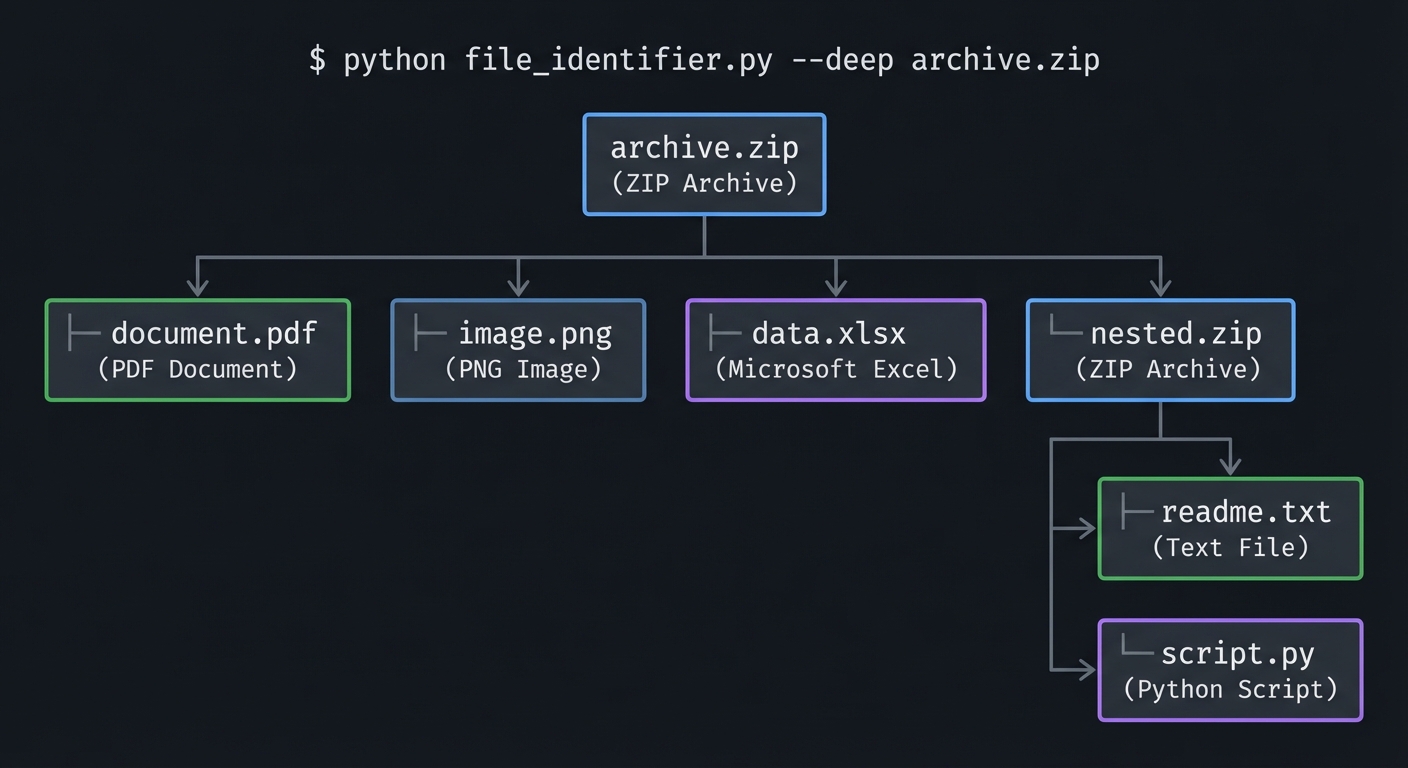
Extension 3: Recursive Archive Scanning
Scan inside archives to identify their contents:
$ python file_identifier.py --deep archive.zip

archive.zip (ZIP Archive)
├── document.pdf (PDF Document)
├── image.png (PNG Image)
├── data.xlsx (Microsoft Excel)
└── nested.zip (ZIP Archive)
    ├── readme.txt (Text File)
    └── script.py (Python Script)
Extension 4: Web API Mode
Create a Flask/FastAPI endpoint for file identification:
from flask import Flask, request, jsonify

app = Flask(__name__)

@app.route('/identify', methods=['POST'])
def identify():
    if 'file' not in request.files:
        return jsonify({'error': 'No file provided'}), 400

    file = request.files['file']
    data = file.read(32)

    db = SignatureDatabase()
    result = db.find_match(data)

    return jsonify({
        'filename': file.filename,
        'detected_type': result.name if result else 'Unknown',
        'mime_type': result.mime_type if result else None,
        'signature_hex': data.hex()
    })
Extension 5: YARA Rule Generation
Generate YARA rules from your signature database:
def generate_yara_rules() -> str:
    """Generate YARA rules from signature database."""
    rules = []

    for sig in SIGNATURES:
        hex_pattern = ' '.join(f'{b:02X}' for b in sig.magic_bytes)

        rule = f'''
rule {sig.name.replace(' ', '_')} {{
    meta:
        description = "{sig.description or sig.name}"
        mime_type = "{sig.mime_type}"

    strings:
        $magic = {{ {hex_pattern} }}

    condition:
        $magic at 0
}}
'''
        rules.append(rule)

    return '\n'.join(rules)
The Interview Questions They’ll Ask
After completing this project, you’ll be ready for these questions:
1. “Why do we need file signatures when we have file extensions?”
Expected Answer:
File extensions are just part of the filename - they can be changed by anyone. A malicious user could rename malware.exe to photo.jpg to trick users or bypass security filters. File signatures (magic numbers) are embedded in the file’s actual binary content and cannot be changed without corrupting the file. Security tools, antivirus software, and web servers use signature-based detection because it’s reliable.
Bonus: Mention that the UNIX file command uses an extensive signature database (the “magic” file) to identify thousands of file types.
2. “What’s the difference between text mode and binary mode when reading files?”
Expected Answer:
- Text mode (
'r'): The runtime performs text encoding/decoding (e.g., UTF-8) and may transform newline characters. This can corrupt binary data. - Binary mode (
'rb'): Reads raw bytes exactly as they are stored on disk. Essential for examining file signatures or any non-text data.
Bonus: Explain that on Windows, text mode also converts \r\n to \n, which would corrupt binary data.
3. “How would you handle a file that matches multiple signatures?”
Expected Answer:
Prioritize longer, more specific signatures. For example, both ZIP and DOCX start with PK\x03\x04, but DOCX files contain specific XML files inside. You can:
- Sort signatures by length (longest first)
- Use additional verification functions for ambiguous cases
- For archive-based formats, look inside the archive to determine the specific type
4. “What security applications use file signature analysis?”
Expected Answer:
- Antivirus/Malware detection: Identify executables disguised as documents
- Web application firewalls: Block dangerous file uploads
- Email gateways: Scan attachments for malware
- Digital forensics: Recover files from corrupted/wiped drives
- Data loss prevention (DLP): Identify sensitive file types leaving the network
5. “How would you detect a PE executable hidden in a ZIP archive?”
Expected Answer:
- First, identify the outer file as a ZIP archive by its signature (
PK\x03\x04) - Open the ZIP archive programmatically
- Iterate through the archive entries
- For each entry, read its first few bytes and check for the PE signature (
MZ/4D 5A) - Flag any executables found inside
Bonus: Mention that this is a common malware distribution technique and that many security tools perform recursive archive scanning.
6. “What is a polyglot file?”
Expected Answer: A polyglot file is a file that is valid as multiple file types simultaneously. For example, a file could be both a valid JPEG and a valid ZIP archive. This is possible because:
- Some formats only check the beginning (JPEG)
- Some formats only check specific offsets (ZIP can have data before the archive)
- Attackers use polyglots to bypass security filters
Bonus: Mention that GIFAR (GIF + JAR) was a famous polyglot exploit.
7. “How would your tool handle an empty file?”
Expected Answer: Check file size before reading. If the file is 0 bytes:
- Return immediately with “Empty file” result
- Don’t attempt to read or match signatures
- Include a warning in the output
This prevents index errors and provides clear user feedback.
8. “Why is the PNG signature 8 bytes long when most are 2-4 bytes?”
Expected Answer: The PNG signature was carefully designed:
0x89: High bit set - detects 7-bit data corruption0x50 0x4E 0x47: “PNG” in ASCII - human-readable identifier0x0D 0x0A: CRLF - detects newline conversion (text mode corruption)0x1A: Ctrl-Z - stops display on DOS TYPE command0x0A: LF - detects reverse newline conversion
Each byte serves a specific purpose for detecting transmission or handling corruption.
9. “What’s the difference between a signature at offset 0 vs offset 257?”
Expected Answer: Most signatures are at offset 0 (the very beginning of the file). However, some formats have signatures at other positions:
- TAR archives have
ustarat offset 257 because the first 257 bytes are the header structure - RIFF-based formats (WAV, AVI) have the specific format identifier at offset 8
Your matching logic must check the correct offset for each signature, not assume everything starts at byte 0.
10. “How would you add support for signatures with wildcards?”
Expected Answer:
Some signatures have variable bytes (e.g., JPEG FF D8 FF xx where xx varies). Options:
- Store multiple variants as separate signatures
- Use a mask:
magic_bytes+mask_byteswhere mask indicates which bytes must match - Use regular expressions on the byte sequence
- Use a match function that handles wildcards
Example:
# With mask approach
signature = SignatureWithMask(
    magic_bytes=b'\xff\xd8\xff\x00',
    mask=b'\xff\xff\xff\x00',  # 0 = wildcard
    name='JPEG'
)
Books That Will Help
| Topic | Book | Chapter/Section |
|---|---|---|
| Binary file formats | “Practical Binary Analysis” by Dennis Andriesse | Chapter 1: Anatomy of a Binary |
| File format internals | “Forensic Discovery” by Dan Farmer & Wietse Venema | Chapter 4: File System Analysis |
| Python byte handling | “Fluent Python” by Luciano Ramalho | Chapter 4: Text and Bytes |
| Binary data in Python | “Python Cookbook” by Beazley & Jones | Chapter 6: Data Encoding and Processing |
| File I/O fundamentals | “The Linux Programming Interface” by Michael Kerrisk | Chapter 4: File I/O |
| Security applications | “Malware Analyst’s Cookbook” by Ligh et al. | Chapter 2: Malware Identification |
| Hex and binary basics | “Code: The Hidden Language” by Charles Petzold | Chapters 7-8: Binary Numbers |
| Data representation | “CS:APP” by Bryant & O’Hallaron | Chapter 2: Representing Information |
Recommended Reading Order
- Before Starting: Re-read your notes from Project 1 on hex/binary conversion
- During Development: “Fluent Python” Chapter 4 for bytes/string handling
- For Depth: “Practical Binary Analysis” Chapter 1 for understanding file structures
- For Context: “Malware Analyst’s Cookbook” to see real-world security applications
Online Resources
- File Signatures Database: https://www.garykessler.net/library/file_sigs.html
- Wikipedia List of File Signatures: https://en.wikipedia.org/wiki/List_of_file_signatures
- UNIX file command source: https://github.com/file/file
- IEEE OUI Database (for network analysis): https://standards-oui.ieee.org/
Self-Assessment Checklist
Before considering this project complete, verify your understanding:
Conceptual Understanding
- Can you explain why file extensions are unreliable for file identification?
- Can you describe what happens when you open a binary file in text mode?
- Can you explain the purpose of each byte in the PNG signature?
- Can you list 3 security applications of file signature analysis?
- Can you explain why some signatures are at non-zero offsets?
- Can you describe how ZIP-based formats (DOCX, APK) are identified?
Implementation Skills
- Can you read the first N bytes of any file in binary mode?
- Can you convert bytes to hexadecimal display format?
- Can you compare byte sequences in Python correctly?
- Can you extract and compare file extensions?
- Can you handle all edge cases (empty files, permission errors, etc.)?
Signature Database
- Does your database include at least 15 common file types?
- Have you organized signatures by category (images, documents, etc.)?
- Do you handle signatures at non-zero offsets?
- Do you have descriptions/MIME types for each signature?
Output Quality
- Does your tool display bytes in a readable hex format?
- Does it show ASCII representation alongside hex?
- Does it clearly identify the matched file type?
- Does it warn about extension mismatches?
- Does it handle errors gracefully with helpful messages?
Testing
- Have you tested with real files of each supported type?
- Have you tested with files that have wrong extensions?
- Have you tested with empty files?
- Have you tested with very small files?
- Have you compared your results with the
filecommand?
Code Quality
- Is your code organized into logical modules?
- Are functions documented with docstrings?
- Do you handle exceptions appropriately?
- Is the signature database easy to extend?
- Could another developer understand and modify your code?
Real-World Readiness
- Can you identify a file’s true type in under 1 second?
- Can you scan an entire directory of files?
- Would you trust your tool to detect a disguised executable?
- Could you use this tool as part of a security workflow?
The Core Question You’ve Answered
“How do computers know what a file actually is, independent of what humans name it?”
By completing this project, you’ve learned that files contain self-identifying byte sequences called magic numbers or file signatures. These signatures:
- Are embedded at specific byte positions (usually the start) of files
- Are unique to each file format
- Cannot be changed without corrupting the file
- Are the reliable way to identify file types
You’ve built a tool that:
- Reads raw bytes from files in binary mode
- Matches those bytes against a database of known signatures
- Detects when file extensions don’t match the true file type
- Provides security value by identifying disguised files
This knowledge is foundational for:
- Security tool development
- Digital forensics
- File format parsing
- Understanding how systems like web browsers, email clients, and operating systems identify and handle files
You now understand files at the byte level - a skill that separates competent developers from those who just use abstractions without understanding what’s underneath.
This guide was created for the Binary & Hexadecimal Learning Path. For the complete learning path, see the project index.